Introduction to awk
awk is a text processing tool commonly used for data manipulation and generating reports.
The name awk is derived from the initials of its creators: Alfred Aho, Peter Weinberger, and Brian Kernighan.
awk Working Mode
The following diagram illustrates the basic working flow of awk:

Syntax Format
There are two common forms of awk commands:
-
Based on file input
awk 'BEGIN{pattern}{commands}END{}' file_name -
Based on standard input via pipe
standard_command | awk 'BEGIN{pattern}{commands}END{}'
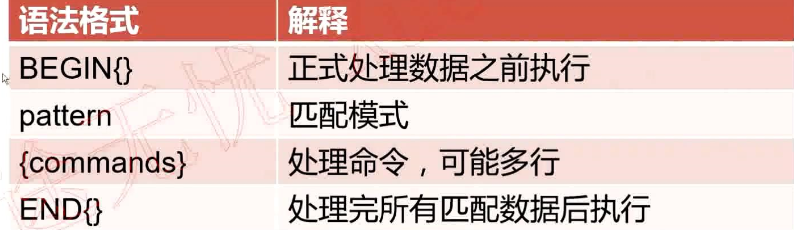
The following diagram explains the syntax components:
awk Built-in Variables
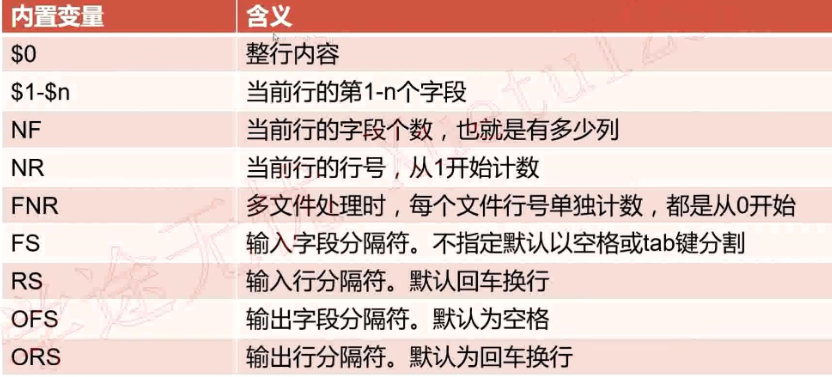
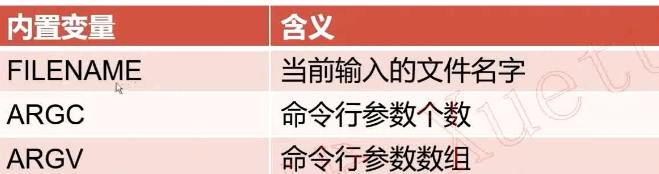
Here is a reference table of awk's built-in variables:
Below are the most commonly used built-in variables:
$0          : The entire current record (line).
$1 ... $n   : The first to nth field of the current record.
NF          : Number of fields in the current record.
NR          : Number of records (lines) processed so far (cumulative).
FNR         : Number of records processed in the current file (resets per file).
FS          : Input field separator (default: whitespace/tab).
RS          : Input record separator (default: newline).
OFS         : Output field separator (default: space).
ORS         : Output record separator (default: newline).
FILENAME    : Name of the current input file.
ARGC        : Number of command-line arguments.
ARGV        : Array of command-line arguments.
Examples of Working with Built-in Variables
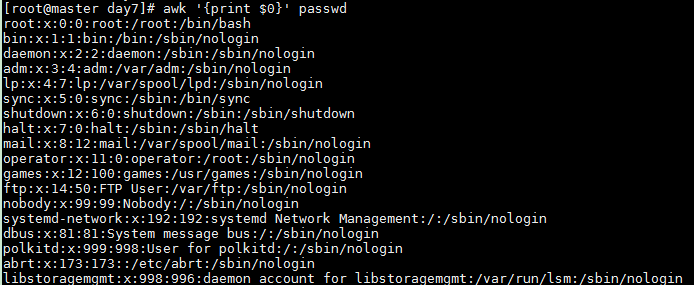
Print the entire line
awk '{print $0}' passwd
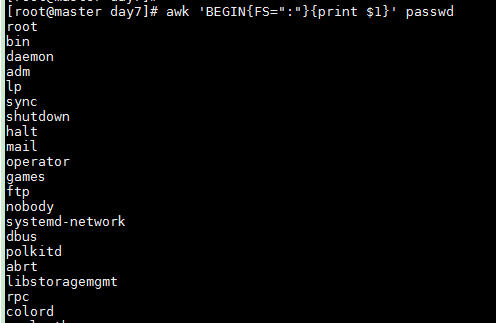
Specify : as field separator and print the first field
awk 'BEGIN{FS=":"}{print $1}' passwd
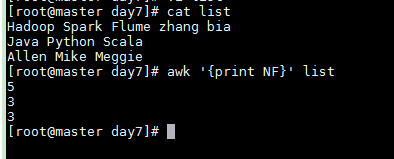
Default field separator (space/tab) — assuming a file list with content:
Hadoop Spark Flume
Java Python Scala
Allen Mike Meggie
Print the first field using space separator
awk 'BEGIN{FS=" "}{print $1}' list

Print the number of fields in each line
awk '{print NF}' list
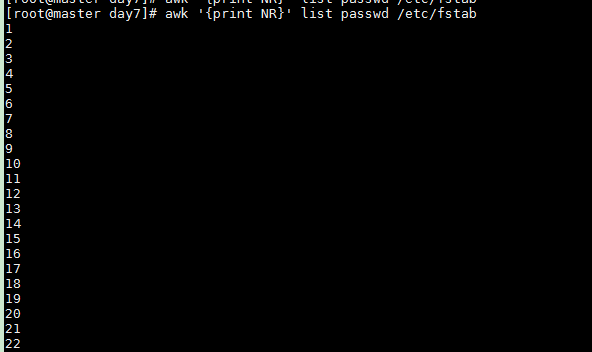
Print cumulative record number (NR) when processing multiple files
awk '{print NR}' list passwd /etc/fstab
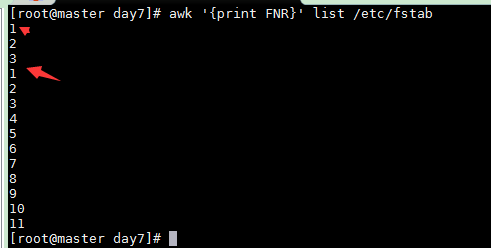
Print file-specific record number (FNR) when processing mutliple files
awk '{print FNR}' list /etc/fstab
More Advanced Examples with Custom Separators
Assume file list has the following content:
Hadoop|Spark:Flume
Java|Python:Scala:Golang
Allen|Mike:Meggie
Use | as field separator and print the second field
awk 'BEGIN{FS="|"}{print $2}' list

Use : as field separator and print the second field
awk 'BEGIN{FS=":"}{print $2}' list
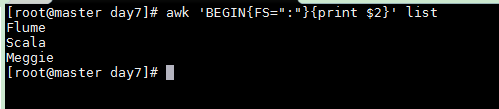
Record Separator (RS) and Output Separators
Assume file list has content:
Hadoop|Spark|Flume--Java|Python|Scala|Golang--Allen|Mike|Meggie
Specify -- as the record separator and print whole records
awk 'BEGIN{RS="--"}{print $0}' list
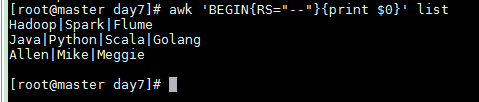
Combine RS and FS to get structured output
awk 'BEGIN{RS="--";FS="|"}{print $3}' list
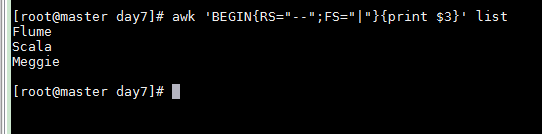
Use ORS to separate output records with &
awk 'BEGIN{RS="--";FS="|";ORS="&"}{print $3}' list

Print multiple fields with default output separator (space)
awk 'BEGIN{RS="--";FS="|";ORS="&"}{print $1,$3}' list

Use OFS to change output field sepaartor to :
awk 'BEGIN{RS="--";FS="|";ORS="&";OFS=":"}{print $1,$3}' list

Printing File Name (FILENAME)
awk '{print FILENAME}' list

If the file has multiple lines, FILENAME is printed for each line because awk processes line by line. For instance, with a file list containing:
Hadoop|Spark|Flume--Java|Python|Scala|Golang--Allen|Mike|Meggie
Test File
Line
The output will show the filename three times:
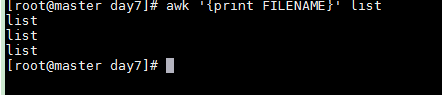
Command-Line Argument Count (ARGC)
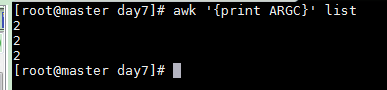
awk '{print ARGC}' list
This will print 2 (one for awk and one for list). If you run:
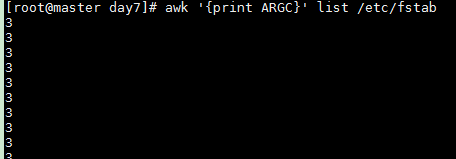
awk '{print ARGC}' list /etc/fstab
The output will be 3 (three arguments).
Using NF to Access the Last Field
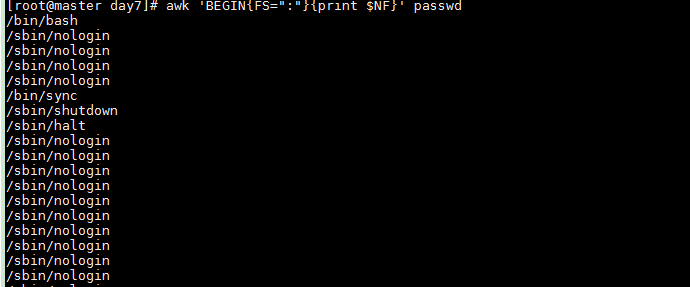
NF gives the total number of fields. Therefore $NF always refers to the last field.
awk 'BEGIN{FS=":"}{print $NF}' passwd
Formatted Output with printf
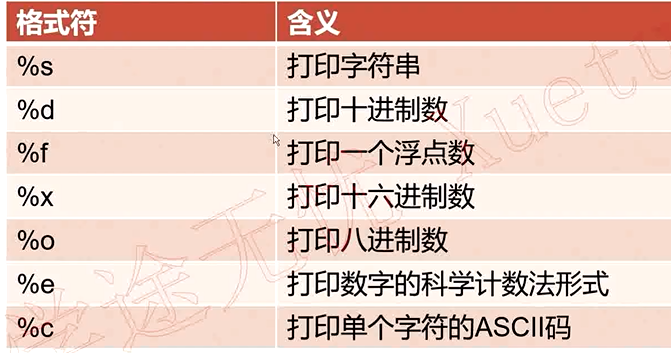
Format Specifiers
| Format Specifier | Description |
|---|---|
%s |
String |
%d |
Decimal integer |
%f |
Floating-point number |
%e |
Scientific notation (lowercase) |
%E |
Scientific notation (uppercase) |
%x |
Hexadecimal (lowercase) |
%X |
Hexadecimal (uppercase) |
%o |
Octal |
%% |
Print a literal % |
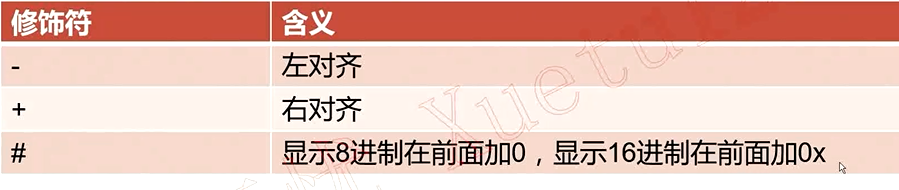
Modifiers
| Modifier | Meaning |
|---|---|
- |
Left-justify within the field width |
+ |
Always print sign for numeric values |
0 |
Pad with zeros instead of spaces |
| width | Minimum field width |
| .prec | Number of decimal places (for %f) |
Examples of printf
printf without newline (default behavior)
awk 'BEGIN{FS=":"}{printf $1}' passwd

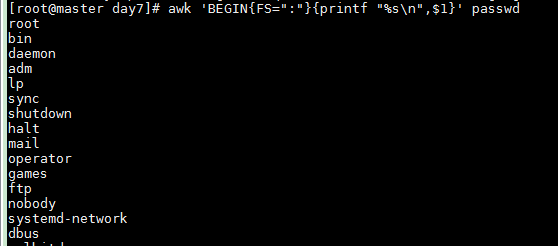
Add newline with %s\n
awk 'BEGIN{FS=":"}{printf "%s\n",$1}' passwd
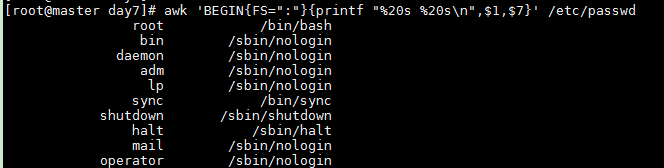
Use placeholders for aligned output (right-aligned by default)
awk 'BEGIN{FS=":"}{printf "%20s %20s\n",$1,$7}' /etc/passwd
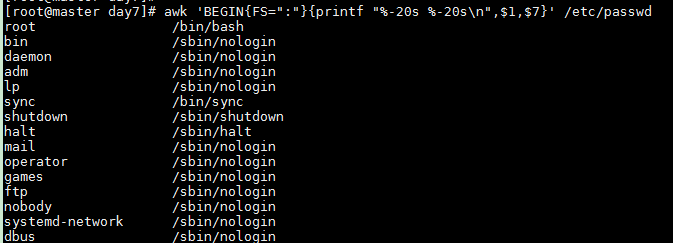
Left-align with -
awk 'BEGIN{FS=":"}{printf "%-20s %-20s\n",$1,$7}' /etc/passwd
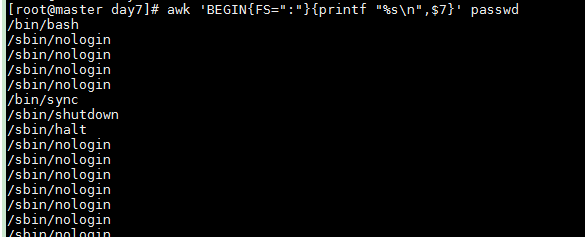
Print strings
awk 'BEGIN{FS=":"}{printf "%s\n",$7}' passwd
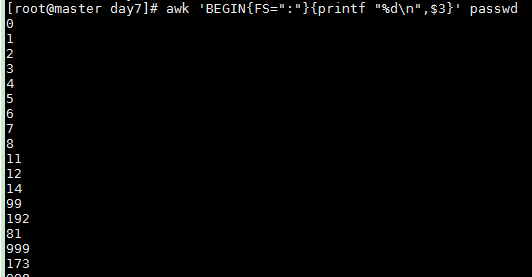
Print decimal integers
awk 'BEGIN{FS=":"}{printf "%d\n",$3}' passwd
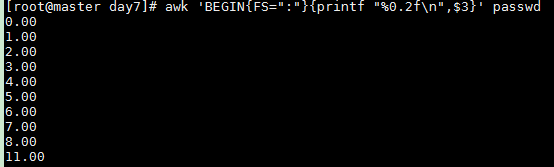
Print floating-point with 2 decimal places
awk 'BEGIN{FS=":"}{printf "%0.2f\n",$3}' passwd
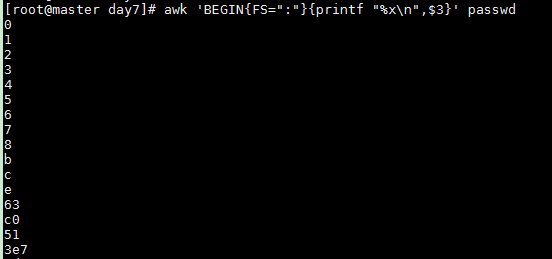
Print hexadecimal
awk 'BEGIN{FS=":"}{printf "%x\n",$3}' passwd
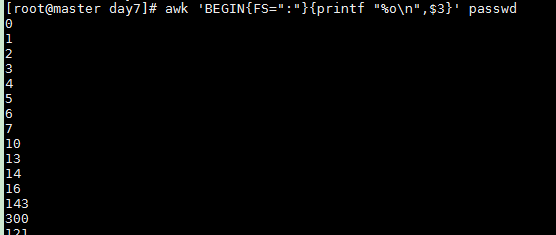
Print octal
awk 'BEGIN{FS=":"}{printf "%o\n",$3}' passwd
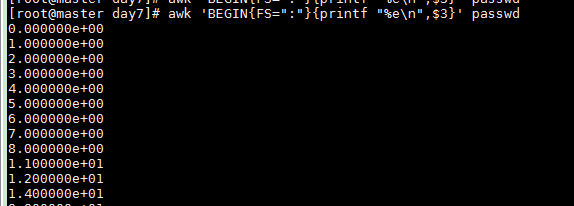
Print scientific notation
awk 'BEGIN{FS=":"}{printf "%e\n",$3}' passwd
Pattern Matching in awk
There are two main ways to perform pattern matching:
- Regular Expression Matching
- Operator Matching
Reference Table for Pattern Matching


1. Regular Expression Matching
Find lines containing the string "root"
awk 'BEGIN{FS=":"}/root/{print $0}' passwd

Find lines starting with "nginx"
awk '/^nginx/{print $0}' passwd

2. Operator Matching
Available comparison operators:
<less than>greater than<=less than or equal>=greater than or equal==equal!=not equal~matches regular expression!~does not match regular expression
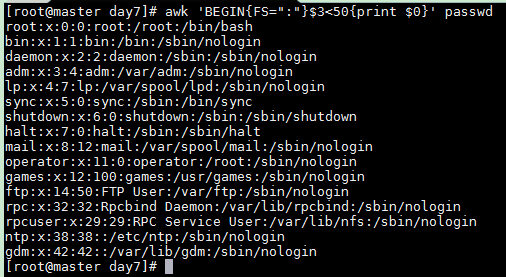
Lines where the third field is less than 50
awk 'BEGIN{FS=":"}$3<50{print $0}' passwd
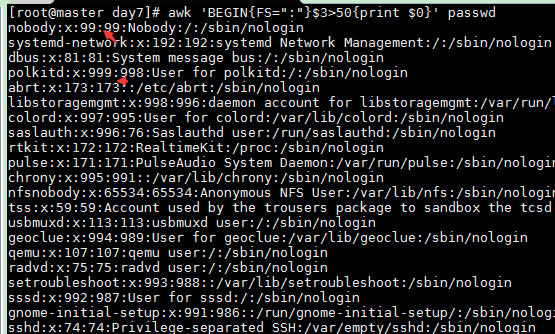
Lines where the third field is greater than 50
awk 'BEGIN{FS=":"}$3>50{print $0}' passwd
Lines where the seventh field equals /bin/bash
awk 'BEGIN{FS=":"}$7=="/bin/bash"{print $0}' passwd

Lines where the seventh field is NOT /bin/bash
awk 'BEGIN{FS=":"}$7!="/bin/bash"{print $0}' passwd
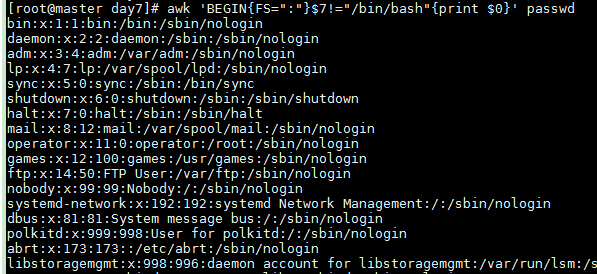
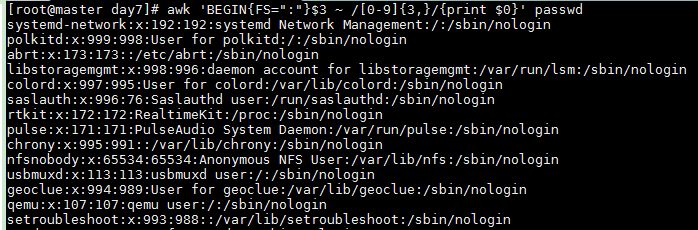
Lines where the third field contains three or more digits
awk 'BEGIN{FS=":"}$3 ~ /[0-9]{3,}/{print $0}' passwd
Boolean Operators in Patterns
||logical OR&&logical AND!logical NOT
Lines where the first field is "ftp" OR "mail"
awk 'BEGIN{FS=":"}$1=="ftp" || $1=="mail"{print $0}' passwd

Lines where third field < 50 AND fourth field > 50
awk 'BEGIN{FS=":"}$3<50 && $4>50{print $0}' passwd

Lines starting with "nginx" (using regex)
awk 'BEGIN{FS=":"}/^nginx/{print $0}' passwd

Lines where UID equals 1
awk 'BEGIN{FS=":"}$3==1{print $0}' passwd
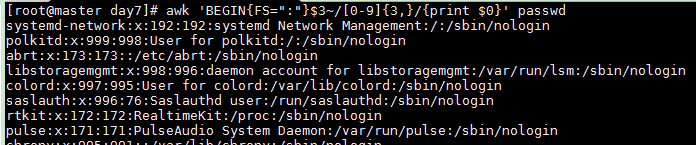
Lines where UID (third field) consists of 3 or more digits
awk 'BEGIN{FS=":"}$3~/[0-9]{3,}/{print $0}' passwd
Lines that do NOT contain /sbin/nologin
awk 'BEGIN{FS=":"}$0!~\/sbin\/nologin/{print $0}' passwd

Lines where UID < 50 AND shell contains /bin/bash
awk 'BEGIN{FS=":"}$3<50 && $7~/\/bin\/bash/ {print $0}' passwd
