Introduction
Android's built-in SwipeRefreshLayout provides pull-to-refresh functionality for RecyclerView and NestedScrollView. However, it has several limitations: it only supports a narrow set of views, does not work with ListView or GridView, the animation effects are difficult to customize, and it lacks built-in pull-to-load-more support.
This article introduces a custom layout—PullRefreshLayout—that supports both pull-to-refresh and pull-to-load-more. The implementation is adapted from the open-source project by baoyz and incorporates some inspiration from the official SwipeRefreshLayout source code.
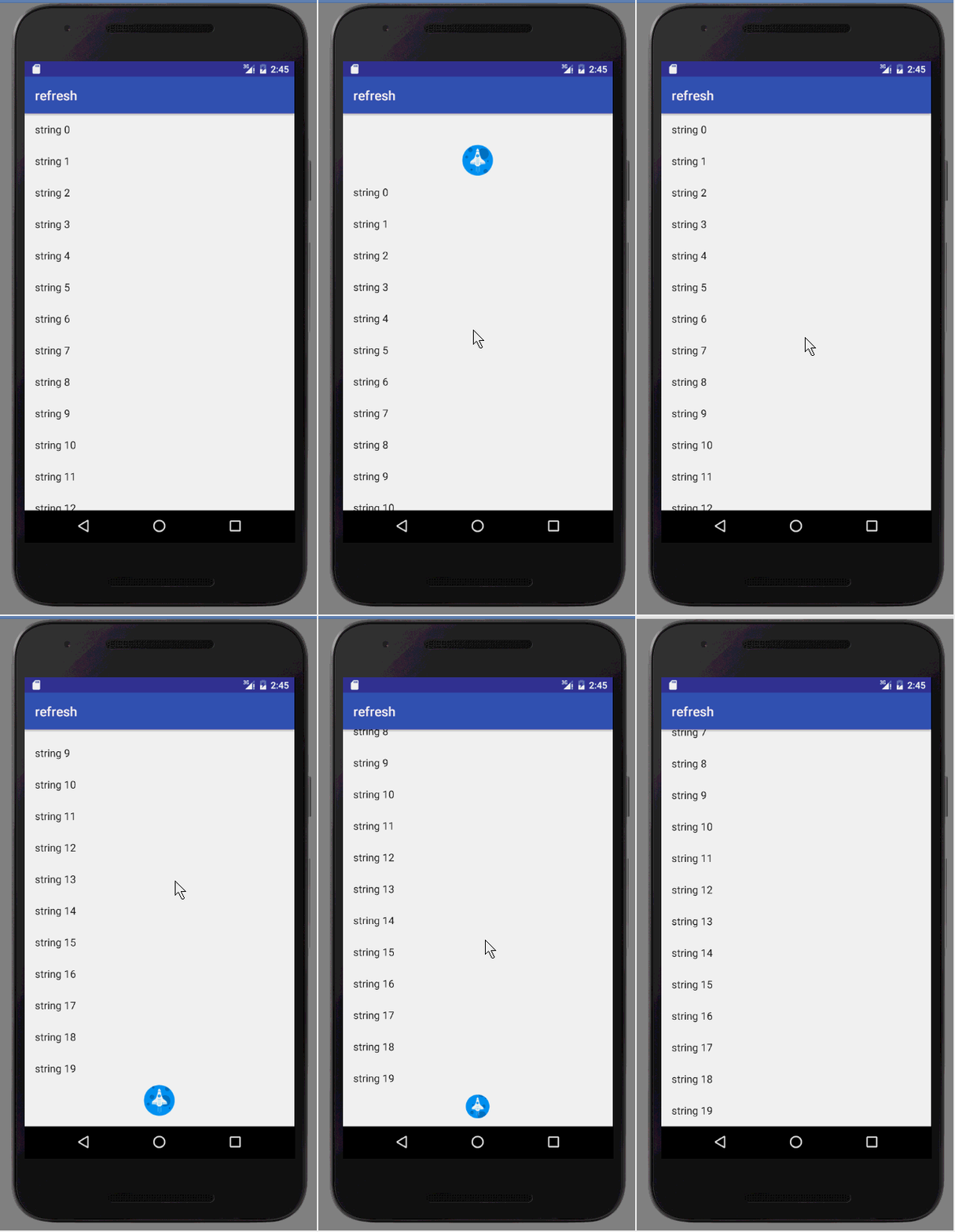
The final effect is shown below:
How It Works
PullRefreshLayout is essentially a ViewGroup that interprets touch gestures to animate its child views. It adds two additional child views for the refresh indicator and the load-more indicator, making it easy to swap custom animations by plugging in different drawable implementations.
Elastic Stretch During Drag
The drag interaction exhibits an elastic stretching behavior: once the user pulls beyond a certain threshold, the displacement increases at a diminishing rate, eventually feeling as though the view has reached a hard limit. This effect relies on some simple mathematical functions.
Here is the core logic:
final float rawScrollDistance = gestureDeltaY * DRAG_FACTOR;
float baseDragRatio = rawScrollDistance / mFullDragDistance;
mCurrentDragPercent = Math.min(1f, Math.abs(baseDragRatio));
float overPullAmount = Math.abs(rawScrollDistance) - mFullDragDistance;
float maxOverPullRange = mSpinnerFinalOffset;

float overPullPercent = Math.max(0, Math.min(overPullAmount, maxOverPullRange * 2) / maxOverPullRange);
float elasticFactor = (float) ((overPullPercent / 4) - Math.pow((overPullPercent / 4), 2)) * 2f;

float bonusDisplacement = (maxOverPullRange) * elasticFactor * 2;
int computedTargetY = (int) ((maxOverPullRange * mCurrentDragPercent) + bonusDisplacement);
Explanation of variables:
gestureDeltaY— the raw vertical distance computed from touch events.rawScrollDistance— scaled distance using a constant multiplier (DRAG_FACTOR, e.g., 0.5) that controls the stiffness of the elastic effect.mFullDragDistance— the distance at which the loading progress reaches 100%.baseDragRatio— ratio ofrawScrollDistancetomFullDragDistance.mCurrentDragPercent— the actual drag percentage (clamped to [0, 1]).maxOverPullRange— half the maximum allowed displacement beyond 100% (equalsmSpinnerFinalOffset).bonusDisplacement— the extra stretch distance.computedTargetY— the final target Y translation.
When rawScrollDistance is positive (pull-down):
overPullAmountincreases linearly from-mFullDragDistanceupwards, reaching 0 exactly whenrawScrollDistance == mFullDragDistance.overPullPercentremains 0 untilrawScrollDistanceexceedsmFullDragDistance, then increases linearly up to3 * mFullDragDistance, after which it stays at 2.elasticFactoris a quadratic function that is 0 whilerawScrollDistance < mFullDragDistance, rises to 0.5 at3 * mFullDragDistance, and then remains at 0.5.
This produces the following relationship between the raw scroll distance and the final translation:
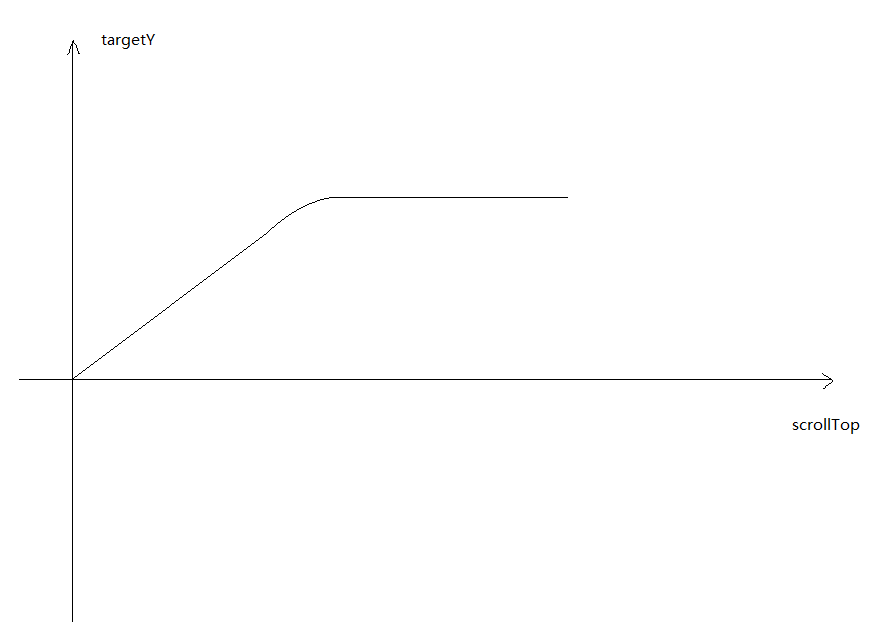
For pull-up operations, computedTargetY is negated. The same logic handles both directions by taking the absolute value of rawScrollDistance when computing the over-pull parameters.
Loading Animation Architecture
The loading indicators are handled by two child container views: mRefreshView and mLoadView. They control visibility only; the actual animation is delegated to separate Drawable objects (mRefreshDrawable and mLoadDrawable).
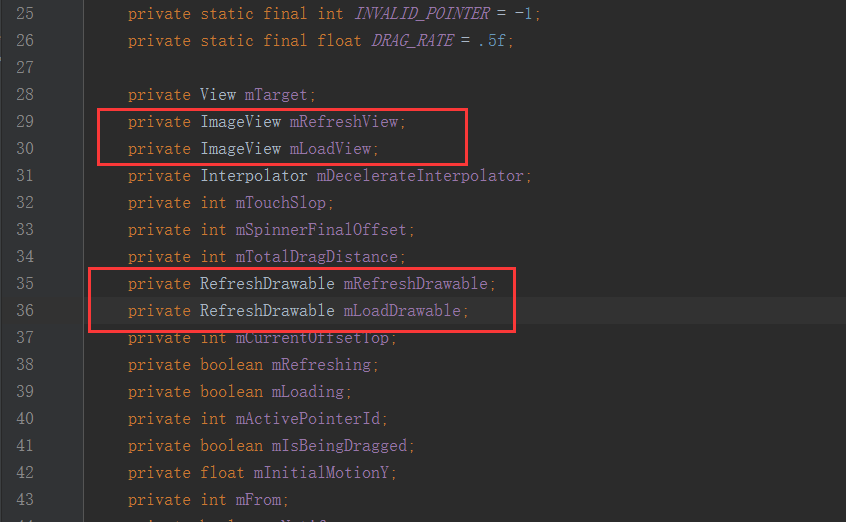
During initialization, a custom Drawable is assigned:
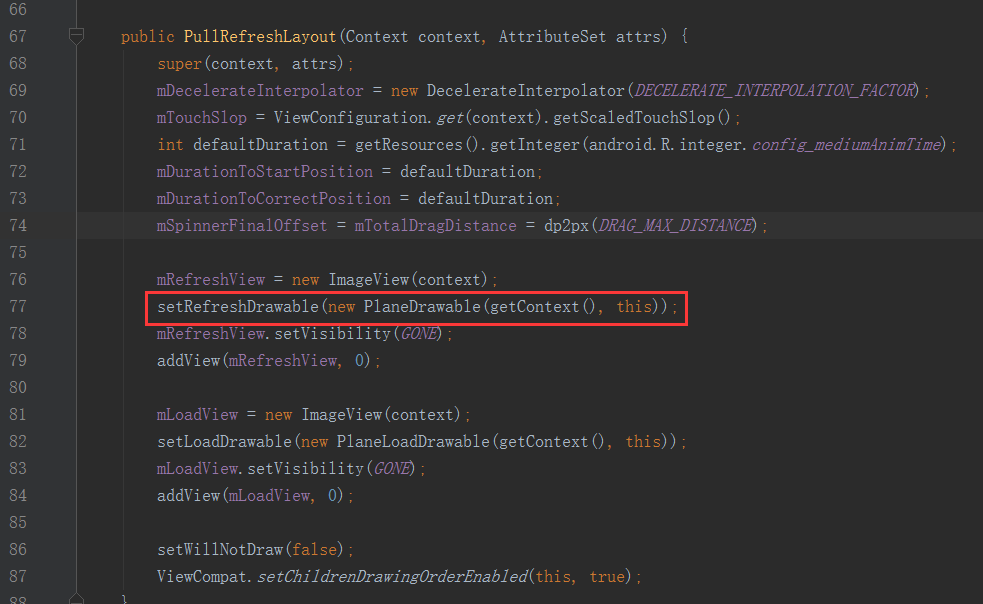
Internally, setRefreshDrawable assigns a Drawable instance to mRefreshView. In the example, a PlaneDrawable (rocket animation) is used. PlaneDrawable extends an abstract class named RefreshDrawable, which decouples the animation appearance from the layout.
The abstract RefreshDrawable class:
import android.content.Context;
import android.graphics.ColorFilter;
import android.graphics.PixelFormat;
import android.graphics.drawable.Animatable;
import android.graphics.drawable.Drawable;

public abstract class RefreshDrawable extends Drawable implements Drawable.Callback, Animatable {

    private PullRefreshLayout mRefreshLayout;

    public RefreshDrawable(Context context, PullRefreshLayout layout) {
        mRefreshLayout = layout;
    }

    public Context getContext() {
        return mRefreshLayout != null ? mRefreshLayout.getContext() : null;
    }

    public PullRefreshLayout getRefreshLayout() {
        return mRefreshLayout;
    }

    public abstract void applyProgress(float progress);
    public abstract void setColorSchemeColors(int[] colorSchemeColors);
    public abstract void applyOffset(int offset);

    @Override
    public void invalidateDrawable(Drawable who) {
        final Callback callback = getCallback();
        if (callback != null) {
            callback.invalidateDrawable(this);
        }
    }

    @Override
    public void scheduleDrawable(Drawable who, Runnable what, long when) {
        final Callback callback = getCallback();
        if (callback != null) {
            callback.scheduleDrawable(this, what, when);
        }
    }

    @Override
    public void unscheduleDrawable(Drawable who, Runnable what) {
        final Callback callback = getCallback();
        if (callback != null) {
            callback.unscheduleDrawable(this, what);
        }
    }

    @Override
    public int getOpacity() {
        return PixelFormat.TRANSLUCENT;
    }

    @Override
    public void setAlpha(int alpha) { }

    @Override
    public void setColorFilter(ColorFilter cf) { }
}
The key abstract methods are:
applyProgress(float progress)— called when the drag percentage changes.applyOffset(int offset)— called when the target's position changes due to scrolling or the elastic effect.
To create a custom loading animation, simply subclass RefreshDrawable, implement these two methods, and pass an instance to setRefreshDrawable() or setLoadDrawable().
Handling Simultaneous Indicator Display
When adding the load-more indicator, a bug appeared: if the user pulls down and then drags up without releasing the touch, both refresh and load-more indicators could appear simultaneously eventhough the list is not at the bottom. The root cause is that the method checking whether the child can scroll up returns false during the gesture.
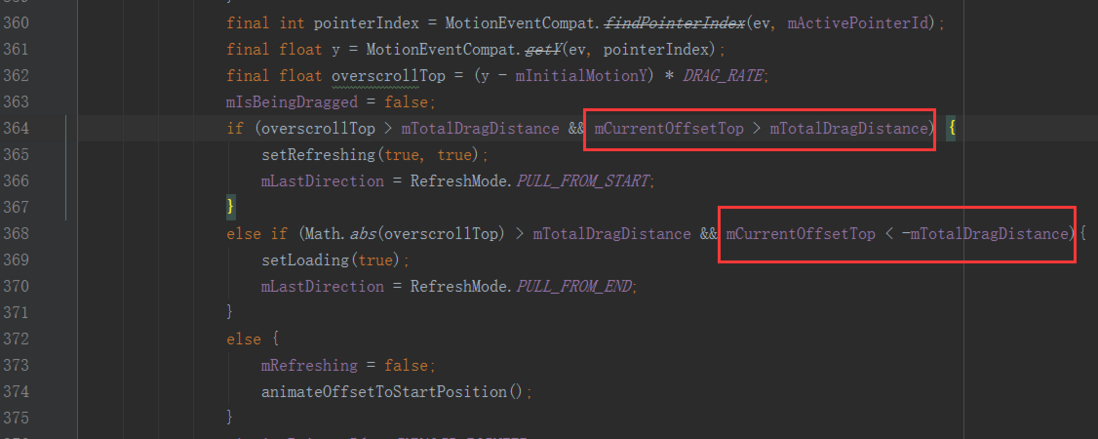
To prevent this, the layout stores the last drag direction in mLastDirection. If the incoming direction differs, the new indicator is not shown. Additionally, on ACTION_UP or ACTION_CANCEL, the target's top position is checked to decide which indicator should stay visible.
Source code is available here: https://github.com/SIdQi/Pull...