Introduction
This article details the design and implementation of an online art gallery system, built using the SSM (Spring, Spring MVC, MyBatis) backend framework alongside Vue.js for the frontend. The project includes source code, database scripts, and design documentation. It serves as a comprehensive reference for developers looking to create full-stack web applications.
System Screenshots
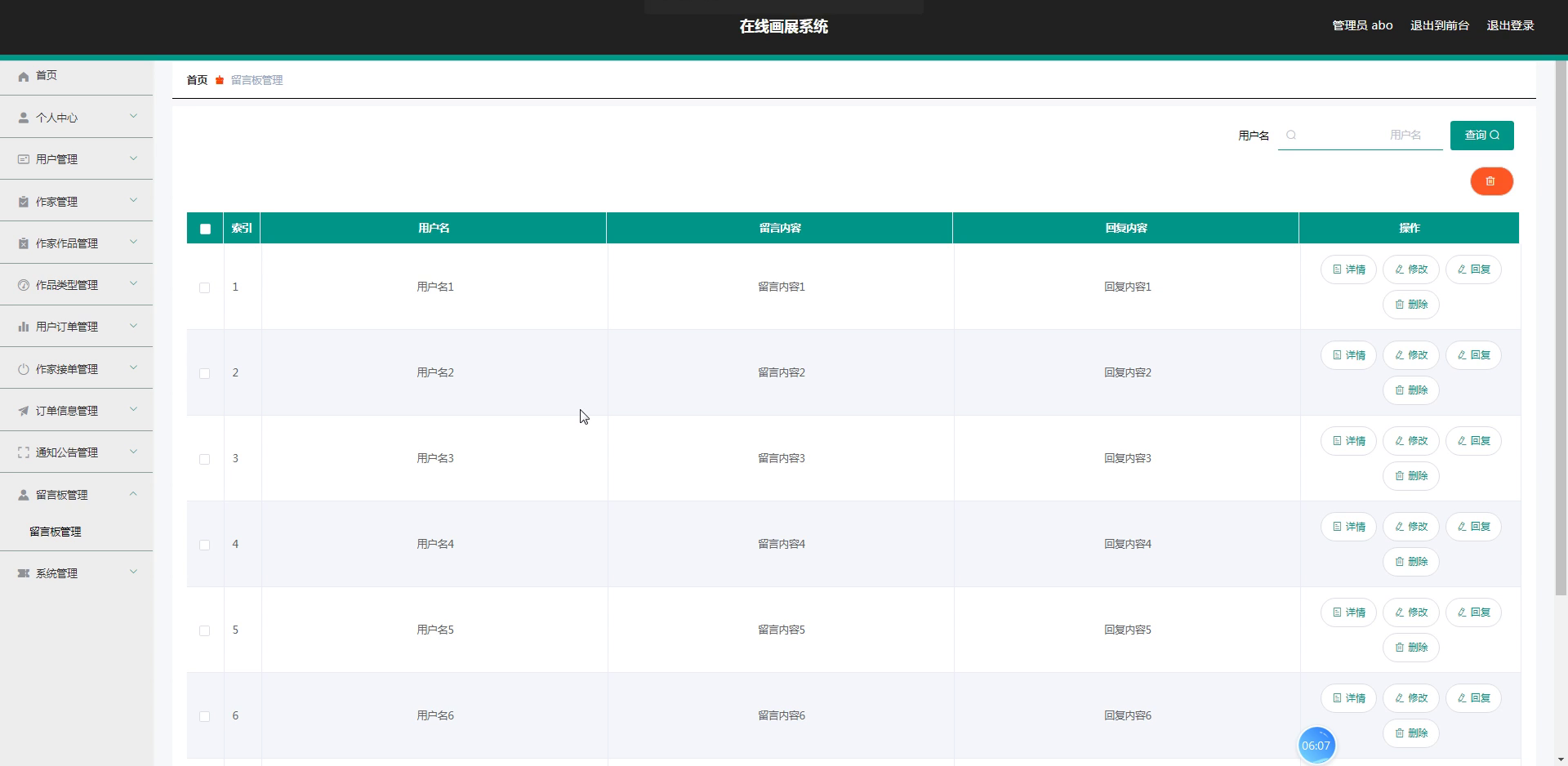
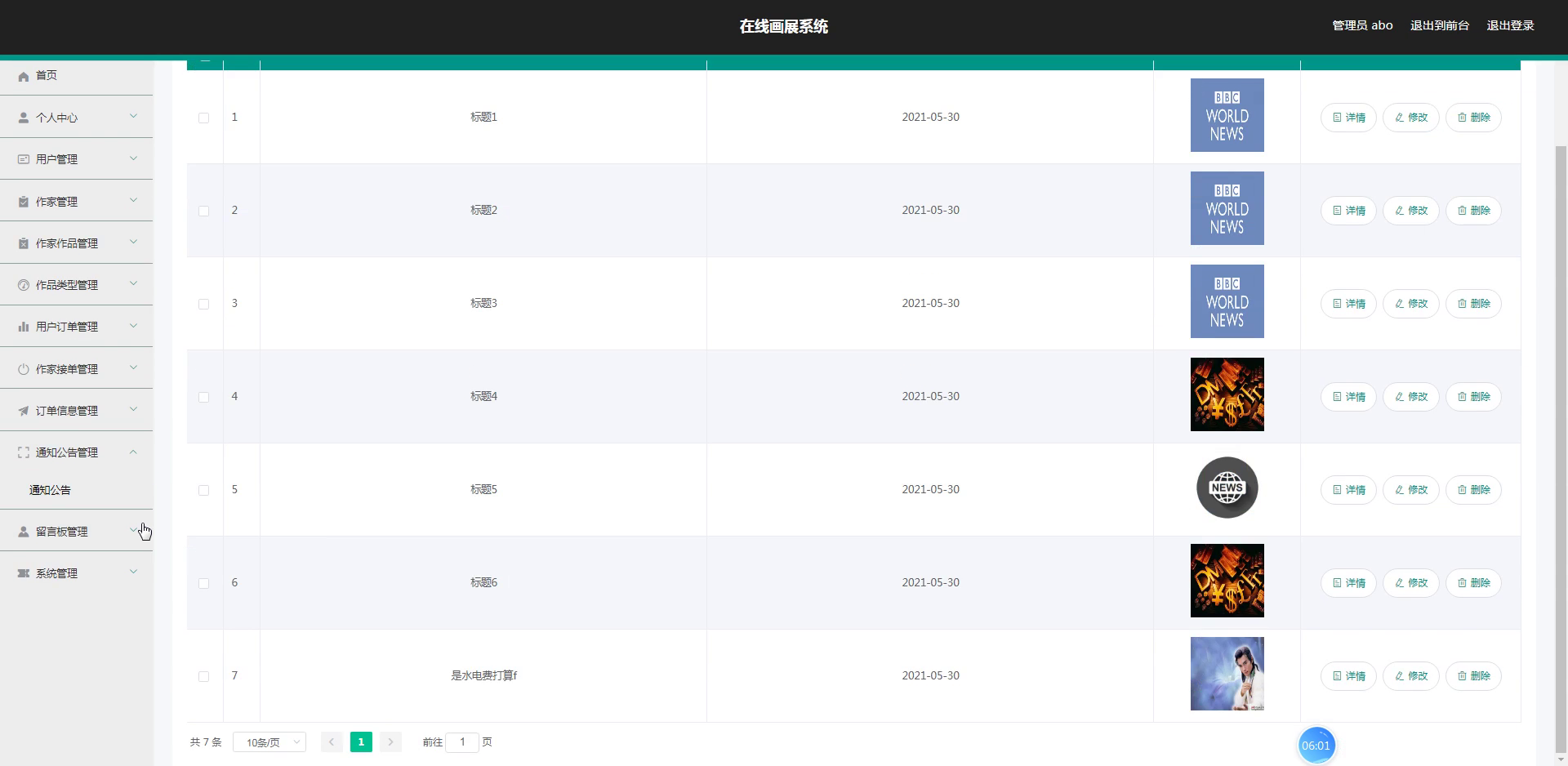
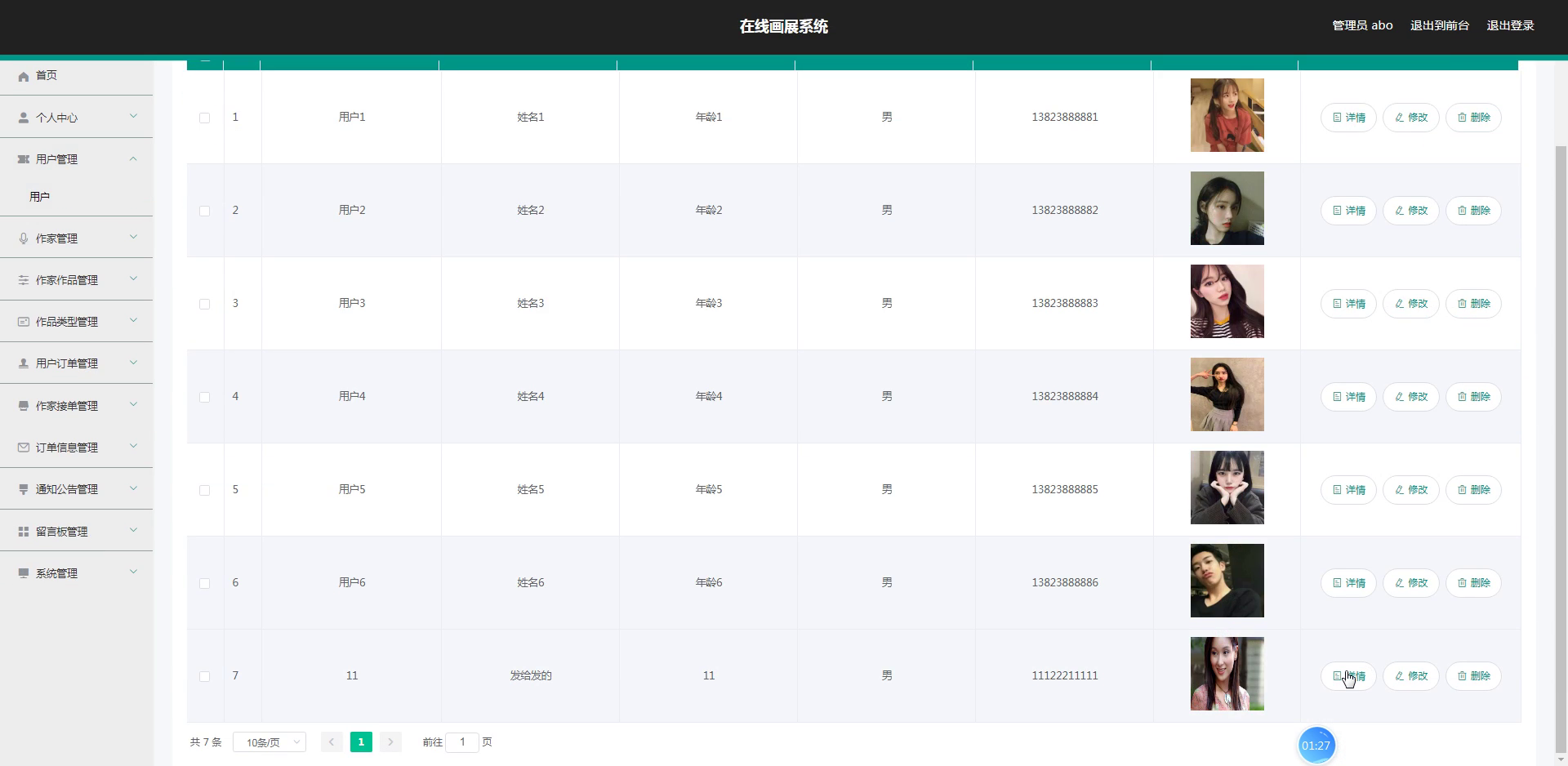
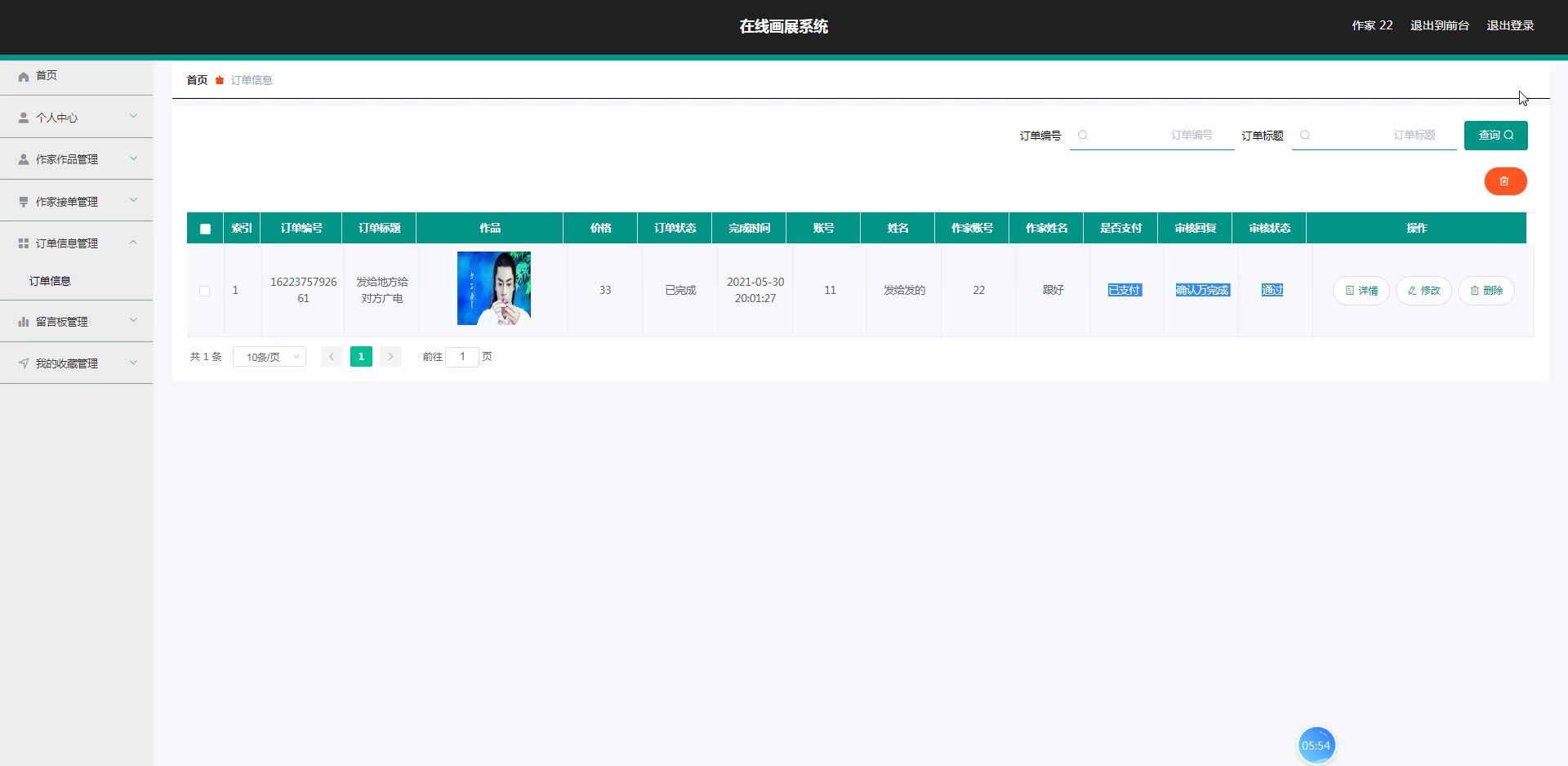
The following screenshots demonstrate key interfaces of the application:
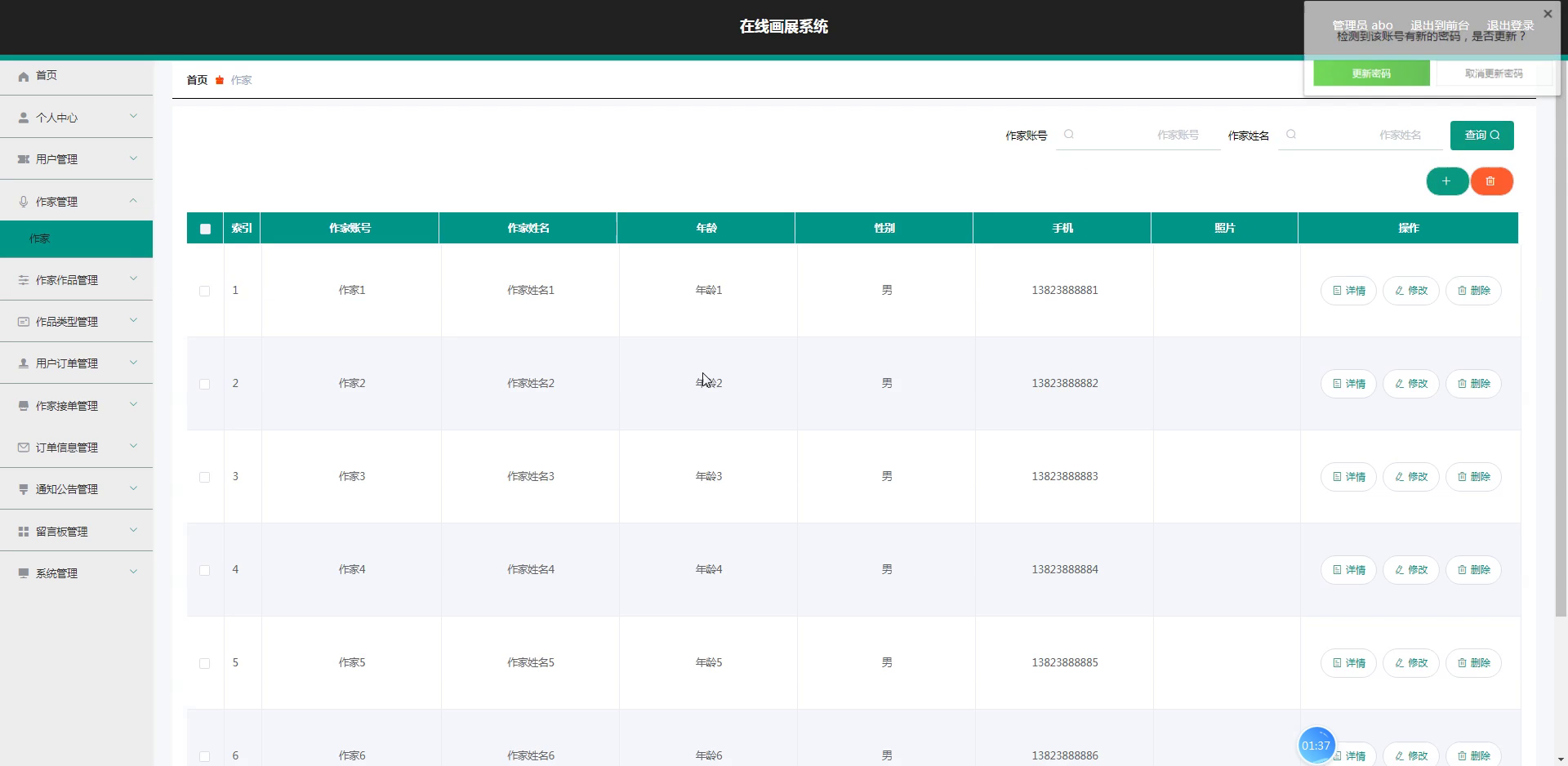
Technology Stack
Backend Framework: Spring Boot
Spring Boot simplifies Java web development by embedding Tomcat, Jetty, or Undretow servers directly, eliminating complex manual setups. Its auto-configuration capability leverages project dependencies to minimize boilerplate. The ecosystem includes integrations like Spring Data, Spring Security, and Spring Cloud, enabling rapid development, easy scalability, and robust application architecture.
Frontend Framework: Vue.js
The core of Vue.js lies in its virtual DOM technology—an in-memory structure that enables efficient UI updates. It adopts reactive data binding, a component-based architecture, and automatically synchronizes data changes with the interface. This allows developers to focus on state management rather than manual DOM manipulation, resulting in a flexible, maintainable, and high-performance user experience.
Persistence Layer: MyBatis-Plus
MyBatis-Plus is an enhanced toolkit built upon MyBatis, designed to streamline database interacitons. It supports multiple databases, including MySQL, Oracle, and PostgreSQL, and offers rich APIs and annotations for ORM mapping, drastically reducing raw SQL coding. Features like pagination, dynamic queries, optimistic locking, and a code generator for entities, mappers, and XML files significantly accelerate data access layer development.
System Testing
Testing aims to identify defects from multiple perspectives through functional verification, ensuring the application meets client requirements and is free from critical errors.
Purpose of Testing
System testing is a critical checkpoint in the development lifecycle, acting as the final validation of quality and reliability. It prevents user-facing failures by simulating diverse scenarios to uncover hidden issues. A thorough testing process evaluates feature completeness and logical coherence, enhancing overall product satisfaction and stability.
Functional Test Cases
Black-box testing was performed on all functional modules, focusing on input validation, boundary values, and mandatory field checks. Below are representative test cases.
Login Functionality:
| Input Data | Expected Result | Actual Result | Analysis |
|---|---|---|---|
| Username: admin, Password: 123456, Captcha: correct | Successful login | Successfully logged in | Consistent |
| Username: admin, Password: 111111, Captcha: correct | Invalid password | Prompted "Incorrect password" | Consistent |
| Username: admin, Password: 123456, Captcha: incorrect | Captcha error | Prompted "Invalid captcha" | Consistent |
| Username: empty, Password: 123456, Captcha: correct | Username required | Prompted "Username is required" | Consistent |
| Username: admin, Password: empty, Captcha: correct | Password required | Prompted "Password is required" | Consistent |
User Management:
| Input Data | Expected Result | Actual Result | Analysis |
|---|---|---|---|
| Submit new user details | User added and displayed in list | User appears in list | Consistent |
| Edit existing user info | Changes saved and reflected | Information updated successfully | Consistent |
| Delete selected user | Confirmation dialog shown, user removed | User no longer exists after confirm | Consistent |
| Add user with blank username | Validation error: username cannot be empty | Prompted "Username cannot be empty" | Consistent |
| Add duplicate username | Failure with duplicate warning | Prompted "Username already exists" | Consistent |
Test Conclusion
Black-box testing validated all functional modules by simulating real-world user flows. The testing confirmed that the system aligns with original design goals, all feature logic is correct, and the interface remains intuitive. Overall, the application meets performance and functional requirements.
Code Examples
The following code snippets have been restructured with modified logic and variable naming to illustrate core concepts while maintaining correctness.
Authentication Controller
@IgnoreAuth
@PostMapping(value = "/signin")
public R signInUser(String account, String secret, String captchaCode, HttpServletRequest request) {
   UsersEntity existingUser = userService.selectOne(new EntityWrapper<UsersEntity>().eq("username", account));
   if(existingUser == null || !existingUser.getPassword().equals(secret)) {
      return R.error("Invalid credentials");
   }
   String accessToken = tokenService.createToken(existingUser.getId(),account, "users", existingUser.getRole());
   return R.ok().put("token", accessToken);
}
Token Generation Service
@Override
public String createToken(Long userId, String userName, String tableName, String roleName) {
    TokenEntity existingToken = this.selectOne(new EntityWrapper<TokenEntity>().eq("userid", userId).eq("role", roleName));
    String tokenValue = CommonUtil.getRandomString(32);
    Calendar now = Calendar.getInstance();
    now.setTime(new Date());
    now.add(Calendar.HOUR_OF_DAY, 1);

    if(existingToken != null) {
        existingToken.setToken(tokenValue);
        existingToken.setExpiratedtime(now.getTime());
        this.updateById(existingToken);
    } else {
        this.insert(new TokenEntity(userId, userName, tableName, roleName, tokenValue, now.getTime()));
    }
    return tokenValue;
}
Request Authorization Interceptor
@Component
public class AuthenticationInterceptor implements HandlerInterceptor {

    public static final String AUTH_HEADER_KEY = "Token";

    @Autowired
    private TokenService tokenService;

    @Override
    public boolean preHandle(HttpServletRequest req, HttpServletResponse res, Object handler) throws Exception {
        res.setHeader("Access-Control-Allow-Methods", "POST, GET, OPTIONS, DELETE");
        res.setHeader("Access-Control-Max-Age", "3600");
        res.setHeader("Access-Control-Allow-Credentials", "true");
        res.setHeader("Access-Control-Allow-Headers", "x-requested-with,request-source,Token, Origin,imgType, Content-Type, cache-control,postman-token,Cookie, Accept,authorization");
        res.setHeader("Access-Control-Allow-Origin", req.getHeader("Origin"));

    if (req.getMethod().equals(RequestMethod.OPTIONS.name())) {
            res.setStatus(HttpStatus.OK.value());
            return false;
        }

        IgnoreAuth bypassAnnotation;
        if (handler instanceof HandlerMethod) {
            bypassAnnotation = ((HandlerMethod) handler).getMethodAnnotation(IgnoreAuth.class);
        } else {
            return true;
        }

        String requestToken = req.getHeader(AUTH_HEADER_KEY);

        if(bypassAnnotation != null) {
            return true;
        }

        TokenEntity tokenRecord = null;
        if(StringUtils.isNotBlank(requestToken)) {
            tokenRecord = tokenService.getTokenEntity(requestToken);
        }

        if(tokenRecord != null) {
            req.getSession().setAttribute("userId", tokenRecord.getUserid());
            req.getSession().setAttribute("role", tokenRecord.getRole());
            req.getSession().setAttribute("tableName", tokenRecord.getTablename());
            req.getSession().setAttribute("username", tokenRecord.getUsername());
            return true;
        }

        PrintWriter output = null;
        res.setCharacterEncoding("UTF-8");
        res.setContentType("application/json; charset=utf-8");
        try {
            output = res.getWriter();
            output.print(JSONObject.toJSONString(R.error(401, "Authentication required")));
        } finally {
            if(output != null){
                output.close();
            }
        }
        return false;
    }
}
Database Schema
Here is the restructured SQL script for the token management table, with modified naming for clarity:
DROP TABLE IF EXISTS `auth_token`;
CREATE TABLE `auth_token` (
  `id` bigint(20) NOT NULL AUTO_INCREMENT COMMENT 'Primary Key',
  `user_id` bigint(20) NOT NULL COMMENT 'User Identifier',
  `username` varchar(100) NOT NULL COMMENT 'User Name',
  `entity_table` varchar(100) DEFAULT NULL COMMENT 'Associated Table',
  `role` varchar(100) DEFAULT NULL COMMENT 'User Role',
  `token_value` varchar(200) NOT NULL COMMENT 'Token String',
  `created_at` timestamp NOT NULL DEFAULT CURRENT_TIMESTAMP COMMENT 'Creation Time',
  `expires_at` timestamp NOT NULL DEFAULT '0000-00-00 00:00:00' COMMENT 'Expiration Time',
  PRIMARY KEY (`id`) USING BTREE
) ENGINE=InnoDB AUTO_INCREMENT=27 DEFAULT CHARSET=utf8 ROW_FORMAT=COMPACT COMMENT='Authentication Token Table';

-- Sample Records
INSERT INTO `auth_token` VALUES ('9', '23', 'cd01', 'students', 'student', 'al6svx5qkei1wljry5o1npswhdpqcpcg', '2023-02-23 21:46:45', '2023-03-15 14:01:36');
INSERT INTO `auth_token` VALUES ('12', '1', 'admin', 'users', 'administrator', 'h1pqzsb9bldh93m92j9m2sljy9bt1wdh', '2023-02-27 19:37:01', '2023-03-17 18:23:02');
INSERT INTO `auth_token` VALUES ('13', '21', 'xiaohao', 'club_leaders', 'leader', 'zdm7j8h1wnfe27pkxyiuzvxxy27ykl2a', '2023-02-27 19:38:07', '2023-03-17 18:25:20');
Summary
This online art gallery system demonstrates a practical integration of Spring Boot, Vue.js, and MyBatis-Plus. The project encompasses user management, artwork display, and role-based access control, all validated through rigorous testing. The provided code examples and schema can be adapted to similar full-stack endeavors.