Sentinel console source code: https://download.csdn.net/download/yixin605691235/89543923 Sentinel console JAR: https://download.csdn.net/download/yixin605691235/89543931
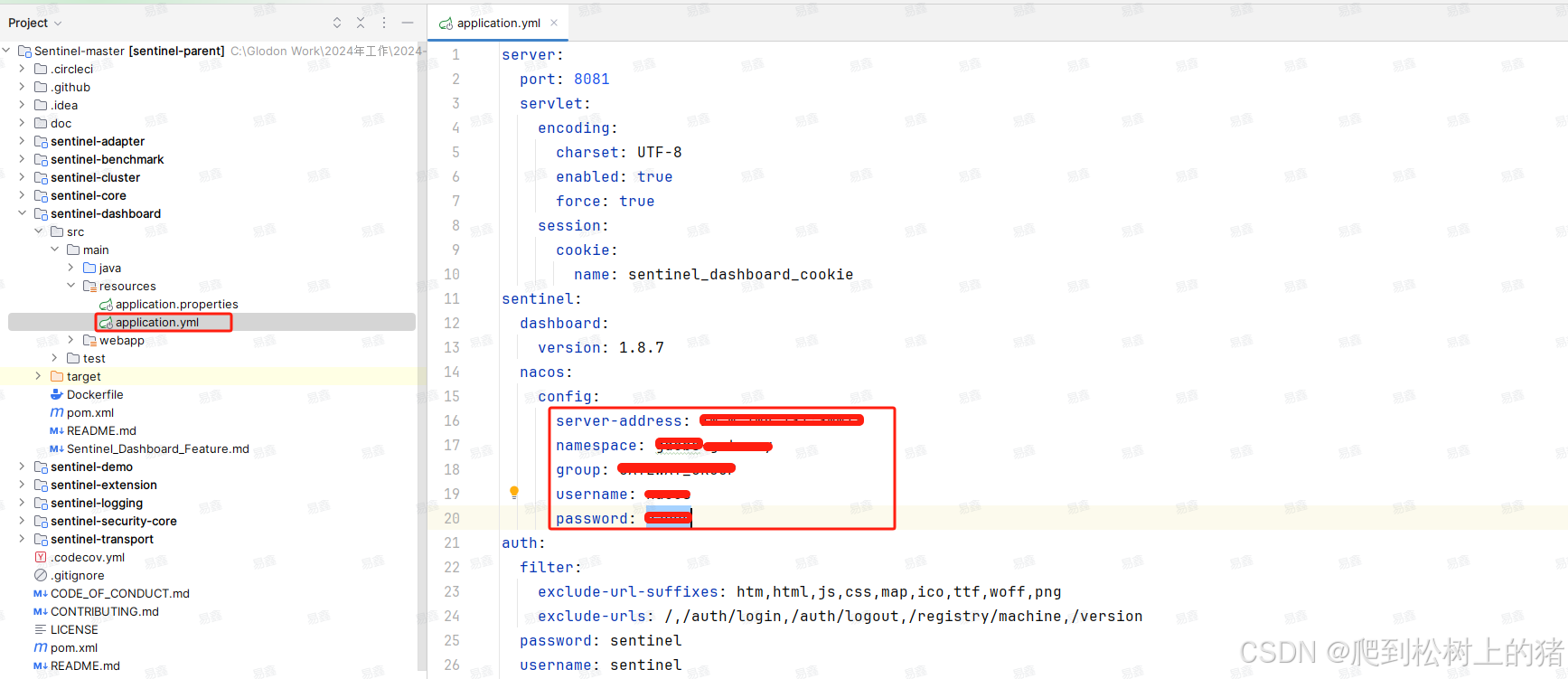
Modify the
application.ymlfile in the JAR to update the Nacos address for different environments.
1. Gateway Rate Limiting Configuration and Usage
1.1 Nacos Configuraton
Create files gdebs-gateway-sentinel.yml and gdebs-gateway-sentinel-dynamic.properties.
spring:
  cloud:
    sentinel:
      eager: true
      scg:
        fallback:
          content-type: application/json
          mode: response
          response-status: ${sentinel.return.code}
          response-body: ${sentinel.return.msg}
      transport:
        dashboard: ${sentinel.dashboard.host}:${sentinel.dashboard.port}
        filter:
          enabled: false
        ip: gdebs-gateway-service
      datasource:
        ds1:
          nacos:
            server-addr: ${sentinel.nacos.host}:${sentinel.nacos.port}
            username: ${sentinel.nacos.name}
            password: ${sentinel.nacos.pwd}
            namespace: ${sentinel.nacos.namespace}
            group-id: ${sentinel.nacos.group}
            data-id: ${spring.application.name}-sentinel-flow-rules.json
            data-type: json
            rule-type: gw-flow
        ds2:
          nacos:
            server-addr: ${sentinel.nacos.host}:${sentinel.nacos.port}
            username: ${sentinel.nacos.name}
            password: ${sentinel.nacos.pwd}
            namespace: ${sentinel.nacos.namespace}
            group-id: ${sentinel.nacos.group}
            data-id: ${spring.application.name}-sentinel-api-rules.json
            data-type: json
            rule-type: gw-api-group
    gateway:
      discovery:
        locator:
          enabled: true
          lower-case-service-id: true
# Sentinel dashboard info
sentinel.dashboard.host=xxxx
sentinel.dashboard.port=xxx

# Sentinel return info
sentinel.return.msg=Sorry, you have been rate limited!
sentinel.return.code=xxx

# Sentinel data persistence configuration
sentinel.nacos.host=xxx.xx.xx.xx
sentinel.nacos.port=xxxx
sentinel.nacos.name=xx
sentinel.nacos.pwd=nacxxos
sentinel.nacos.namespace=xxx
sentinel.nacos.group=xxx
spring.application.name=xxx
1.2 Add Dependencies to Gateway Application
<dependency>
    <groupId>com.alibaba.csp</groupId>
    <artifactId>sentinel-datasource-nacos</artifactId>
</dependency>
<dependency>
    <groupId>com.alibaba.cloud</groupId>
    <artifactId>spring-cloud-starter-alibaba-sentinel</artifactId>
</dependency>
<dependency>
    <groupId>com.alibaba.cloud</groupId>
    <artifactId>spring-cloud-alibaba-sentinel-gateway</artifactId>
</dependency>
<dependency>
    <groupId>com.alibaba.csp</groupId>
    <artifactId>sentinel-spring-cloud-gateway-adapter</artifactId>
</dependency>
1.3 Configure Rate Limiting Rules in Sentinel Console
Access http://localhost:8081/#/login with username/password: sentinel/sentinel.
Note: The Sentinel console uses lazy loading, so you need to make some requests first to see the call chain.
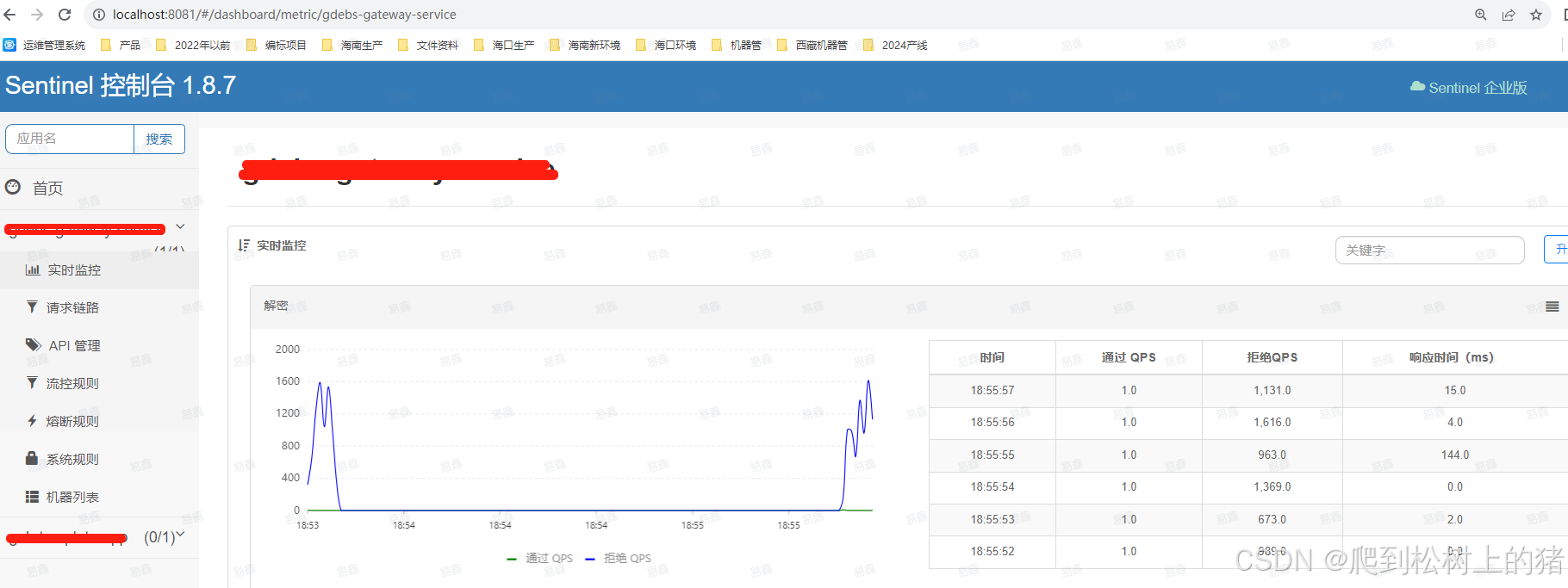
API Management: Allows setting API groups based on request paths.

Rate limiting can be applied to API groups or the whole application.
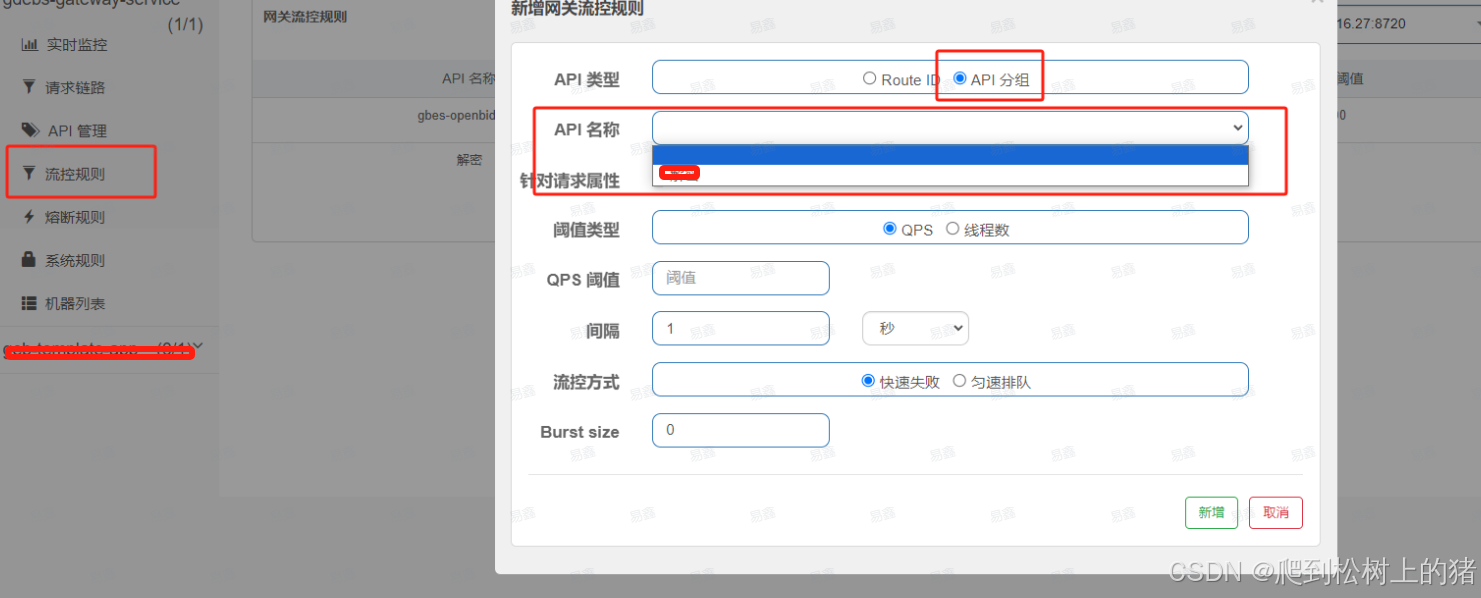
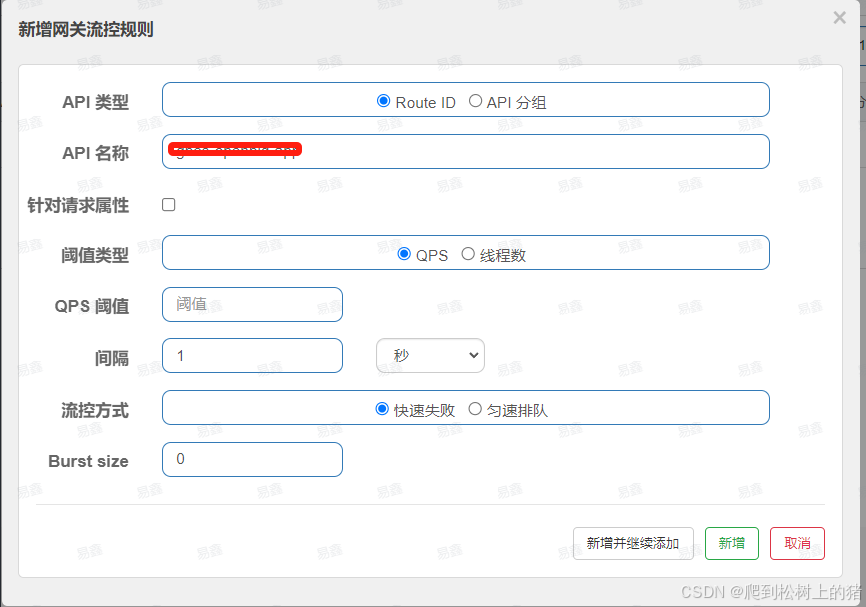
Two flow control modes: quick failure and uniform speed queuing.
- Quick failure: Allows setting a burst size. For example, if QPS is set to 1 and burst size to 10, the first 11 requsets are allowed, subsequent ones are rejected, but later single requests pass.
- Uniform queuing: Sets a maximum queuing time in milliseconds. Requests exceeding QPS wait; if the wait exceeds the set time, they are rejected.
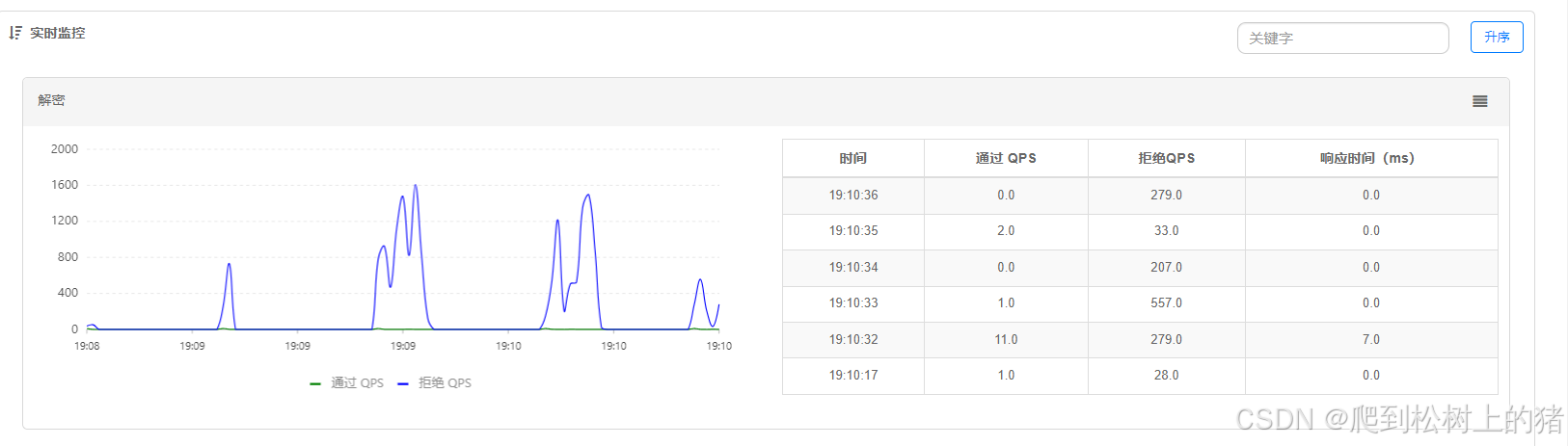
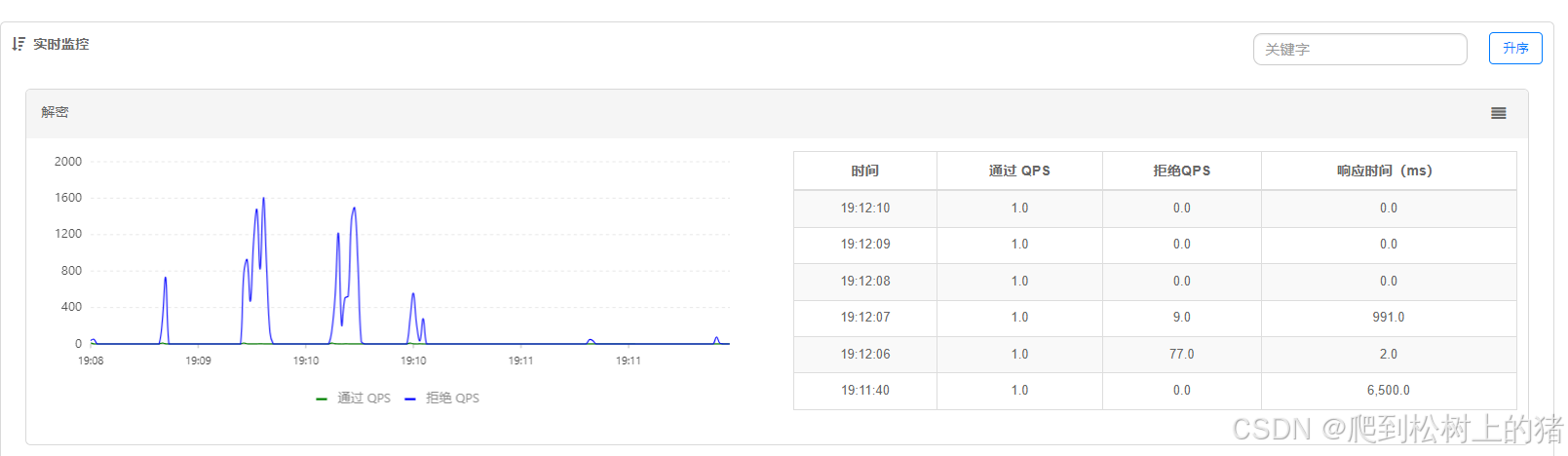
2. Resource and Rule Configuration
Official documentation: Basic API Resource Rule
2.1 Defining Resources
Mainstream frameworks are auto-adapted; Spring Cloud’s request chain is supported natively.
Alternatively, use the @SentinelResource annotation. Add this dependency:
<dependency>
    <groupId>com.alibaba.csp</groupId>
    <artifactId>sentinel-core</artifactId>
    <version>1.8.6</version>
</dependency>
Example usage:
@RestController
@RequestMapping("/sentinel")
public class RateLimitController {

    @SentinelResource(value = "testRateLimit", blockHandler = "blockHandler")
    @PostMapping("/testRateLimit")
    public String testRateLimit() {
        return "Success";
    }

    public String blockHandler(BlockException ex) {
        if (ex instanceof FlowException) {
            return "Rate limited";
        } else if (ex instanceof DegradeException) {
            return "Circuit broken";
        }
        return "Blocked";
    }
}
2.2 Defining Rules
Rules can be defined via code or the Sentinel console.
private void initFlowRules() {
    List<FlowRule> rules = new ArrayList<>();
    FlowRule rule = new FlowRule();
    rule.setResource("testRateLimit");          // Resource name (required)
    rule.setGrade(RuleConstant.FLOW_GRADE_QPS);  // Metric: QPS or thread count (required)
    rule.setCount(1);                            // Limit value (required)
    rule.setStrategy(RuleConstant.STRATEGY_DIRECT); // Call relationship strategy (optional)
    rule.setControlBehavior(RuleConstant.CONTROL_BEHAVIOR_RATE_LIMITER); // Flow control effect (optional)
    rule.setMaxQueueingTimeMs(1000);             // Queue timeout
    rule.setClusterMode(false);                  // Cluster mode (optional, default false)
    rules.add(rule);
    FlowRuleManager.loadRules(rules);
}
Associate flow control and link flow control can be applied to special business scenarios.