API Overview
Elasticsearch provides a RESTful HTTP request interface along with client APIs for multiple programming languages.
RESTful API
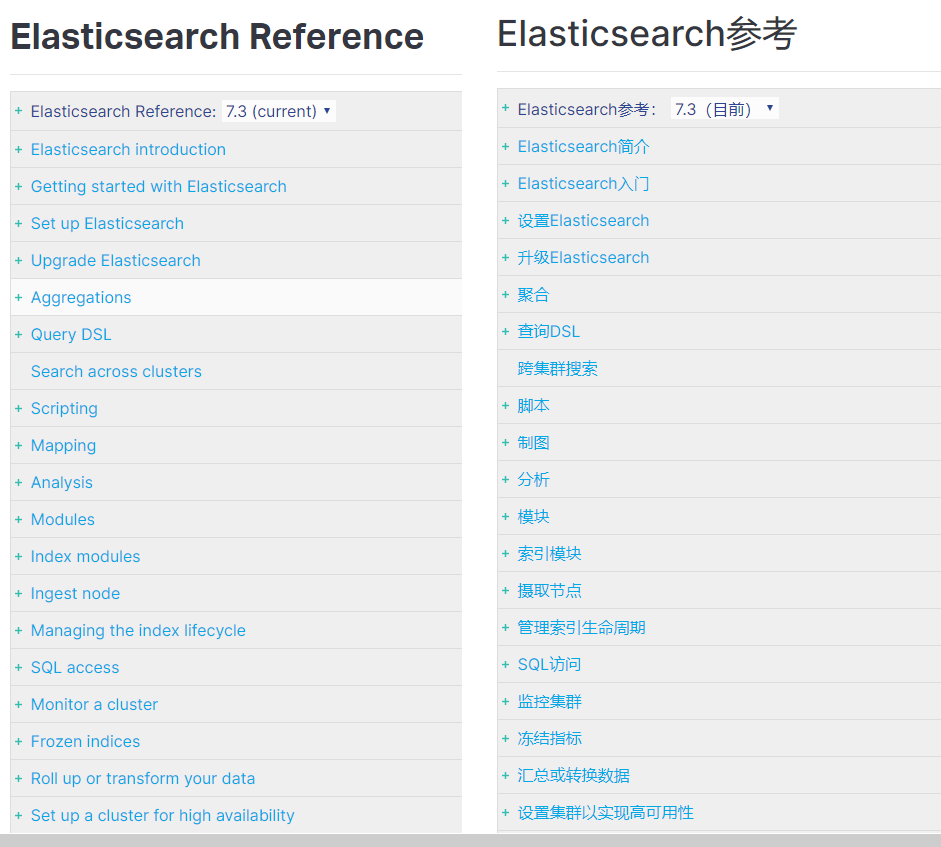
Official documentation: https://www.elastic.co/guide/en/elasticsearch/reference/current/index.html
Client Libraries
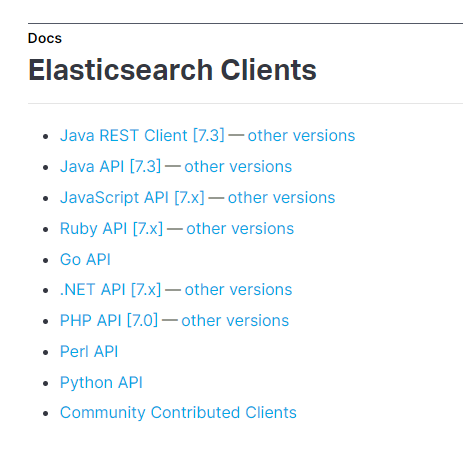
Elasticsearch supports a wide range of clients: https://www.elastic.co/guide/en/elasticsearch/client/index.html
Core Concepts
Elasticsearch is a full‑text search engine built on top of Apache Lucene. Its data storage model is analogous to that of a relational database like MySQL.
Comparison with relational databases
index(es)  --------------------------------- Databases
    type ----------------------------------- Table
        document --------------------------- Row
            field ---------------------- Column
                mappings ---------- Schema definition
Detailed explanation
| Concept | Description |
|---|---|
| Index | A collection of structurally similar documents. For example, a product index may hold all product records. |
| Type | A logical category inside an index. All documents belonging to a type share the same field definitions, similar to a database table. From version 6.0 onward, each index can contain only one type. Earleir versions allowed multiple types per index. |
| Document | The smallest unit of data that can be stored in an index. A document could represent a customer, a product, or an order, typically expressed in JSON format. Documents live inside a type under a specific index. |
| Field | The most granular unit in Elasticsearch. A document consists of multiple fields that hold actual data values. |
| Mappings | Define the schema (constraints) for documents within a type, such as the data type of each field, whether a field is indexed, whether its content is analyzed, etc. Mappings are analogous to table schemas in MySQL. |
Managing Indexes
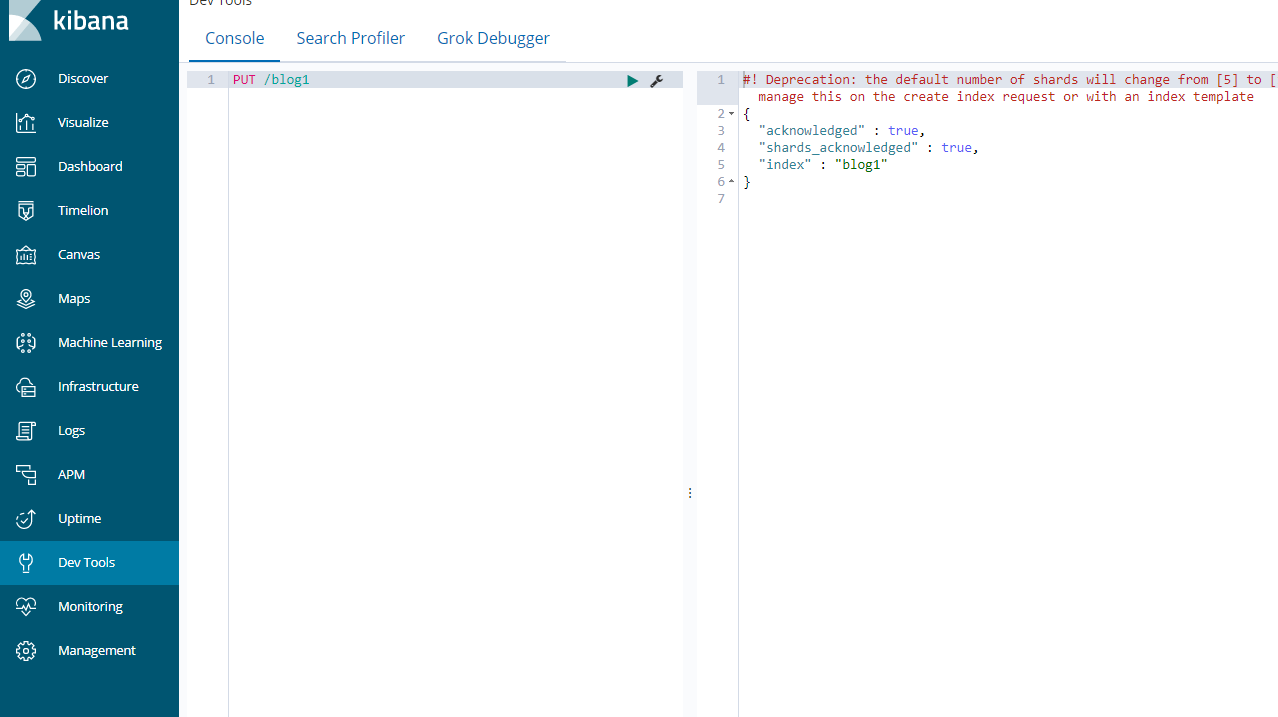
Creating an Index
Syntax:
PUT /shop
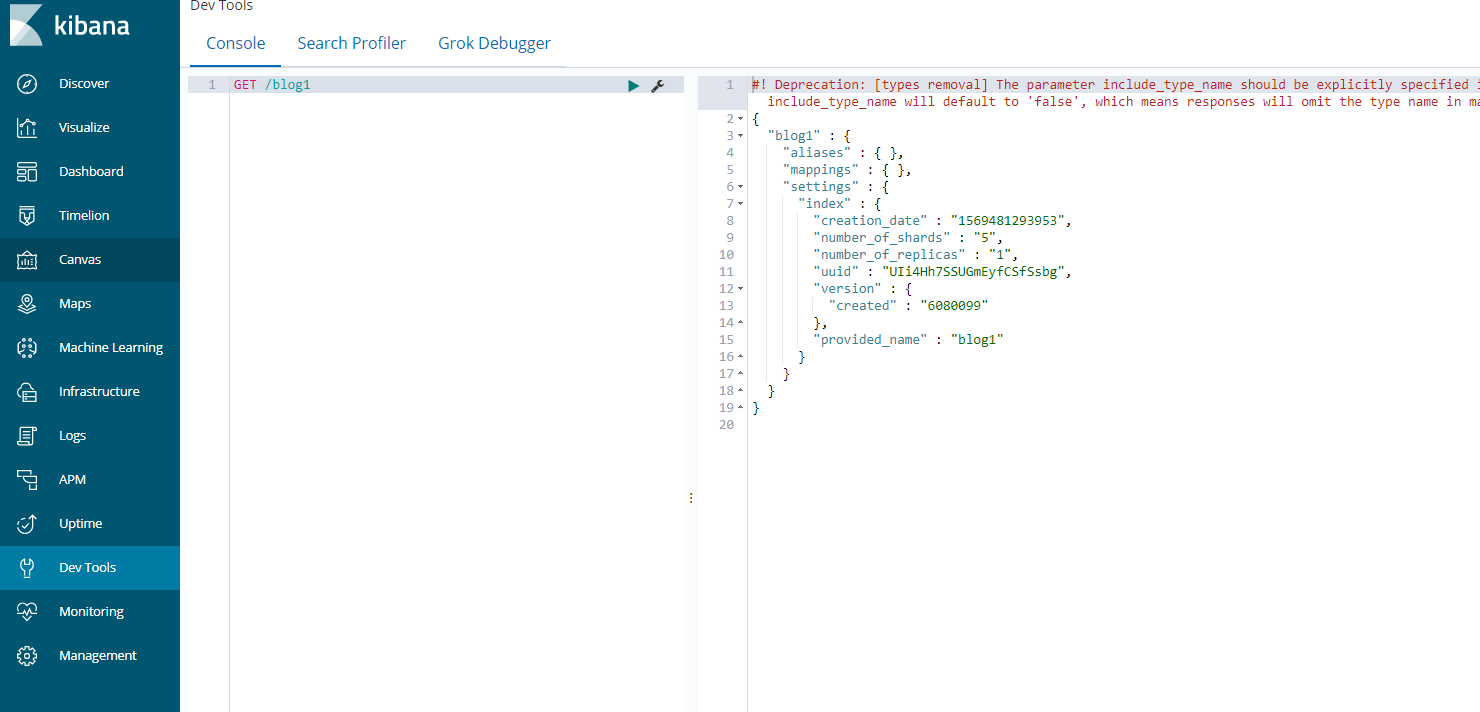
Inspecting an Index
GET /shop
Deleting an Index
DELETE /shop
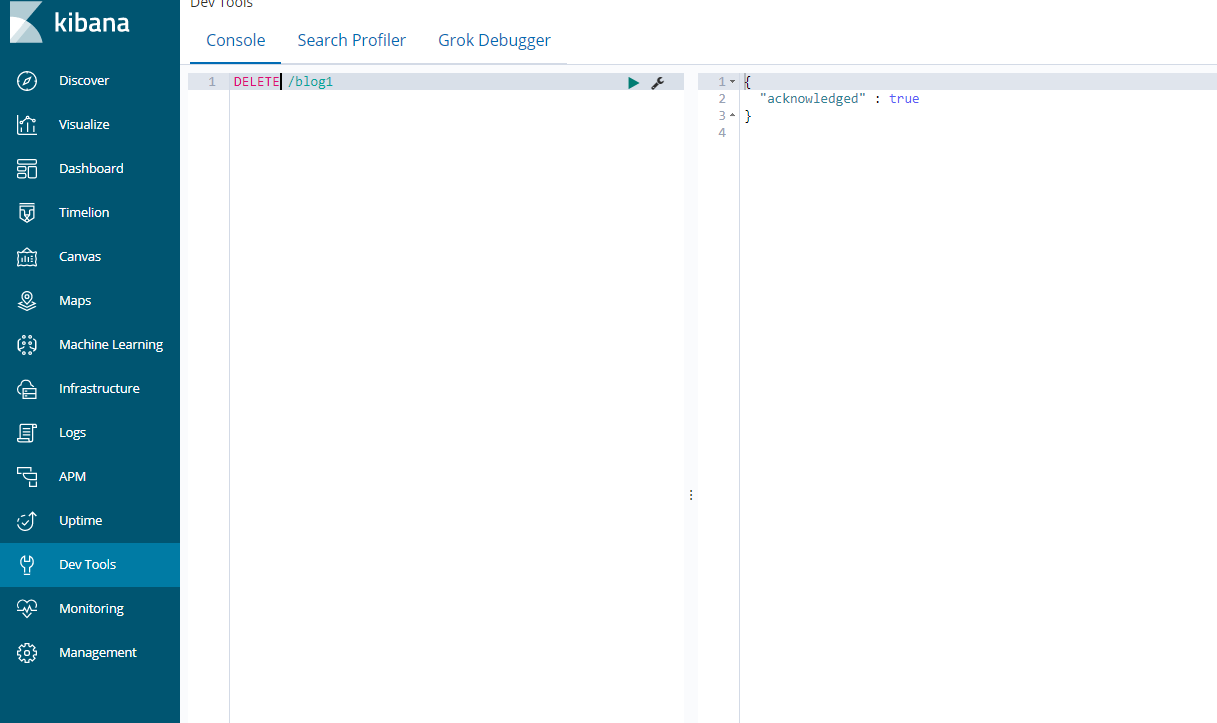
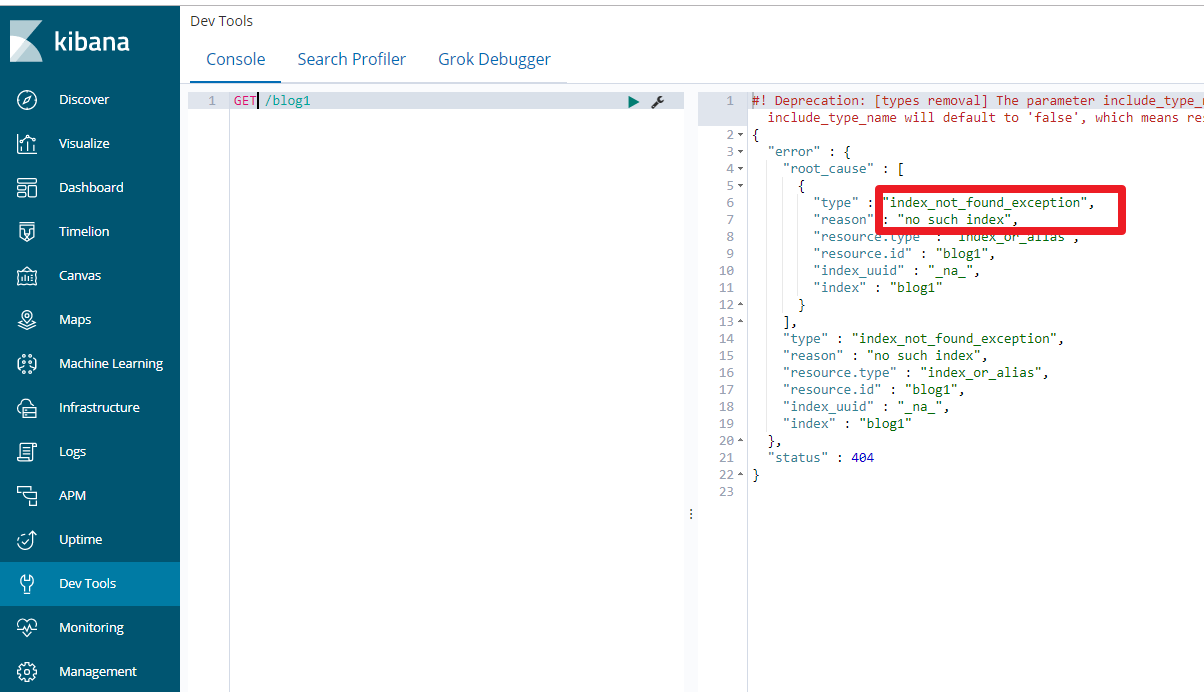
Attempting to retrieve the index afterwards confirms it no longer exists.
Working with Types and Mappings
After creating an index (comparable to a database), you define types (comparable to tables) and specify the field constraints for each type. This definition is known as a mapping.
Typical field constraints include:
- Data type
- Whether the original value should be stored separately
- Whether the field should be indexed
- Whether full‑text analysis (tokenization) should be applied
- Which analyzer to use
Creating a Mapping (Index must exist first)
Request format:
PUT /<index>/_mapping/<type>
or
PUT /<index>/<type>/_mapping
Body:
{
  "properties": {
    "<field>": {
      "type": "<data_type>",
      "index": true,
      "store": true,
      "analyzer": "<analyzer_name>"
    }
  }
}
- type – data type, e.g.
text,keyword,long,integer,date,float,object. - index – whether the field is indexed (default
true). - store – whether to store the field value separately (default
false). - analyzer – tokenizer to use, e.g.
ik_max_word.
Example
First create the index:
PUT /market
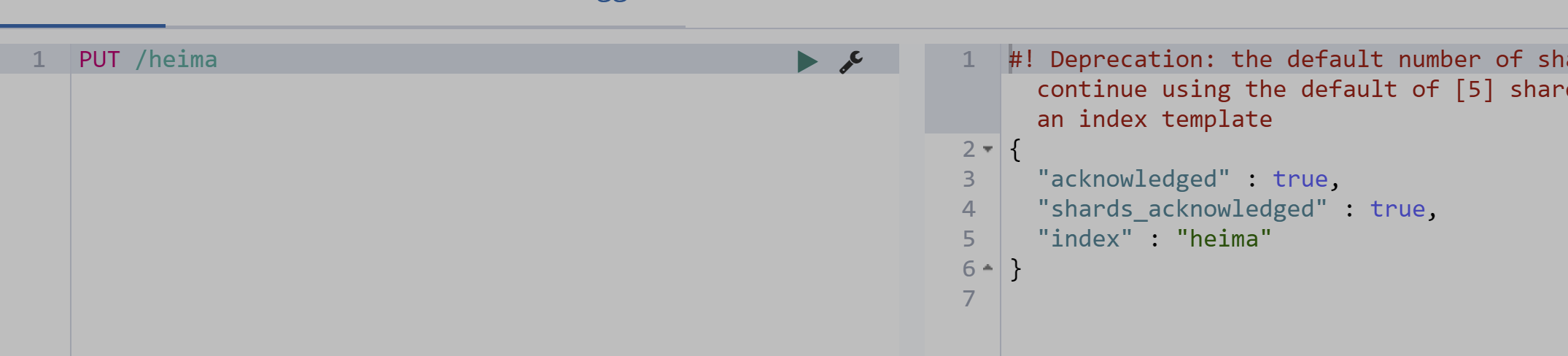
Then define a product type:
PUT /market/_mapping/product
{
  "properties": {
    "name": {
      "type": "text",
      "analyzer": "ik_max_word"
    },
    "description": {
      "type": "text",
      "analyzer": "ik_max_word"
    },
    "thumbnail": {
      "type": "keyword",
      "index": "false"
    },
    "cost": {
      "type": "float"
    }
  }
}
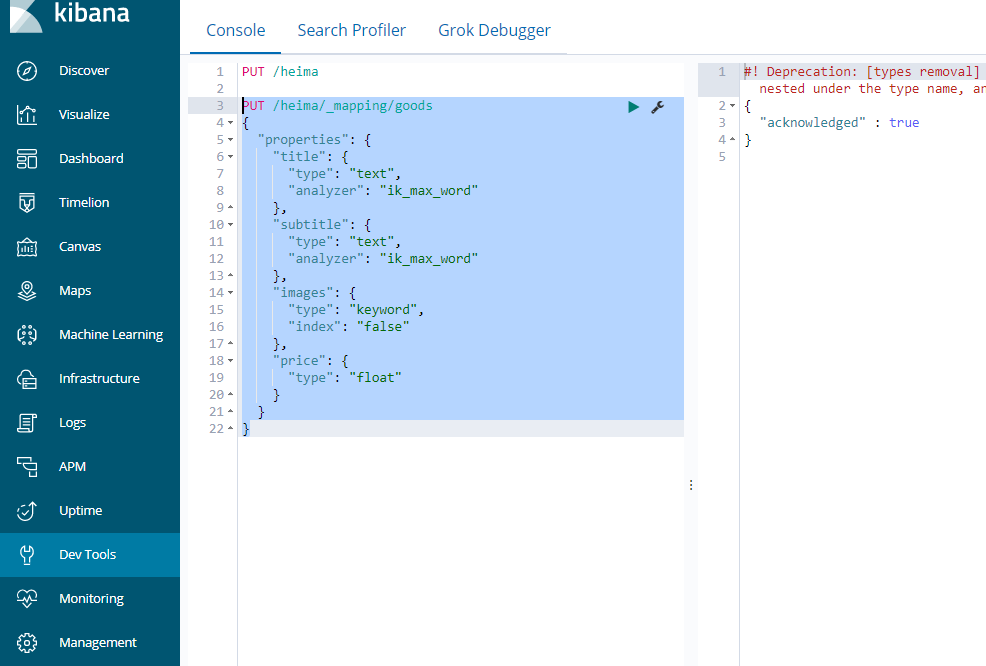
The market index now has a product type with four fields (all fields are indexed by default, except thumbnail which is explicitly disabled).
Mapping Property Details
1) type
Elasticsearch supports many data types:
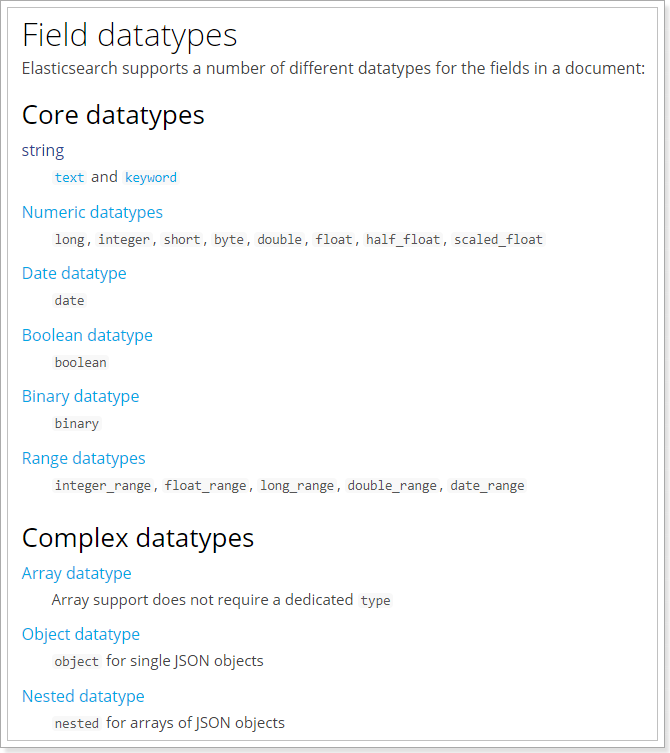
Key types:
- String
text– analyzed (tokenized), not suitable for aggregations.keyword– not analyzed; the whole string is treated as a single token and can be used in aggregations.
- Numeric
- Basic:
long,integer,short,byte,double,float,half_float - High precision:
scaled_float– stores a value multiplied by a scaling factor (e.g. 100) and divides on retrieval.
- Basic:
- Date – can be stored as a formatted string, but storing as a long (epoch millis) saves space.
- Array – matching succeeds if any element matches. When sorting ascending, the minimum value is used; descending uses the maximum.
- Object
{
  "username": "Jack",
  "age": 21,
  "friend": {
    "username": "Rose",
    "age": 21
  }
}
Internally, the friend object is flattened into friend.username and friend.age.
2) index
true(default) – field is indexed and searchable.false– field is not indexed and cannot be used in search queries (useful for attributes like image URLs).
3) store
By default, field values are extracted from the _source field during retrieval and are not stored separately. Setting store: true keeps a separate copy, which can speed up access for specific fields at the cost of additional disk space.
Viewing a Mapping
Syntax:
GET /<index>/_mapping/<type>
Example:
GET /market/_mapping/product
Response:
{
  "market": {
    "mappings": {
      "product": {
        "properties": {
          "thumbnail": {
            "type": "keyword",
            "index": false
          },
          "cost": {
            "type": "float"
          },
          "description": {
            "type": "text",
            "analyzer": "ik_max_word"
          },
          "name": {
            "type": "text",
            "analyzer": "ik_max_word"
          }
        }
      }
    }
  }
}
Creating an Index with Mappings Simultaneously
Instead of two separate calls, you can create the index and define its types/mappings in one request:
PUT /<index>
{
  "settings":{ },
  "mappings":{
    "<type>":{
      "properties":{
        "<field>":{
          "mapping_property": "value"
        }
      }
    }
  }
}
Example:
PUT /marketplace
{
  "settings": {},
  "mappings": {
    "item": {
      "properties": {
        "title": {
          "type": "text",
          "analyzer": "ik_max_word"
        }
      }
    }
  }
}
Response:
{
  "acknowledged": true,
  "shards_acknowledged": true,
  "index": "marketplace"
}
Document Operations
Documents are the actual data records stored in a type, analogous to rows in a database table.
Creating a Document
Auto-generated ID:
POST /<index>/<type>
{
  "field": "value"
}
Example:
POST /market/product/
{
  "name": "Xiaomi Phone",
  "thumbnail": "http://images.example.com/12479122.jpg",
  "cost": 2699.00
}
Response snippet:
{
  "_index": "market",
  "_type": "product",
  "_id": "abc123XYZ",
  "result": "created"
}
Custom ID:
POST /<index>/<type>/<document_id>
{
  ...
}
Example:
POST /market/product/2
{
  "name": "Dami Phone",
  "thumbnail": "http://images.example.com/12479122.jpg",
  "cost": 2899.00
}
Retrieving a Document
GET /<index>/<type>/<id>
Example:
GET /market/product/abc123XYZ
Response:
{
  "_index": "market",
  "_type": "product",
  "_id": "abc123XYZ",
  "found": true,
  "_source": {
    "name": "Xiaomi Phone",
    "thumbnail": "http://images.example.com/12479122.jpg",
    "cost": 2699
  }
}
_sourcecontains the complete original document._idis the unique identifier.
Updating Documents
Full replacement using PUT:
If the provided ID exists, the document is replaced; otherwise, a new document is created.
PUT /market/product/3
{
  "name": "Super Dami Phone",
  "thumbnail": "http://images.example.com/12479122.jpg",
  "cost": 3899.00
}
If ID 3 does not exist yet, the result is "created". Subsequent PUT requests with the same ID will show "updated".
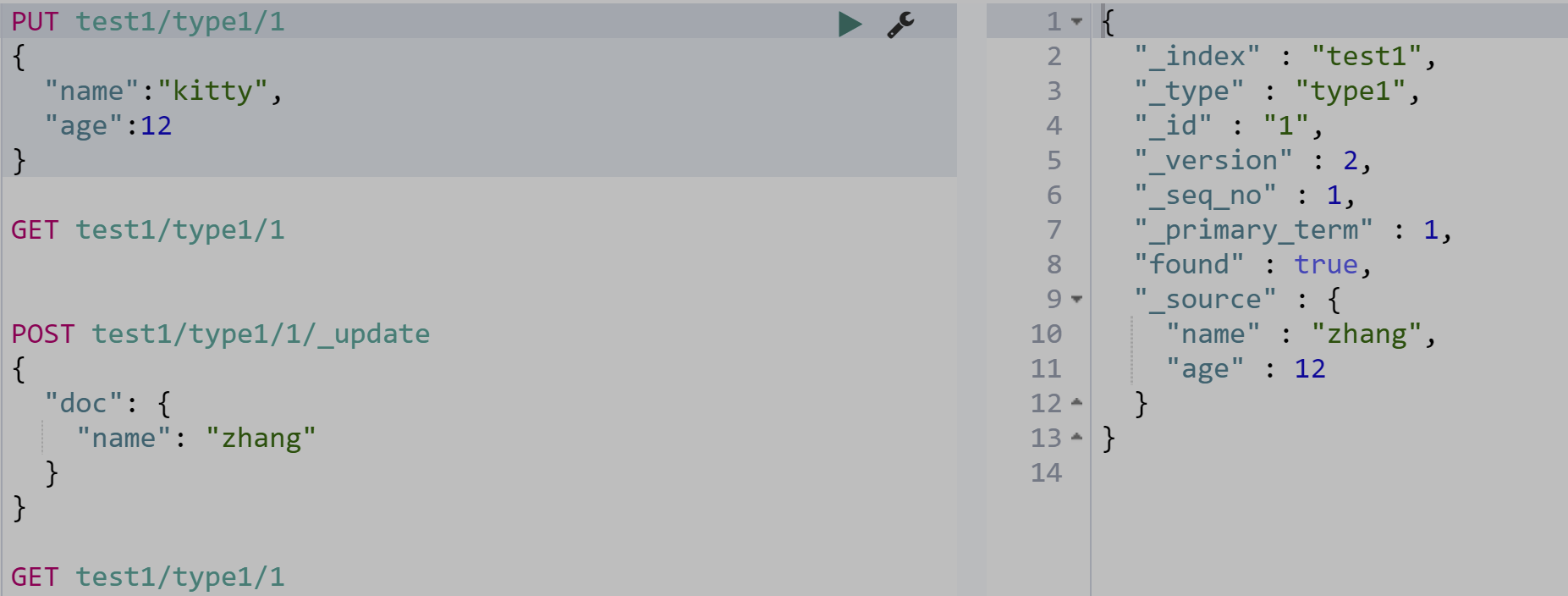
Partial update using POST:
POST /<index>/<type>/<id>/_update
{
  "doc": {
    "field": "new_value"
  }
}
Deleting Documents
Delete by ID:
DELETE /<index>/<type>/<id>
Example:
DELETE market/product/3
Response: "result": "deleted"
Delete by Query:
POST /<index>/_delete_by_query
{
  "query": {
    "match": {
      "<field>": "keyword"
    }
  }
}
Example:
POST market/_delete_by_query
{
  "query": {
    "match": {
      "name": "Xiaomi"
    }
  }
}
Delete all documents in an index:
POST market/_delete_by_query
{
  "query": {
    "match_all": {}
  }
}
Querying Data
We’ll explore seven query aspects:
- Basic queries
_sourcefiltering- Result filtering
- Advanced queries
- Sorting
- Highlighting
- Pagination
Sample data (insert via bulk API – avoid formatting in Kibana):
POST /market/product/_bulk
{"index":{}}
{"name":"Redmi Phone","thumbnail":"http://images.example.com/12479122.jpg","cost":2699}
{"index":{}}
{"name":"Xiaomi TV 4A","thumbnail":"http://images.example.com/12479122.jpg","cost":4288}
{"index":{}}
{"name":"Huawei Phone","thumbnail":"http://images.example.com/12479122.jpg","cost":5288,"description":"Xiaomi"}
Basic Queries
Generic syntax:
POST /<index>/_search
{
  "query":{
    "<query_type>":{
      "<condition>": "<value>"
    }
  }
}
- query_type – e.g.
match_all,match,term,range. - condition – varies depending on query type.
Match all:
POST /market/_search
{
  "query":{
    "match_all": {}
  }
}
Response includes took (ms), hits.total, and an array of matched documents with _score and _source.
Match query (full‑text search):
By default, terms are combined with an or operator.
POST /market/_search
{
  "query":{
    "match":{
      "name": "Xiaomi TV 4A"
    }
  }
}
To enforce an and relationship:
POST /market/_search
{
  "query": {
    "match": {
      "name": {
        "query": "Xiaomi TV 4A",
        "operator": "and"
      }
    }
  }
}
Multi‑field match:
Search across multiple fields simultaneously.
POST /market/_search
{
  "query": {
    "multi_match": {
      "query": "Xiaomi",
      "fields": ["name", "description"]
    }
  }
}
Term query (exact match):
Used for numbers, dates, booleans, or keyword fields (not analyzed).
POST /market/_search
{
  "query":{
    "term":{
      "cost": 2699
    }
  }
}
Terms query (match any of multiple values):
POST /market/_search
{
  "query":{
    "terms":{
      "cost": [2699, 5288]
    }
  }
}