Introduction
A fan support system is a platform designed to help fans organize and participate in activities supporting their idols. This article details the design and implementation of such a system using SpringBoot for the backend, Vue for the front end web interface, and Uniapp for the WeChat Mini Program client.
System Demonstration
Detailed demonstration videos can be obtained by contacting the development team.
Screenshots
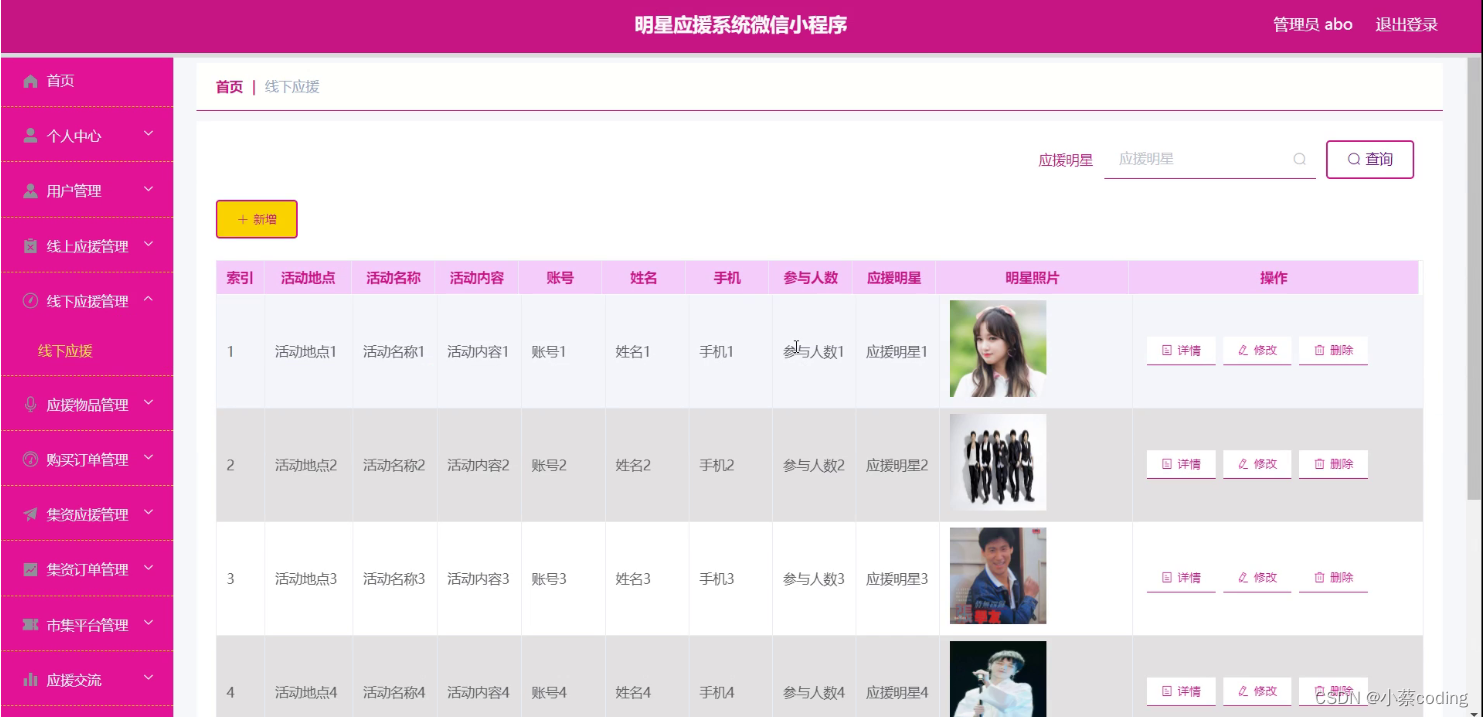
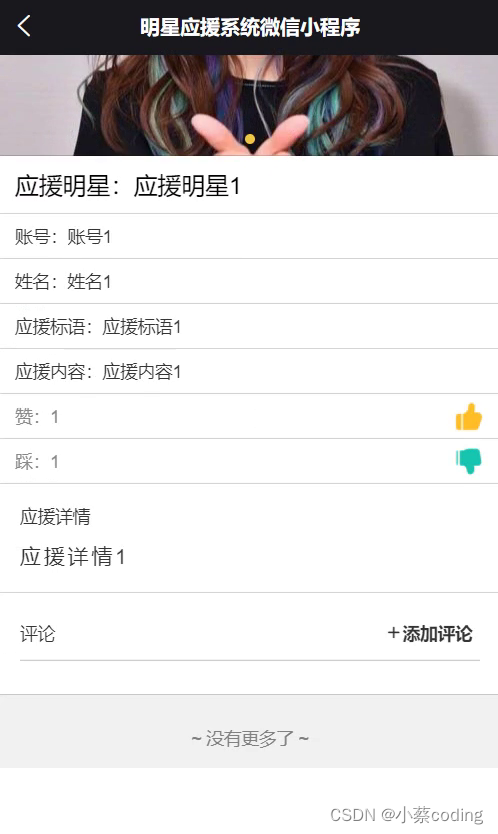
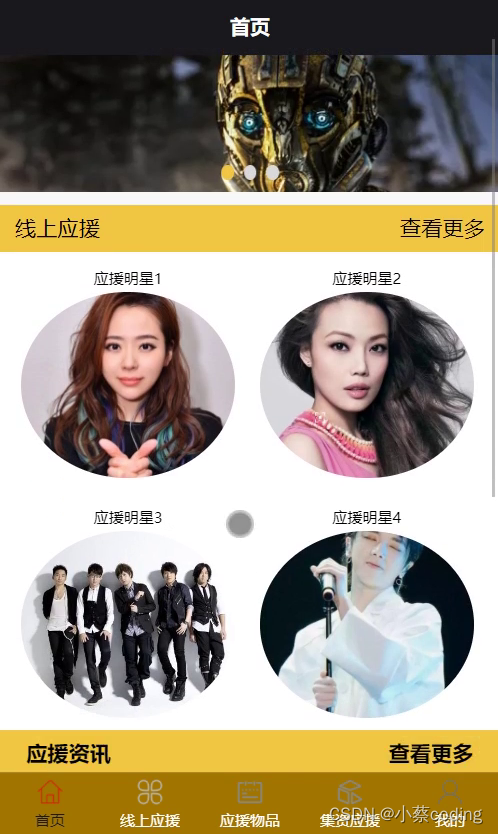
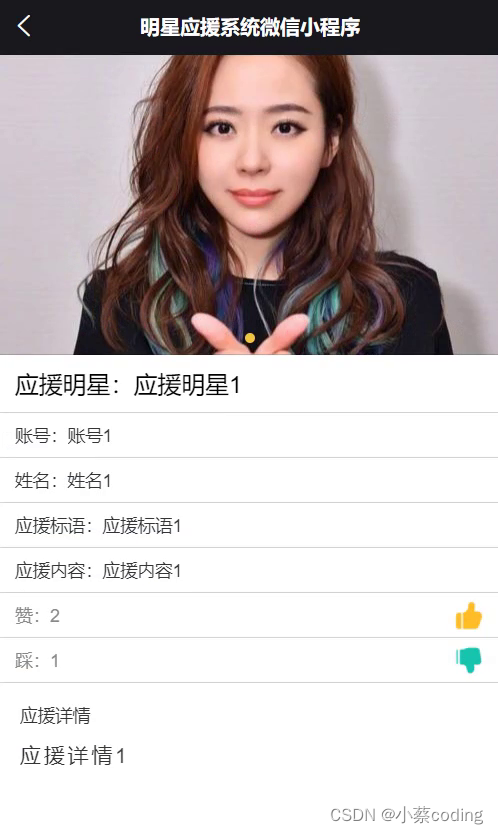
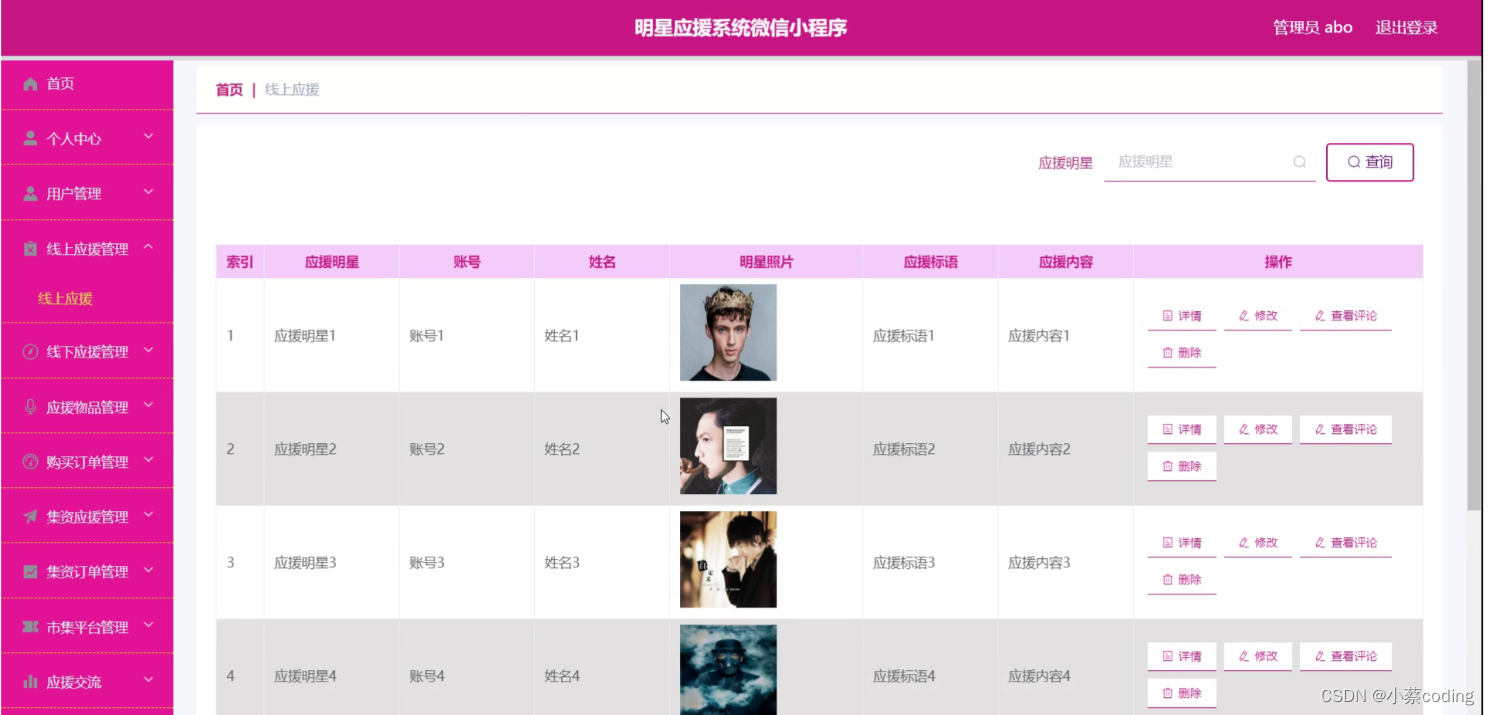
Technology Stack
Backend: SpringBoot
SpringBoot embeds servers like Tomcat, Jetty, and Undertow, eliminating the need for separate installation and configuration. A key advantage is its auto-configuraton, which configures the application based on project dependencies. SpringBoot also provides many out-of-the-box features and plugins, such as Spring Data, Spring Security, and Spring Cloud. This enables faster development and easier integration with other technologies.
Frontend (Web): Vue
Vue.js utilizes a virtual DOM (a memory-resident data structure) to achieve efficient UI updates. It features reactive data binding, virtual DOM manipulation, and component-based architecture. This allows developers to focus on data handling as the UI updates automatically when data changes.
Persistence Layer: MyBatis-Plus
MyBatis-Plus is an enhancement tool for MyBatis, simplifying development. It supports multiple databases (MySQL, Oracle, SQL Server, PostgreSQL) and provides a rich API and annotations for ORM operations, reducing manual SQL writing. It includes a code generator for automatic creation of entities, mappers, and XML mapping files, and supports pagination, dynamic queries, optimistic locking, and performance analysis.
System Testing
Testing aims to identify and fix defects, ensuring the system meets requirements and is robust.
Testing Objectives
System testing verifies that the system meets specifications, finds discrepancies, and improves quality and user experience. The goal is to validate functionality and logic, ensuring smooth operation from the user's perspective. Tests should be realistic and user-focused.
Functional Testing
Black-box testing was performed on functional modules. Test cases were designed and executed to verify behavior.
Login Test:
| Input Data | Expected Result | Actual Result | Analysis |
|---|---|---|---|
| Username: admin, Password: 123456, Captcha: correct | Login successful | Login successful | As expected |
| Username: admin, Password: wrong, Captcha: correct | Password error message | Password error, please re-enter | As expected |
| Username: admin, Password: 123456, Captcha: incorrect | Captcha error message | Captcha information error | As expected |
| Username: empty, Password: 123456, Captcha: correct | Username required message | Please enter username | As expected |
| Username: admin, Password: empty, Captcha: correct | Password error message | Password error, please re-enter | As expected |
User Management Test:
| Input Data | Expected Result | Actual Result | Analysis |
|---|---|---|---|
| Fill user details | User added, visible in list | New user appears in list | As expected |
| Modify user information | User information updated | User information updated | As expected |
| Delete a user | System asks for confirmation, user deleted after confirmation | System asks for confirmation, user not found after deletion | As expected |
| Add user without username | Error message: username cannot be empty | Error message: username cannot be empty | As expected |
| Add user with existing username | Error message: username already exists | Error message: username already exists | As expected |
Testing Conclusion
Black-box testing was the primary method. Test cases simulated user operations to verify all functions. The system met functional and performance requirements after testing.
Code Example
@IgnoreAuth
@PostMapping(value = "/login")
public R login(String username, String password, String captcha, HttpServletRequest request) {
   UsersEntity user = userService.selectOne(new EntityWrapper<UsersEntity>().eq("username", username));
   if(user==null || !user.getPassword().equals(password)) {
      return R.error("Account or password is incorrect");
   }
   String token = tokenService.generateToken(user.getId(),username, "users", user.getRole());
   return R.ok().put("token", token);
}

@Override
public String generateToken(Long userid, String username, String tableName, String role) {
    TokenEntity tokenEntity = this.selectOne(new EntityWrapper<TokenEntity>().eq("userid", userid).eq("role", role));
    String token = CommonUtil.getRandomString(32);
    Calendar cal = Calendar.getInstance();
    cal.setTime(new Date());
    cal.add(Calendar.HOUR_OF_DAY, 1);
    if(tokenEntity != null) {
        tokenEntity.setToken(token);
        tokenEntity.setExpiratedtime(cal.getTime());
        this.updateById(tokenEntity);
    } else {
        this.insert(new TokenEntity(userid, username, tableName, role, token, cal.getTime()));
    }
    return token;
}

/**
 * Permission (Token) verification interceptor
 */
@Component
public class AuthorizationInterceptor implements HandlerInterceptor {

    public static final String LOGIN_TOKEN_KEY = "Token";

    @Autowired
    private TokenService tokenService;

    @Override
    public boolean preHandle(HttpServletRequest request, HttpServletResponse response, Object handler) throws Exception {

        // Support CORS
        response.setHeader("Access-Control-Allow-Methods", "POST, GET, OPTIONS, DELETE");
        response.setHeader("Access-Control-Max-Age", "3600");
        response.setHeader("Access-Control-Allow-Credentials", "true");
        response.setHeader("Access-Control-Allow-Headers", "x-requested-with,request-source,Token, Origin,imgType, Content-Type, cache-control,postman-token,Cookie, Accept,authorization");
        response.setHeader("Access-Control-Allow-Origin", request.getHeader("Origin"));
        // For OPTIONS requests, return OK directly
        if (request.getMethod().equals(RequestMethod.OPTIONS.name())) {
            response.setStatus(HttpStatus.OK.value());
            return false;
        }

        IgnoreAuth annotation;
        if (handler instanceof HandlerMethod) {
            annotation = ((HandlerMethod) handler).getMethodAnnotation(IgnoreAuth.class);
        } else {
            return true;
        }

        // Get token from header
        String token = request.getHeader(LOGIN_TOKEN_KEY);

        // Skip verification if method has @IgnoreAuth
        if(annotation != null) {
            return true;
        }

        TokenEntity tokenEntity = null;
        if(StringUtils.isNotBlank(token)) {
            tokenEntity = tokenService.getTokenEntity(token);
        }

        if(tokenEntity != null) {
            request.getSession().setAttribute("userId", tokenEntity.getUserid());
            request.getSession().setAttribute("role", tokenEntity.getRole());
            request.getSession().setAttribute("tableName", tokenEntity.getTablename());
            request.getSession().setAttribute("username", tokenEntity.getUsername());
            return true;
        }

        // Return 401 if not authenticated
        PrintWriter writer = null;
        response.setCharacterEncoding("UTF-8");
        response.setContentType("application/json; charset=utf-8");
        try {
            writer = response.getWriter();
            writer.print(JSONObject.toJSONString(R.error(401, "Please log in first")));
        } finally {
            if(writer != null){
                writer.close();
            }
        }
        return false;
    }
}
Database Schema Example
-- Token table
DROP TABLE IF EXISTS `token`;
CREATE TABLE `token` (
  `id` bigint(20) NOT NULL AUTO_INCREMENT COMMENT 'Primary key',
  `userid` bigint(20) NOT NULL COMMENT 'User ID',
  `username` varchar(100) NOT NULL COMMENT 'Username',
  `tablename` varchar(100) DEFAULT NULL COMMENT 'Table name',
  `role` varchar(100) DEFAULT NULL COMMENT 'Role',
  `token` varchar(200) NOT NULL COMMENT 'Token',
  `addtime` timestamp NOT NULL DEFAULT CURRENT_TIMESTAMP COMMENT 'Creation time',
  `expiratedtime` timestamp NOT NULL DEFAULT '0000-00-00 00:00:00' COMMENT 'Expiration time',
  PRIMARY KEY (`id`) USING BTREE
) ENGINE=InnoDB AUTO_INCREMENT=27 DEFAULT CHARSET=utf8 ROW_FORMAT=COMPACT COMMENT='Token table';
Getting the Source Code
The complete source code and database scripts can be obtained by contacting the development team. Please follow, bookmark, and comment for support.