Introduction
This article details the design and implementation of a music player application using SpringBoot for the backend, Vue for the frontend, and Uniapp for the WeChat Mini Program. The focus is on creating a robust, scalable system with modern web technologies.
Detailed Video Demonstration
For a comprehensive video demonstration, please contact the author.
Implementation Screenshots
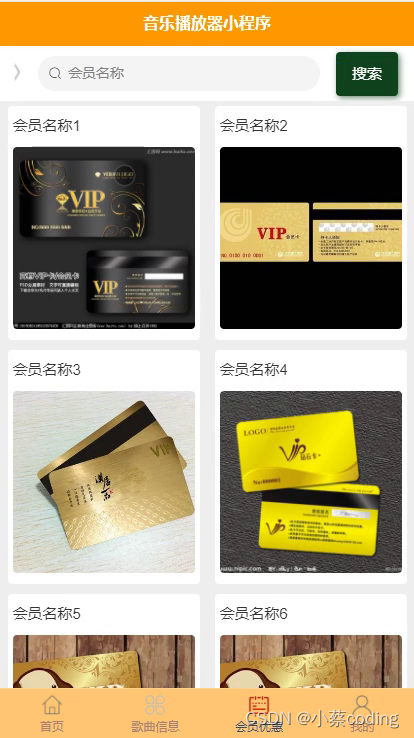
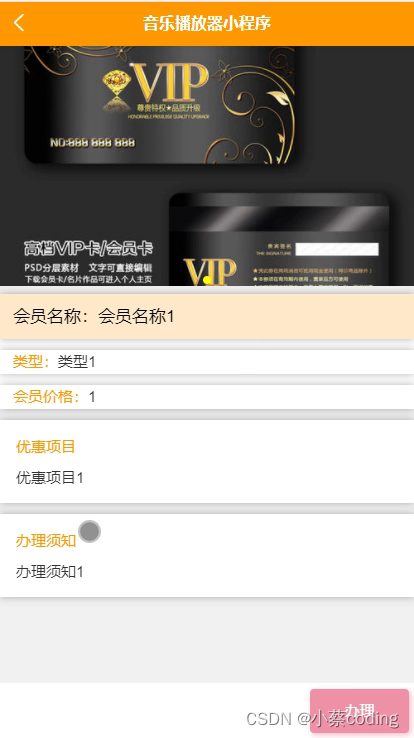
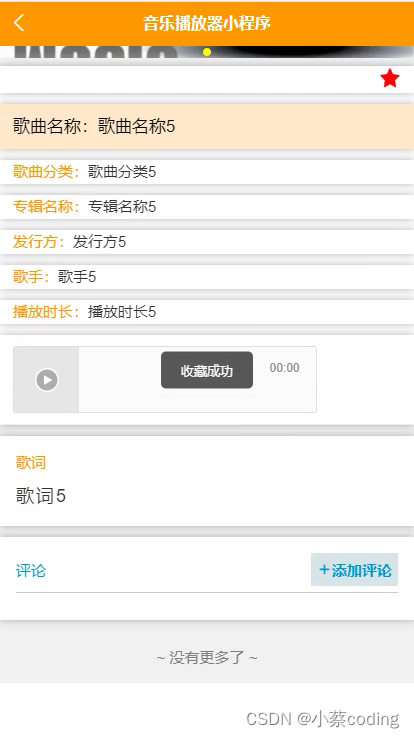
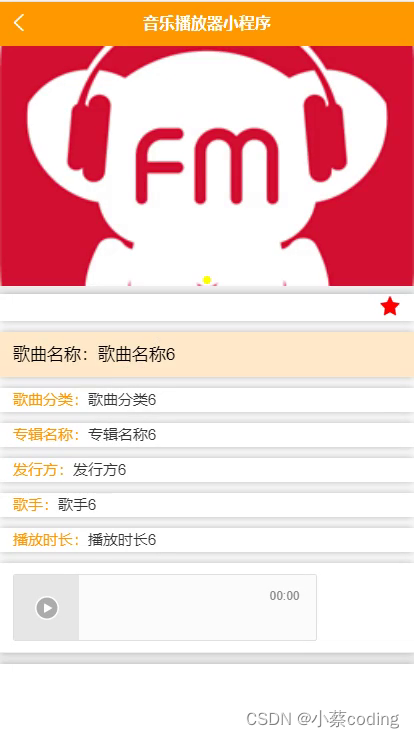
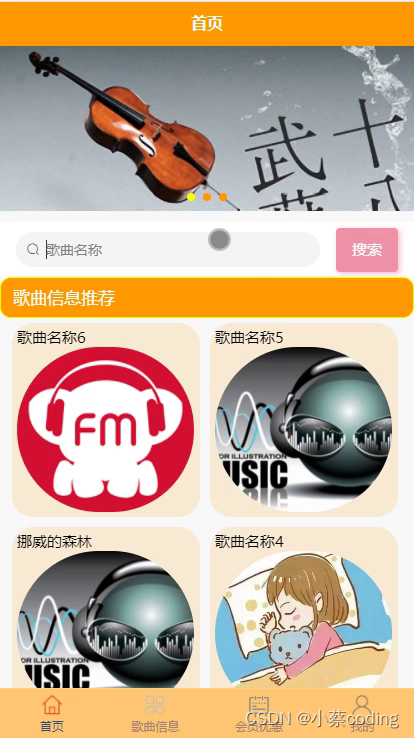
Technology Stack
Backend Framework: SpringBoot
SpringBoot simplifies backend development by providing built-in servers like Tomcat, Jetty, and Undertow, eliminating the need for manual configuration. Its auto-configuration feature automatically sets up the application based on dependencies, making configuration straightforward. SpringBoot offers out-of-the-box functionalities such as Spring Data, Spring Security, and Spring Cloud, enabling rapid development and easy integration with other technologies. This framework is widely adopted for building high-quality applications efficiently.
Frontend Framework: Vue
Vue.js utilizes a virtual DOM to enhance DOM manipulation efficiency. It employs reactive data binding, virtual DOM, and component-based architecture, offering a flexible, high-performance, and maintainable development approach. When data changes, the UI updates automatically, allowing developers to focus on data processing rather than manual UI updates. This results in a concise, adaptable, and efficient development experience.
Persistence Layer Framework: MyBatis-Plus
MyBatis-Plus is an enhancement tool built on MyBatis, designed to simplify database operations. It supports multiple databases, including MySQL, Oracle, SQL Server, and PostgreSQL. With rich APIs and annotations, MyBatis-Plus reduces the need for handwritten SQL. It also includes a code generator that automatically creates entity classes, Mapper interfaces, and XML mapping files, streamlining the development process. Additional features like pagination, dynamic queries, optimistic locking, and performance analysis further facilitate efficient data handling, improving development productivity.
System Testing
Testing is crucial to identify and resolve system issues, ensuring the applicasion meets user requirements. The process involves functional testing to detect defects and verify system correctness, culminating in a test conclusion.
Testing Objectives
System testing is essential during development to guarantee quality and reliability. It serves as the final checkpoint, preventing user problems and enhancing the user experience. Testing should consider various scenarios to uncover defects, assess system functionality, and ensure logical coherence. The goal is to validate compliance with specifications and identify discrepancies, always prioritizing user perspectives to avoid unrealistic scenarios.
Functional Testing
Functional modules are tested using methods like click actions, boundary value analysis, and validation of required and optional fields. Test cases are written and executed to derive conclusions.
Login Function Test Example:
| Input Data | Expected Result | Actual Result | Analysis |
|---|---|---|---|
| Username: admin, Password: 123456, Captcha: correct | Login successful | Login successful | As expected |
| Username: admin, Password: 111111, Captcha: correct | Password error | Password error, please re-enter | As expected |
| Username: admin, Password: 123456, Captcha: incorrect | Captcha error | Captcha information error | As expected |
| Username: empty, Password: 123456, Captcha: correct | Username required | Please enter username | As expected |
| Username: admin, Password: empty, Captcha: correct | Password error | Password error, please re-enter | As expected |
User Management Test Example:
| Input Data | Expected Result | Actual Result | Analysis |
|---|---|---|---|
| Fill user details | Add successful, appears in list | User appears in list | As expected |
| Modify user information | Edit successful, changes reflected | User information updated | As expected |
| Select delete user | System prompts for confirmation, user deleted after confirmation | User not found after deletion | As expected |
| Add user without username | Prompt: username cannot be empty | Prompt: username cannot be empty | As expected |
| Enter existing username | Add failed, duplicate username error | Add failed, duplicate username error | As expected |
Testing Conclusion
Black-box testing was primarily used, simulating user interactions to validate functionality. This ensures system correctness and usability. The testing process confirmed that the system meets design specifications, with all functions operating as intended, providing a user-friendly experience.
Code Examples
@IgnoreAuth
@PostMapping("/authenticate")
public Response loginUser(String username, String password, String captcha, HttpServletRequest request) {
    UserEntity user = userService.findUserByUsername(username);
    if (user == null || !user.getPassword().equals(password)) {
        return Response.error("Incorrect username or password");
    }
    String authToken = tokenService.createToken(user.getId(), username, "users", user.getRole());
    return Response.ok().put("authToken", authToken);
}

@Override
public String createToken(Long userId, String username, String tableName, String role) {
    TokenEntity tokenEntry = this.selectOne(new EntityWrapper<TokenEntity>().eq("userId", userId).eq("role", role));
    String newToken = RandomUtil.generateString(32);
    Calendar calendar = Calendar.getInstance();
    calendar.setTime(new Date());
    calendar.add(Calendar.HOUR_OF_DAY, 1);
    if (tokenEntry != null) {
        tokenEntry.setToken(newToken);
        tokenEntry.setExpirationTime(calendar.getTime());
        this.updateById(tokenEntry);
    } else {
        this.insert(new TokenEntity(userId, username, tableName, role, newToken, calendar.getTime()));
    }
    return newToken;
}

@Component
public class AuthInterceptor implements HandlerInterceptor {
    public static final String AUTH_TOKEN_HEADER = "Auth-Token";
    @Autowired
    private TokenService tokenService;

    @Override
    public boolean preHandle(HttpServletRequest request, HttpServletResponse response, Object handler) throws Exception {
        response.setHeader("Access-Control-Allow-Methods", "POST, GET, OPTIONS, DELETE");
        response.setHeader("Access-Control-Max-Age", "3600");
        response.setHeader("Access-Control-Allow-Credentials", "true");
        response.setHeader("Access-Control-Allow-Headers", "x-requested-with,request-source,Auth-Token, Origin,imgType, Content-Type, cache-control,postman-token,Cookie, Accept,authorization");
        response.setHeader("Access-Control-Allow-Origin", request.getHeader("Origin"));
        if (request.getMethod().equals(RequestMethod.OPTIONS.name())) {
            response.setStatus(HttpStatus.OK.value());
            return false;
        }

        IgnoreAuth annotation;
        if (handler instanceof HandlerMethod) {
            annotation = ((HandlerMethod) handler).getMethodAnnotation(IgnoreAuth.class);
        } else {
            return true;
        }

        String token = request.getHeader(AUTH_TOKEN_HEADER);
        if (annotation != null) {
            return true;
        }

        TokenEntity tokenEntry = null;
        if (StringUtils.isNotBlank(token)) {
            tokenEntry = tokenService.getTokenByValue(token);
        }

        if (tokenEntry != null) {
            request.getSession().setAttribute("userId", tokenEntry.getUserId());
            request.getSession().setAttribute("role", tokenEntry.getRole());
            request.getSession().setAttribute("tableName", tokenEntry.getTableName());
            request.getSession().setAttribute("username", tokenEntry.getUsername());
            return true;
        }

        PrintWriter writer = null;
        response.setCharacterEncoding("UTF-8");
        response.setContentType("application/json; charset=utf-8");
        try {
            writer = response.getWriter();
            writer.print(JSONObject.toJSONString(Response.error(401, "Please log in first")));
        } finally {
            if (writer != null) {
                writer.close();
            }
        }
        return false;
    }
}
Database Schema
-- ----------------------------
-- Table structure for token
-- ----------------------------
DROP TABLE IF EXISTS `token`;
CREATE TABLE `token` (
  `id` bigint(20) NOT NULL AUTO_INCREMENT COMMENT 'Primary key',
  `userId` bigint(20) NOT NULL COMMENT 'User ID',
  `username` varchar(100) NOT NULL COMMENT 'Username',
  `tableName` varchar(100) DEFAULT NULL COMMENT 'Table name',
  `role` varchar(100) DEFAULT NULL COMMENT 'Role',
  `token` varchar(200) NOT NULL COMMENT 'Token value',
  `createdAt` timestamp NOT NULL DEFAULT CURRENT_TIMESTAMP COMMENT 'Creation time',
  `expiresAt` timestamp NOT NULL DEFAULT '0000-00-00 00:00:00' COMMENT 'Expiration time',
  PRIMARY KEY (`id`) USING BTREE
) ENGINE=InnoDB AUTO_INCREMENT=27 DEFAULT CHARSET=utf8 ROW_FORMAT=COMPACT COMMENT='Token table';

-- ----------------------------
-- Records of token
-- ----------------------------
INSERT INTO `token` VALUES ('9', '23', 'user01', 'students', 'Student', 'al6svx5qkei1wljry5o1npswhdpqcpcg', '2023-02-23 21:46:45', '2023-03-15 14:01:36');
INSERT INTO `token` VALUES ('10', '11', 'user02', 'students', 'Student', 'fahmrd9bkhqy04sq0fzrl4h9m86cu6kx', '2023-02-27 18:33:52', '2023-03-17 18:27:42');
INSERT INTO `token` VALUES ('11', '17', 'user03', 'students', 'Student', 'u5km44scxvzuv5yumdah2lhva0gp4393', '2023-02-27 18:46:19', '2023-02-27 19:48:58');
INSERT INTO `token` VALUES ('12', '1', 'admin', 'users', 'Administrator', 'h1pqzsb9bldh93m92j9m2sljy9bt1wdh', '2023-02-27 19:37:01', '2023-03-17 18:23:02');
INSERT INTO `token` VALUES ('13', '21', 'manager01', 'managers', 'Manager', 'zdm7j8h1wnfe27pkxyiuzvxxy27ykl2a', '2023-02-27 19:38:07', '2023-03-17 18:25:20');
INSERT INTO `token` VALUES ('14', '27', 'user04', 'students', 'Student', 'g3teq4335pe21nwuwj2sqkrpqoabqomm', '2023-03-15 12:56:17', '2023-03-15 14:00:16');
INSERT INTO `token` VALUES ('15', '29', 'manager02', 'managers', 'Manager', '0vb1x9xn7riewlp5ddma5ro7lp4u8m9j', '2023-03-15 12:58:08', '2023-03-15 14:03:48');
Source Code Availability
For access to the source code, please contact the author.