Understanding the MySQL Deployment Command
Introduction
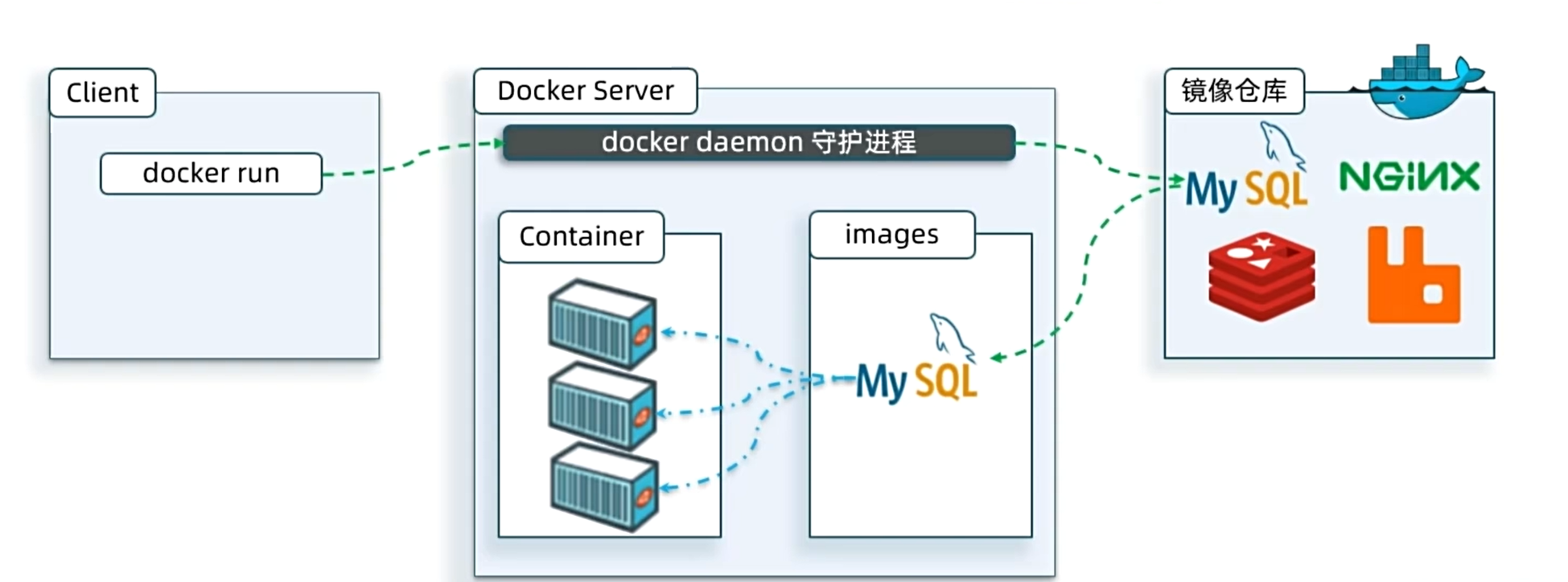
When using Docker to install applications, Docker automatically searches for and downloads the application image. An image includes not only the application itself but also the environment, configuration, and system libraries required to run it. When running an image, Docker creates an isolated environment known as a container.
Image Registry: A platform for storing and managing images. Docker officially maintains a public registry called Docker Hub.
Command Breakdown

docker run: Creates and runs a container.-druns the container in the background.--name mysql: Assigns a unique name to the container.-p 3306:3306: Sets up port mapping.-e KEY=VALUE: Sets environment variables.mysql: The name of the image to run.
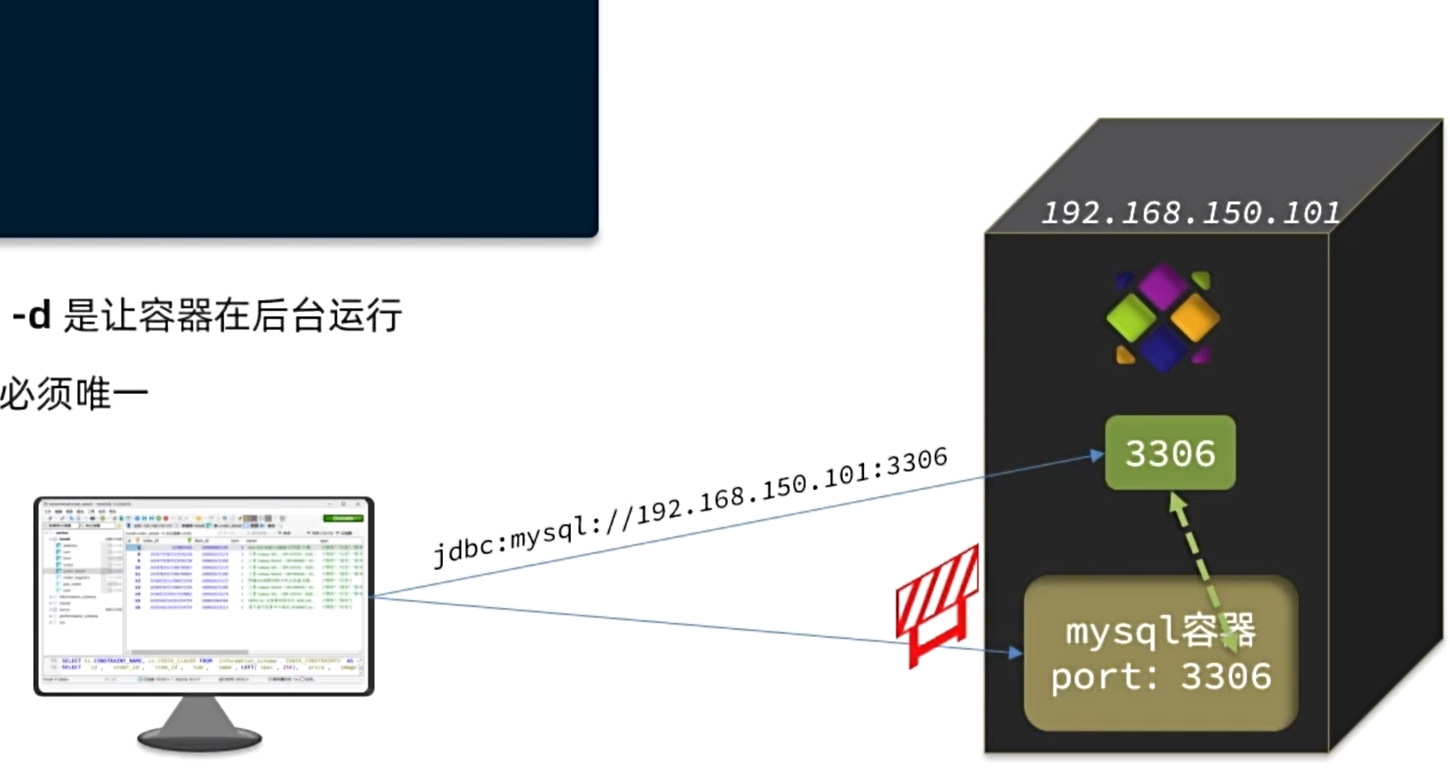
Image Naming Convention
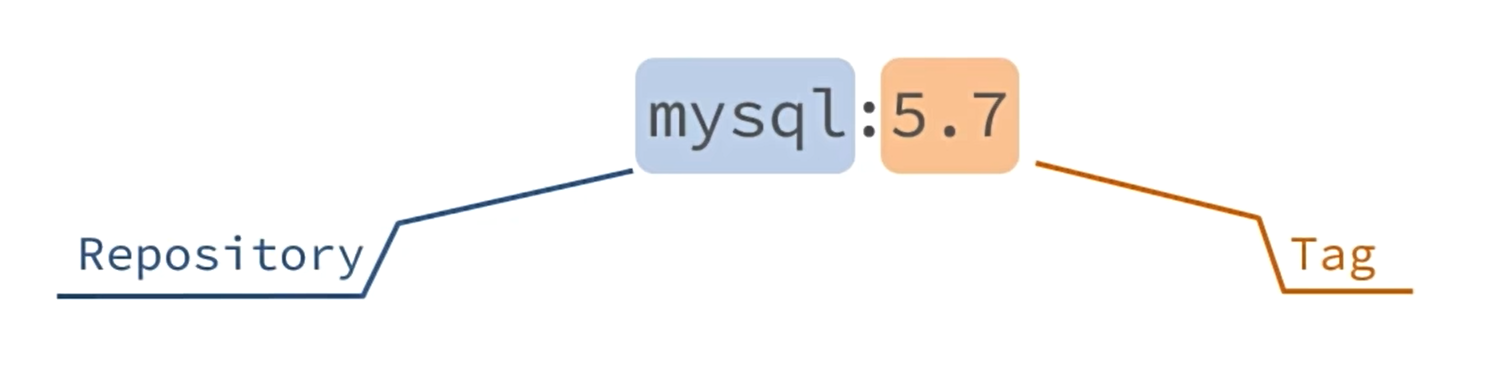
- Image names generally consist of two parts:
[repository]:[tag]. The repository is the image name, and the tag is the version. - If no tag is specified,
latestis used by default, representing the most recent version.
Summary
Common parameters in docker run:
-d: Run container in background--name: Name the container-e: Environment variable-p: Map host port to container port
Image name structure: Repository:TAG
Basics
Common Commands
The most common Docker commands are for managing images and containers. See the official documentation: http://docs.docker.com/
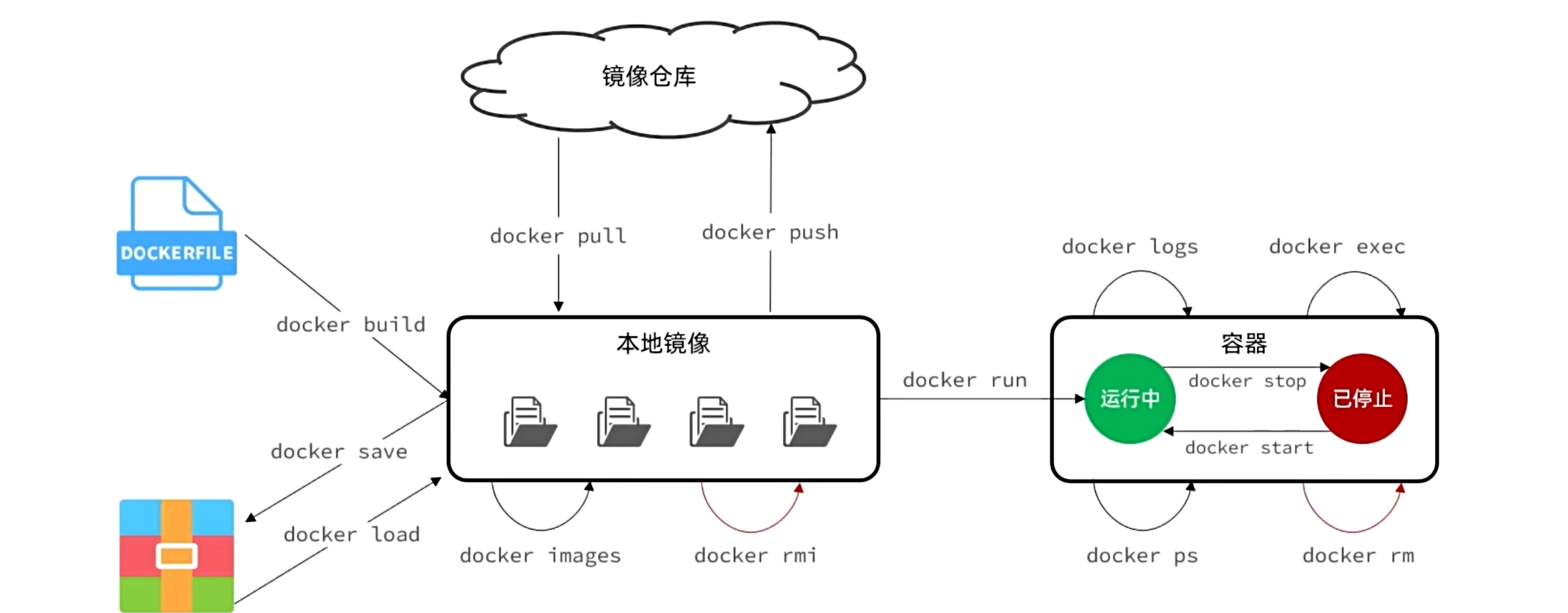
Example
Practice with the following tasks:
- Search for the Nginx image on DockerHub and note its name.
- Pull the Nginx image.
- List local images.
- Create and run an Nginx container.
- View containers.
- Stop the container.
- Start the container again.
- Enter the Nginx container.
- Delete the container.
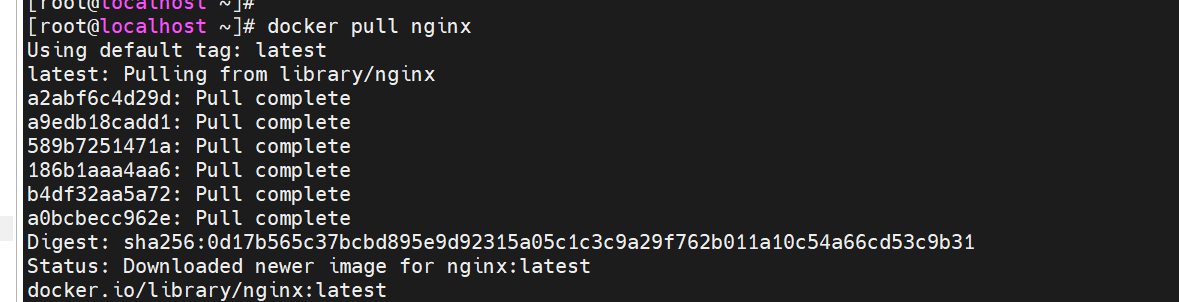
Pull image:
docker pull nginx
List images:
docker images

Save image to local file:
docker save -o nginx.tar nginx:latest

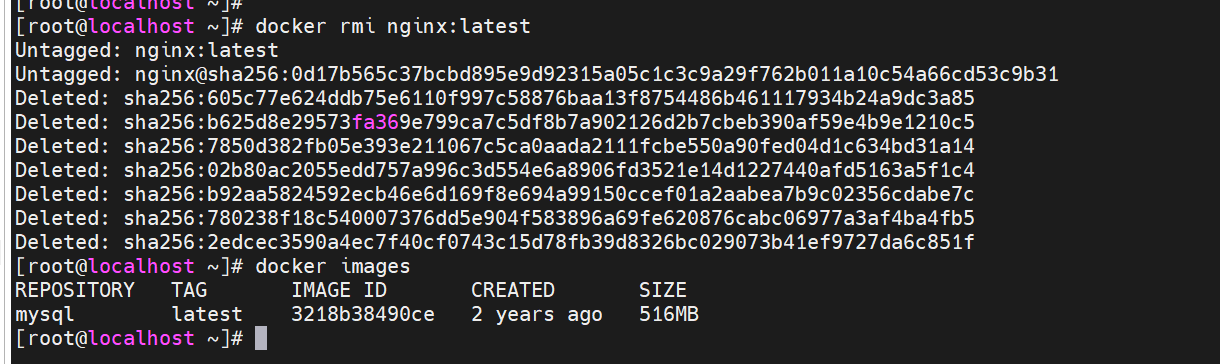
Remove image:
docker rmi nginx:latest
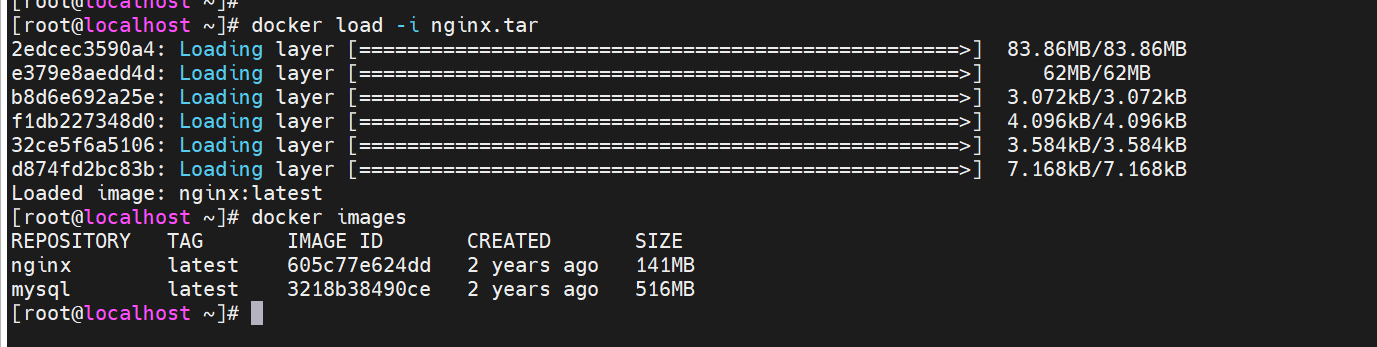
Load image from file:
docker load -i nginx.tar
Create and run container:
docker run -d --name nginx -p 80:80 nginx
View running containers (add -a to see all):
docker ps

Stop container:
docker stop nginx

Start container:
docker start nginx

Command Aliases
Create aliases by editing ~/.bashrc:
vi ~/.bashrc
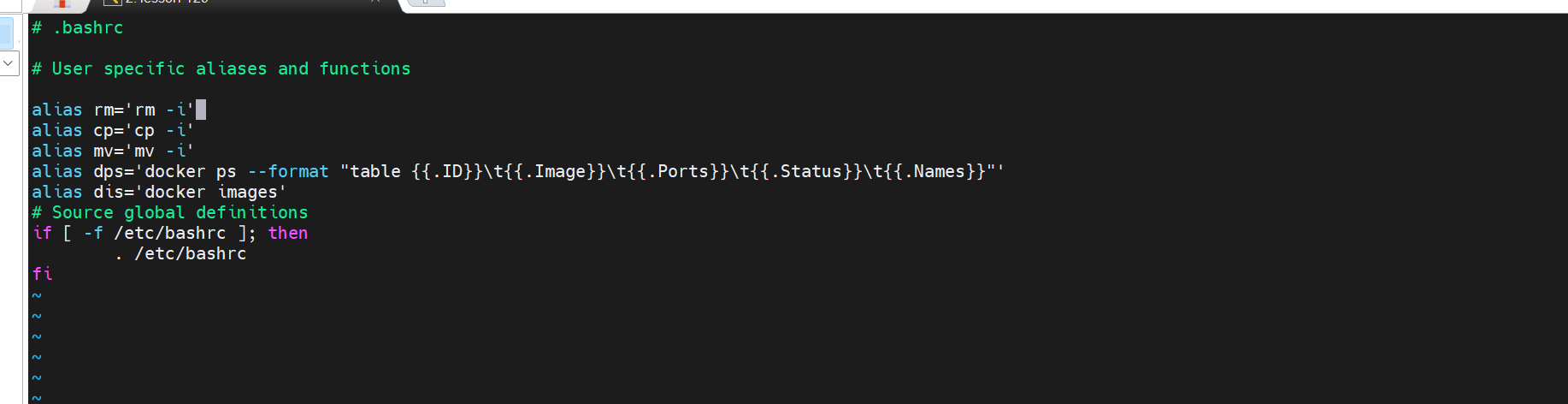
Apply the alias configuration:
source ~/.bashrc
Data Volumes
A data volume is a virtual directory that acts as a bridge between the container directory and the host directory.
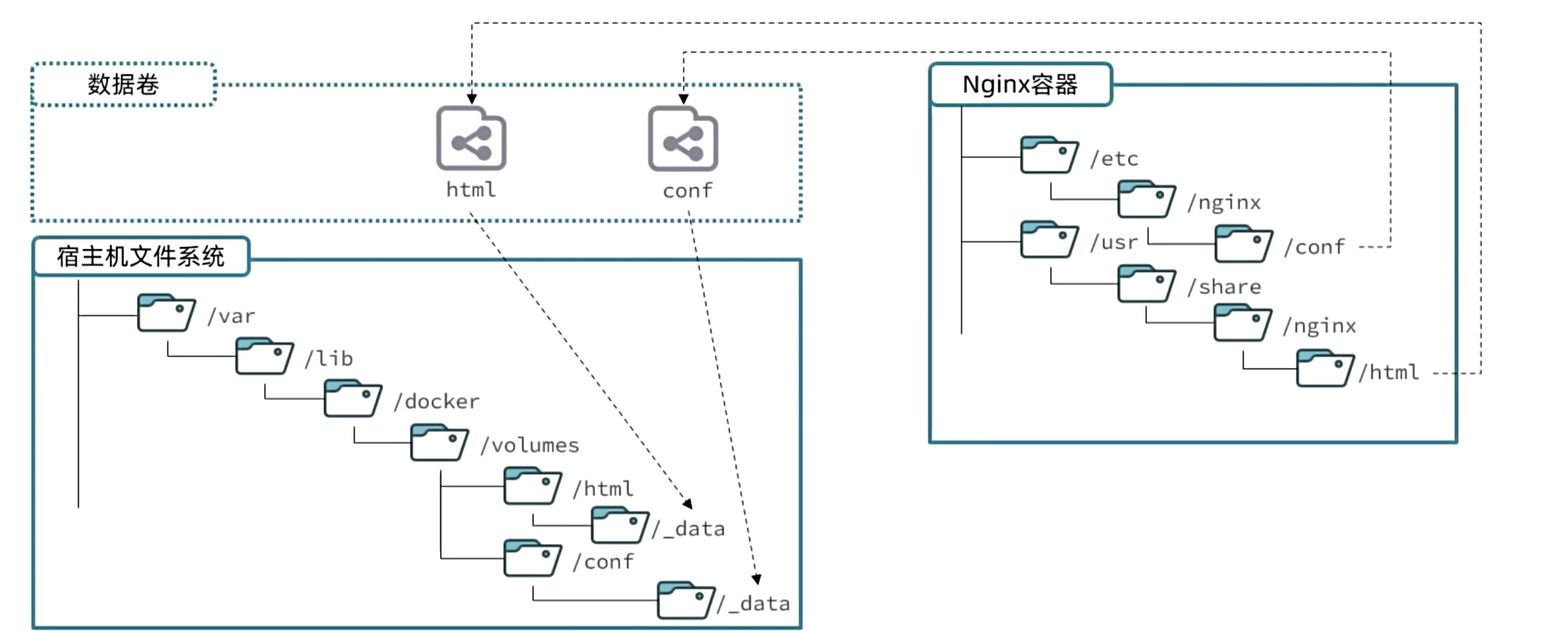
Common commands:
docker volume create       # Create a data volume
docker volume ls           # List all data volumes
docker volume rm           # Remove a specified data volume
docker volume inspect      # View details of a data volume
docker volume prune        # Remove unused data volumes
Note: When executing docker run, use -v volume_name:container_path to mount a data volume. If the volume does not exist, it will be created automatically.
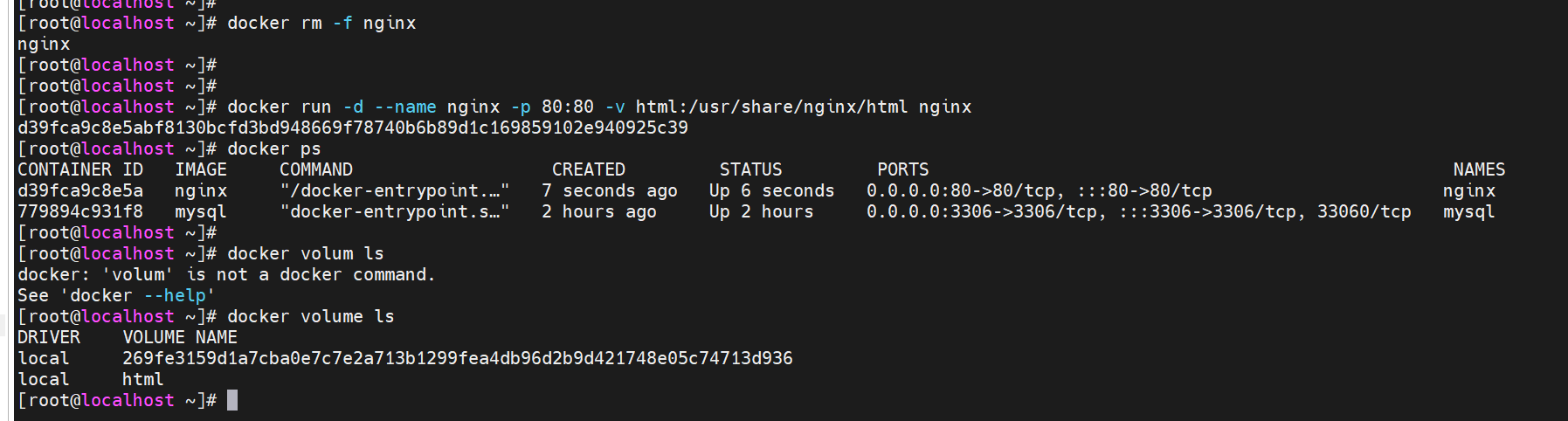
Local Directory Mounting
- Use
-v host_path:container_pathto mount a local directory. - The host path must start with
/or./; otherwise, it will be treated as a volume name. - Example:
-v ./mysql:/var/lib/mysqlmounts the current directory'smysqlfolder.
Custom Images
An image is a package containing the application, system libraries, runtime configuration, etc. Building an image is the process of packaging these files.
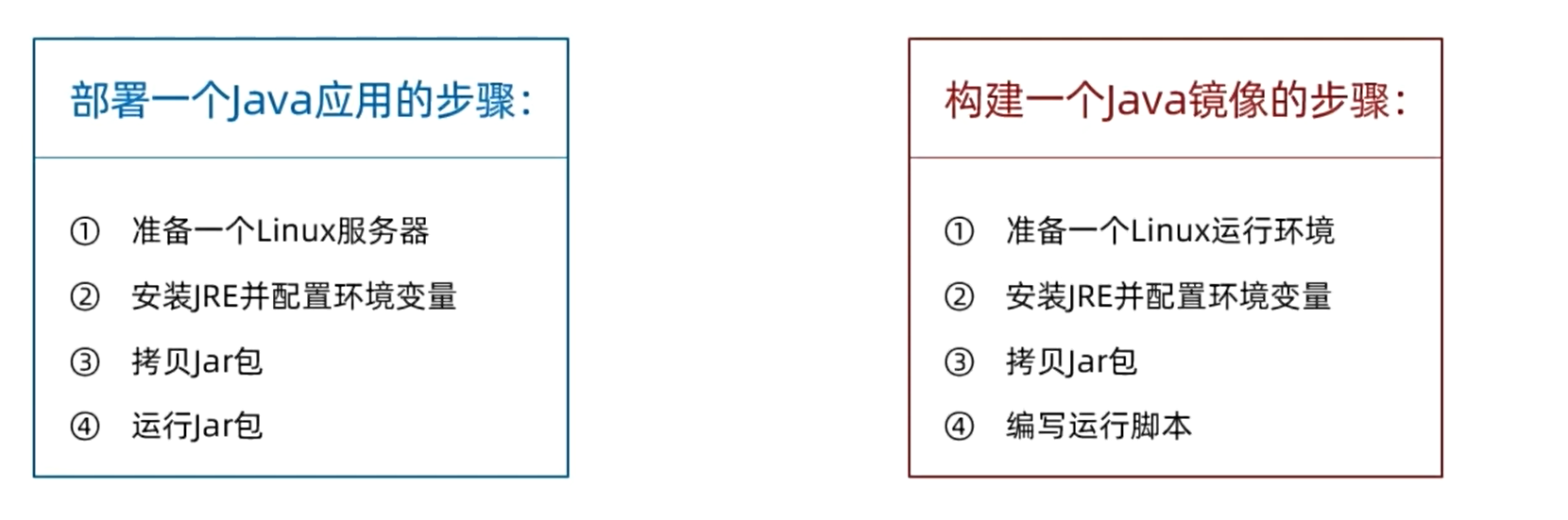
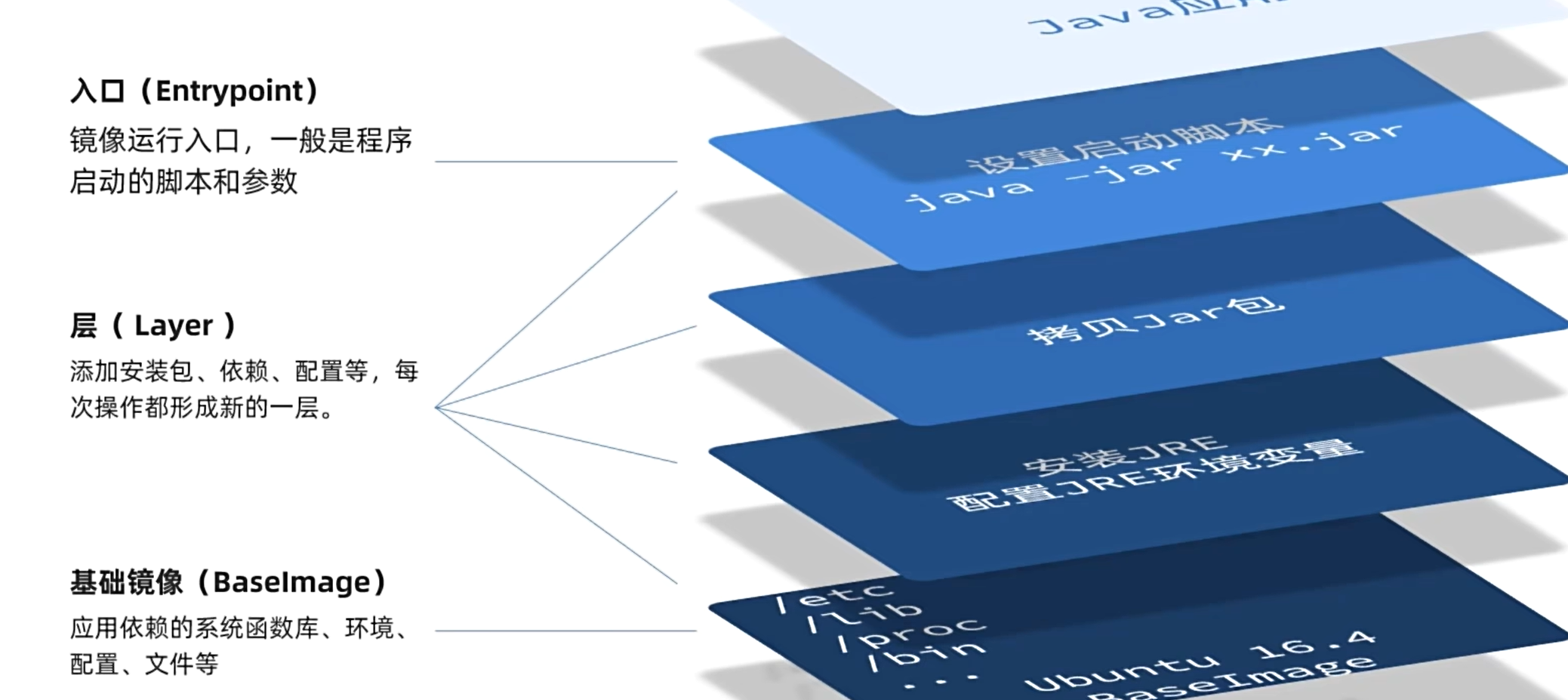
Image Layers
- Layer: Each operation (adding packages, dependencies, configurations) creates a new layer.
- Base Image: Contains system libraries, environment, configuration, and files.
- Entrypoint: The startup script and parameters for the image.
Dockerfile
A Dockerfile is a text file containing instructions to build an image. Common instructions:
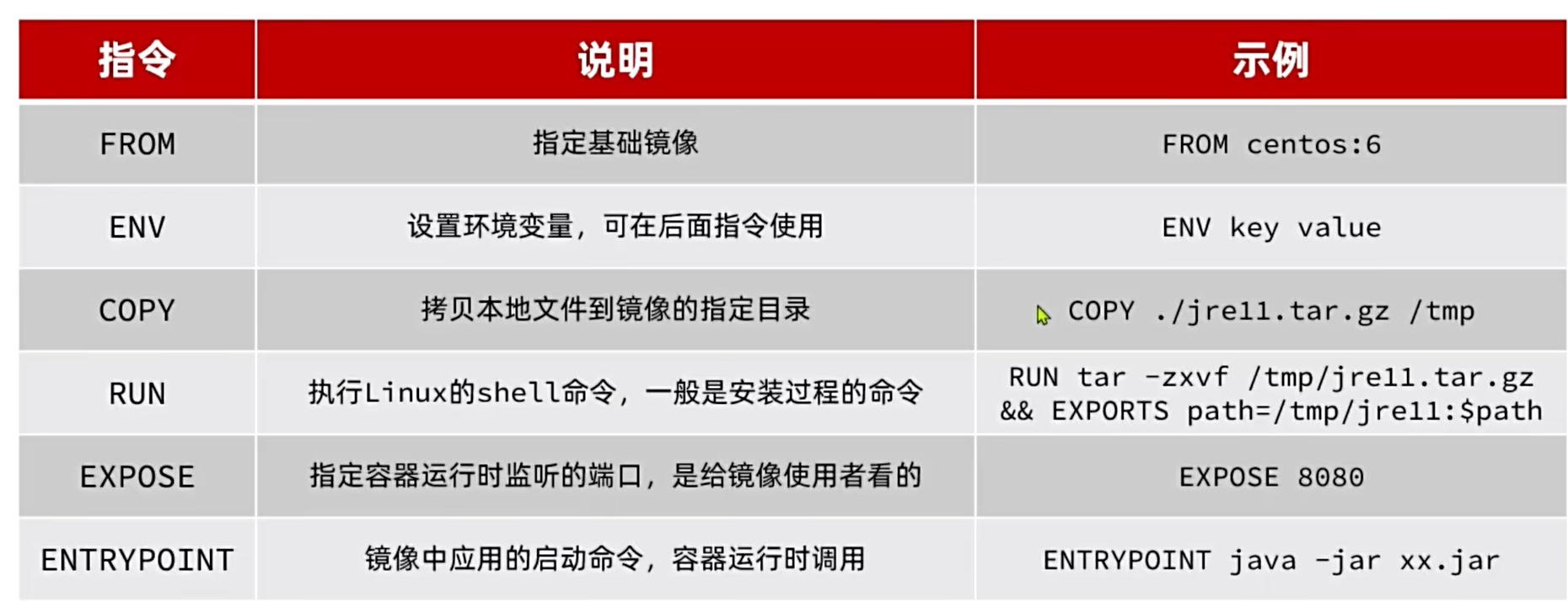
To build an image from a Dockerfile:
docker build -t myapp:1.0 .
-t: Assign a name inrepository:tagformat. Default tag islatest..: The directory containing the Dockerfile.
Networking
By default, all containers connect via bridge mode to a virtual bridge.
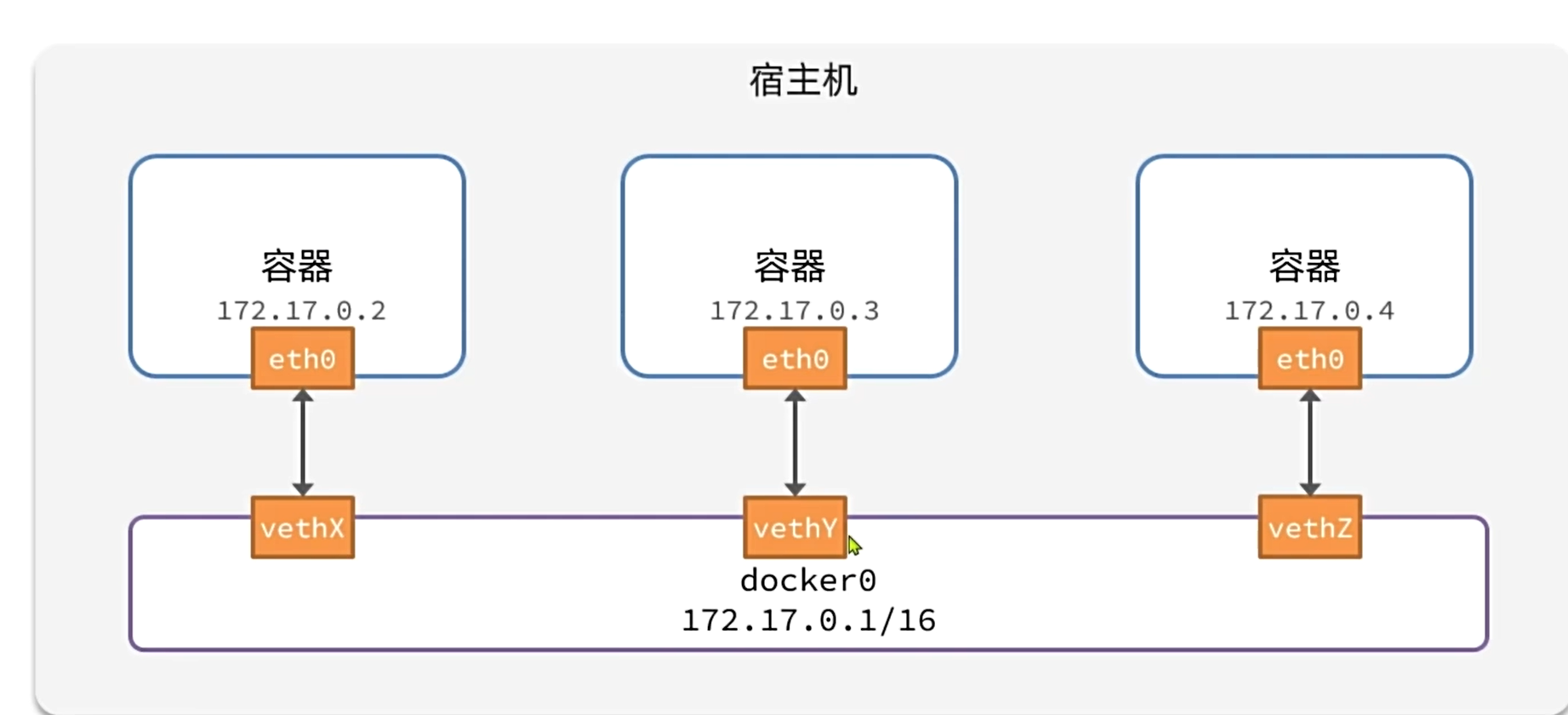
Containers in a custom network can communicate by container name. Docker network commands:
Docker Compose
Docker Compose uses a docker-compose.yml file (YAML format) to define and deploy multiple related containers.
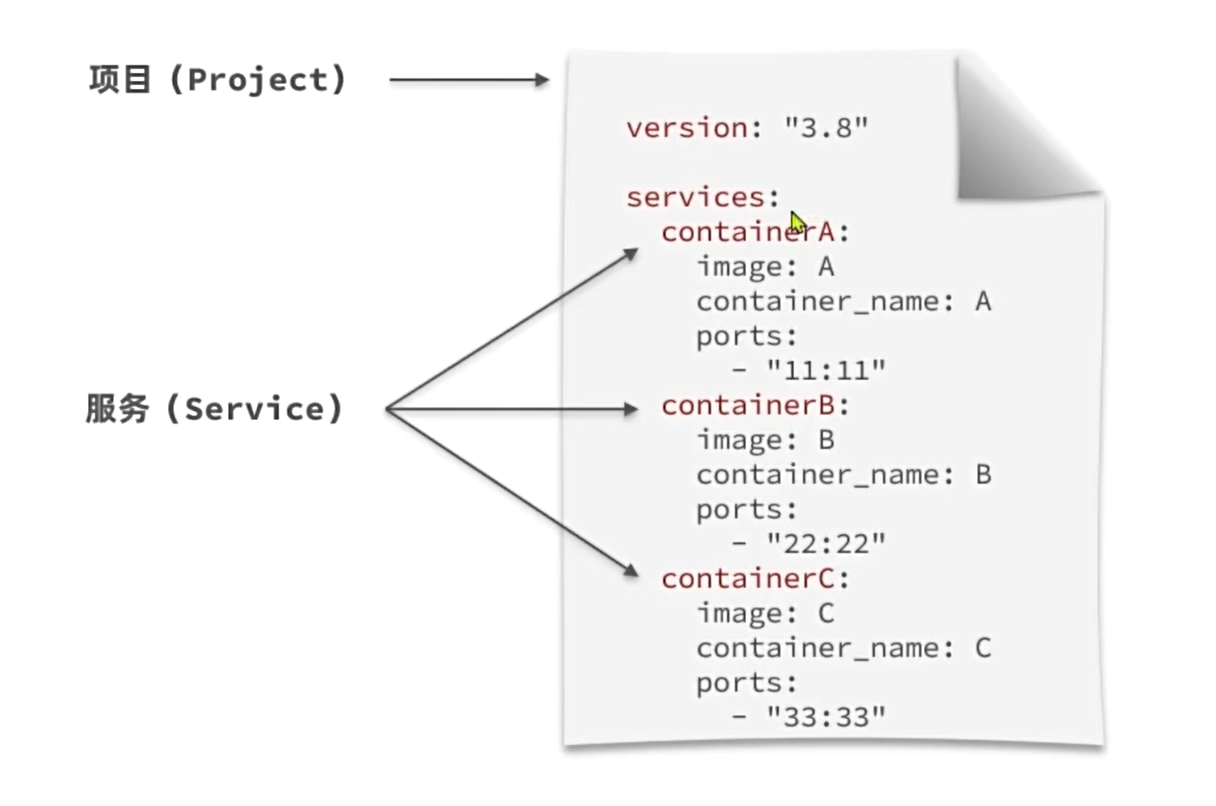
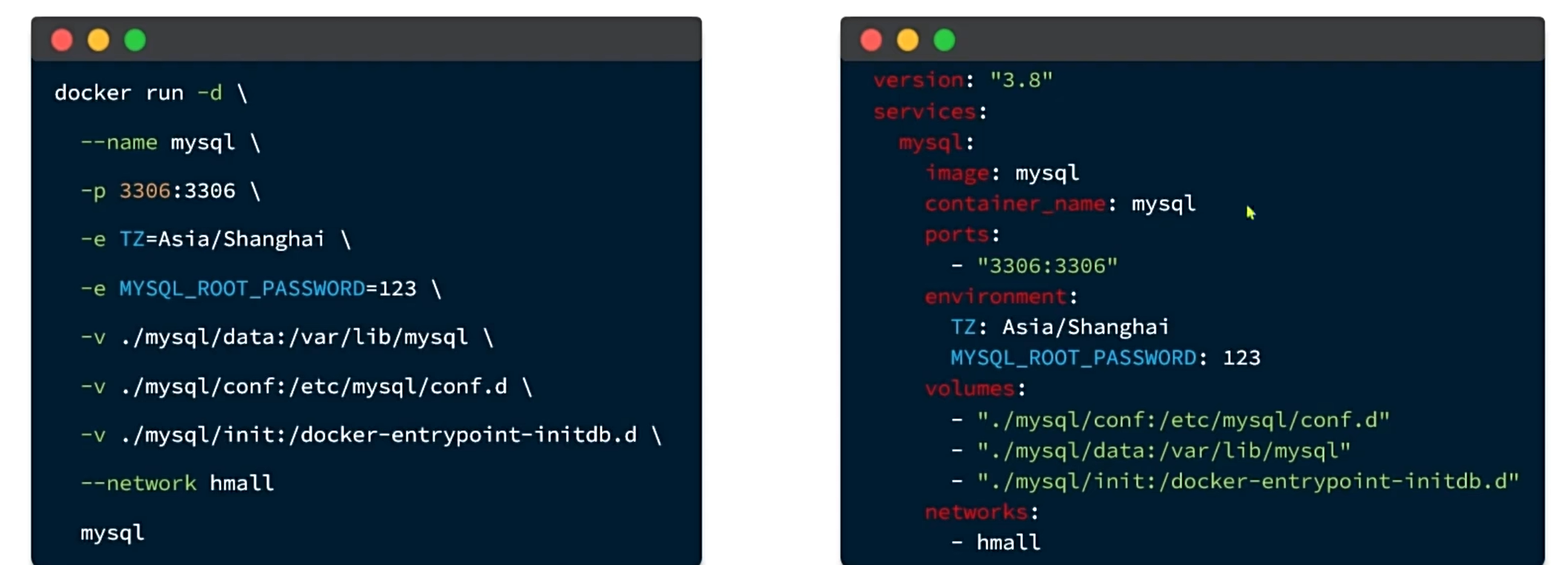
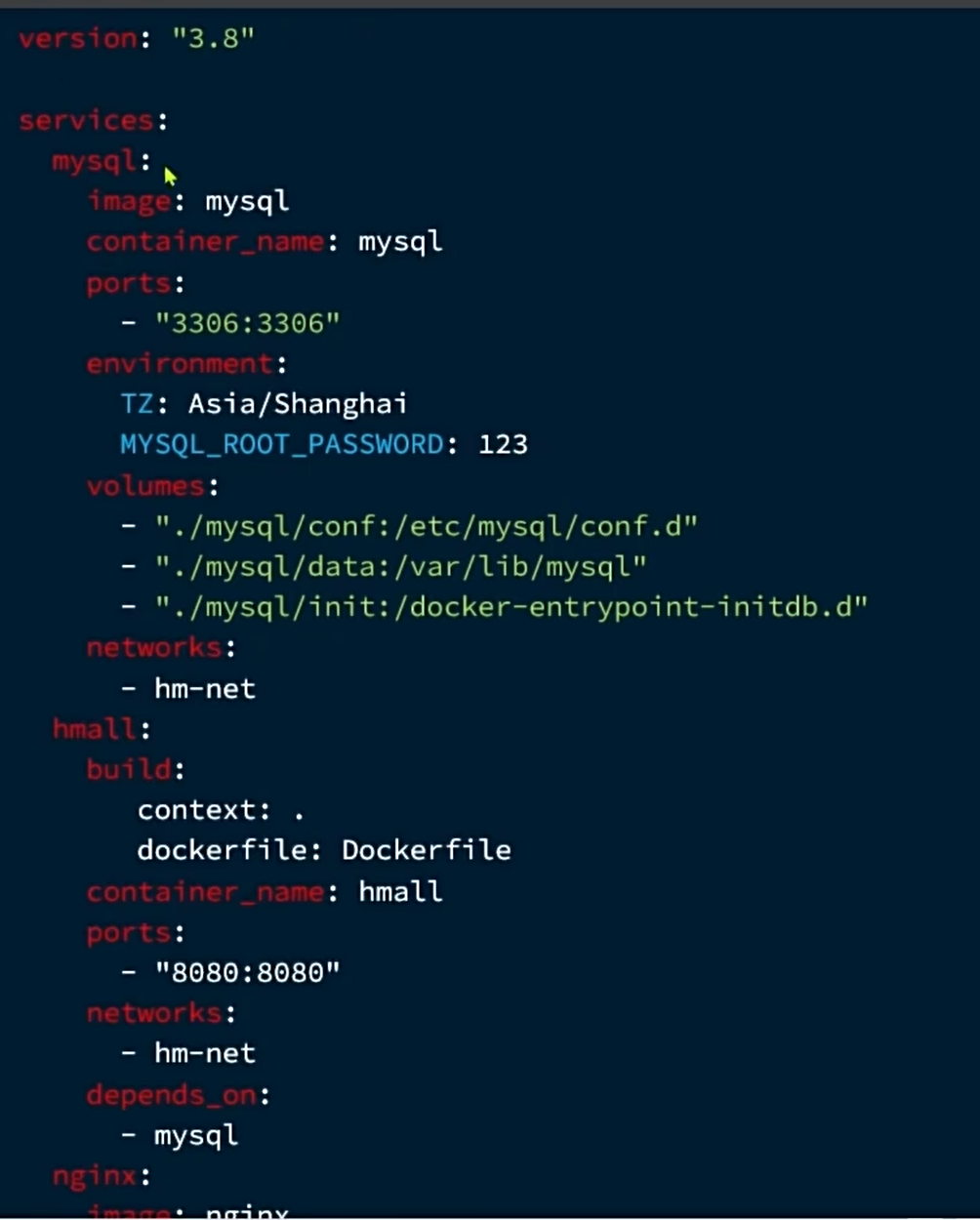
Basic command format:
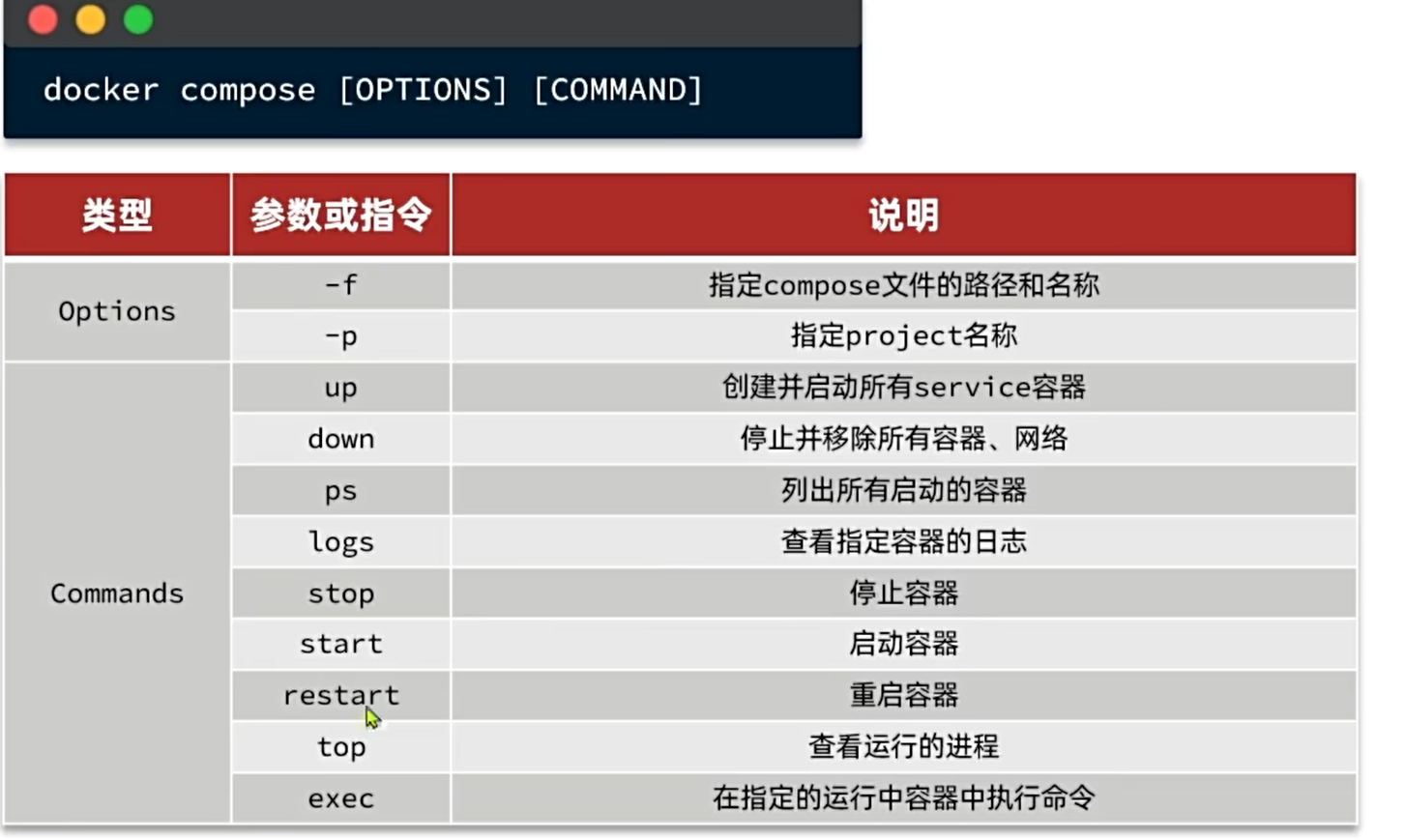
docker-compose [options] [command]