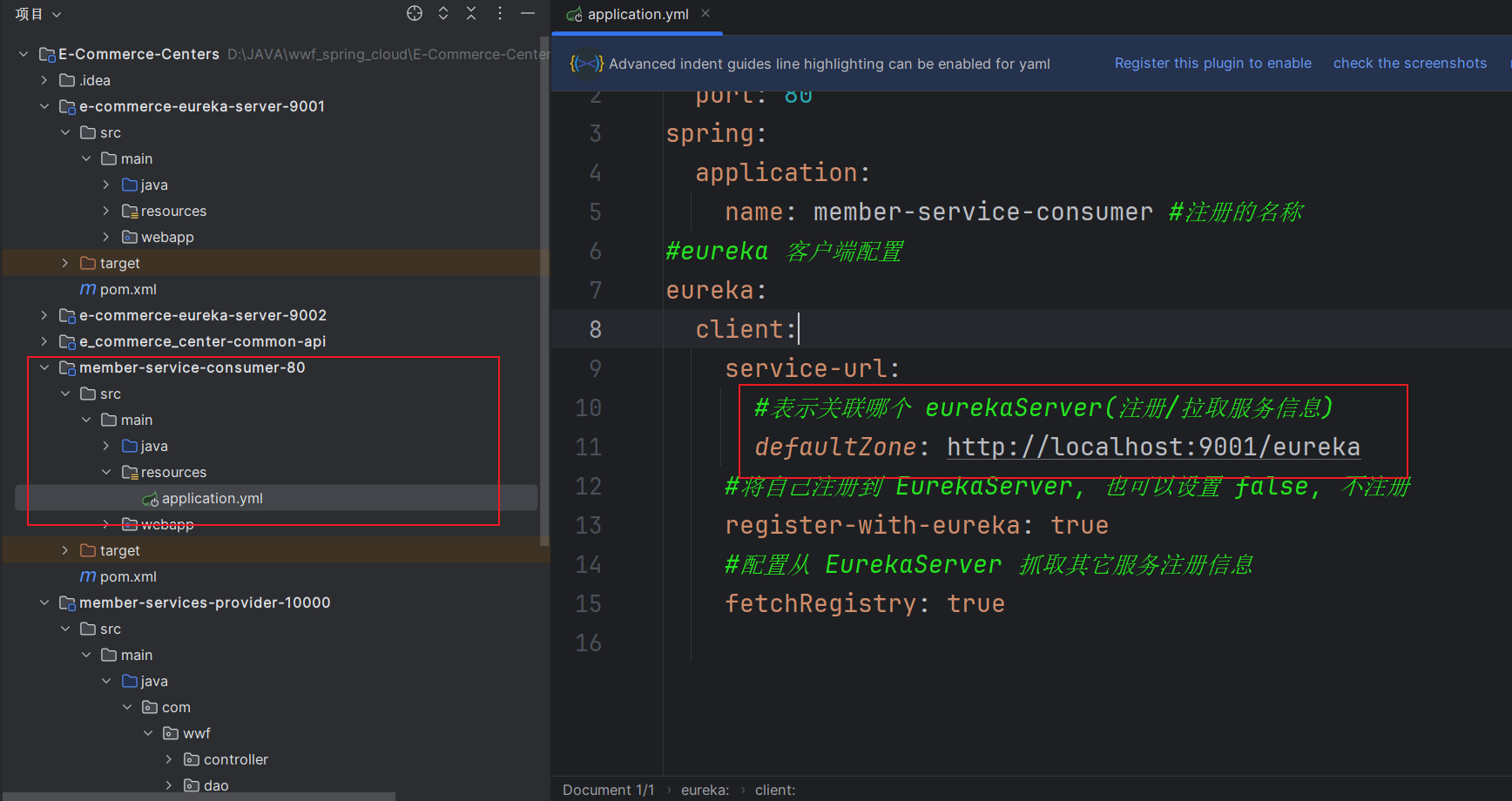
Currrent Project Architecture Issues
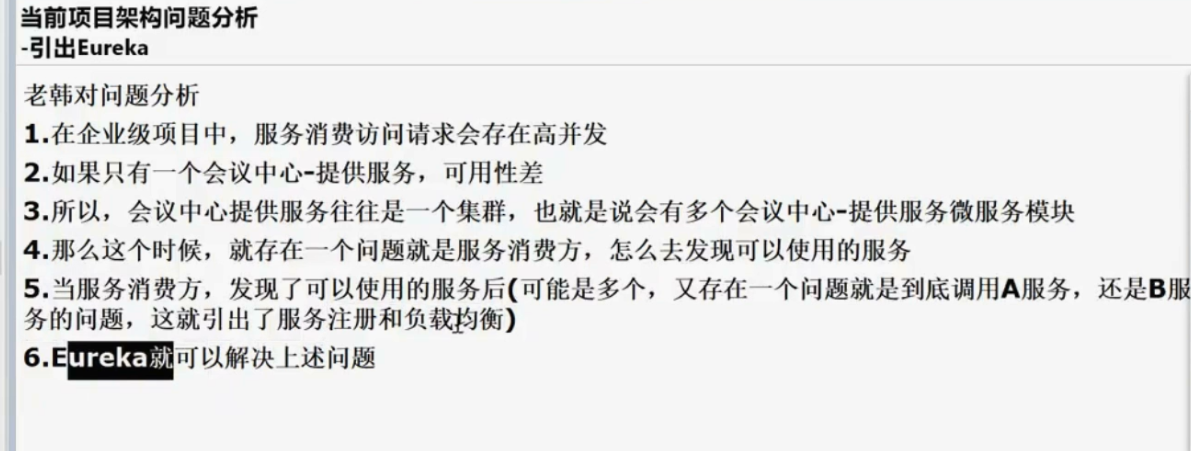
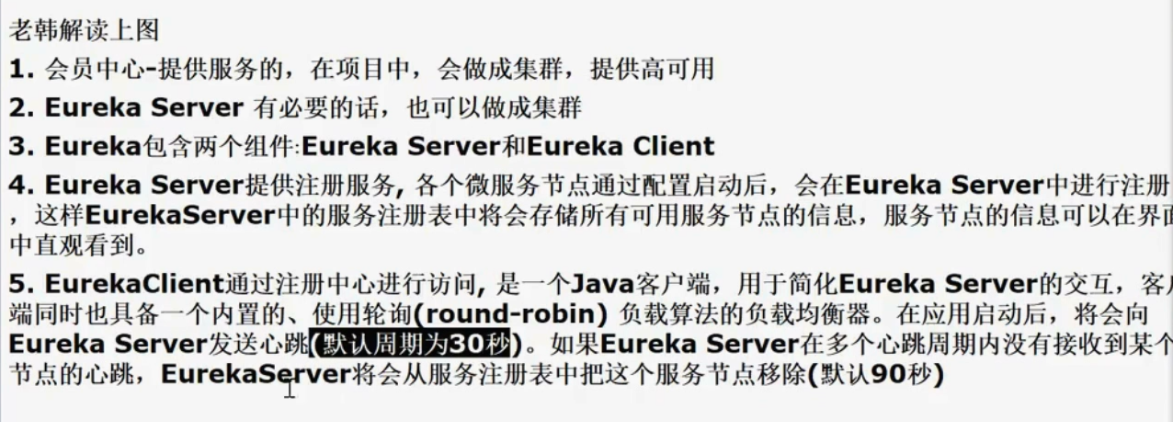
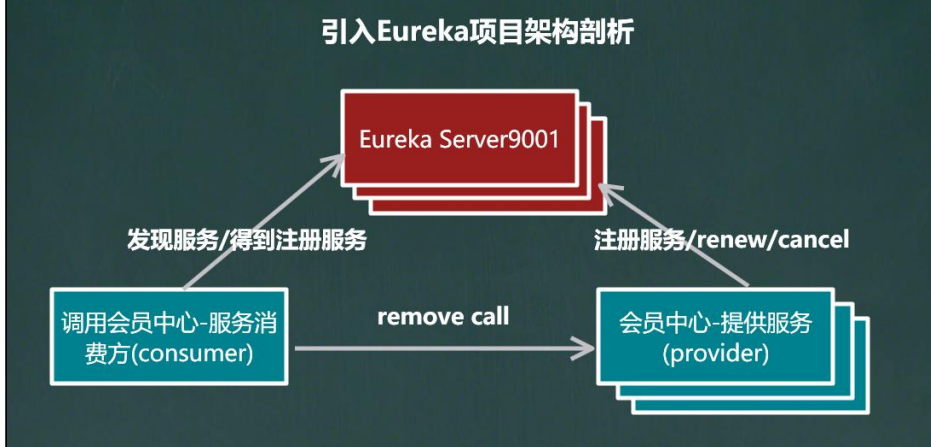
Introducing Eureka
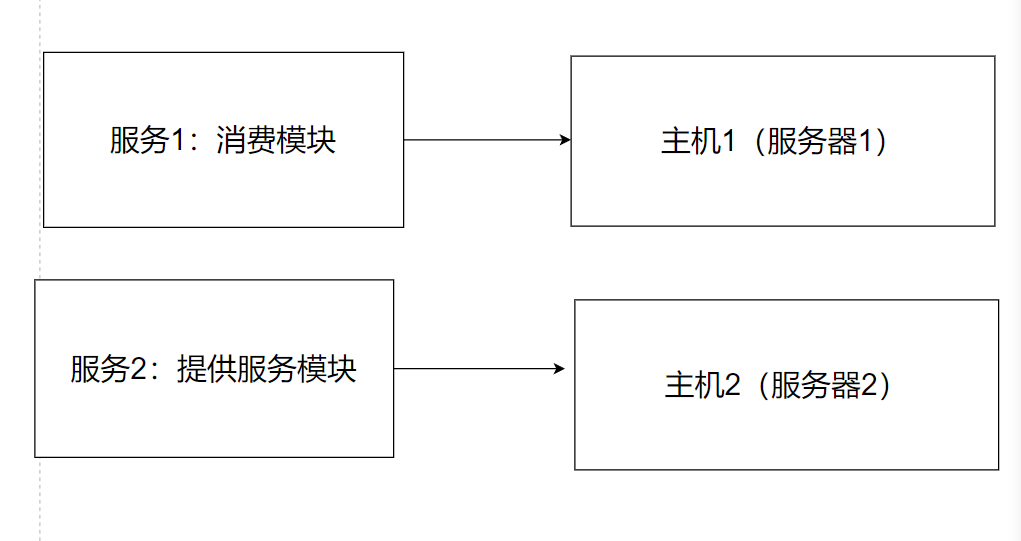
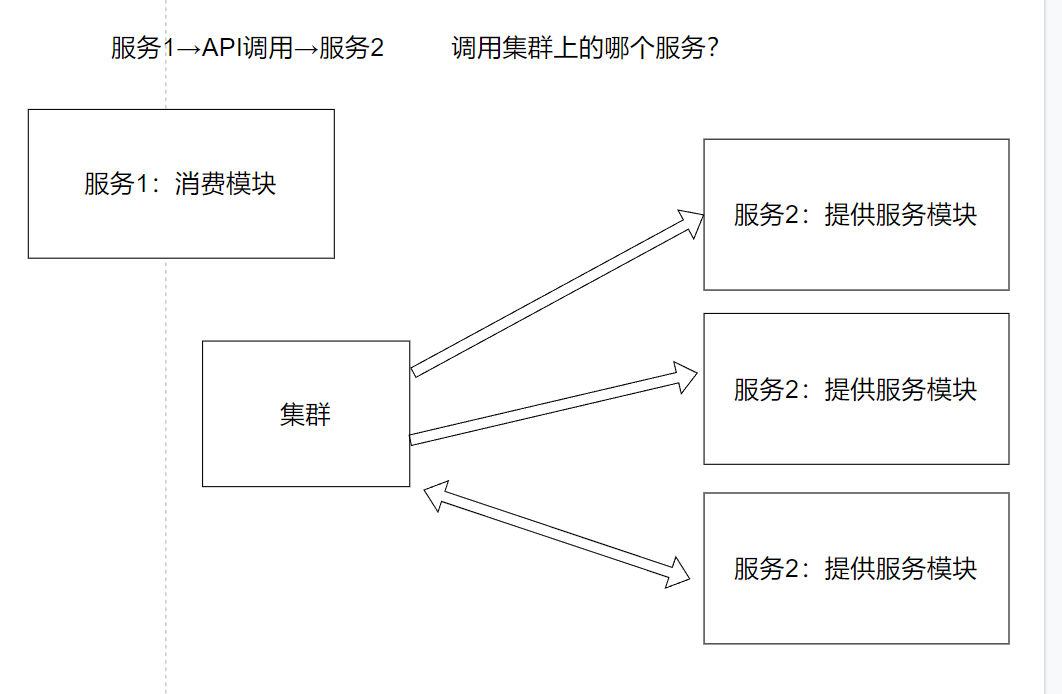
In a typical project, the member center is often deployed as a cluster to handle high concurrency and large loads. For instance, if the member center runs on a single host that can only handle 10,000 requests, many concurrent requests would overwhelm it. By using a cluster (multiple servers), we can solve this problem.
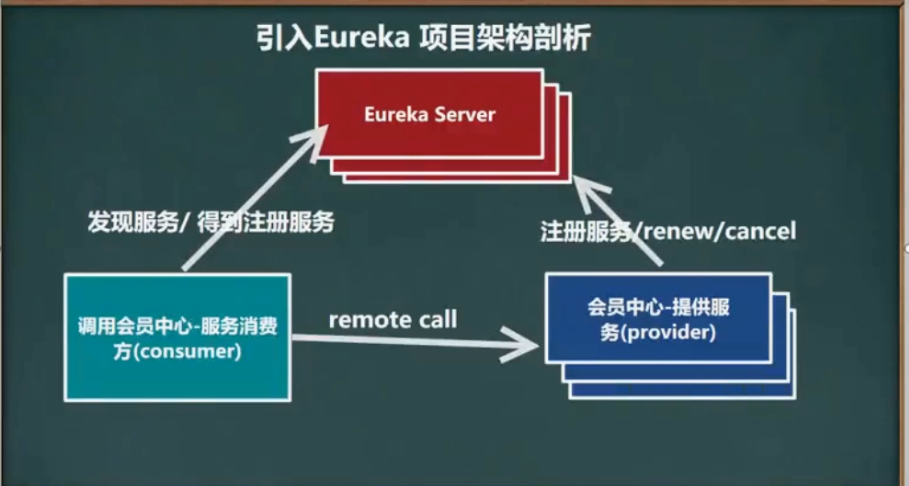
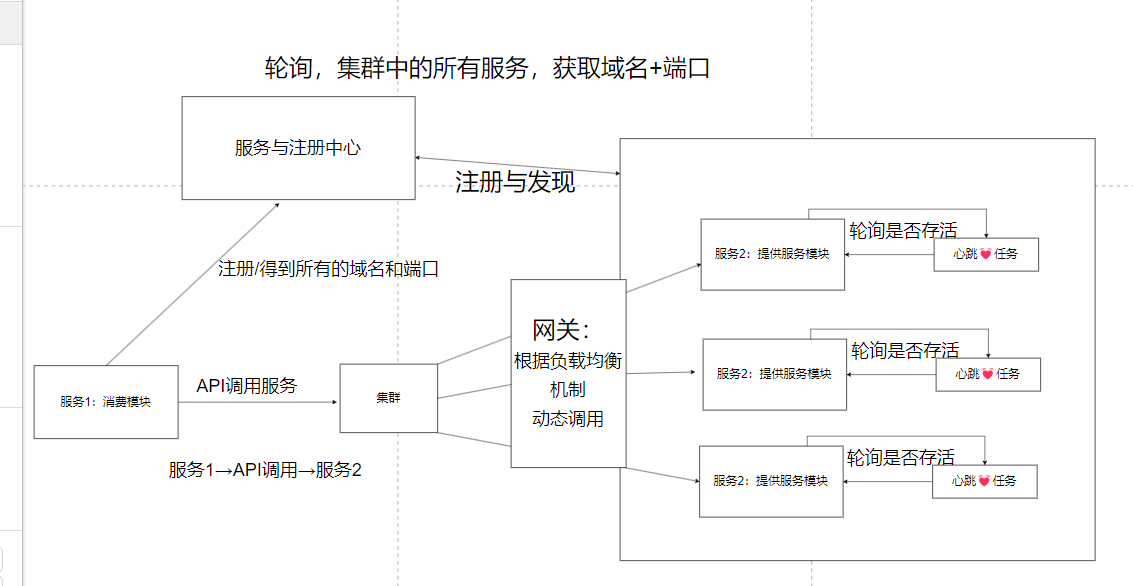
Principle of Service Registration and Discovery
For an in-depth understanding, refer to: Service Registration and Discovery - CSDN
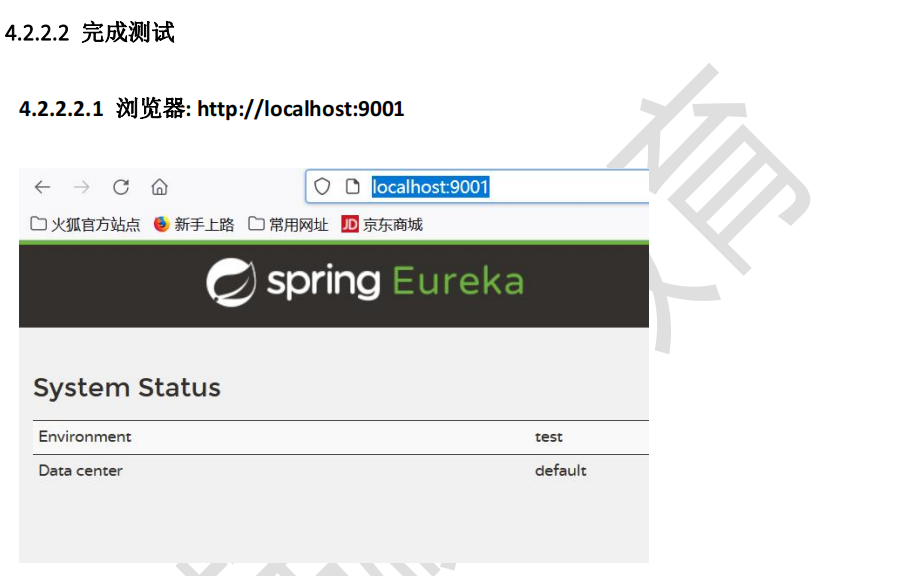
Creating a Standalone Eureka Server - Registry
Troubleshooting: Request execution error solution
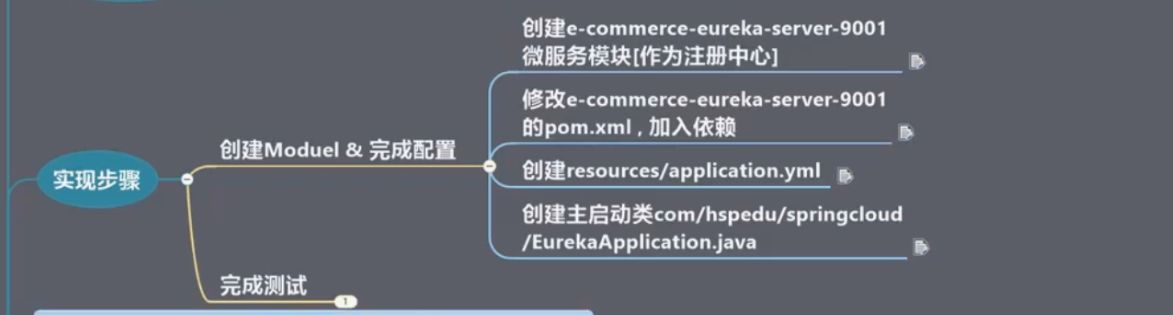
Steps
1. Create a new module
2. Verify module creation
Check the parent pom.xml to ensure the submodule is included.
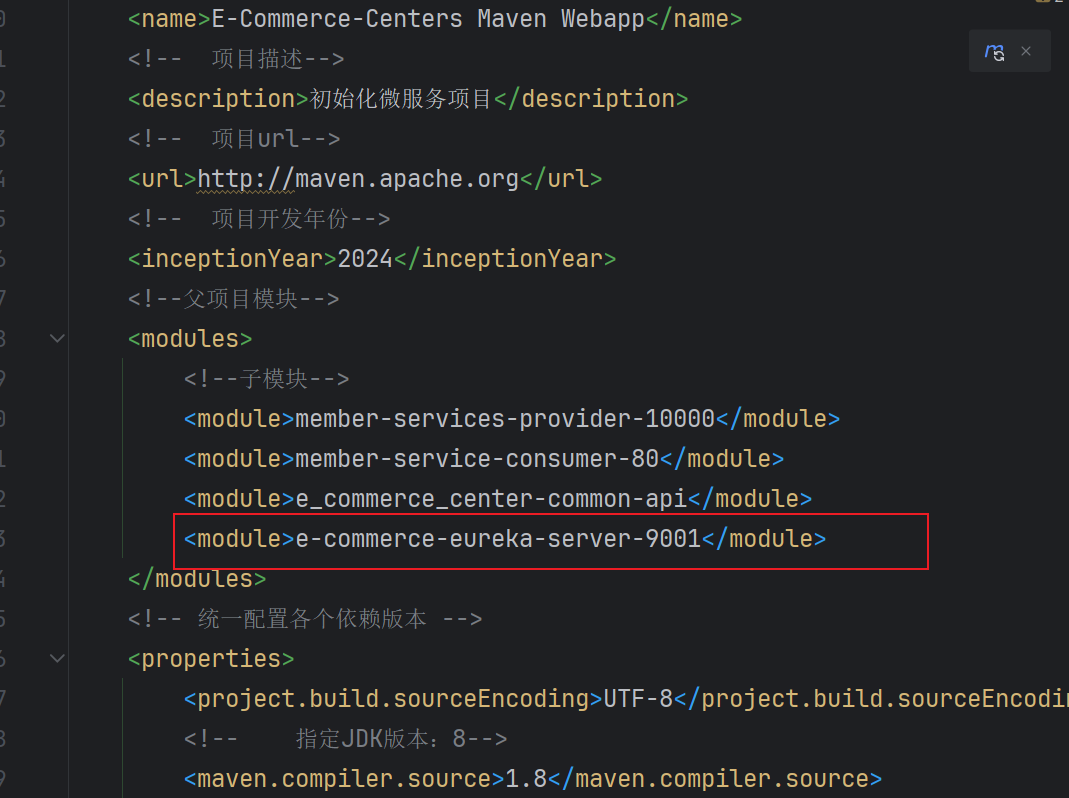
3. Configure pom.xml for Eureka Server
Add dependencies:
<dependency>
    <groupId>com.wwf.springcloud</groupId>
    <artifactId>e_commerce_center-common-api</artifactId>
    <version>${project.version}</version>
</dependency>
<dependency>
    <groupId>org.springframework.cloud</groupId>
    <artifactId>spring-cloud-starter-netflix-eureka-server</artifactId>
</dependency>
<dependency>
    <groupId>org.springframework.boot</groupId>
    <artifactId>spring-boot-starter-web</artifactId>
</dependency>
<dependency>
    <groupId>org.springframework.boot</groupId>
    <artifactId>spring-boot-starter-actuator</artifactId>
</dependency>
<dependency>
    <groupId>org.projectlombok</groupId>
    <artifactId>lombok</artifactId>
    <optional>true</optional>
</dependency>
<dependency>
    <groupId>org.springframework.boot</groupId>
    <artifactId>spring-boot-starter-test</artifactId>
    <scope>test</scope>
</dependency>
<dependency>
    <groupId>junit</groupId>
    <artifactId>junit</artifactId>
</dependency>
4. Configure application.yml
server:
  port: 9001
eureka:
  instance:
    hostname: localhost
  client:
    register-with-eureka: false
    fetch-registry: false
    service-url:
      defaultZone: http://${eureka.instance.hostname}:${server.port}/eureka/
5. Create main startup class
@EnableEurekaServer
@SpringBootApplication(scanBasePackages = {"com.wwf"})
public class EurekaApplication {
    public static void main(String[] args) {
        SpringApplication.run(EurekaApplication.class, args);
    }
}
Service Provider (Port 10000)
1. Add Eureka Client dependency
<dependency>
    <groupId>org.springframework.cloud</groupId>
    <artifactId>spring-cloud-starter-netflix-eureka-client</artifactId>
</dependency>
2. Configure application.yml
eureka:
  client:
    register-with-eureka: true
    fetchRegistry: true
    service-url:
      defaultZone: http://localhost:9001/eureka
3. Enable Eureka Client
@SpringBootApplication
@EnableEurekaClient
public class MemberApplication {
    public static void main(String[] args) {
        SpringApplication.run(MemberApplication.class, args);
    }
}
Service Consumer (Port 80)
1. Add dependency
<dependency>
    <groupId>org.springframework.cloud</groupId>
    <artifactId>spring-cloud-starter-netflix-eureka-client</artifactId>
</dependency>
2. Configure application.yml
server:
  port: 80
spring:
  application:
    name: member-service-consumer
eureka:
  client:
    service-url:
      defaultZone: http://localhost:9001/eureka
    register-with-eureka: true
    fetchRegistry: true
3. Enable Eureka Client
@SpringBootApplication
@EnableEurekaClient
public class MemberConsumerApplication {
    public static void main(String[] args) {
        SpringApplication.run(MemberConsumerApplication.class, args);
    }
}
Eureka Self-Preservation Mode
By default, Eureka has self-preservation enabled. This mode prevents removal of instances due to network issues. To disable it:
eureka:
  server:
    enable-self-preservation: false
    eviction-interval-timer-in-ms: 2000
Update the service provider's lease settings:
eureka:
  instance:
    lease-renewal-interval-in-seconds: 1
    lease-expiration-duration-in-seconds: 2
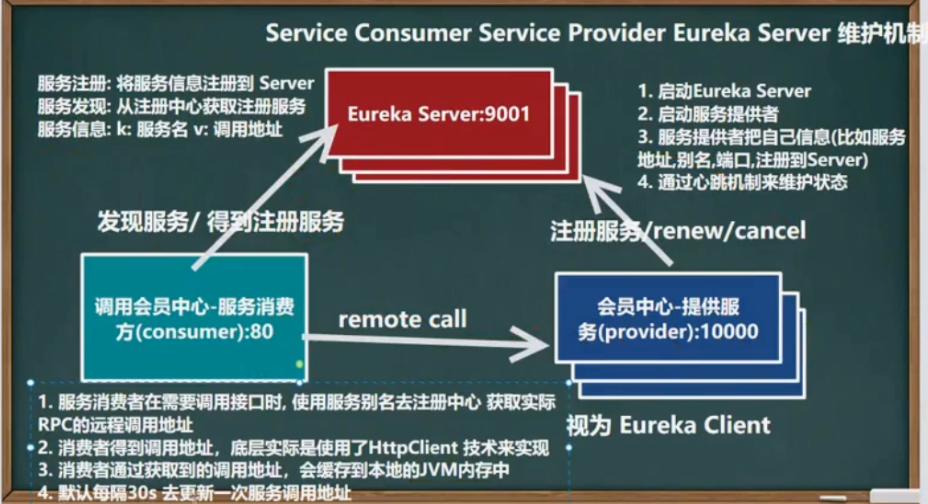
Maintenance Mechanism
Setting Up an Eureka Server Cluster (Load Balancing & Fault Tolerance)
1. Create a new module (e.g., for port 9002)
Copy the existing 9001 module and modify the port and hostname.
2. Update parent pom.xml
Ensure the new module is included.
3. Configure application.yml for 9002
server:
  port: 9002
eureka:
  instance:
    hostname: eureka9002.com
  client:
    register-with-eureka: false
    fetch-registry: false
    service-url:
      defaultZone: http://eureka9001.com:9001/eureka/
4. Create main class EurekaApplication9002.java
@EnableEurekaServer
@SpringBootApplication(scanBasePackages = {"com.wwf"})
public class EurekaApplication9002 {
    public static void main(String[] args) {
        SpringApplication.run(EurekaApplication9002.class, args);
    }
}
5. Modify the 9001 configuration to point to 9002
eureka:
  client:
    service-url:
      defaultZone: http://eureka9002.com:9002/eureka/
6. Update host file
Add mappings:
127.0.0.1 eureka9001.com
127.0.0.1 eureka9002.com
7. Test the cluster
Access http://eureka9001.com:9001 and http://eureka9002.com:9002 to see both registered.
Creating a Second Service Prvoider (Port 10002)
- Create a new module similar to 10000.
- Copy the dependencies and source code from 10000.
- Change the port to 10002 in
application.yml. - Raname the main class to
MemberApplication10002.java. - Register to the Eureka cluster:
eureka:
  client:
    service-url:
      defaultZone: http://localhost:9001/eureka,http://localhost:9002/eureka
Configuring the Consumer to Use the Cluster
Modify the consumer's RestTemplate configuration to use a service name and enable load balancing.
1. Update CustomizationBean.java
@Bean
@LoadBalanced
public RestTemplate getRestTemplate() {
    return new RestTemplate();
}
2. Update MemberConsumerController.java
Use the service name MEMBER-SERVICE-PROVIDER instead of an IP address.
private static final String PROVIDER_URL = "http://MEMBER-SERVICE-PROVIDER";
3. Enable DiscoveryClient for service discovery
@Autowired
private DiscoveryClient discoveryClient;

@GetMapping("/member/consumer/discovery")
public Object discovery() {
    List<String> services = discoveryClient.getServices();
    for (String service : services) {
        List<ServiceInstance> instances = discoveryClient.getInstances(service);
        for (ServiceInstance instance : instances) {
            System.out.println(instance.getServiceId() + "\t" + instance.getHost() + "\t" + instance.getPort() + "\t" + instance.getUri());
        }
    }
    return this.discoveryClient;
}
Summary
- The Eureka cluster synchronizes registered services across all instances.
- Service consumers can use load balancing (default round-robin) to call providers.
- Self-preservation can be disabled for development but should be enabled in production.