Overview
This sample demonstrates the media session provider functionality using the @ohos.multimedia.avsession API. It enables custom data exchange between a media provider and a media controller.
Note: This sample only shows the provider side. For the complete custom interaction feature, use both the provider and controller samples together.
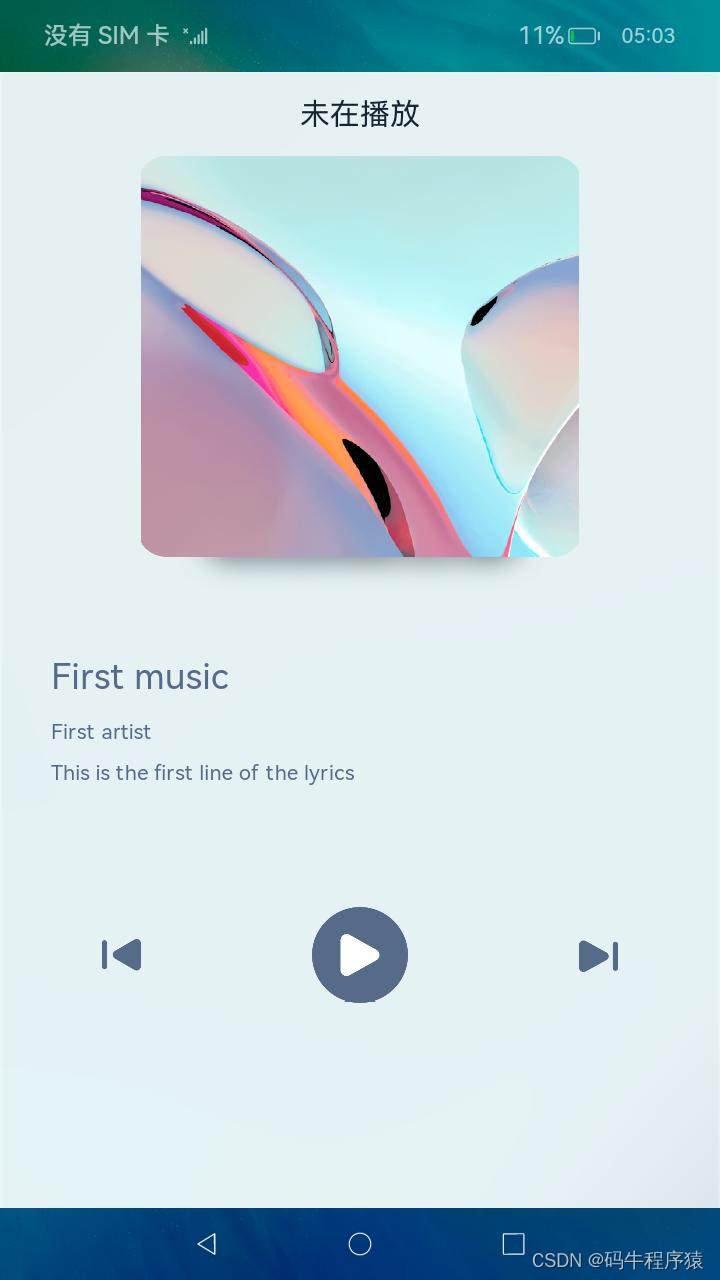
Preview
Usage
Basic Operations
- Open the media provider sample app.
- Tap the Play button. The playback status changes and lyrics start updating.
- Tap the Pause button. Playback stops and lyrics freeze.
- Tap the Previous button to switch to the previous song in the playlist.
- Tap the Next button to switch to the next song.
Advanced Operations (with Media Controller)
- When you tap Play, Pause, Previous, or Next in this app, the corresponding sesssion state in the media controller updates accordingly.
- When you control playback from the media controller, this app reflects the change.
- The media controller can access this app's playlist, custom data packets, and lyrics.
Project Structure
entry/src/main/ets/
|---common
|---|---Log.ets                     // Logging utility
|---|---MediaData.ets               // Song metadata
|---|---Utils.ets                   // General utilities
|---feature
|---|---ProviderFeature.ets        // Business logic
|---pages
|---|---Index.ets                  // UI implementation
Implementation Details
- UI layer is entirely in
pages/Index.ets. - Variables shared with logic code are linked via
@StorageLink. When the logic updates a linked variable, the UI refreshes automatically. - Logic classes are instantiated and used in
onClickhandlers:
import { MediaProvider } from '../feature/MediaProvider';

private mediaProvider: MediaProvider = new MediaProvider();

Button() {
  // Button label
}
.onClick(async () => {
  this.mediaProvider.startPlayback();
})
- Business logic is encapsulated in
feature/ProviderFeature.ets.
App Initialisation
- Link variables
UseAppStorage.SetAndLink()to connect logic variables with@StorageLinkin the UI. Update or read values viaset()andget():
private playbackState: SubscribedAbstractProperty<boolean> = null;

this.playbackState = AppStorage.SetAndLink('IsPlaying', false);
this.playbackState.set(false);

const isPlaying: boolean = this.playbackState.get();
- Create and activate the media session
UsecreateAVSession()to create the session, thenactivate()to activate it.
Set the playlist viasetAVQueueItems(), the playlist title viasetAVQueueTitle(), and the current media metadata viasetAVMetadata().
Listen for controller commands usingon()and handle them according.
Runtime Operations
- Switching songs
When changing tracks, update the provider’s own state and also callsetAVPlaybackState()andsetAVMetadata()to synchronise with the media controller. - Sending custom data packets
UsedispatchSessionEvent()andsetExtras()to send custom data packets to the controller.
Required Permissions
- Long-running task permission
ohos.permission.KEEP_BACKGROUND_RUNNING
To allow the provider to run in the background and respond to commands, declare this permission in themodule.json5of the Ability that needs background execution:
{
  "module": {
    "requestPermissions": [
      {
        "name": "ohos.permission.KEEP_BACKGROUND_RUNNING"
      }
    ]
  }
}
After declaring the permission, request a continuous task in the logic code:
async startContinuousTask() {
  let wantAgentInfo = {
    wants: [{
      bundleName: "com.samples.mediaprovider",
      abilityName: "com.samples.mediaprovider.EntryAbility"
    }],
    operationType: WantAgent.OperationType.START_ABILITY,
    requestCode: 0,
    wantAgentFlags: [WantAgent.WantAgentFlags.UPDATE_PRESENT_FLAG]
  };
  let want = await WantAgent.getWantAgent(wantAgentInfo);
  await backgroundTaskManager.startBackgroundRunning(
    globalThis.context,
    backgroundTaskManager.BackgroundMode.AUDIO_PLAYBACK,
    want
  );
}
Dependencies
This sample only showcases the provider side. For the complete custom interaction, combine it with the media controller sample.
Constraints and Limitations
- This sample runs only on standard systems (supported device: RK3568).
- It uses the Stage model and requires API version 10 Release (SDK version: API Version 10 Release, image version: 4.0 Release).
- Compile and run with DevEco Studio version 4.0 Release or higher.
Download
To download this project separately, execute:
git init
git config core.sparsecheckout true
echo code/BasicFeature/Media/AVSession/MediaProvider > .git/info/sparse-checkout
git remote add origin https://gitee.com/openharmony/applications_app_samples.git
git pull origin master