The Singleton pattern ensures that a class has only one instance in memory and provides a global access point to retrieve that instance.
Note: When creating a Console App project in Visual Studio, choose the correct template (e.g., "Console App (.NET Framework)" instead of ".NET Core") to avoid unexpected encoding issues. The examples in this article were developed in a standard .NET environment.
Basic Singleton
Define a simple class Person with a private static field to hold the instance and a private constructer.
public class Person
{
    private static Person _instance = null;

    private Person()
    {
        Console.WriteLine("Constructed a {0}", GetType().Name);
    }

    public static Person GetInstance()
    {
        if (_instance == null)
            _instance = new Person();
        return _instance;
    }
}
Client code:
var p1 = Person.GetInstance();
var p2 = Person.GetInstance();
var p3 = Person.GetInstance();
Console.WriteLine("p1 == p2: {0}", object.ReferenceEquals(p1, p2));
Output:
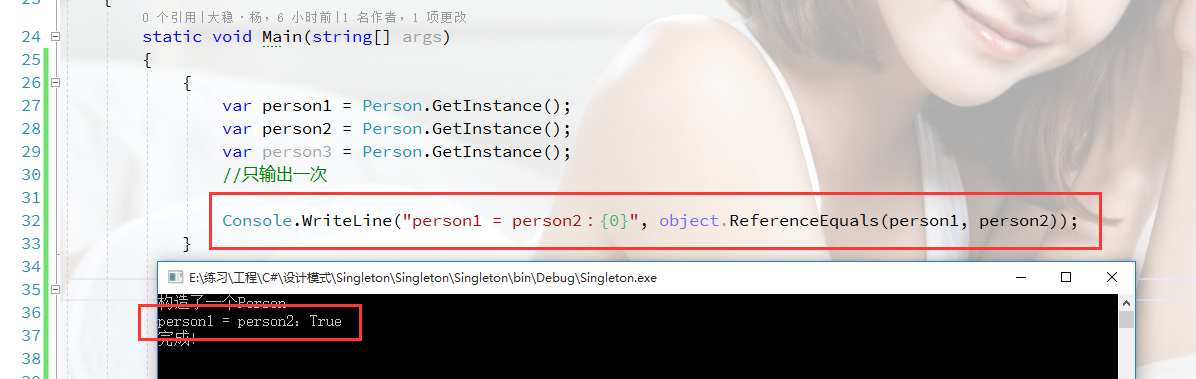
The constructor runs only once, and all references point to the same instance.
Multithreading Problem
When multiple threads access GetInstance simultaneously, the current implementation may construct several instance.
public class Person
{
    private static Person _instance = null;

    private Person()
    {
        Console.WriteLine("Constructed a {0}", GetType().Name);
    }

    public static Person GetInstance()
    {
        if (_instance == null)
            _instance = new Person();
        return _instance;
    }
}
Client code:
Person instanceA = null;
Person instanceB = null;
Person instanceC = null;

var task1 = new Thread(() => { instanceA = Person.GetInstance(); });
var task2 = new Thread(() => { instanceB = Person.GetInstance(); });
var task3 = new Thread(() => { instanceC = Person.GetInstance(); });

task1.Start();
task2.Start();
task3.Start();
Thread.Sleep(1000);

Console.WriteLine("instanceA == instanceB: {0}", object.ReferenceEquals(instanceA, instanceB));
Output:
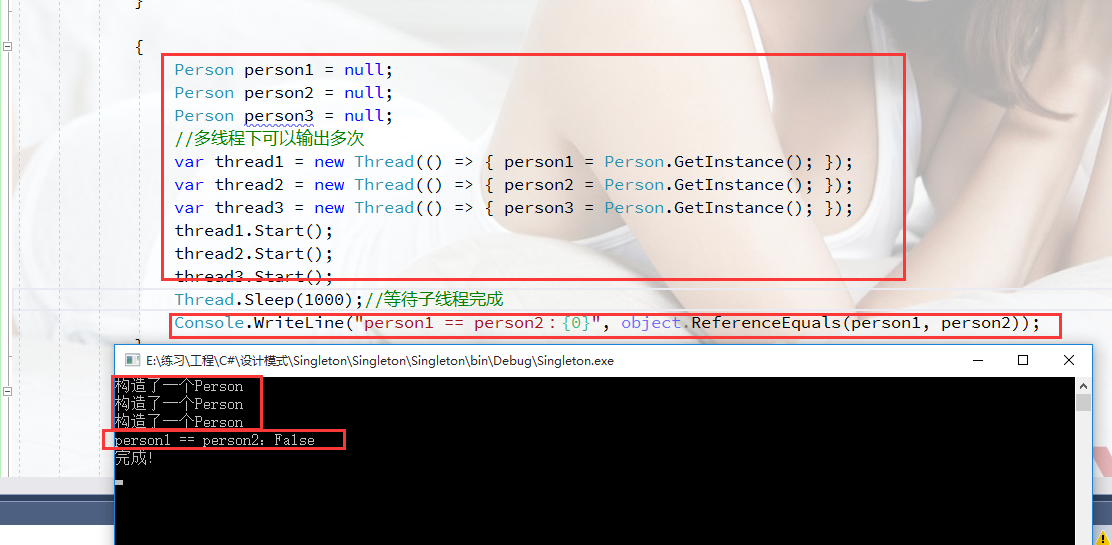
The constructor fires multiple times and the references differ — the pattern is broken under concurrency.
Thread-Safe Singleton with Double-Check Locking
Introduce a private, static, read-only lock object and apply a double-check locking strategy.
public class Person
{
    private static Person _instance = null;
    private static readonly object _syncLock = new object();

    private Person()
    {
        Console.WriteLine("Constructed a {0}", GetType().Name);
    }

    public static Person GetInstance()
    {
        if (_instance == null)
        {
            lock (_syncLock)
            {
                if (_instance == null)
                {
                    _instance = new Person();
                }
            }
        }
        return _instance;
    }
}
Client code:
Person instanceA = null;
Person instanceB = null;
Person instanceC = null;

var task1 = new Thread(() => { instanceA = Person.GetInstance(); });
var task2 = new Thread(() => { instanceB = Person.GetInstance(); });
var task3 = new Thread(() => { instanceC = Person.GetInstance(); });

task1.Start();
task2.Start();
task3.Start();
Thread.Sleep(1000);

Console.WriteLine("instanceA == instanceB: {0}", object.ReferenceEquals(instanceA, instanceB));
Output:
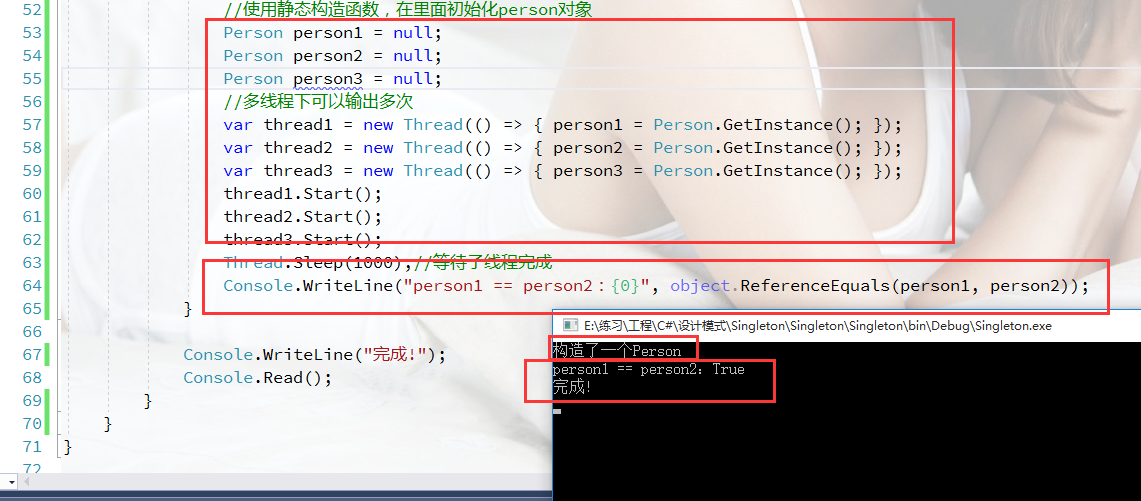
Now the constructor runs once and all references are equal, confirming proper thread safety.
Singleton via Static Constructor
A static constructor guarantees that the instance is initialized only once, even in multithreaded scenarios.
public class Person
{
    private static Person _instance = null;

    private Person()
    {
        Console.WriteLine("Constructed a {0}", GetType().Name);
    }

    static Person()
    {
        _instance = new Person();
    }

    public static Person GetInstance()
    {
        return _instance;
    }
}
Client code:
Person instanceA = null;
Person instanceB = null;
Person instanceC = null;

var task1 = new Thread(() => { instanceA = Person.GetInstance(); });
var task2 = new Thread(() => { instanceB = Person.GetInstance(); });
var task3 = new Thread(() => { instanceC = Person.GetInstance(); });

task1.Start();
task2.Start();
task3.Start();
Thread.Sleep(1000);

Console.WriteLine("instanceA == instanceB: {0}", object.ReferenceEquals(instanceA, instanceB));
Output:
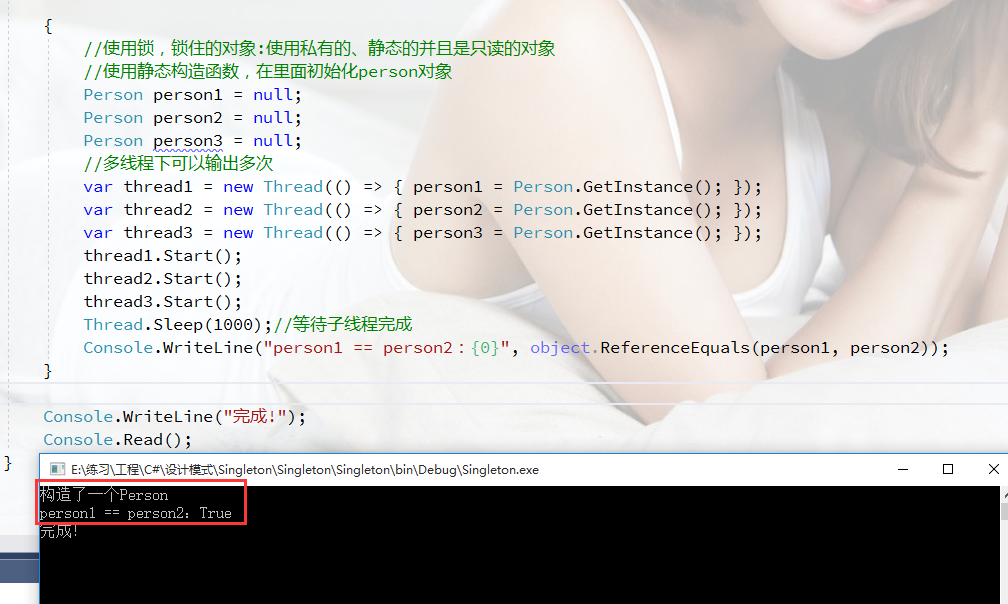
The static constructor approach also produces a single instance across threads.
Both the double-check locking pattern and the static constructor method are valid ways to implement a thread-safe Singleton in C#.