1. Official Documentation
Refer to the official guide: Installing ONLYOFFICE Docs for Docker on a local server - ONLYOFFICE.
2. Installing ONLYOFFICE
Run the following Docker command to install ONLYOFFICE Docs:
docker run -i -t -d -p 9000:8000 --restart=always -e JWT_ENABLED=false onlyoffice/documentserver
If you encounter issues downloading the image, try configuring Docker registry mirrors. Update your Docker daemon configuration (/etc/docker/daemon.json) with:
{
    "registry-mirrors": [
        "https://do.nark.eu.org",
        "https://dc.j8.work",
        "https://docker.m.daocloud.io",
        "https://dockerproxy.com",
        "https://docker.mirrors.ustc.edu.cn",
        "https://docker.nju.edu.cn"
    ]
}
For troubleshooting, see: Solutions for Docker Hub pull failures and timeouts.
3. Verifying Service Startup
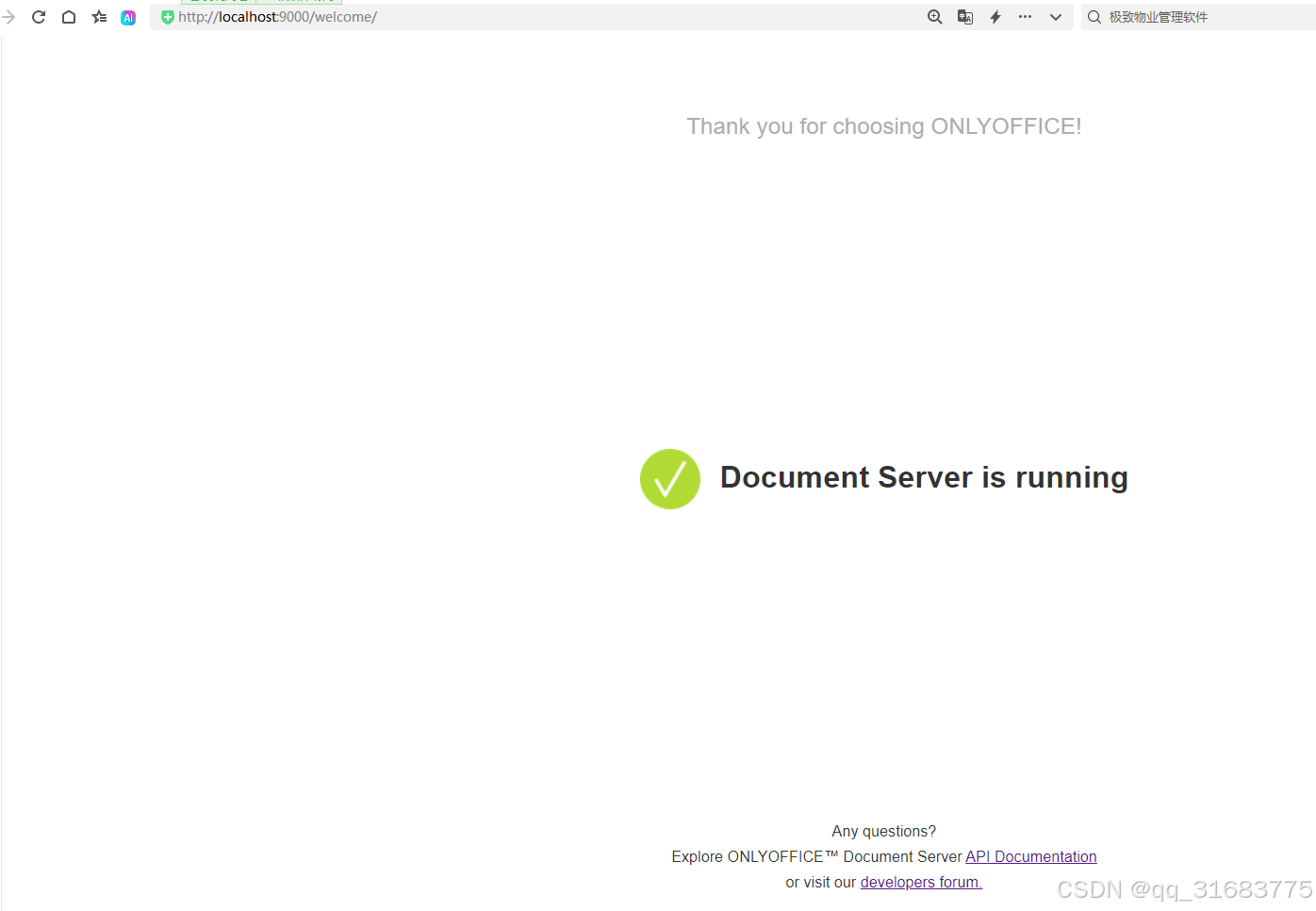
After starting the container, access the service to confirm it's running. Try both localhost and 127.0.0.1 if one fails.
- Access: http://localhost:9000/welcome/
- Access: http://localhostt:9000/web-apps/apps/api/documents/api.js
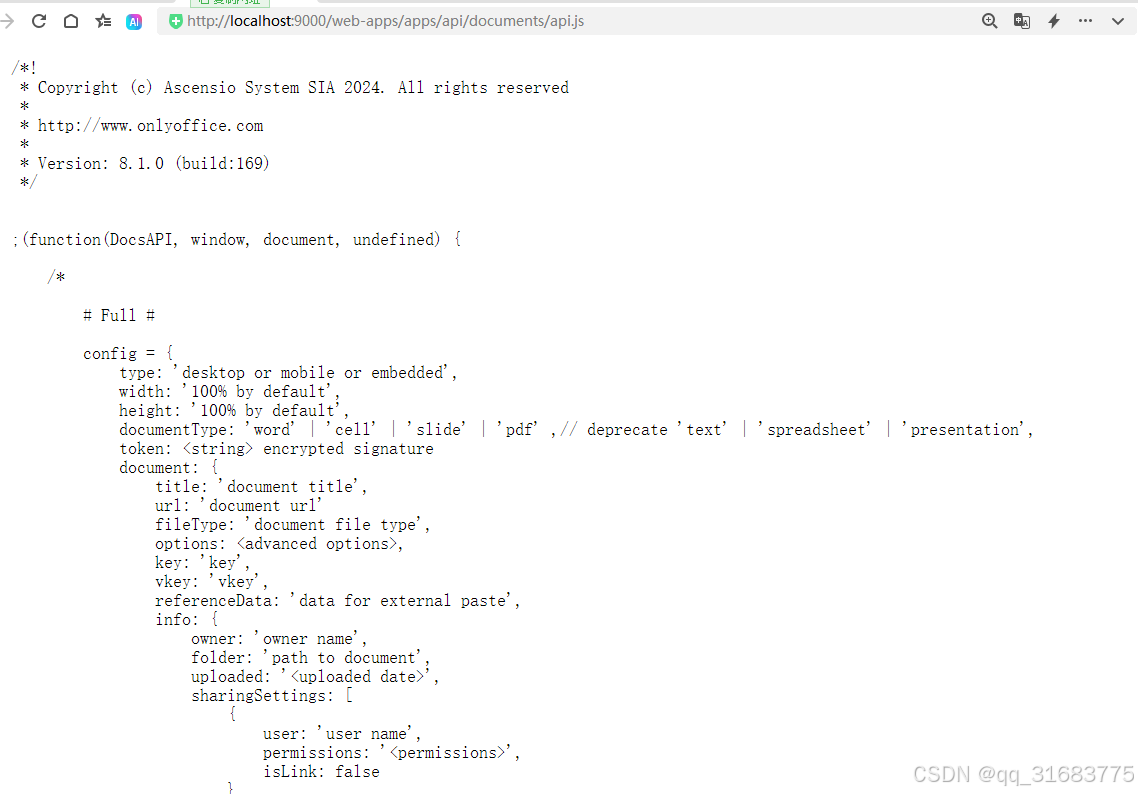 If these pages load, the service is running successfully.
4. Integrating with Vue.js
Include the ONLYOFFICE API script in your Vue.js applicasion:
<script type='text/javascript' src='http://localhost:9000/web-apps/apps/api/documents/api.js'></script>

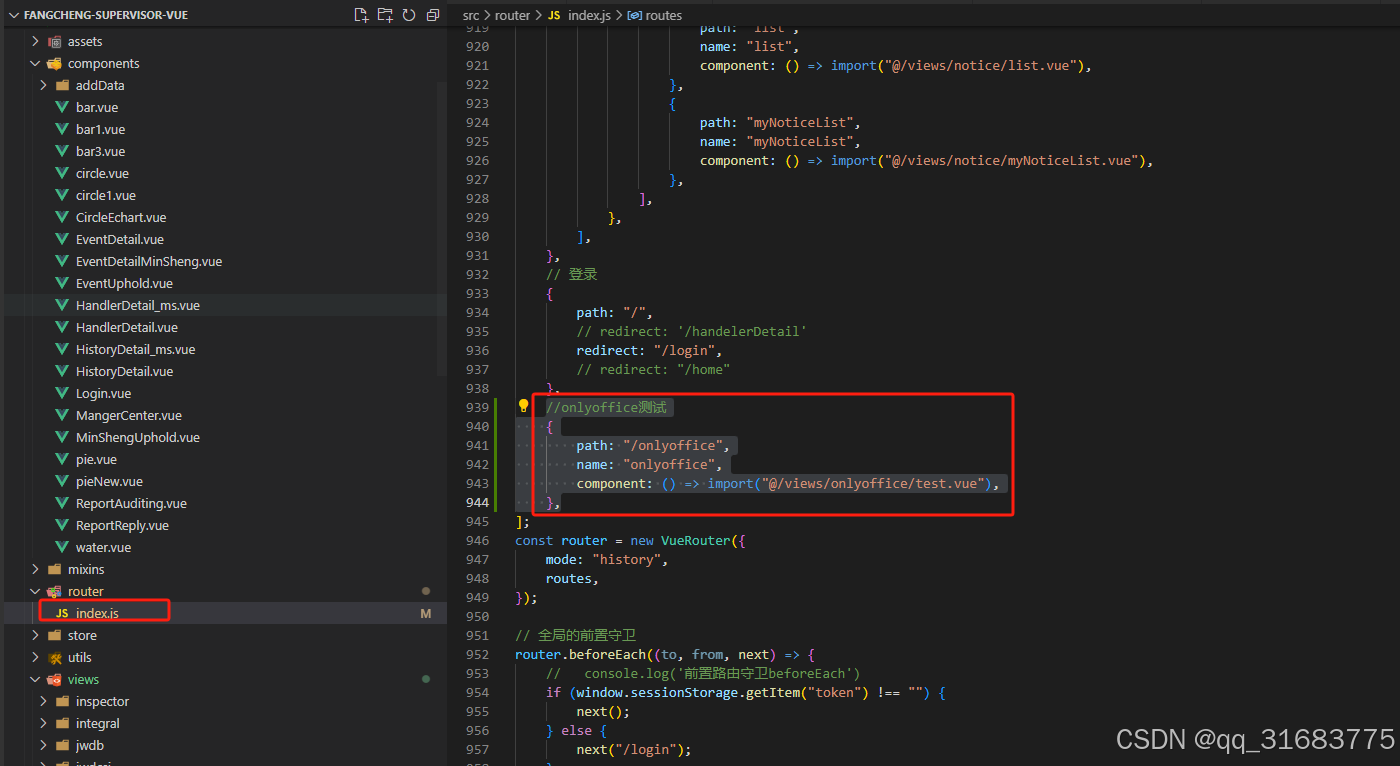
Add a route for testing:
// Vue router configuration
{
    path: "/onlyoffice",
    name: "onlyoffice",
    component: () => import("@/views/onlyoffice/test.vue"),
}
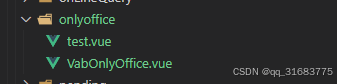
test.vue Component
<template>
  <div id="app">
    <div class="document-container">
      <div>
        <button style="width: 120px" type="primary" @click="loadDocument">
          Preview Office Document
        </button>
        <button style="width: 120px" type="primary" @click="closeViewer">Close</button>
      </div>
      <div v-if="isVisible" class="document-viewer">
        <only-office-viewer :config="editorConfig" />
      </div>
    </div>
  </div>
</template>

<script>
import OnlyOfficeViewer from "./OnlyOfficeViewer.vue";

export default {
  name: "App",
  components: {
    OnlyOfficeViewer,
  },
  data() {
    return {
      editorConfig: {
        documentUrl: "http://192.168.0.104:8003/system/api/file/attachment/2024-07-13/1812066832136409088.docx",
        editable: false,
        fileExtension: "",
        documentTitle: "",
        language: "",
        printable: false,
        userInfo: { id: null, name: "" },
      },
      isVisible: false,
    };
  },
  methods: {
    loadDocument() {
      this.isVisible = true;
      this.editorConfig.editable = false;
      this.editorConfig.language = "zh-CN";
      this.editorConfig.documentUrl = "http://192.168.0.104:8003/system/api/file/attachment/2024-07-13/1812066832136409088.docx";
      this.editorConfig.documentTitle = "Sample Document";
      this.editorConfig.fileExtension = "docx";
      this.editorConfig.printable = false;
      this.editorConfig.userInfo = { id: 12, name: "John Doe" };
    },
    closeViewer() {
      this.isVisible = false;
    },
  },
};
</script>

<style>
html,
body {
  height: 100%;
}
#app {
  font-family: Avenir, Helvetica, Arial, sans-serif;
  -webkit-font-smoothing: antialiased;
  -moz-osx-font-smoothing: grayscale;
  text-align: center;
  color: #2c3e50;
  height: 100%;
}
.document-container {
  padding: 0 !important;
  height: 100%;
}
.document-viewer {
  width: 100%;
  height: calc(100% - 55px);
}
</style>
OnlyOfficeViewer.vue Component
<template>
  <div id="onlyOfficeContainer"></div>
</template>

<script>
export default {
  name: "OnlyOfficeViewer",
  props: {
    config: {
      type: Object,
      default: () => ({}),
    },
  },
  data() {
    return {
      documentCategory: "",
      editorInstance: null,
    };
  },
  beforeDestroy() {
    if (this.editorInstance) {
      this.editorInstance.destroyEditor();
      this.editorInstance = null;
    }
  },
  watch: {
    config: {
      handler(newConfig) {
        this.initializeEditor(newConfig);
        this.documentCategory = this.determineCategory(newConfig.fileExtension);
      },
      deep: true,
    },
  },
  mounted() {
    if (this.config.documentUrl) {
      this.initializeEditor(this.config);
    }
  },
  methods: {
    async initializeEditor(options) {
      if (this.editorInstance) {
        this.editorInstance.destroyEditor();
        this.editorInstance = null;
      }
      this.documentCategory = this.determineCategory(options.fileExtension);
      const editorSettings = {
        document: {
          fileType: options.fileExtension,
          key: options.key || "",
          title: options.documentTitle,
          permissions: {
            edit: options.editable,
            print: options.printable,
            download: false,
          },
          url: options.documentUrl,
        },
        documentType: this.documentCategory,
        editorConfig: {
          callbackUrl: options.editUrl,
          lang: options.language,
          customization: {
            autosave: false,
            chat: false,
            comments: false,
            help: false,
            plugins: false,
          },
          user: {
            id: options.userInfo.id,
            name: options.userInfo.name,
          },
          mode: options.model ? options.model : "edit",
        },
        width: "100%",
        height: "100%",
        token: options.token || "",
        type: "desktop",
      };

      this.editorInstance = new DocsAPI.DocEditor("onlyOfficeContainer", editorSettings);
    },
    determineCategory(extension) {
      const textExtensions = ["doc", "docm", "docx", "dot", "dotm", "dotx", "epub", "fodt", "htm", "html", "mht", "odt", "ott", "pdf", "rtf", "txt", "djvu", "xps"];
      const spreadsheetExtensions = ["csv", "fods", "ods", "ots", "xls", "xlsm", "xlsx", "xlt", "xltm", "xltx"];
      const presentationExtensions = ["fodp", "odp", "otp", "pot", "potm", "potx", "pps", "ppsm", "ppsx", "ppt", "pptm", "pptx"];

      if (textExtensions.includes(extension)) return "text";
      if (spreadsheetExtensions.includes(extension)) return "spreadsheet";
      if (presentationExtensions.includes(extension)) return "presentation";
      return "";
    },
  },
};
</script>
5. Testing the Intgeration
Open the page to test:

If you encounter a "Download failed" error when previewing documents, edit the configuration file in the Docker container:
- Access the container and edit
/etc/onlyoffice/documentserver/default.json. - Use a text editor like
nanowithin the container. - Modify the following fields to
true:
"request-filtering-agent" : {
    "allowPrivateIPAddress": true,
    "allowMetaIPAddress": true
}
- Restart the container. For details, refer to: Troubleshooting ONLYOFFICE download failures.
6. Preview Examples
- Desktop view:
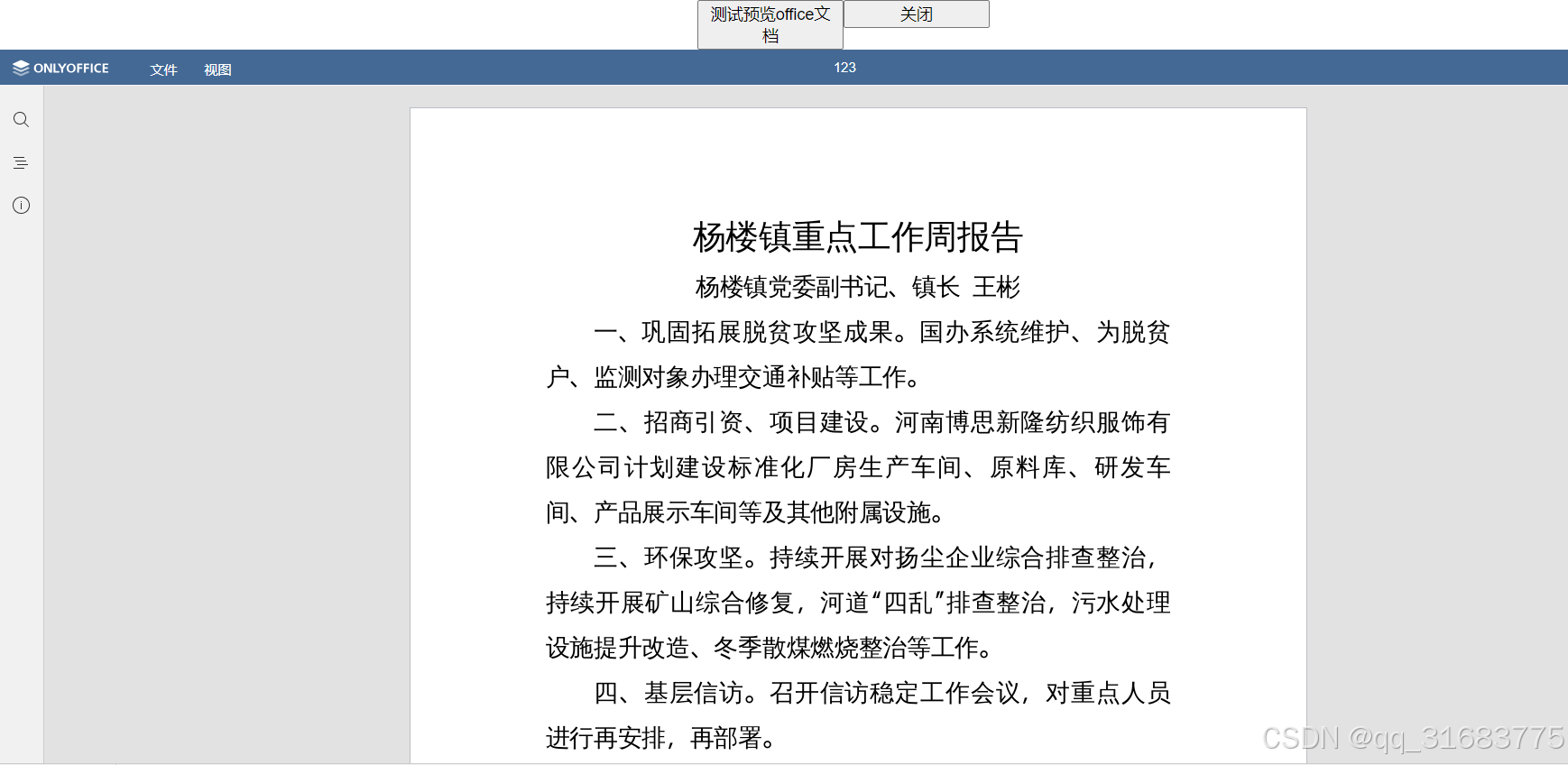
- Mobile view:
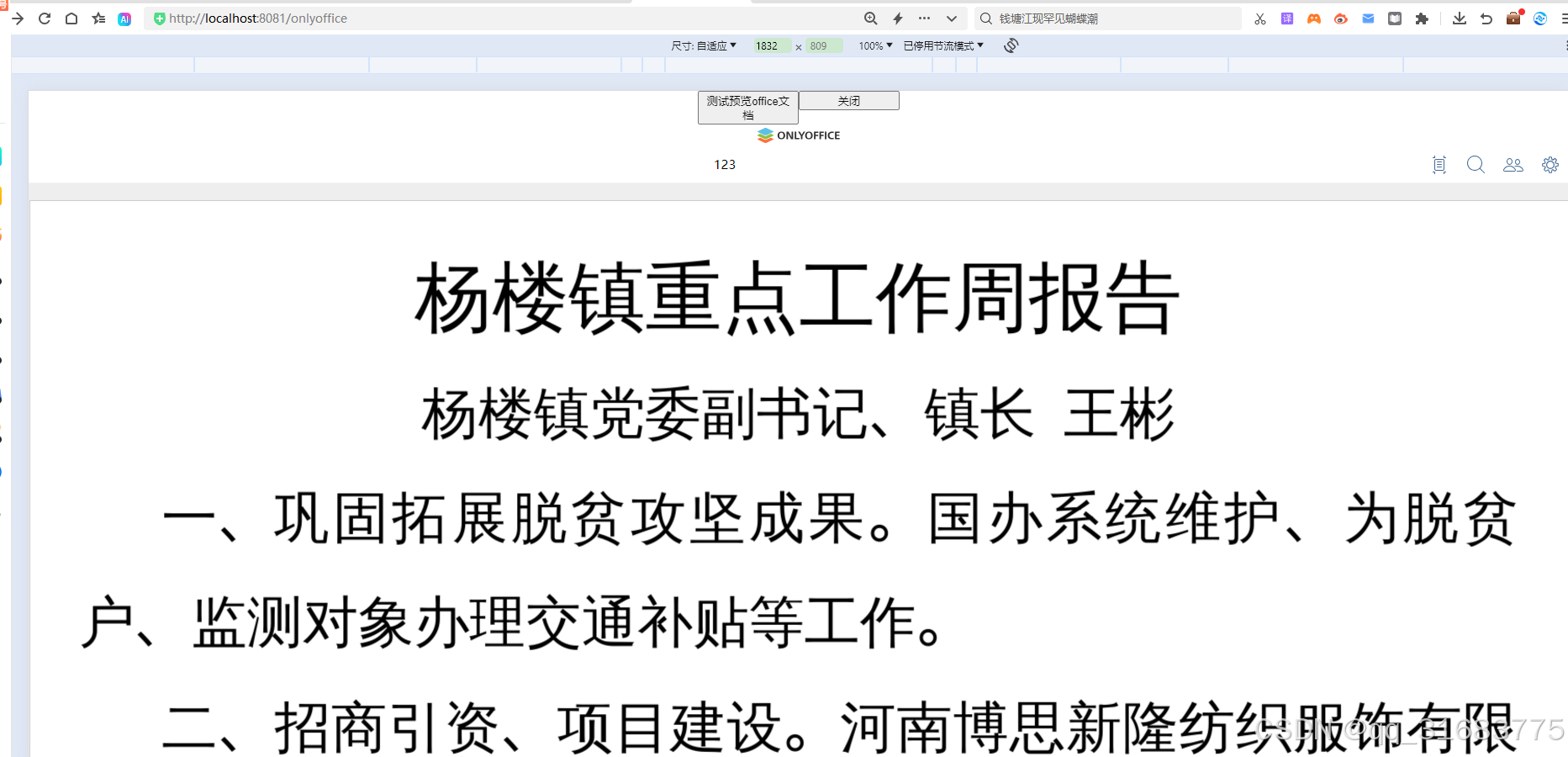
7. Further Integration
For advanced features like online editing and saving, see: Integrating ONLYOFFICE with SpringBoot for online editing.