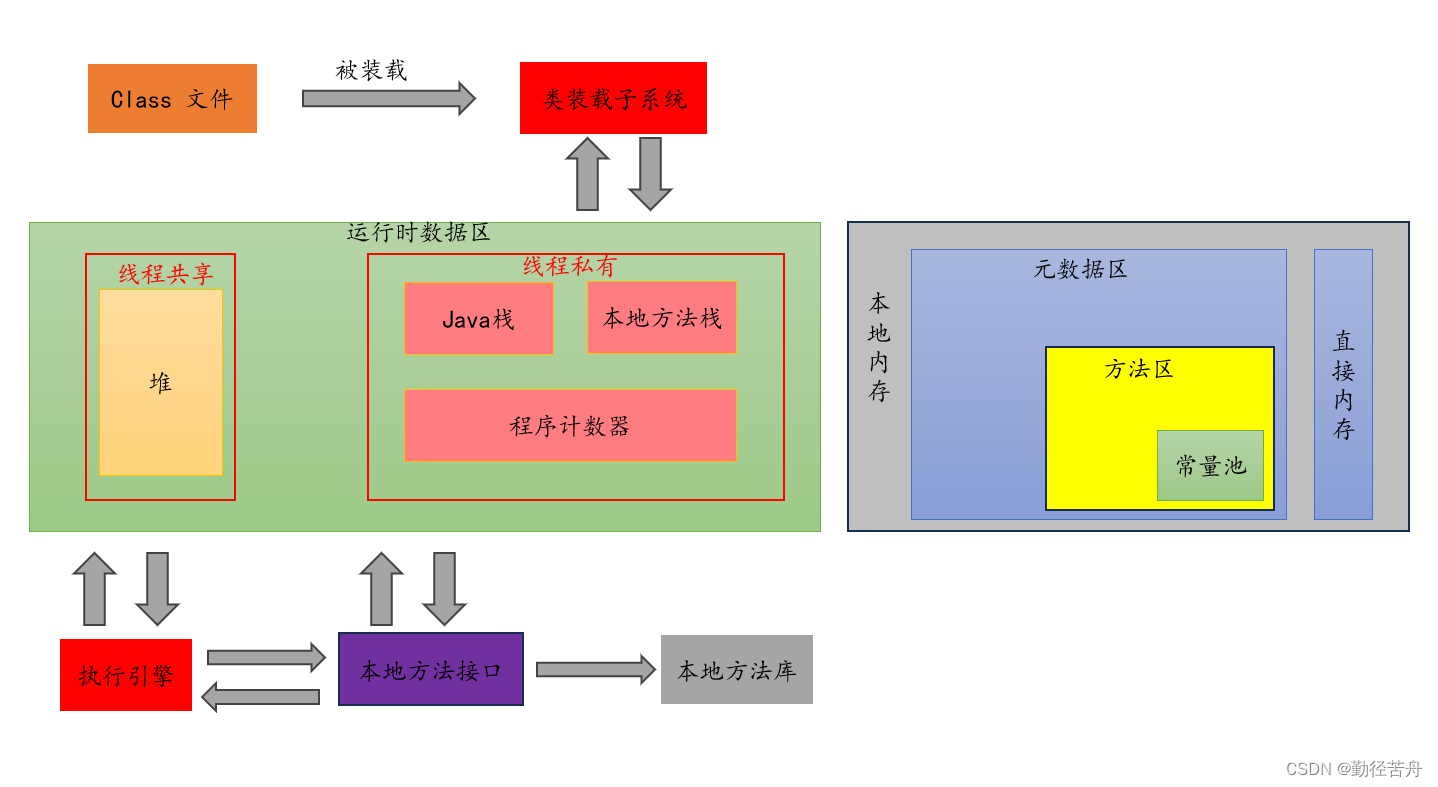
1. Structure Diagram
2. Heap
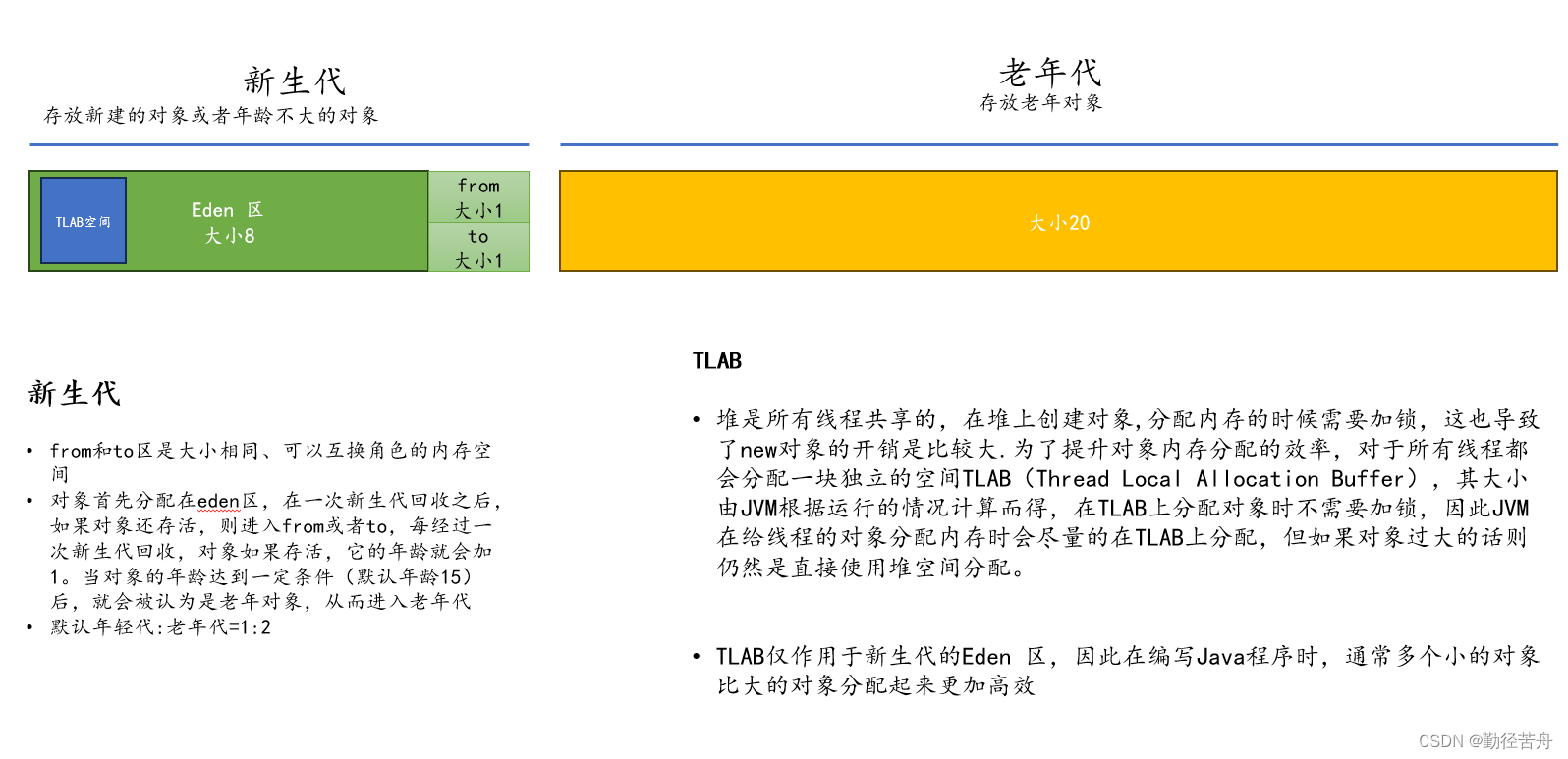
- Objects reside in the heap: their size is unpredictable and can change dynamically.
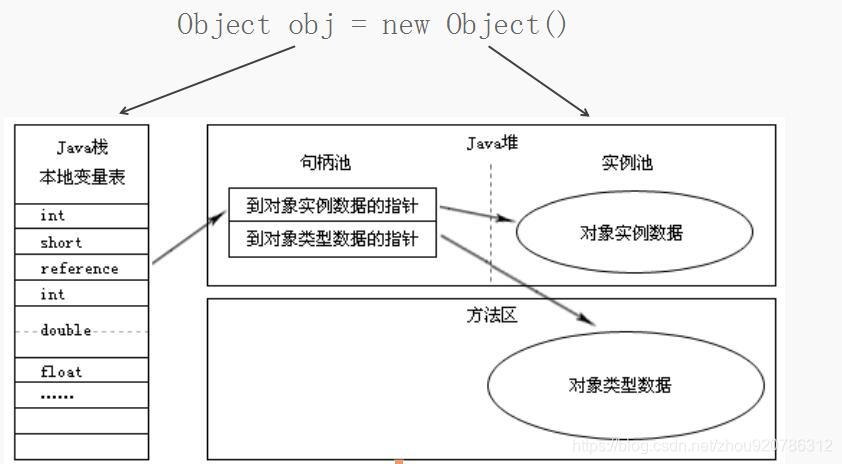
- The stack holds primitive values and object referances; each reference is typically 4 bytes.
2.1 Characteristics
- Nearly all objects are allocated on the heap.
- Heap memory is fully managed by the JVM through automatic garbage collection.
- It can throw
OutOfMemoryErrorwhen space is exhausted.
2.2 Linking Stack to Heap
2.3 Example
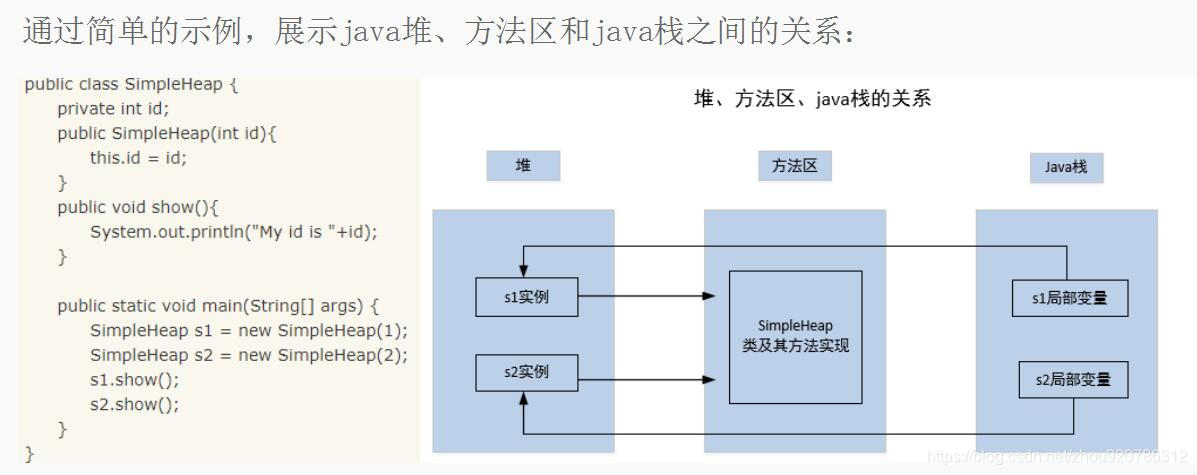
The MessageHolder instances are allocated on the heap. Class metadata for MessageHolder is stored in the method area. Local variables ref1 and ref2 inside main reside on the Java stack and point to the two instances on the heap.
3. Memory Overflow
Memory overflow occurs when the JVM cannot allocate space for a new object, even after triggering garbage collection.
3.1 Heap Overflow Code Example
public class MemoryBlocker {
    // Pre-allocate a block to make heap exhaustion faster
    byte[] payload = new byte[128 * 1024];

    public static void main(String[] args) {
        List<MemoryBlocker> container = new ArrayList<>();
        // Keep allocating until heap is full
        while (true) {
            container.add(new MemoryBlocker());
        }
    }
}
Result:
Exception in thread "main" java.lang.OutOfMemoryError: Java heap space
at com.example.MemoryBlocker.<init>(MemoryBlocker.java:8)
at com.example.MemoryBlocker.main(MemoryBlocker.java:14)
3.2 Common Overflow Scenarios
- Loading excessively large data sets, for example fetching an entire database table at once.
- Collection objects that hold references after use, preventting garbage collection.
- Infinite loops or loops that create too many objects.
3.3 Prevention Strategies
- Increase heap size via JVM startup parameters.
- Examine error logs for clues preceding the
OutOfMemoryError. - Conduct code reviews and static analysis.
3.3.1 Code Review Checklist
- Identify infinite loops or unbounded recursive calls.
- Avoid large loops that instantiate new objects repeatedly.
- Ensure database queries use pagination instead of retrieving all rows.
- Clear
List,Map, and similar collections after use—strong references prevent GC. - Nullify temporary references as soon as they leave scope to hint the garbage collector.
- Minimize heavy
Stringusage. - Use static fields sparingly; they are never garbage-collected while the class is loaded.
- Avoid creating large objects inside collections that may trigger sudden full GC.
- Leverage object-pooling patterns where appropriate.
- Refrain from creating objects inside frequently invoked methods.
3.3.2 Reducing String Allocations
Avoid repeated String concatenation that produces many intermediate objects. Prefer StringBuilder (or StringBuffer in thread-safe contexts).
String a = "hello";
String b = "world";
// Each concatenation may create new objects; prefer StringBuilder for repeated operations.
StringBuilder builder = new StringBuilder();
builder.append(a).append(b);
String result = builder.toString();
3.3.3 Object Pooling
Long-lived objects that reference short-lived objects can cause memory leaks. For example, a large collection holding large data objects should be processed in chunks, releasing each chunk immediately after processing.
3.3.4 Avoid Frequent Object Creation
Instead of new inside hot methods, consider reusing objects via containers such as Hashtable or Vector-based pools, retrieving instances rather than allocating and discarding them repeatedly.