Attitude: Believe that victory is ahead. If you stop because of small issues, you might not be fit to win. The road to success is muddy, but in the end, the mud on you will be medals of honor! Today's motto: Everything that happens benefits me.
Table of Contents
- SELECT
- Selecting All Columns
- Selecting Specific Columns
- Expressions in Queries
- Aliases
- Removing Duplicates (DISTINCT)
- Sorting (ORDER BY)
- Filtering with WHERE
- Pagination (LIMIT and OFFSET)
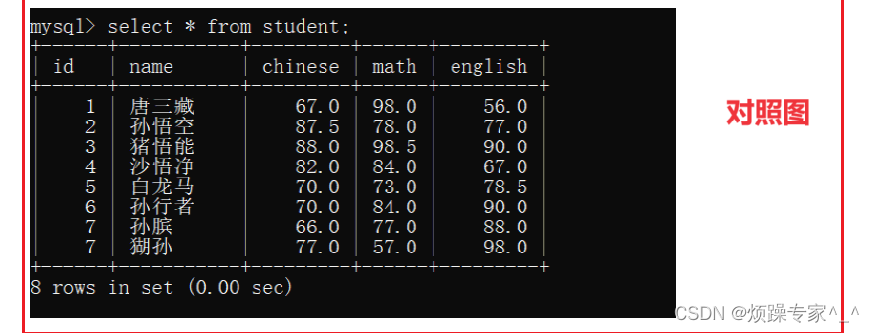
The table created in the previous blog will be used as examples. It's a score table with columns: id, name, chinese, math.
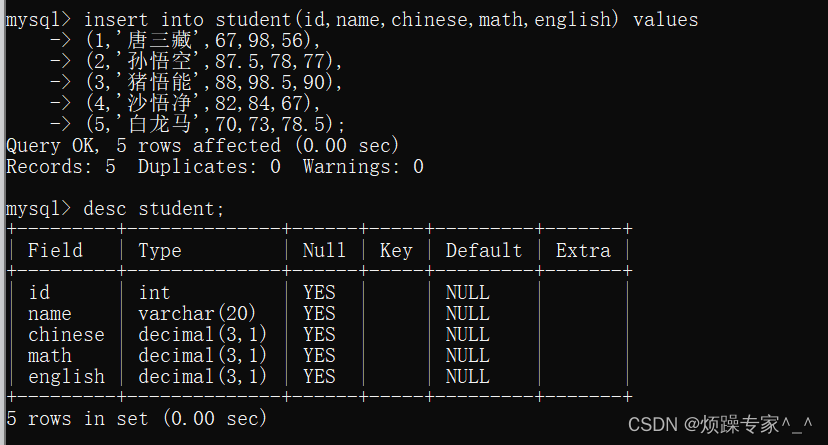
SELECT
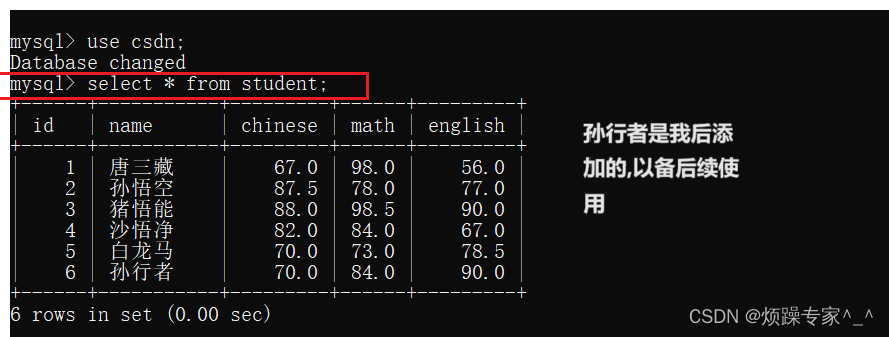
1. Selecting All Columns
SELECT * FROM table_name;
This retrieves every row and column. * is a wildcard. It's generally not recommended because fetching more data increases network load and may affect index usage (to be covered later).
2. Selecting Specific Columns
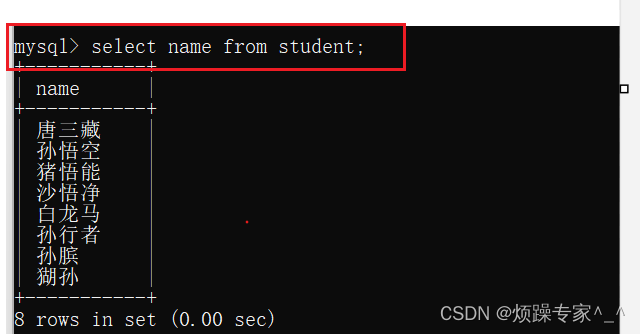
SELECT column1, column2, ... FROM table_name;
Example: SELECT name FROM student; retrieves all names from the student table.
3. Expressions in Queries
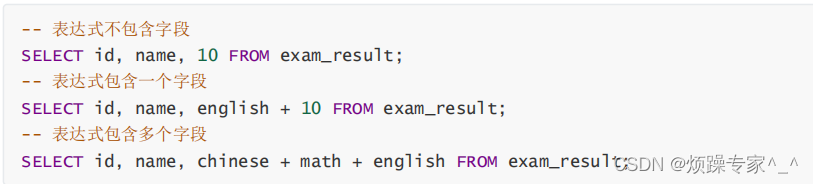
SELECT expression FROM table_name;
Expressions do not modify stored data; they only compute temporary results sent to the client. The original data remains unchanged.
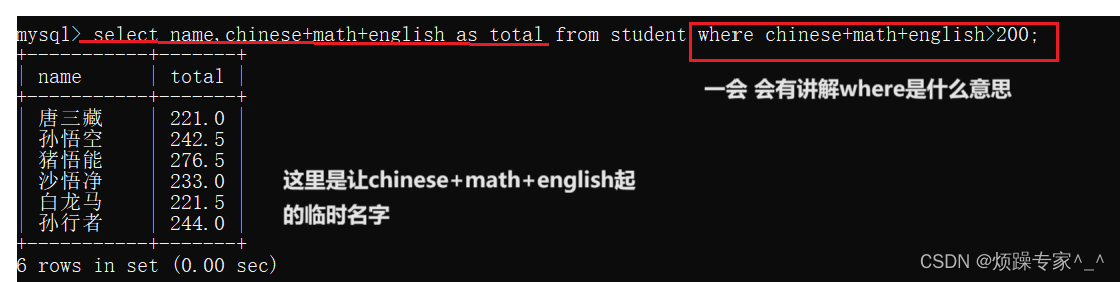
4. Aliases
Use AS to assign a new name to a column or expression.
SELECT column_name, column1 + column2 AS new_name FROM table_name;
AS can be omitted: SELECT name 姓名 FROM student;
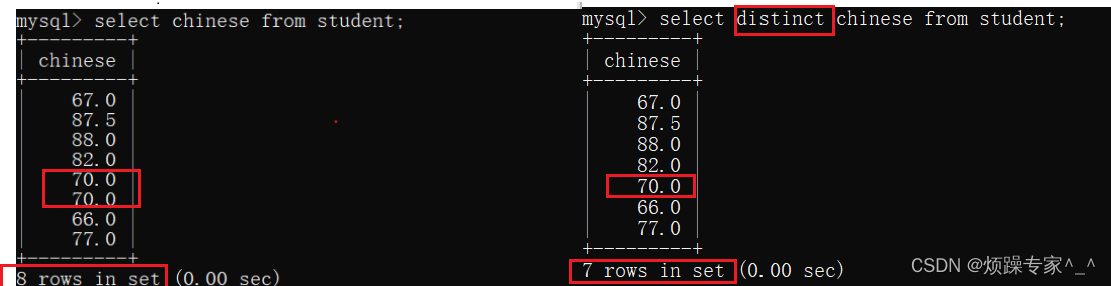
5. Removing Duplicates (DISTINCT)
SELECT DISTINCT column_name FROM table_name;
Consolidates duplicate rows into one.
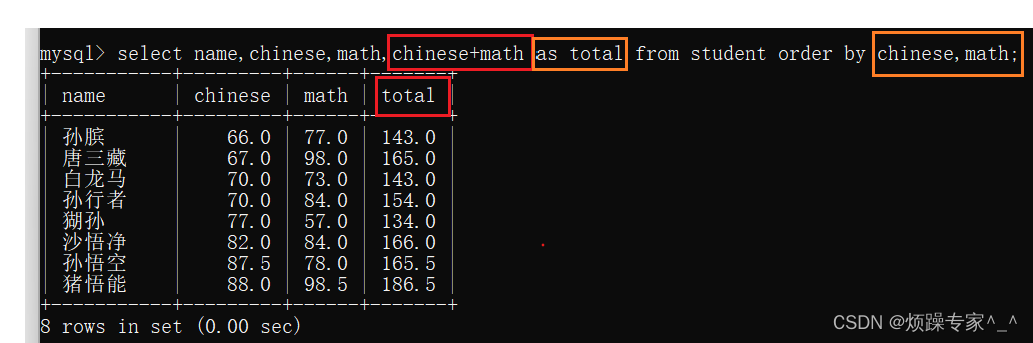
6. Sorting (ORDER BY)
- Without
ORDER BY, the order is undefined. NULLvalues are considered smallest in ascending order (first) and largest in descending (last).- Can sort by expressions or aliases.
- Multiple columns: sorted by first column, then second if ties.
SELECT * FROM table_name ORDER BY column1 [ASC|DESC], column2 [ASC|DESC];
7. Filtering with WHERE
Operators
| Operator | Description |
|---|---|
| >, >=, <, <= | Comparison |
| = | Equal (NULL unsafe; NULL = NULL → NULL) |
| <=> | Equal (NULL safe; NULL <=> NULL → TRUE) |
| !=, <> | Not equal |
| BETWEEN a0 AND a1 | Range inclusive |
| IN (...) | Matches any in list |
| IS NULL | Is NULL |
| IS NOT NULL | Is not NULL |
| LIKE | Pattern matching (% for any sequence, _ for single char) |
Logical Operators
| Operator | Description |
|---|---|
| AND | Both conditions true |
| OR | Atleast one true |
| NOT | Negates condition |
Notes:
- Cannot use aliases in WHERE (they are defined after evaluation).
ANDhas higher precedence thanOR. Use parentheses to adjust.
Examples:
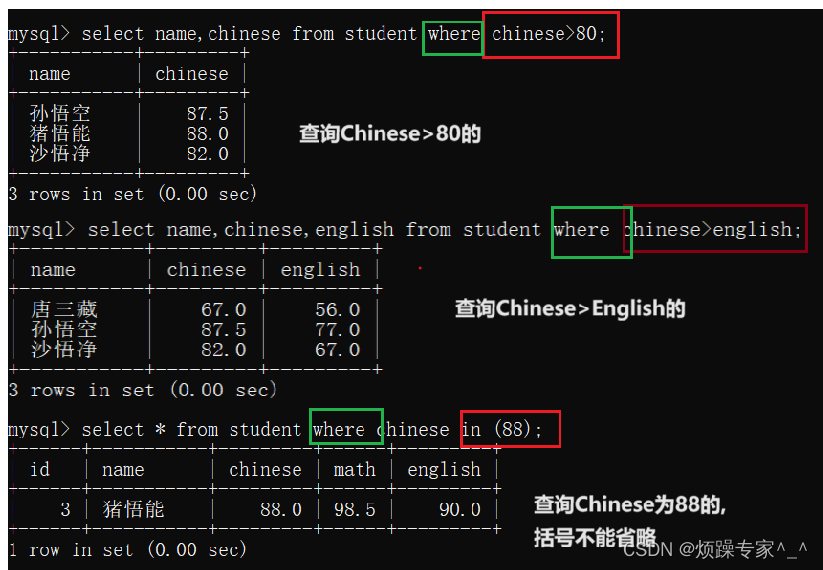
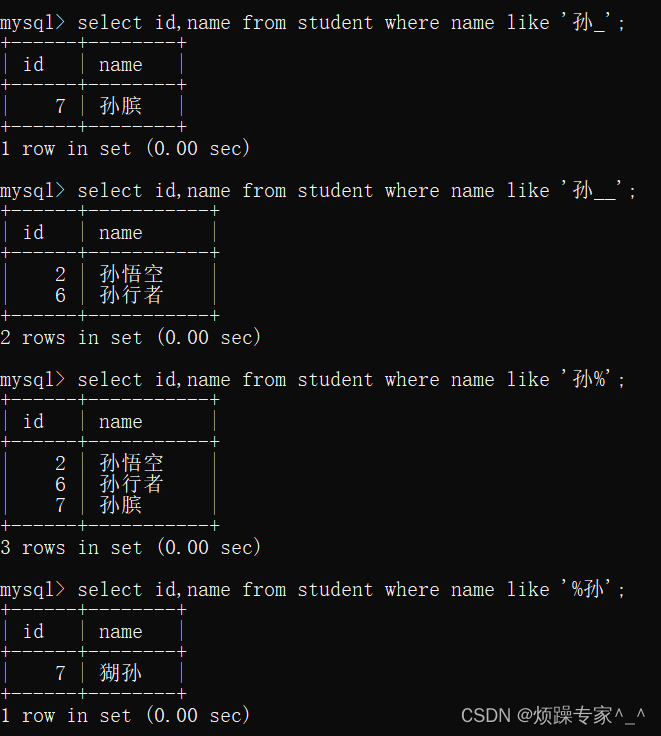
8. Pagination (LIMIT and OFFSET)
-- Start from row 0, fetch 3 rows
SELECT * FROM table_name LIMIT 3;

-- Start after row 2, fetch 3 rows (OFFSET 3, LIMIT 2)
SELECT * FROM table_name LIMIT 2 OFFSET 3;

-- Shorthand: LIMIT offset, count
SELECT * FROM table_name LIMIT 1, 3;  -- from row 1, 3 rows
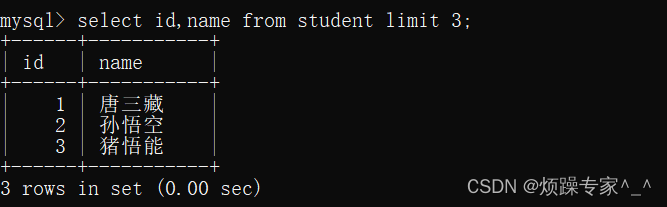
- Starting index is 0.
If any explanation is incorrect or unclear, please comment. I will update it. Thank you! Hope this helps. Linked list exercises will be updated later.