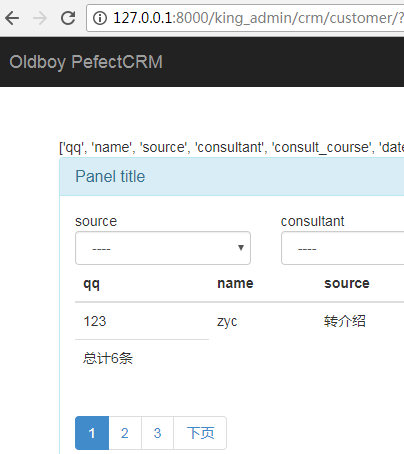
Pagination Bug Fix
When setting list_per_page = 2 in king_admin.py, a bug appears when clicking the "Next" page button.
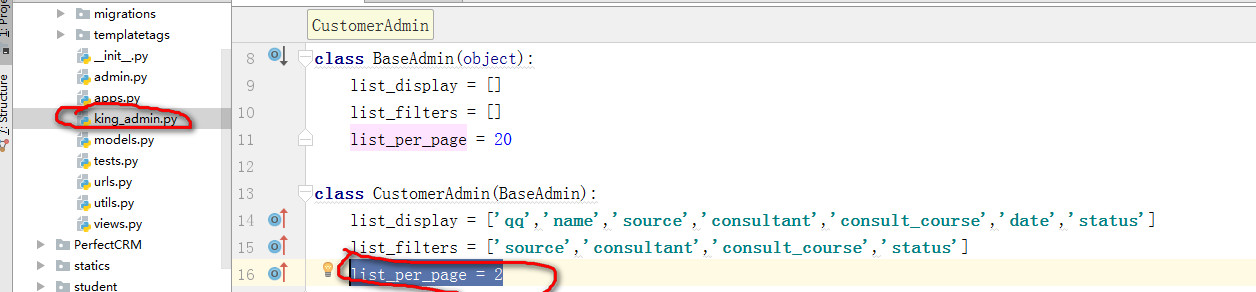
Click "Next":
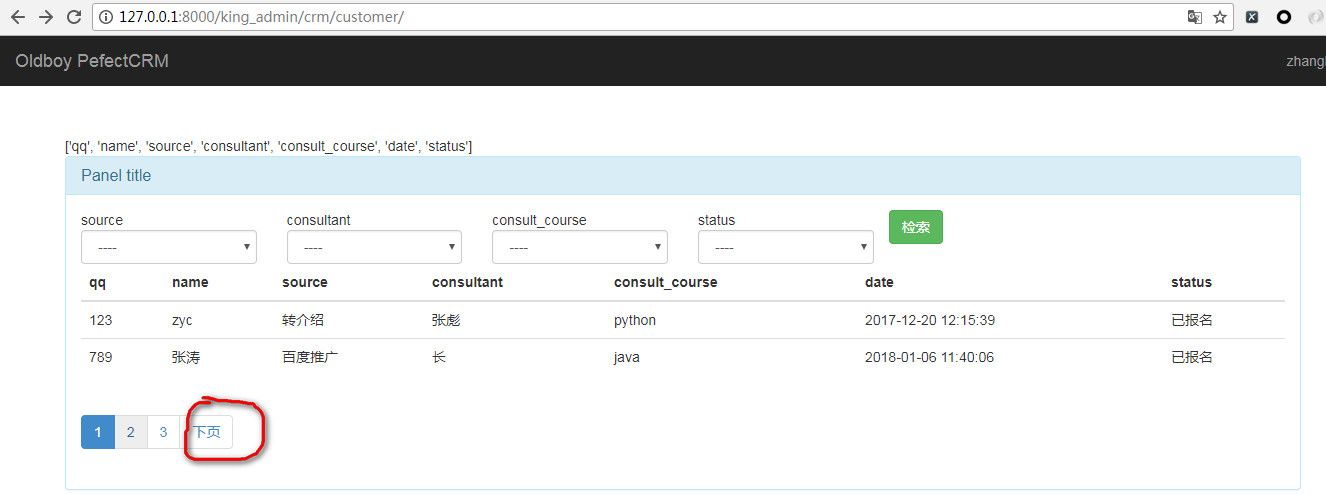
The bug results in the following error:

The root cause is that the anchor (<a>) tag for the "Next" page in the frontend uses a link like:
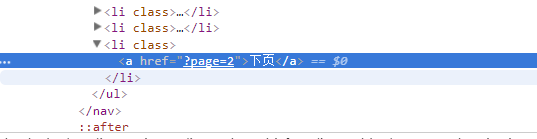
Here, page=2 is treated as a query parameter, so when the backend view function processes the request, it treats page as a filter condition and tries to query based on it.
The solution is to include the existing filter conditions (filter_conditions) in the anchor tag, and then on the backend, filter out the page field from those condisions.
Changes to table_obj.html
Modify the template to pass filter_conditions to the custom tag:
{% render_page_ele loop_counter query_sets filter_condtions %}
Changes to custom tags (tags.py)
Update the render_page_ele functon to loop through filter_conditions and append them to the anchor tag's href. The new additions are highlighted below:
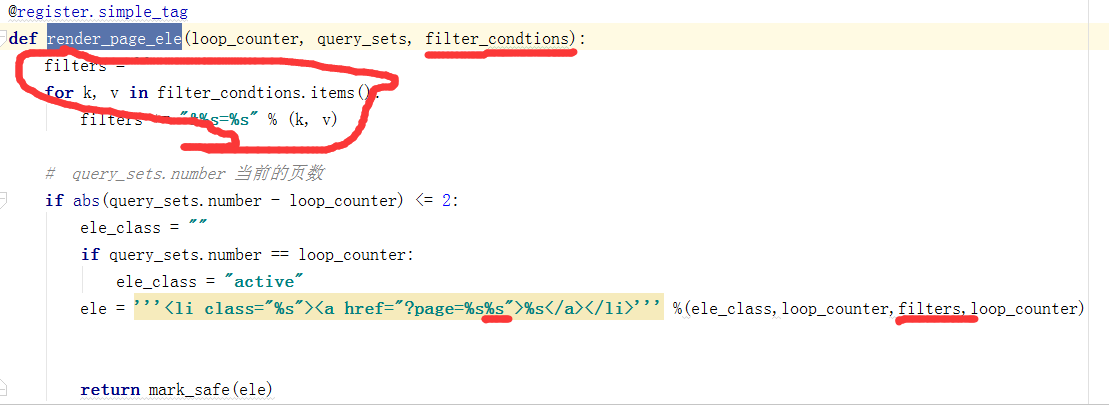
Complete code for the tag:
@register.simple_tag
def render_page_ele(loop_counter, query_sets, filter_condtions):
    filters = ''
    for k, v in filter_condtions.items():
        filters += "&%s=%s" % (k, v)

    # query_sets.number: current page number
    if abs(query_sets.number - loop_counter) <= 2:
        ele_class = ""
        if query_sets.number == loop_counter:
            ele_class = "active"
        ele = '''<li class="%s"><a href="?page=%s%s">%s</a></li>''' %(ele_class, loop_counter, filters, loop_counter)
        return mark_safe(ele)
    return ''
Backend changes (utils.py)
Modify the table_filter function to skip the page parameter when building filter conditions:
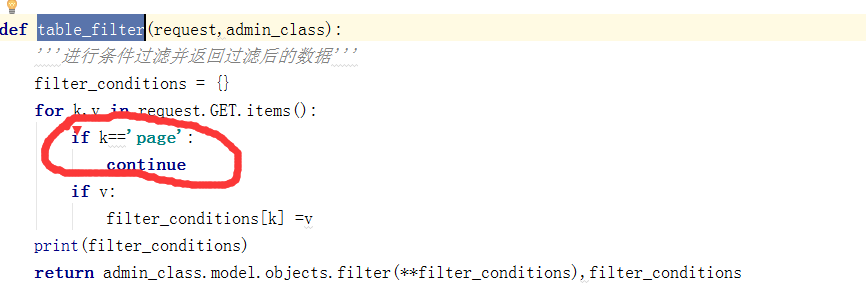
Complete code for the function:
def table_filter(request, admin_class):
    '''Filter data based on request parameters and return filtered queryset and conditions'''
    filter_conditions = {}
    for k, v in request.GET.items():
        if k == 'page':
            continue
        if v:
            filter_conditions[k] = v
    print(filter_conditions)
    return admin_class.model.objects.filter(**filter_conditions), filter_conditions
After these changes, clicking page 2 works correct:
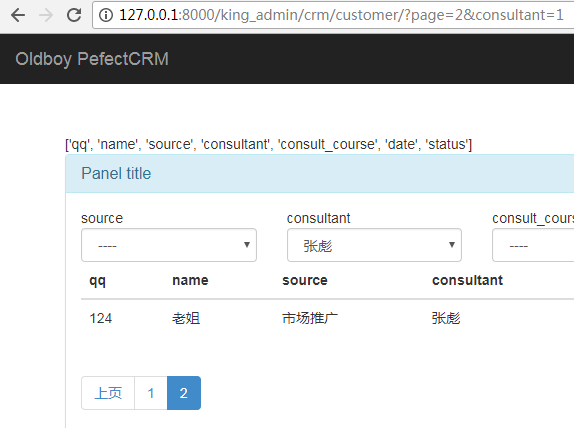
However, clicking "Next" may still produce the same error.
Adding total record count
To display the total number of records, add the following code inside the <tfoot> section of table_obj.html:
<tfoot>
    <tr>
        <td>Total: {{ query_sets.paginator.count }} records</td>
    </tr>
</tfoot>
After refreshing, the page displays the total count: