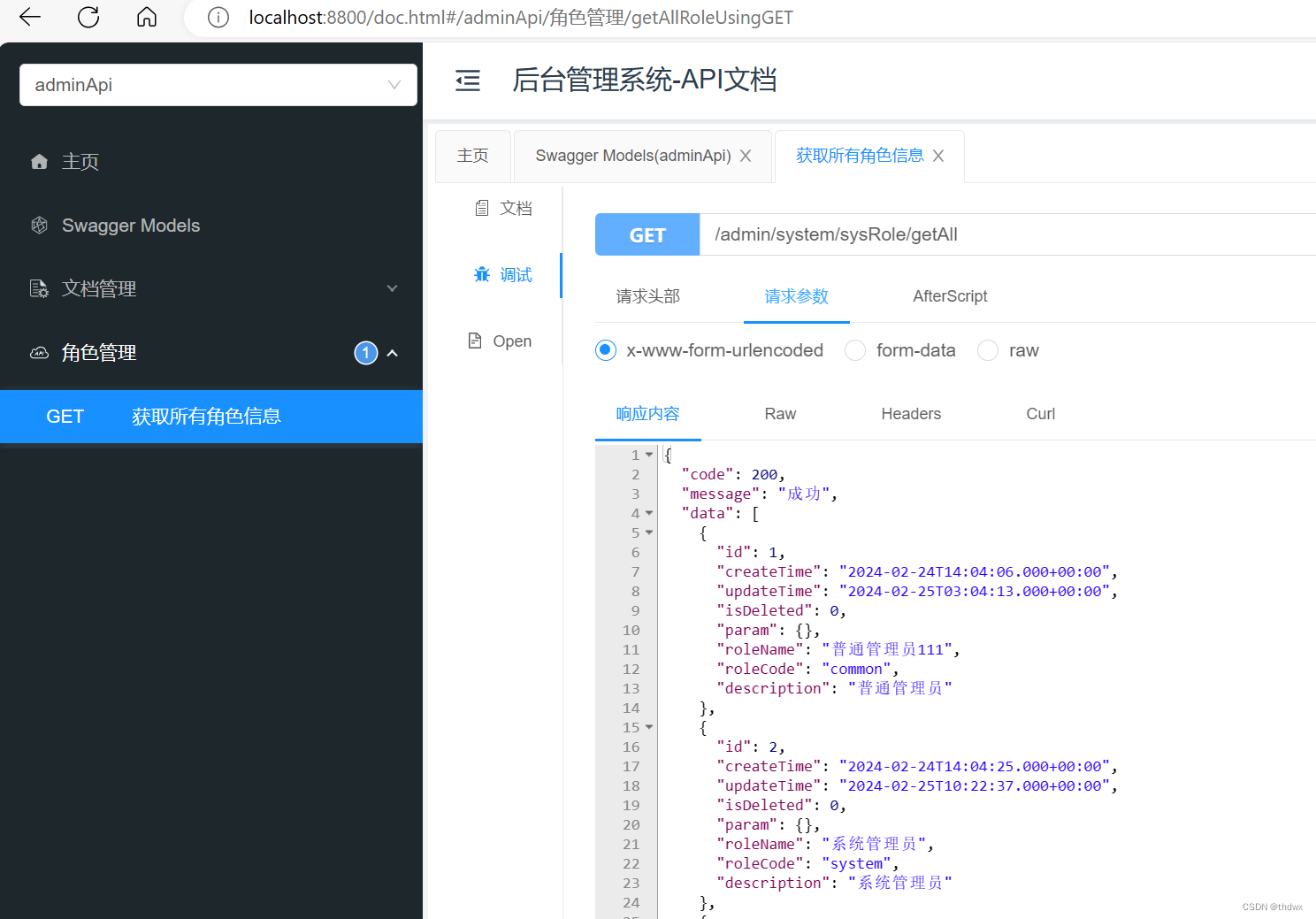
5. Controller Layer
import org.springframework.beans.factory.annotation.Autowired;
import org.springframework.web.bind.annotation.GetMapping;
import org.springframework.web.bind.annotation.RequestMapping;
import org.springframework.web.bind.annotation.RestController;
import com.example.permission.model.system.SysRole;
import com.example.permission.service.SysRoleService;

import java.util.List;

@RestController
@RequestMapping("admin/system/sysRole")
public class SysRoleController {

    @Autowired
    private SysRoleService sysRoleService;

    @GetMapping("/getAll")
    public List<SysRole> getAllRole(){
        List<SysRole> list = sysRoleService.list();
        return list;
    }
}
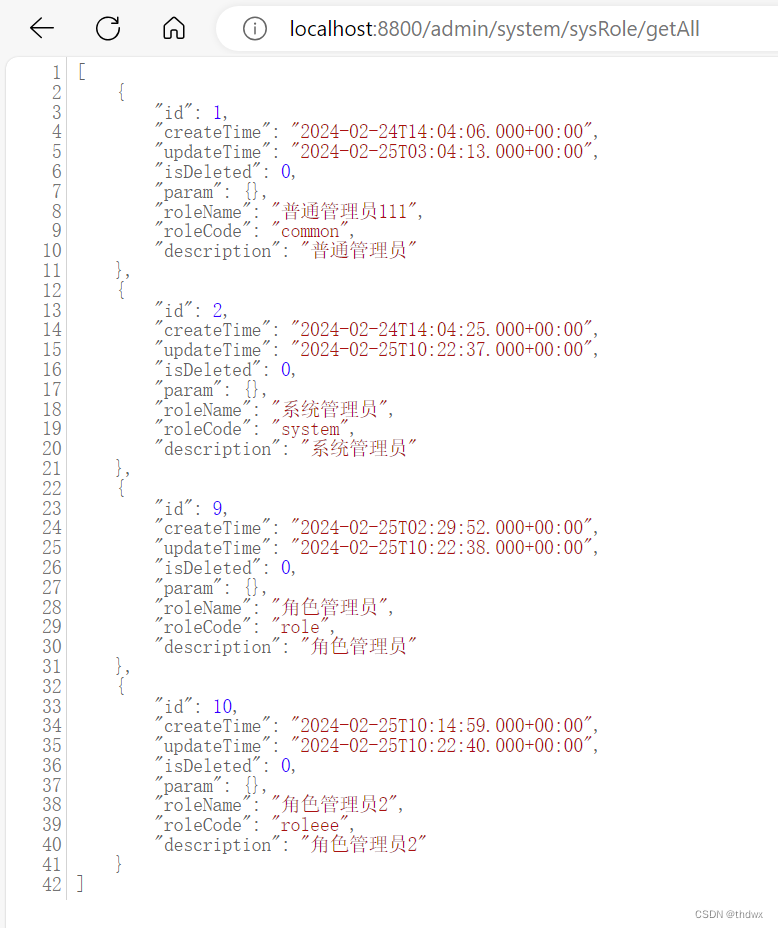
6. Define Unified Response Result Object
In projects, responses are often returned as JSON. To standardize the content returned by all backend interfaces, it is necessary to define a unified response result format. This class is defined in the common-util module.
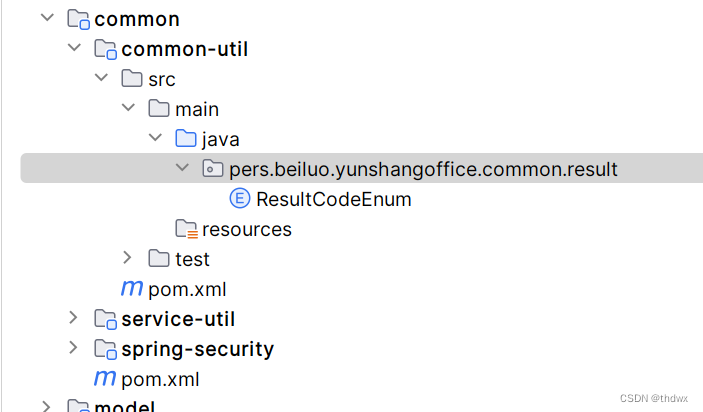
// Enum for custom status codes
package com.example.permission.result;

import lombok.Getter;

@Getter
public enum ResultCodeEnum {

    SUCCESS(200, "Success"),
    FAIL(201, "Fail");

    private Integer code;
    private String message;

    ResultCodeEnum(Integer code, String message) {
        this.code = code;
        this.message = message;
    }
}
// Class to obtain the result
package com.example.permission.common.result;

import lombok.Data;

/**
 * Result format:
 *   code
 *   message
 *   data
 * @param <T>
 */
@Data
public class Result<T> {

    private Integer code;
    private String message;
    private T data;

    public Result() {}

    // Build result
    public static <T> Result<T> build(T data, ResultCodeEnum resultCodeEnum) {
        Result<T> result = new Result<>();
        if (data != null) {
            result.setData(data);
        }
        result.setCode(resultCodeEnum.getCode());
        result.setMessage(resultCodeEnum.getMessage());
        return result;
    }

    // Success
    public static <T> Result<T> ok() {
        return build(null, ResultCodeEnum.SUCCESS);
    }

    public static <T> Result<T> ok(T data) {
        return build(data, ResultCodeEnum.SUCCESS);
    }

    // Failure
    public static <T> Result<T> fail() {
        return build(null, ResultCodeEnum.FAIL);
    }

    public static <T> Result<T> fail(T data) {
        return build(data, ResultCodeEnum.FAIL);
    }
}
After defining the unified response object, the controller layer needs to be modified so that all controller methods return the defined type.
package com.example.permission.controller;

import org.springframework.beans.factory.annotation.Autowired;
import org.springframework.web.bind.annotation.GetMapping;
import org.springframework.web.bind.annotation.RequestMapping;
import org.springframework.web.bind.annotation.RestController;
import com.example.permission.common.result.Result;
import com.example.permission.model.system.SysRole;
import com.example.permission.service.SysRoleService;

import java.util.List;

@RestController
@RequestMapping("admin/system/sysRole")
public class SysRoleController {

    @Autowired
    private SysRoleService sysRoleService;

    @GetMapping("/getAll")
    public Result<List<SysRole>> getAllRole(){
        List<SysRole> list = sysRoleService.list();
        return Result.ok(list);
    }
}
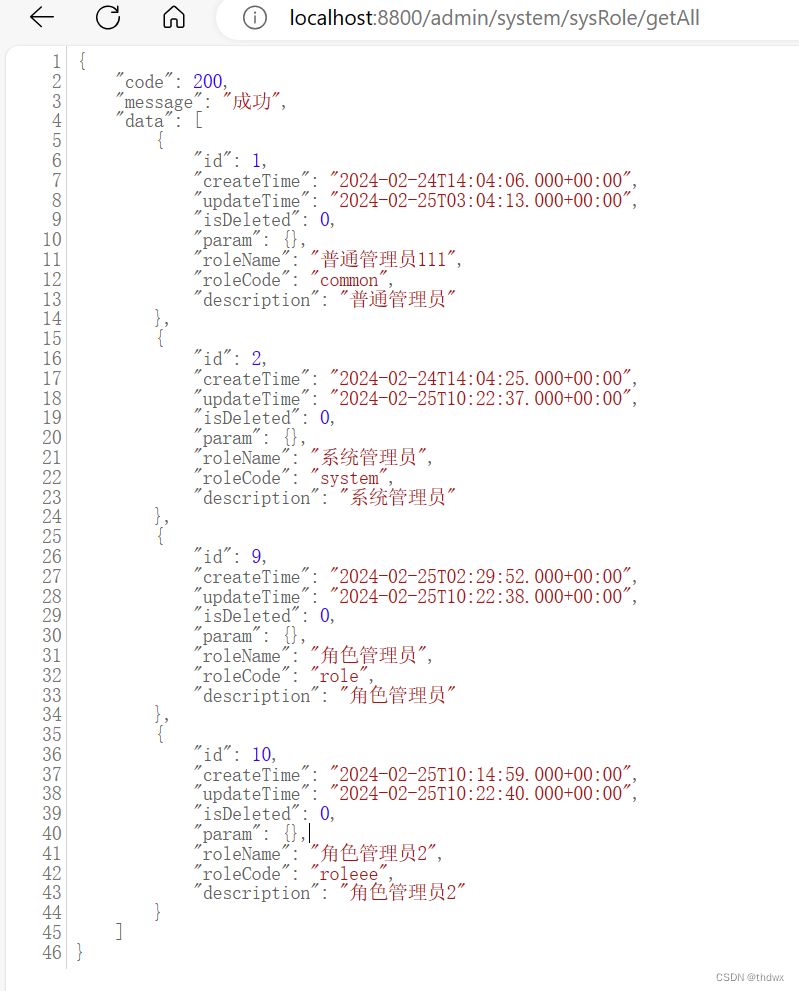
7. Integrate Knife4j
Note: High versions of Spring Boot may be incompatible with Swagger, causing errors. The goal of writing this project is to become familiar with the development process and strengthen the use of frameworks, not to debug incompatibilities. Therefore, it is best to downgrade Spring Boot to version 2.3.x first. This issue can be researched after completnig the project.
Knife4j is an enhanced solution for integrating Swagger into Java MVC frameworks to generate API documentation. It facilitates sending requests and testing interfaces. Below, we integrate Knife4j into the service-util module. All of the following content is placed in the service-util module.
- Add the dependency in the
service-utilmodule's pom.xml.
<dependency>
    <groupId>com.github.xiaoymin</groupId>
    <artifactId>knife4j-spring-boot-starter</artifactId>
</dependency>
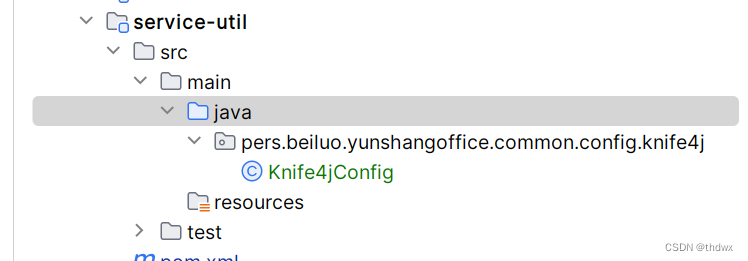
- Add the Knife4j configuration class.
package com.example.permission.common.config.knife4j;

import org.springframework.context.annotation.Bean;
import org.springframework.context.annotation.Configuration;
import springfox.documentation.builders.ApiInfoBuilder;
import springfox.documentation.builders.ParameterBuilder;
import springfox.documentation.builders.PathSelectors;
import springfox.documentation.builders.RequestHandlerSelectors;
import springfox.documentation.schema.ModelRef;
import springfox.documentation.service.ApiInfo;
import springfox.documentation.service.Contact;
import springfox.documentation.service.Parameter;
import springfox.documentation.spi.DocumentationType;
import springfox.documentation.spring.web.plugins.Docket;
import springfox.documentation.swagger2.annotations.EnableSwagger2WebMvc;

import java.util.ArrayList;
import java.util.List;

/**
 * Knife4j configuration
 */
@Configuration
@EnableSwagger2WebMvc
public class Knife4jConfig {

    @Bean
    public Docket adminApiConfig(){
        List<Parameter> pars = new ArrayList<>();
        ParameterBuilder tokenPar = new ParameterBuilder();
        tokenPar.name("token")
                .description("User token")
                .defaultValue("")
                .modelRef(new ModelRef("string"))
                .parameterType("header")
                .required(false)
                .build();
        pars.add(tokenPar.build());
        // End of header parameters

        Docket adminApi = new Docket(DocumentationType.SWAGGER_2)
                .groupName("adminApi")
                .apiInfo(adminApiInfo())
                .select()
                // Only show paths under /admin
                // Note: change basePackage to your own package
                .apis(RequestHandlerSelectors.basePackage("com.example"))
                .paths(PathSelectors.regex("/admin/.*"))
                .build()
                .globalOperationParameters(pars);
        return adminApi;
    }

    private ApiInfo adminApiInfo(){
        return new ApiInfoBuilder()
                .title("Admin Management System - API Documentation")
                .description("This document describes the microservice interface definitions for the admin management system")
                .version("1.0")
                .contact(new Contact("dev", "http://example.com", "dev@example.com"))
                .build();
    }
}
-
Add annotations to the controlller layer.
- Add
@Apiannotation on the class to indicate it is a Swagger resourec, and use thetagsattribute to provide a description. - Add
@ApiOperationannotation on methods with thevalueattribute to name the interface.
- Add
-
Access
localhost:8800/doc.htmlto see the test page.