CKEditor Image Upload Issue Resolution
About this article: This article addresses a solution to the CKEditor image upload failure problem. It outlines the process of encountering the issue, identifying its root cause, the solution applied, and the underlying reason.
CKEditor is the next generation of FCKeditor, a completely rewritten version. It is one of the best web-based online text editors available, widely used on major websites for its impressive performance and extensibility.
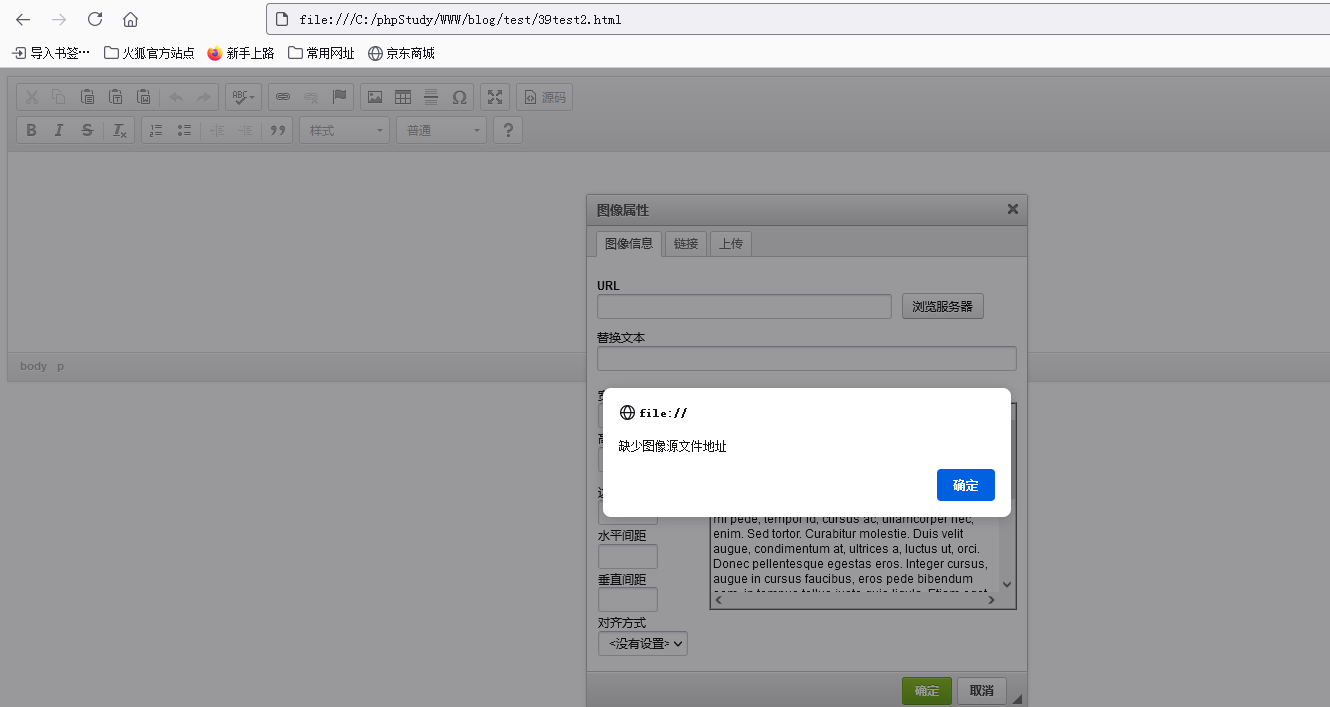
While adding CKEditor to my own blog project and running some tests, I encountered the error: "Missing image source file URL".
To enable the upload functionality in CKEditor, you need to add CKFinder configuration code in CKEditor's config file, and of course, have CKFinder available.
In CKEditor's config.js file, add the following configuration lines at the end:
// Load CKFinder
config.filebrowserBrowseUrl = '/App/Back/Public/ckfinder/ckfinder.html';
config.filebrowserImageBrowseUrl = '/App/Back/Public/ckfinder/ckfinder.html?Type=Images';
config.filebrowserFlashBrowseUrl = '/App/Back/Public/ckfinder/ckfinder.html?Type=Flash';
config.filebrowserUploadUrl = '/App/Back/Public/ckfinder/core/connector/php/connector.php?command=QuickUpload&type=Files';
config.filebrowserImageUploadUrl = '/App/Back/Public/ckfinder/core/connector/php/connector.php?command=QuickUpload&type=Images';
config.filebrowserFlashUploadUrl = '/App/Back/Public/ckfinder/core/connector/php/connector.php?command=QuickUpload&type=Flash';
After successful setup:
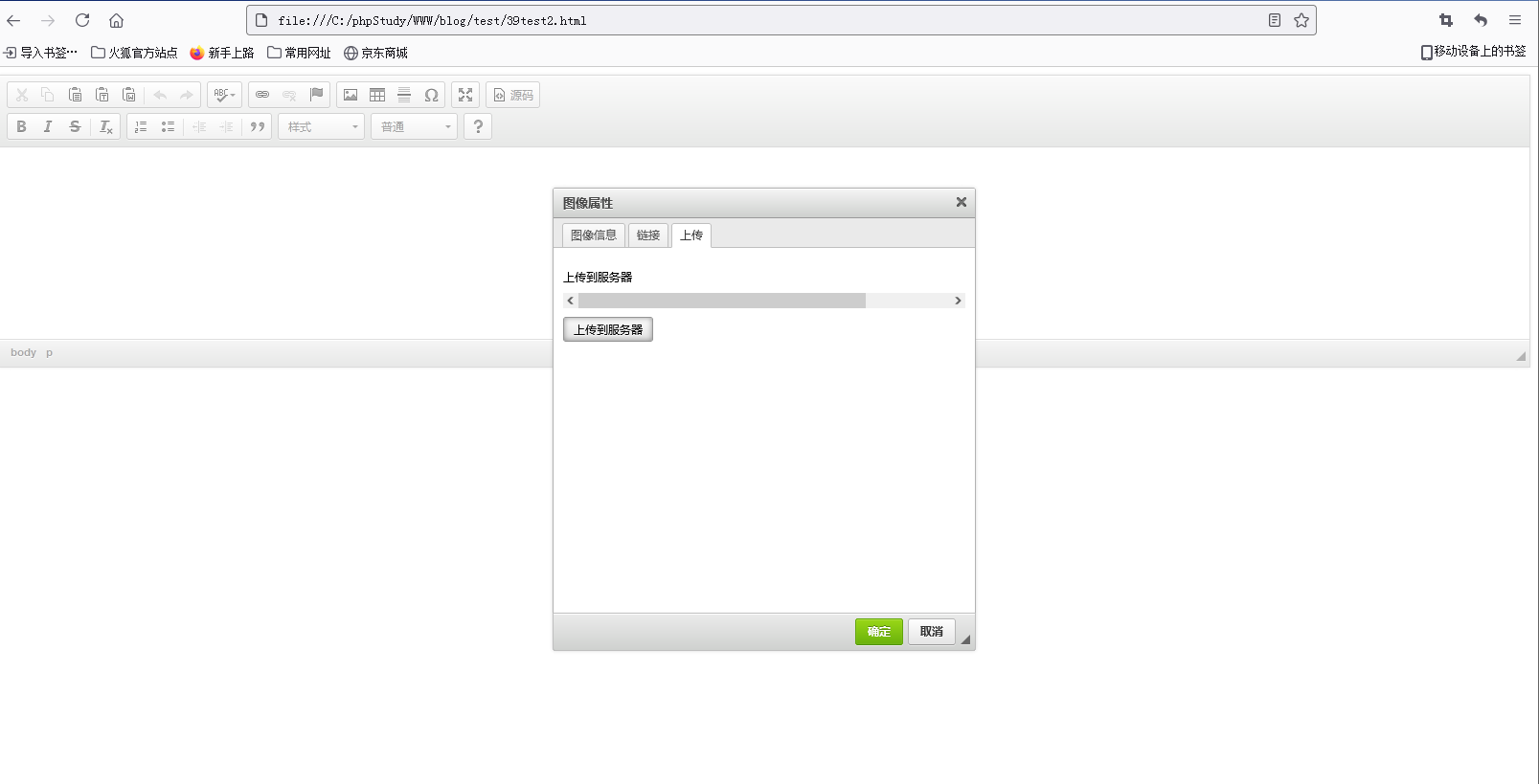
How ever, when trying to upload a file, the editor would freeze or display raw PHP code near the upload area.
getDocumentRootPath() . $baseUrl;}
$utilsSecurity =& CKFinder_Connector_Core_Factory::getInstance("Utils_Security");
$utilsSecurity->getRidOfMagicQuotes();
/** $config must be initialised */
$config = array();
$config['Hooks'] = array();
$config['Plugins'] = array();
/** Fix cookies bug in Flash. */
if (!empty($_GET['command']) && $_GET['command'] == 'FileUpload' && !empty($_POST))
{ foreach ($_POST as $key => $val)
    { if (strpos($key, "ckfcookie_") === 0) $_COOKIE[str_replace("ckfcookie_", "", $key)] = $val; }
}
/** read config file */
require_once CKFINDER_CONNECTOR_CONFIG_FILE_PATH;
CKFinder_Connector_Core_Factory::initFactory();
$connector =& CKFinder_Connector_Core_Factory::getInstance("Core_Connector");
if(isset($_GET['command'])) { $connector->executeCommand($_GET['command']); }
else { $connector->handleInvalidCommand(); }
file:// Missing Image Source URL
I found related issues online, roughly categorized as:
- Path not found with error code similar to above. No answers, so the issue remains unresolved.
- Some people couldn't run on Tomcat because CKFinder is a PHP version. (Not related to my case)
- Experts wrote custom JavaScript to implement upload. (Advanced solution)
- Modifying config files, checking returned values, seeing PHP V9 (Incompatible)
Root Cause
The issue occurred when I placed both CKFinder files and a test HTML file (test.html) under a **/test** directory in my project's file structure, then opened test.html directly from the filesystem.
When I moved the CK files to the normal project directory and accessed them via the web server, upload worked perfectly.
The difference was how the test file was invoked:
- Working scenario: Accessed via web server (e.g.,
http://www.blog.com/test/test.html) - Failing scenario: Opened directly as a local file (
file:///C:/phpStudy/WWW/blog/test/test.html)
When opening a local file (file:// protocol), the browser cannot process server-side PHP scripts because there is no web server involved. The ckfinder connector tries to make a PHP call, but it fails, leading to the raw PHP code being displayed and ultimately the "missing image source URL" error.
Wrong test method:
file:///C:/phpStudy/WWW/blog/test/39test2.html
(How can a local file invoke PHP server-side scripts? It cannot.)
Correct test method:
http://www.blog.com/test/39test2.html
Lesson Learned
Although some features can be tested with static files, when your code relies on server-side processing (like file upload via PHP), you must test through a web server. Simply opening an HTML file from disk will bypass the server entirely, causing errors.
Always access test files through a web URL (http:// or https://) when server-side functionality is required. Don't open them directly from the file system.
The test file says: "I'm just a tiny file, how am I supposed to know where your serveer is?"
Sometimes a small oversight like this can be very frustrating!
Solution:
Simply test by accessing the file through the web server (e.g., http://yourdomain/test/), not by opening the local file directly.
It's not a difficult concept, but when you're self-learning, a simple tip from a teacher could save hours of troubleshooting.