What Are Slots?
Slots in Vue.js allow you to customize the internal structure of a component. They are useful when you want the content of a component to be flexible and defined by the user rather than hardcoded. There are three main types of slots:
- Default Slot: Customizes a single structure within a component.
- Named Slot: Allows customization of multiple specific areas in a component.
- Scoped Slot: A syntax for passing data from the slot to the parent component.
Default Slots
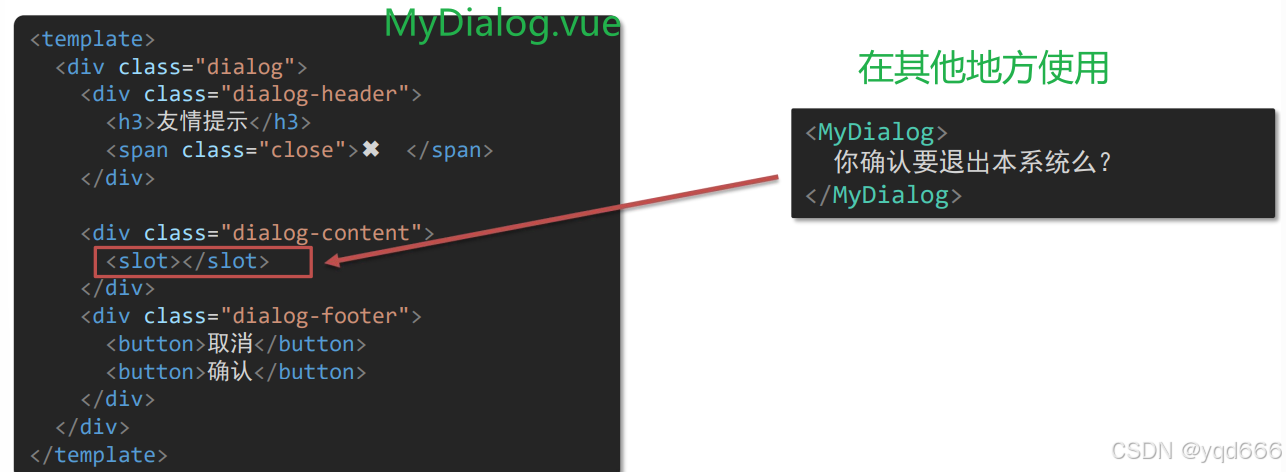
To use a default slot, replace the part of the component you want to customize with a <slot></slot> placeholder. When using the component elsewhere, you can pass content inside the component tags to replace the slot.
Fallback Content (Default Values)
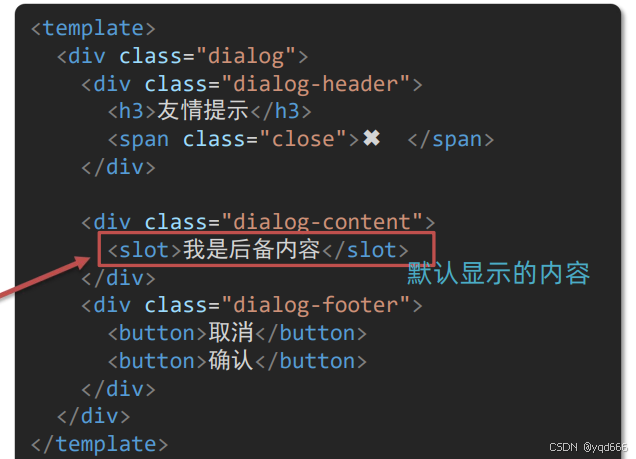
You can provide fallback content for a slot by placing default content inside the <slot> tags. If no content is passed when using the component, the fallback content is displayed. If content is provided, it replaces the slot entirely.
<slot>This is fallback content</slot>
Named Slots
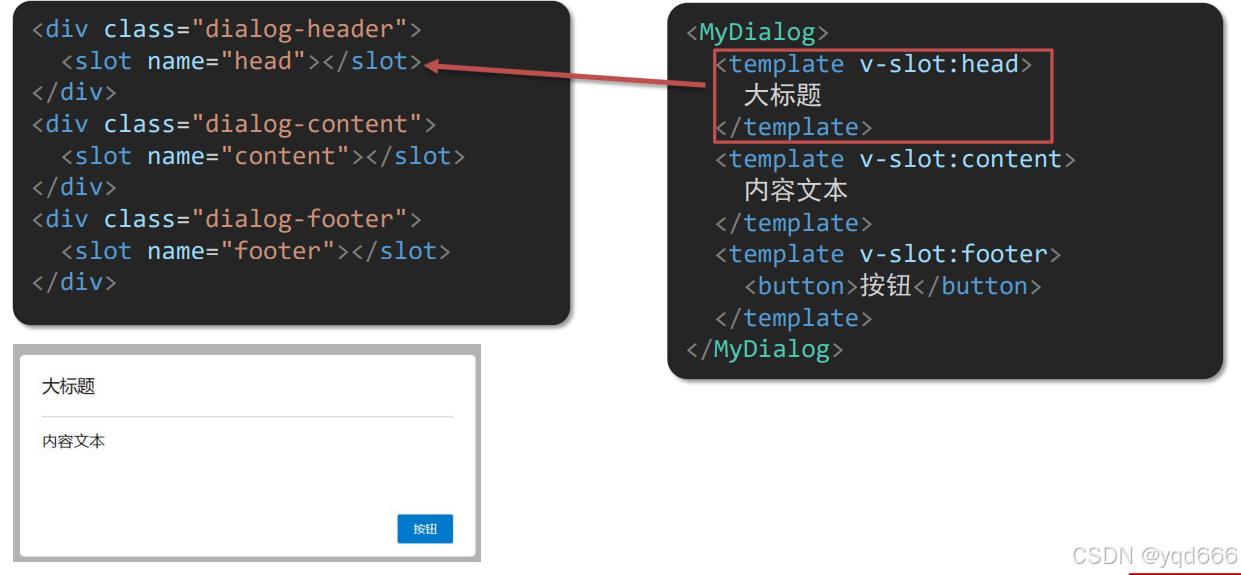
Named slots are used when a component has multiple customizable areas. Assign a name attribute to each <slot> to distinguish them. Use a <template> with v-slot:name to specify which content goes into wich slot.
<!-- Component Definition -->
<slot name="header"></slot>
<slot name="footer"></slot>

<!-- Component Usage -->
<MyComponent>
  <template v-slot:header>
    <h1>Header Content</h1>
  </template>
  <template v-slot:footer>
    <p>Footer Content</p>
  </template>
</MyComponent>
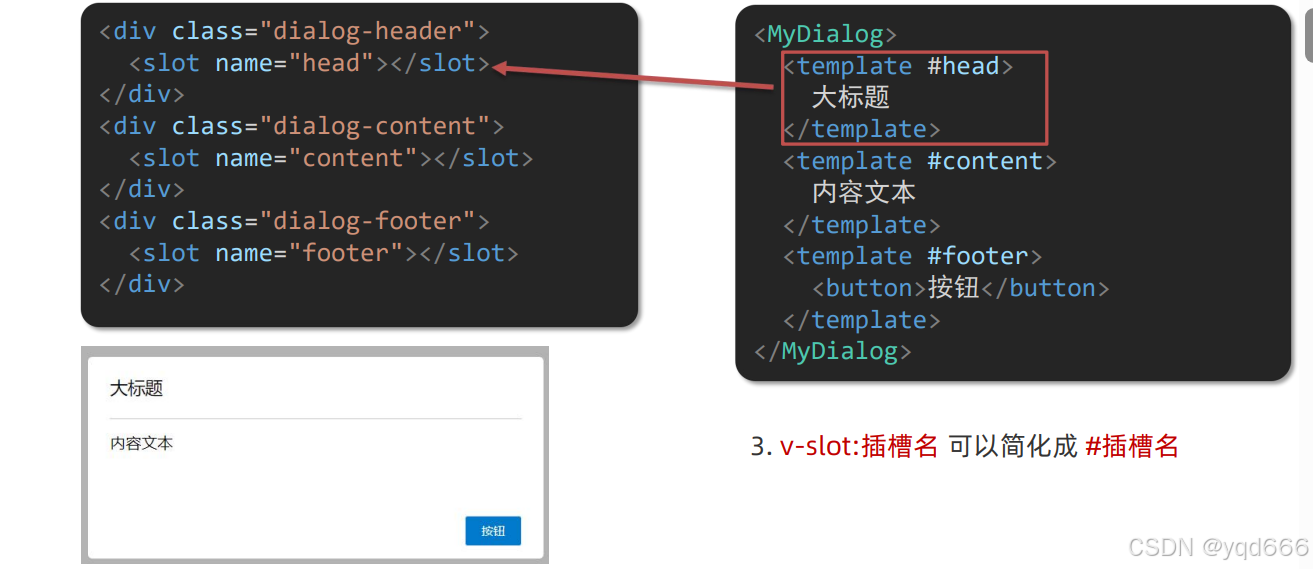
You can also use the shorthand syntax #slotName:
<MyComponent>
  <template #header>
    <h1>Header Content</h1>
  </template>
</MyComponent>
Scoped Slots
Scoped slots allow you to pass data from the slot to the parent component. This is done by binding data to the <slot> as attributes. All bound attributes are collected into an object that can be accessed in the parent.
- Define the slot with bound data:
<slot :itemData="currentItem" message="Sample Text"></slot>
- The bound data is collected into an object:
{
  "itemData": { "id": 1, "name": "John Doe", "age": 25 },
  "message": "Sample Text"
}
- Access the data in the parent component using
#slotName="dataObject"(usedefaultfor the default slot):
<DataTable :items="itemList">
  <template #default="slotProps">
    <button @click="removeItem(slotProps.itemData.id)">Delete</button>
  </template>
</DataTable>
This approach enables dynamic content customization based on data from the component.