Getting Started with WeChat Mini Programs

Registering a Mini Program
Visit: https://mp.weixin.qq.com/
Downloading the Development Tools
Download the official editor from: https://developers.weixin.qq.com/miniprogram/dev/devtools/stable.html
Implementing Throttling, Pagination, and Loading States
// pages/storeList/storeList.js
Page({
  data: {
    currentPage: 1,
    itemsPerPage: 8,
    totalItems: 0,
    searchQuery: '',
    storeItems: [],
    isFetching: false
  },

  fetchStores(callback) {
    this.setData({ isFetching: true });
    wx.showLoading({ title: 'Loading...' });

    wx.request({
      url: 'http://127.0.0.1:8000/coupons',
      method: 'GET',
      data: {
        page: this.data.currentPage,
        limit: this.data.itemsPerPage
      },
      success: (response) => {
        this.setData({
          storeItems: response.data.list,
          totalItems: response.data.totalCount
        });
      },
      complete: () => {
        wx.hideLoading();
        this.setData({ isFetching: false });
        callback && callback();
      }
    });
  },

  onLoad(options) {
    this.setData({ searchQuery: options.query });
    this.fetchStores();
  },

  onReady() {
    wx.setNavigationBarTitle({ title: this.data.searchQuery });
  },

  onPullDownRefresh() {
    this.setData({
      currentPage: 1,
      totalItems: 0,
      storeItems: []
    });
    this.fetchStores(() => wx.stopPullDownRefresh());
  },

  onReachBottom() {
    if (this.data.currentPage * this.data.itemsPerPage >= this.data.totalItems) {
      wx.showToast({ title: 'No more data', icon: 'none' });
      return;
    }
    if (this.data.isFetching) return;
    this.setData({ currentPage: this.data.currentPage + 1 });
    this.fetchStores();
  }
});
Custom Components
Registering Components
Local registration in component JSON:
{
  "usingComponents": {
    "custom-component": "/components/custom/custom"
  }
}
Global registration in app.json:
{
  "usingComponents": {
    "custom-component": "/components/custom/custom"
  }
}
Styling
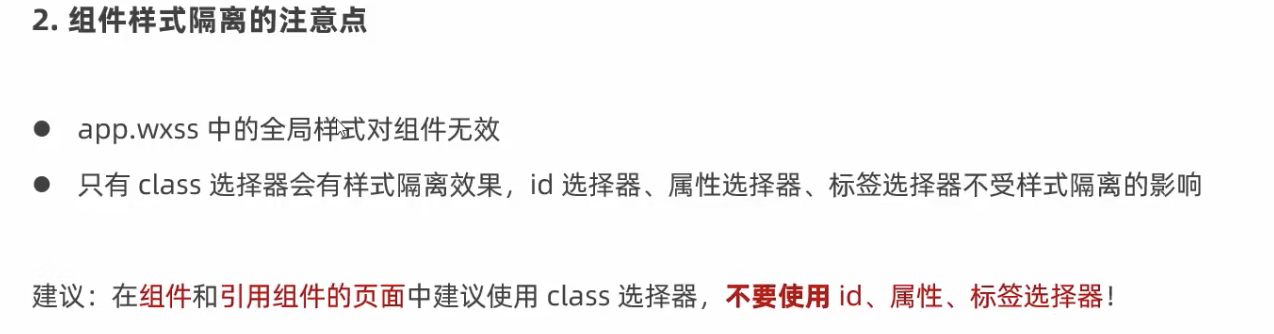
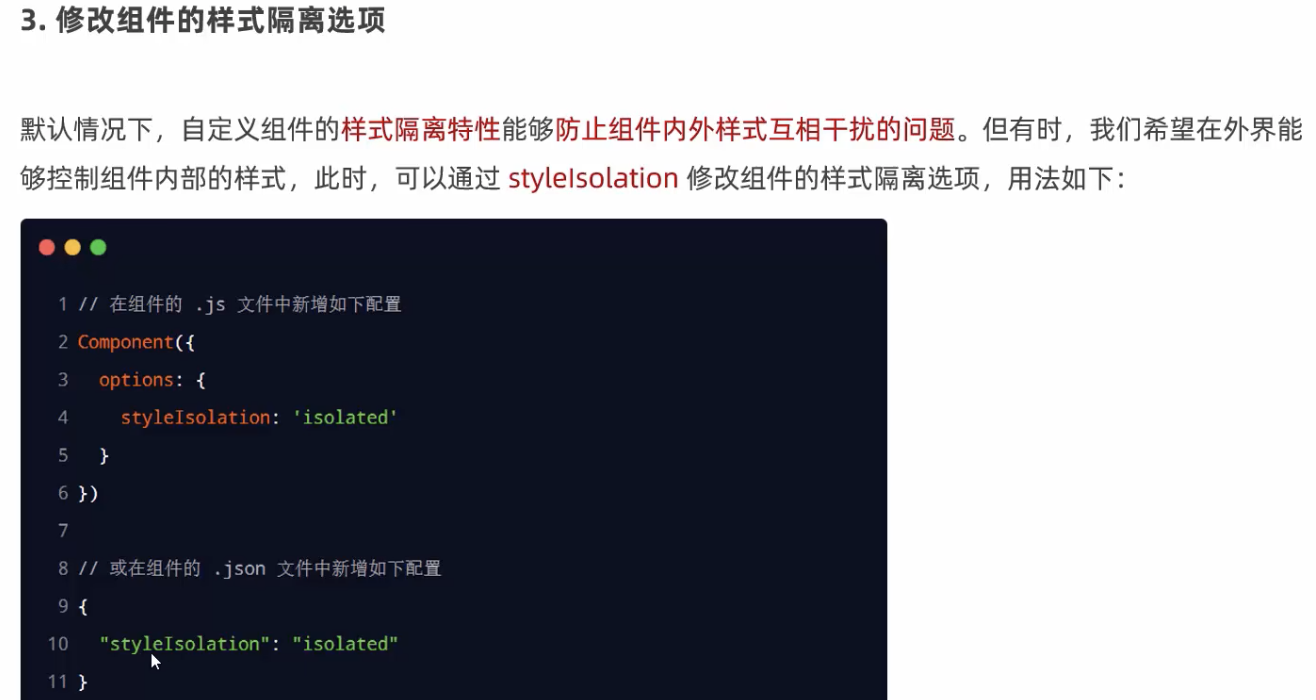
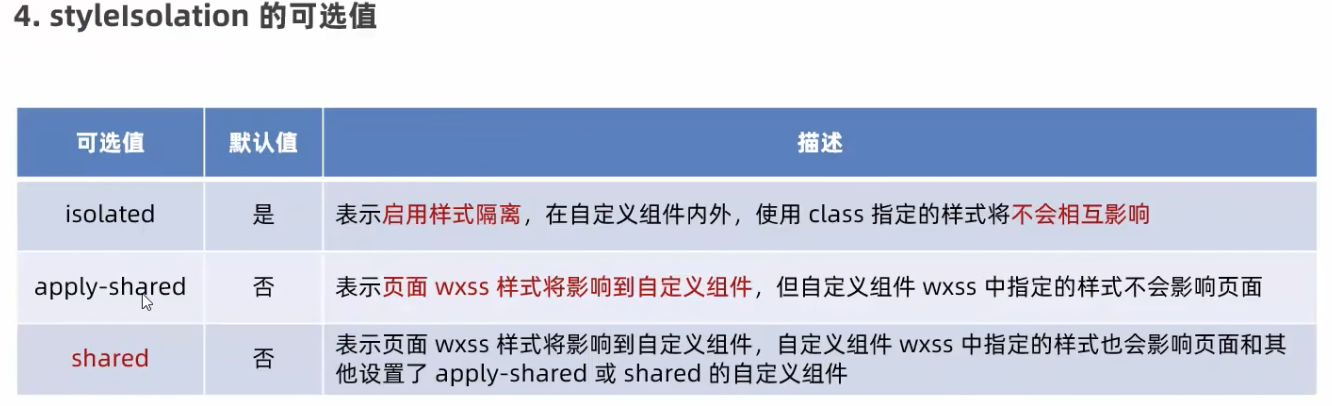
Custom styles use class isolation to prevent conflicts.
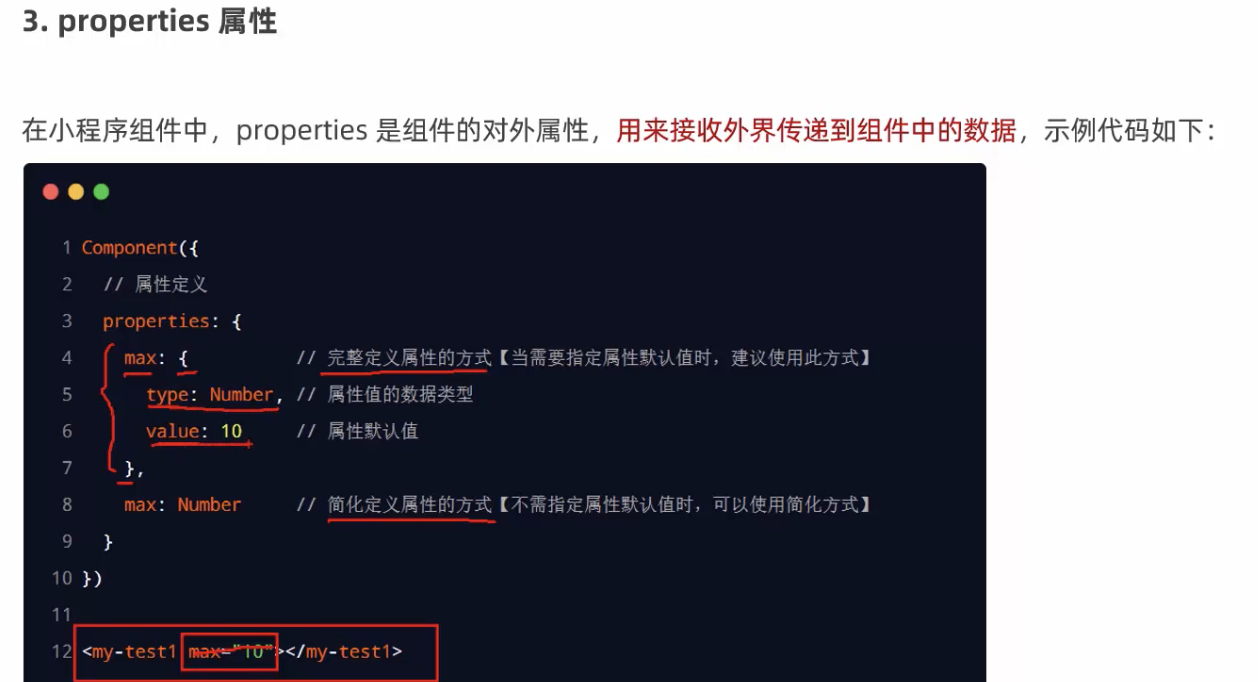
Properties
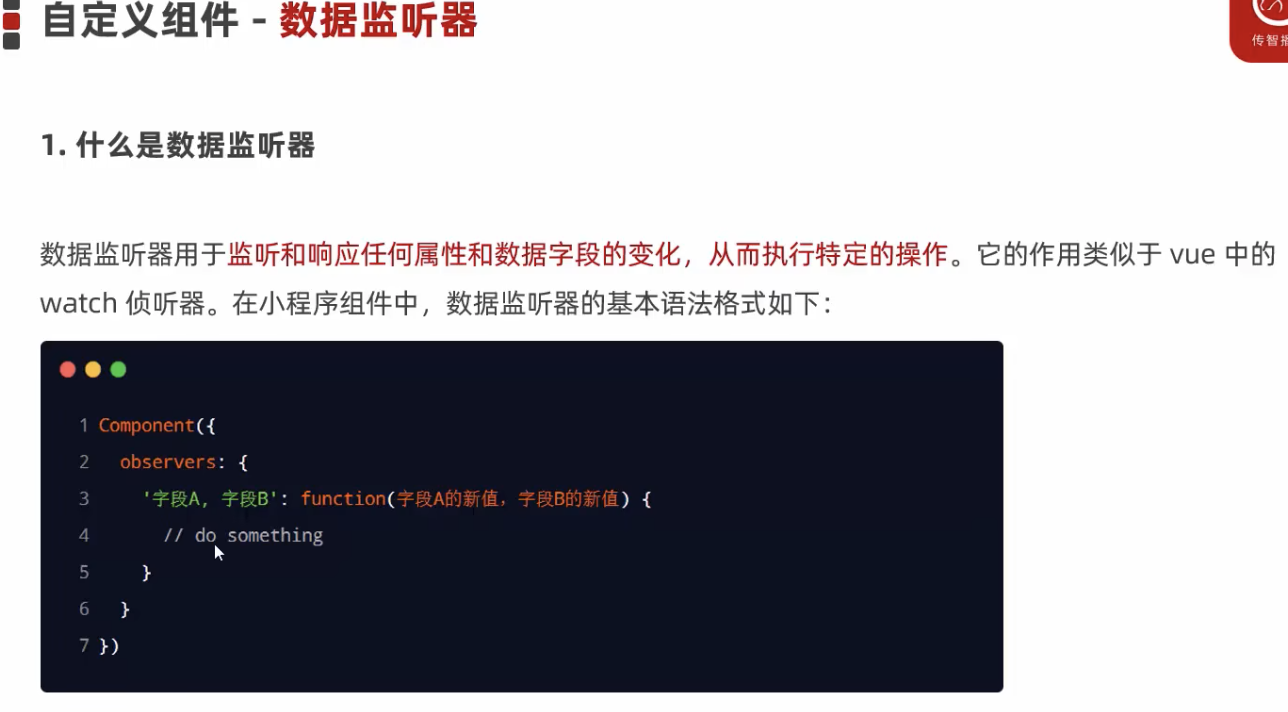
Observers
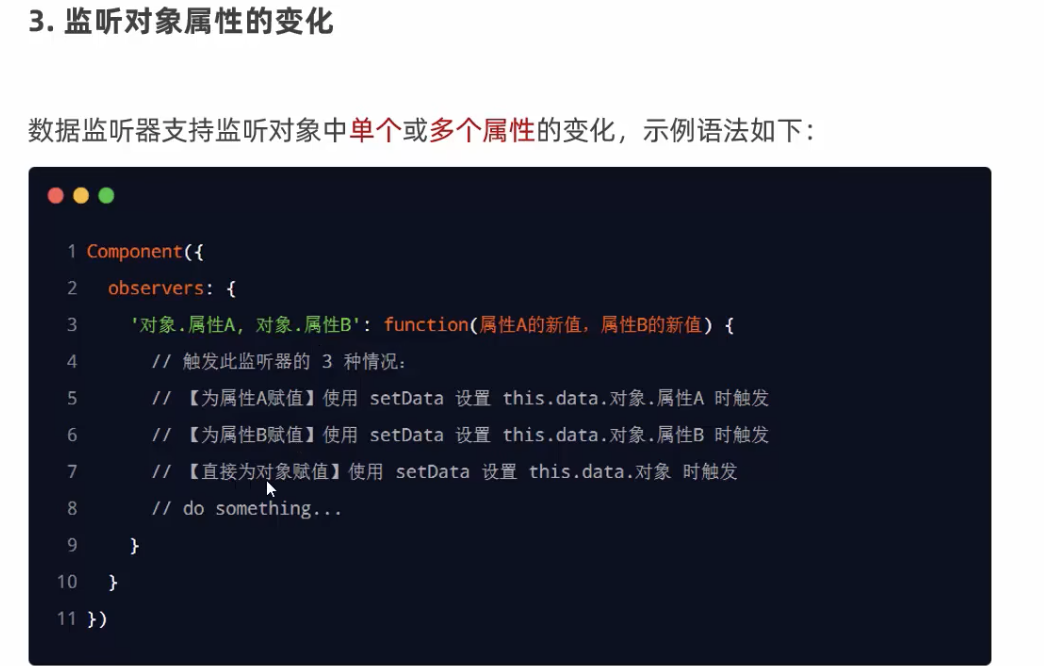
observers: {
  'colorData.**': function(colorObj) {
    this.setData({
      fullColor: `${colorObj.red},${colorObj.blue},${colorObj.green}`
    });
  }
}
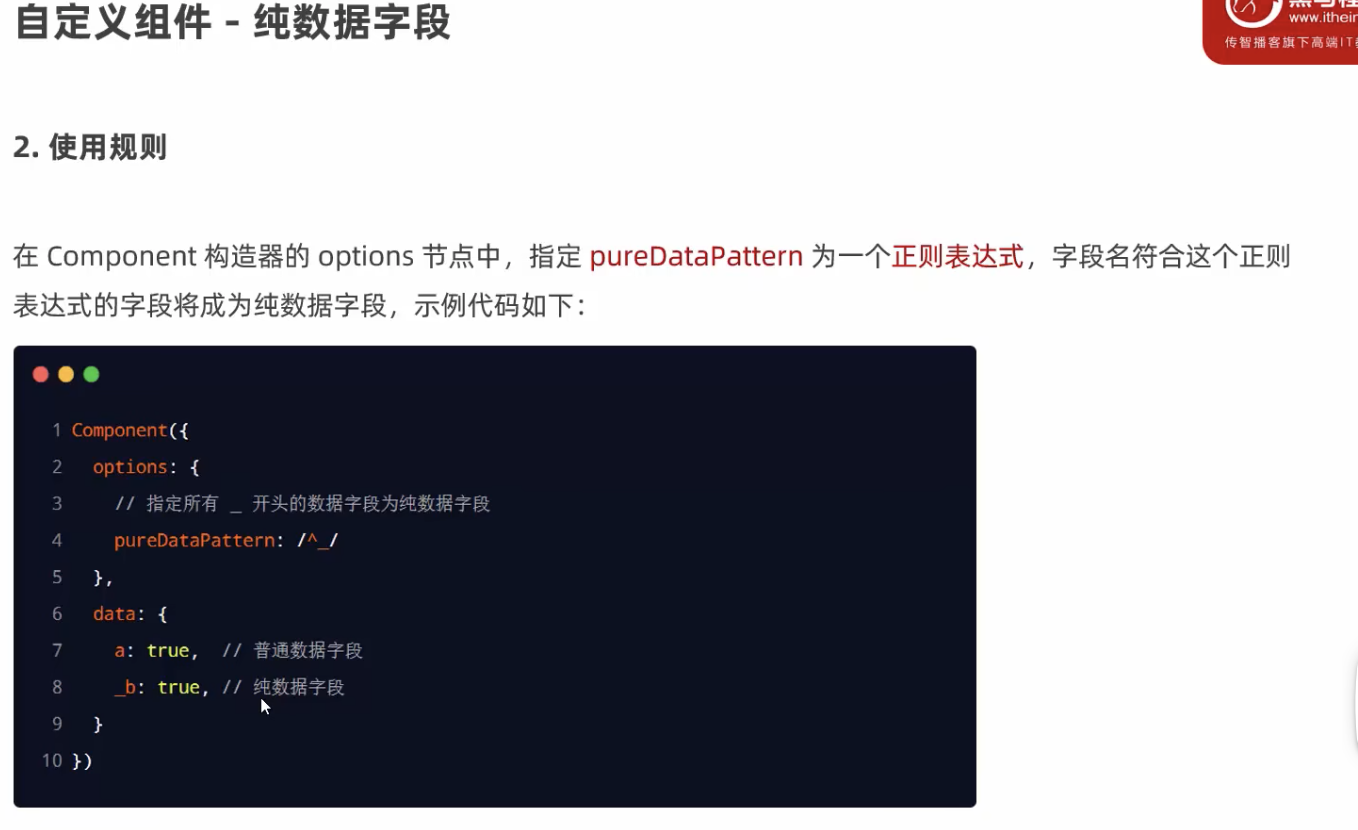
Pure Data Fields
Non-rendering fields for logic processing to improve performance.
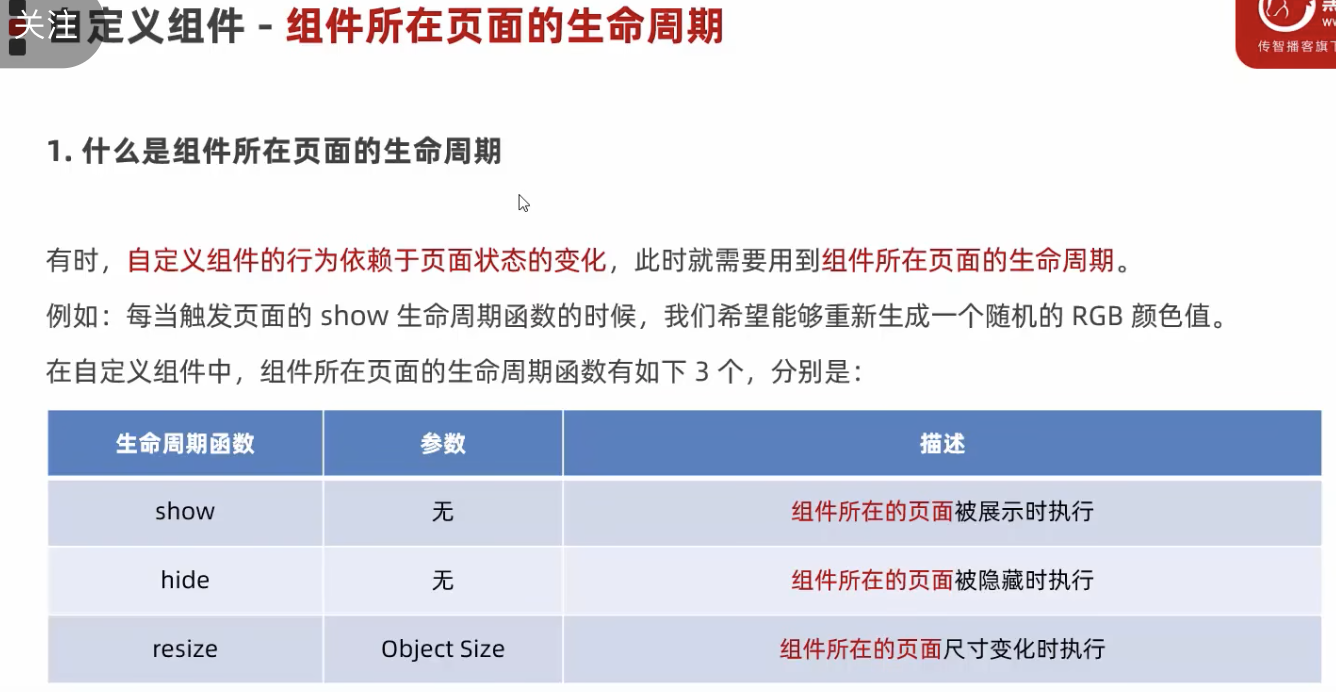
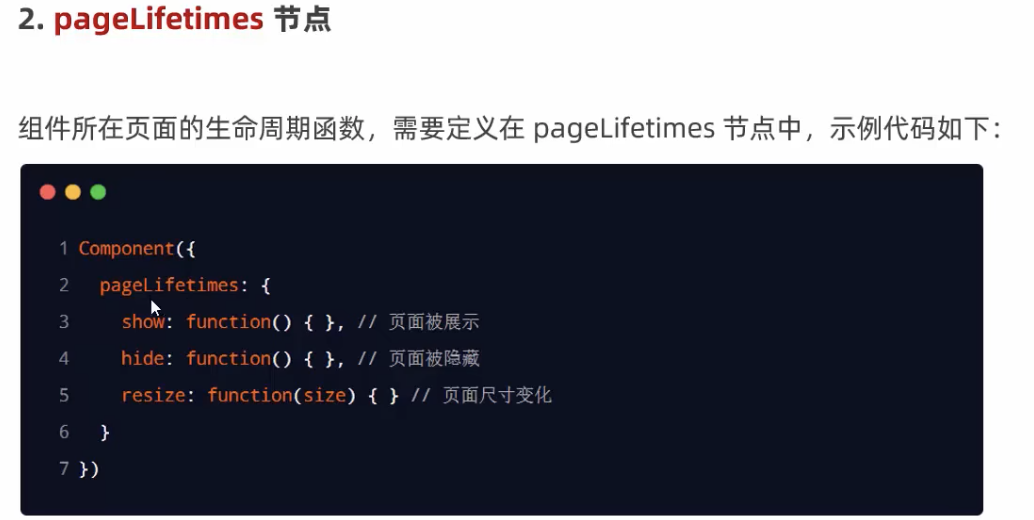
Lifecycle Methods
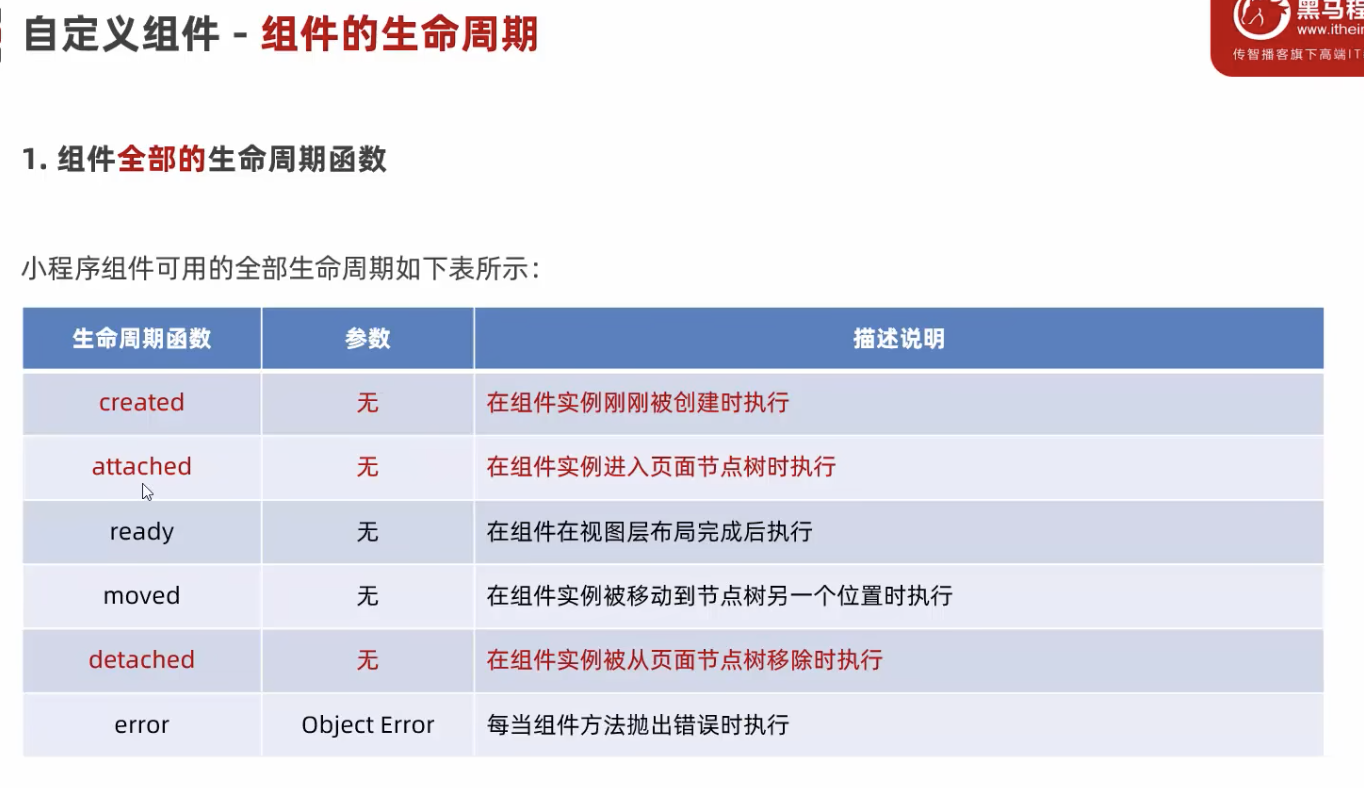
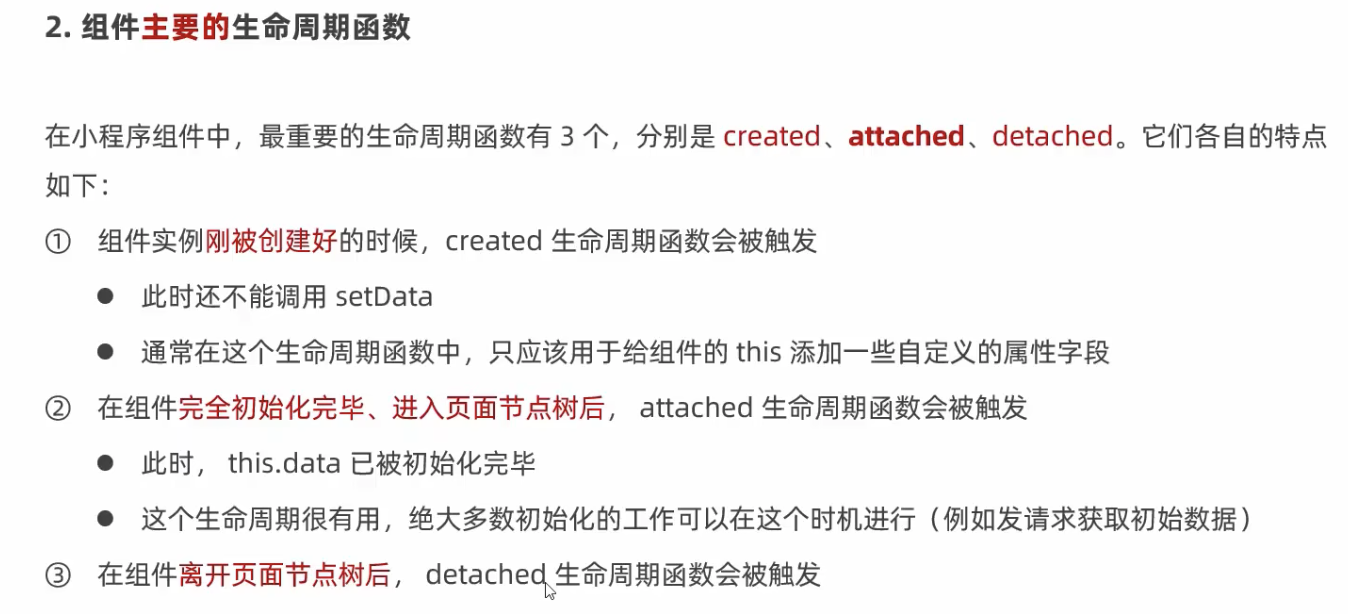
lifetimes: {
  created() {},
  attached() {}
}
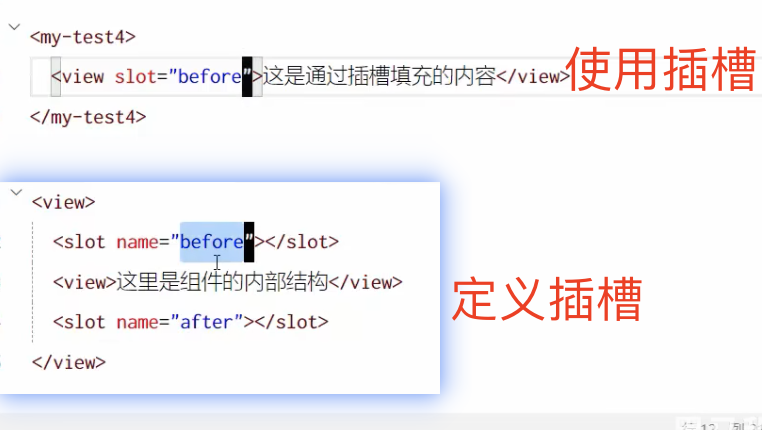
Slots
Component({
  options: {
    styleIsolation: 'apply-shared',
    multipleSlots: true
  }
});
Parent-Child Commmunication
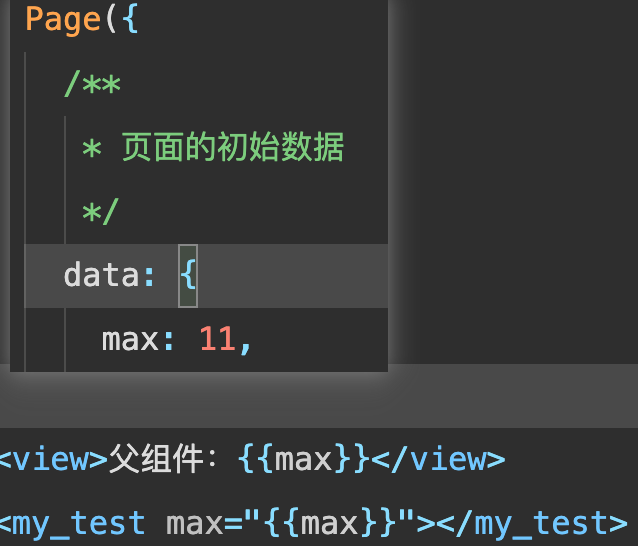
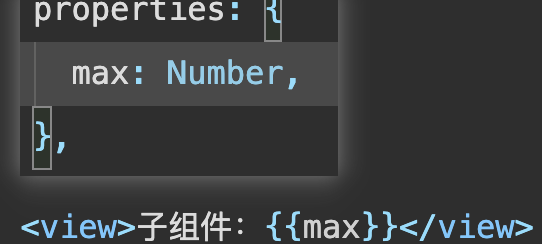
Passing Data from Parent to Child
Parent component:
 Child component:
Passing Data from Child to Parent
Parent component:
<custom-component max="{{maxValue}}" bind:childEvent="handleChildEvent"></custom-component>
handleChildEvent(event) {
  console.log("Child event:", event.detail);
  this.setData({ maxValue: event.detail.value });
}
Child component:
<button bind:tap="incrementValue">+</button>
incrementValue() {
  this.setData({ maxValue: this.properties.maxValue + 1 });
  this.triggerEvent('childEvent', { value: this.properties.maxValue });
}
Alternative Method: Using References
Parenet componant:
<custom-component class="childRef"></custom-component>
<button bind:tap="getChildData">Get Child Data</button>
getChildData() {
  const childComponents = this.selectAllComponents('.childRef');
  console.log(childComponents[0].data);
}
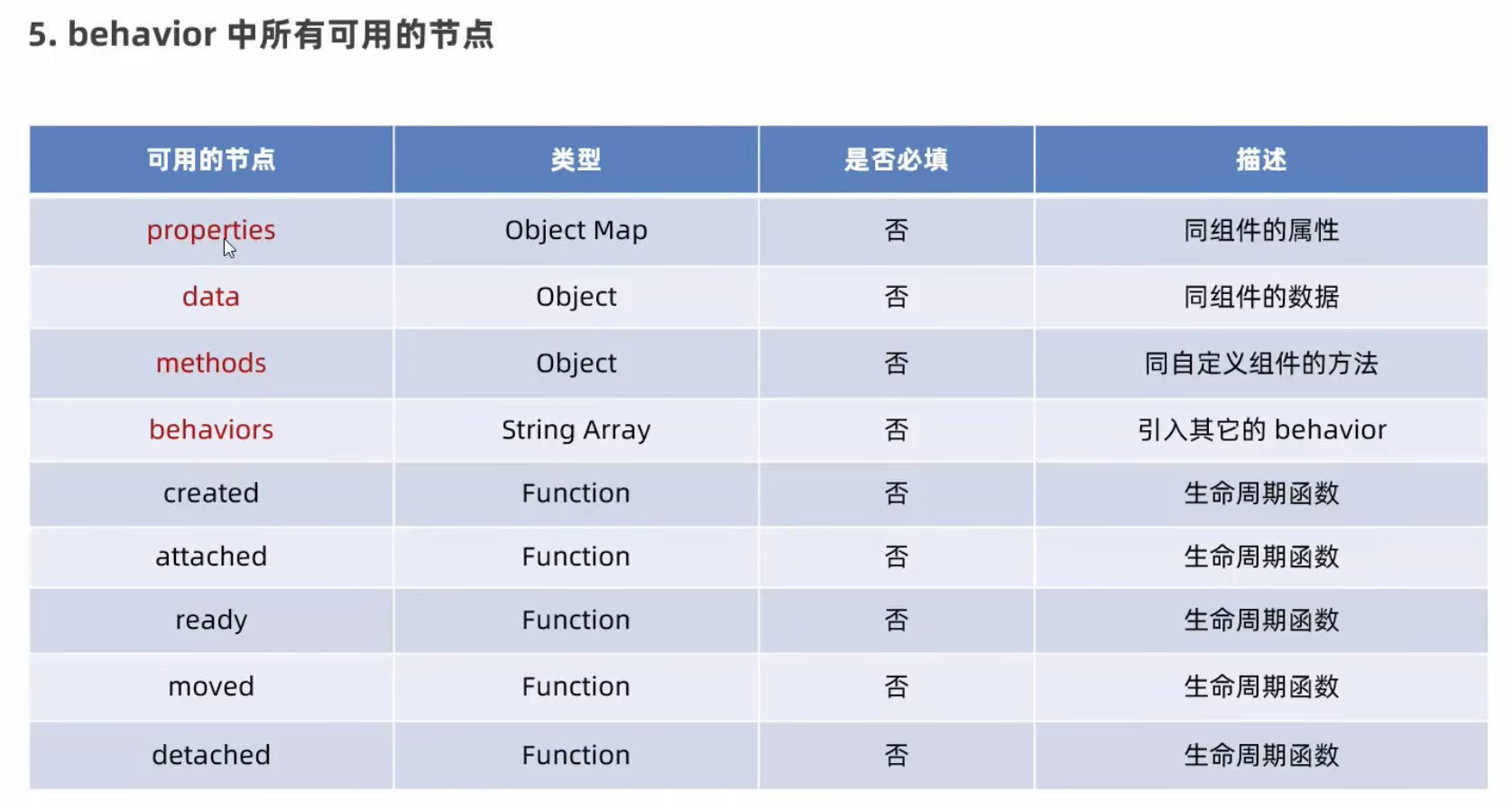
Behavior Injection (Similar to Vue's Provide/Inject)
Create behaviors/customBehavior.js:
module.exports = Behavior({
  data: {
    userName: "demoUser"
  },
  methods: {}
});
Using in components:
const customBehavior = require('../../behaviors/customBehavior.js');
Component({
  behaviors: [customBehavior]
});
<view>{{userName}}</view>
Installing Vant UI Library
Vant documentation: https://vant-ui.github.io/vant-weapp/#/quickstart
- Initialize npm:
npm init -y - Install Vant:
npm i @vant/weapp@1.3.3 -S --production - Remove
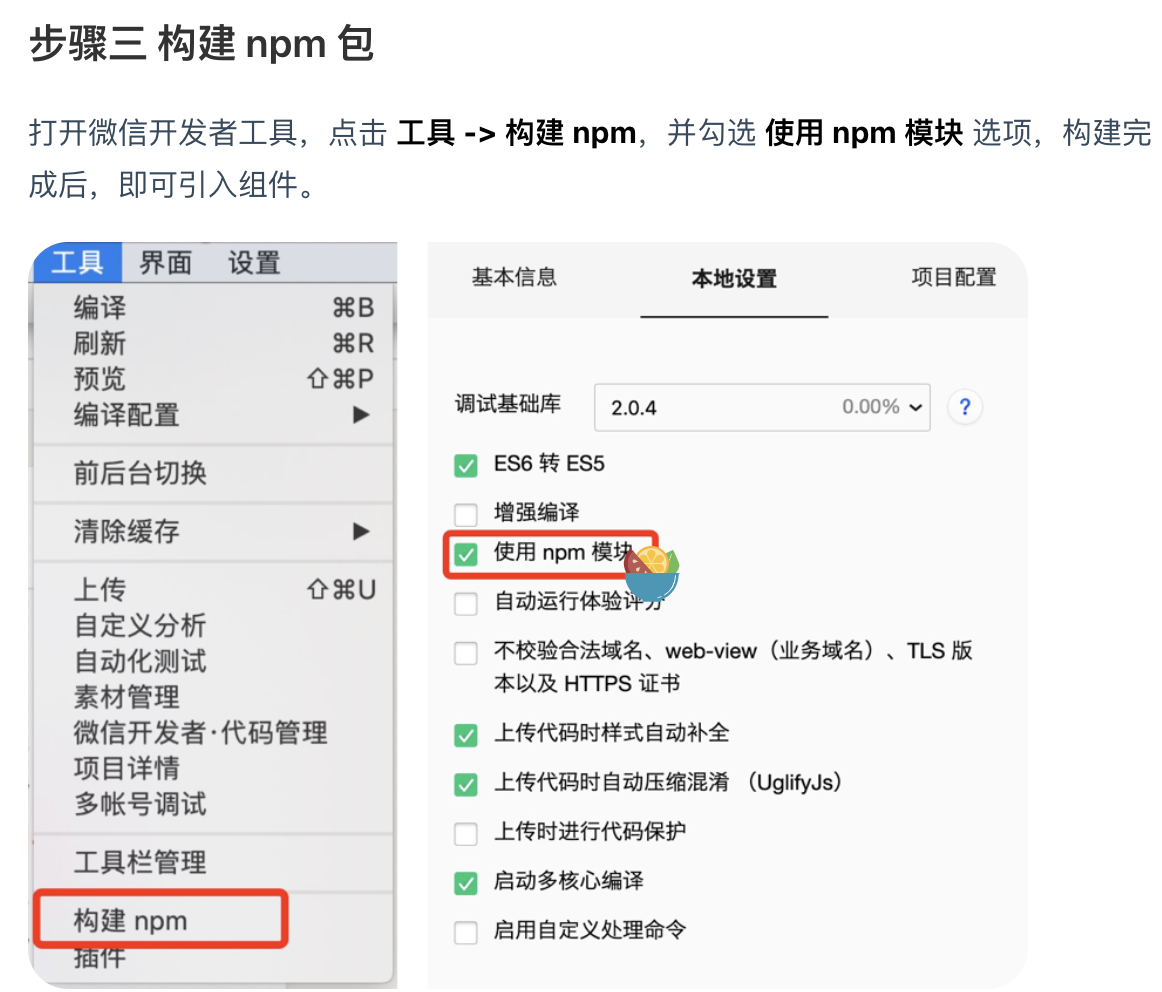
"style": "v2"from app.json - Configure build settings:
Using CSS Variables & Customizing Vant Styles
CSS custom properties guide: https://developer.mozilla.org/zh-CN/docs/Web/CSS/Guides/Cascading_variables/Using_custom_properties
Vant style variables: https://github.com/youzan/vant-weapp/blob/dev/packages/common/style/var.less
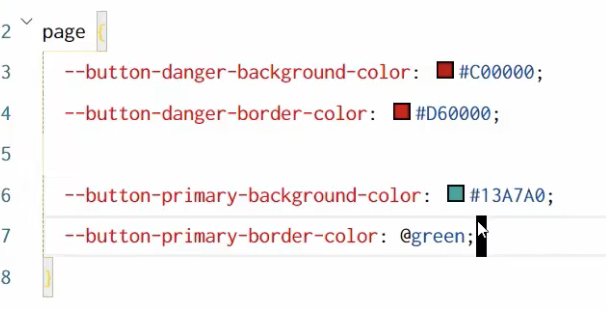
Customizing Vant styles:
Implementing Promises
- Install:
npm install --save miniprogram-api-promise@1.0.4 - Delete the generated folder after build
- Run npm build from tools menu
- Configure in app.js:
import { promisifyAll } from 'miniprogram-api-promise';
const promiseApi = wx.p = {};
promisifyAll(wx, promiseApi);
- Usage example:
async fetchData() {
  const response = await wx.p.request({
    url: 'http://127.0.0.1:8000/coupons',
    data: { page: 1, limit: 100 }
  });
  console.log(response);
}
Global State Management with MobX
Install dependencies:
npm install --save mobx-miniprogram@4.13.2
npm install --save mobx-miniprogram-bindings@1.2.1
Basic Usage
store/store.js:
import { observable, action } from 'mobx-miniprogram';

export const appStore = observable({
  valueA: 1,
  valueB: 2,
  get totalValue() {
    return this.valueA + this.valueB;
  },
  updateValueA: action(function(increment) {
    this.valueA += increment;
  }),
  updateValueB: action(function(decrement) {
    this.valueB -= decrement;
  })
});
Page implementation:
import { createStoreBindings } from 'mobx-miniprogram-bindings';
import { appStore } from '../../store/store';

Page({
  onLoad() {
    this.storeBinding = createStoreBindings(this, {
      store: appStore,
      fields: ['valueA', 'valueB', 'totalValue'],
      actions: ['updateValueA', 'updateValueB']
    });
  },
  onUnload() {
    this.storeBinding.destroyStoreBindings();
  }
});
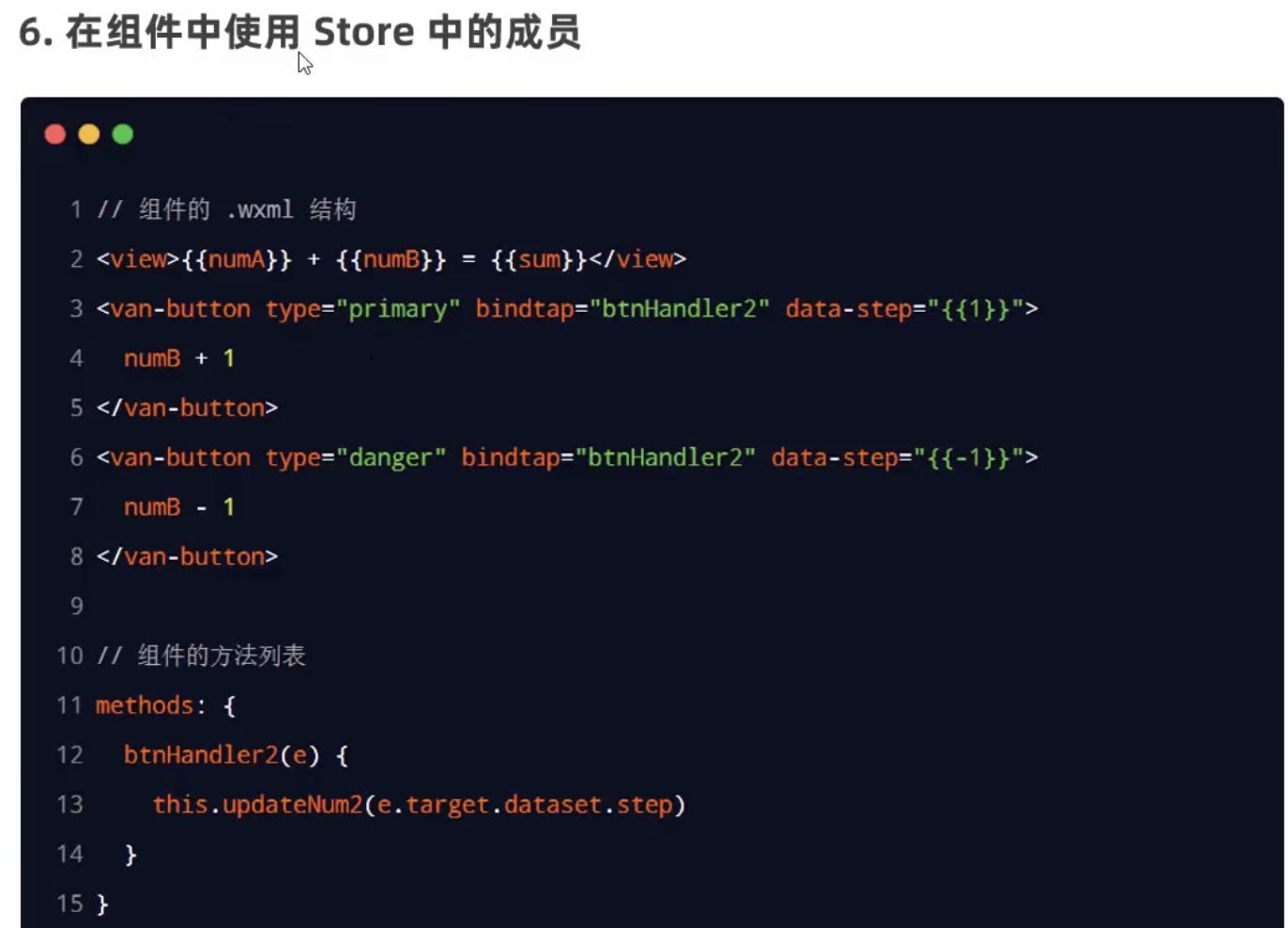
Template:
<view>{{valueA}} + {{valueB}} = {{totalValue}}</view>
<button bind:tap="increment" data-step="{{1}}">+</button>
<button bind:tap="decrement" data-step="{{-1}}">-</button>
Event handlers:
increment(event) {
  this.updateValueA(event.target.dataset.step);
},
decrement(event) {
  this.updateValueA(event.target.dataset.step);
}
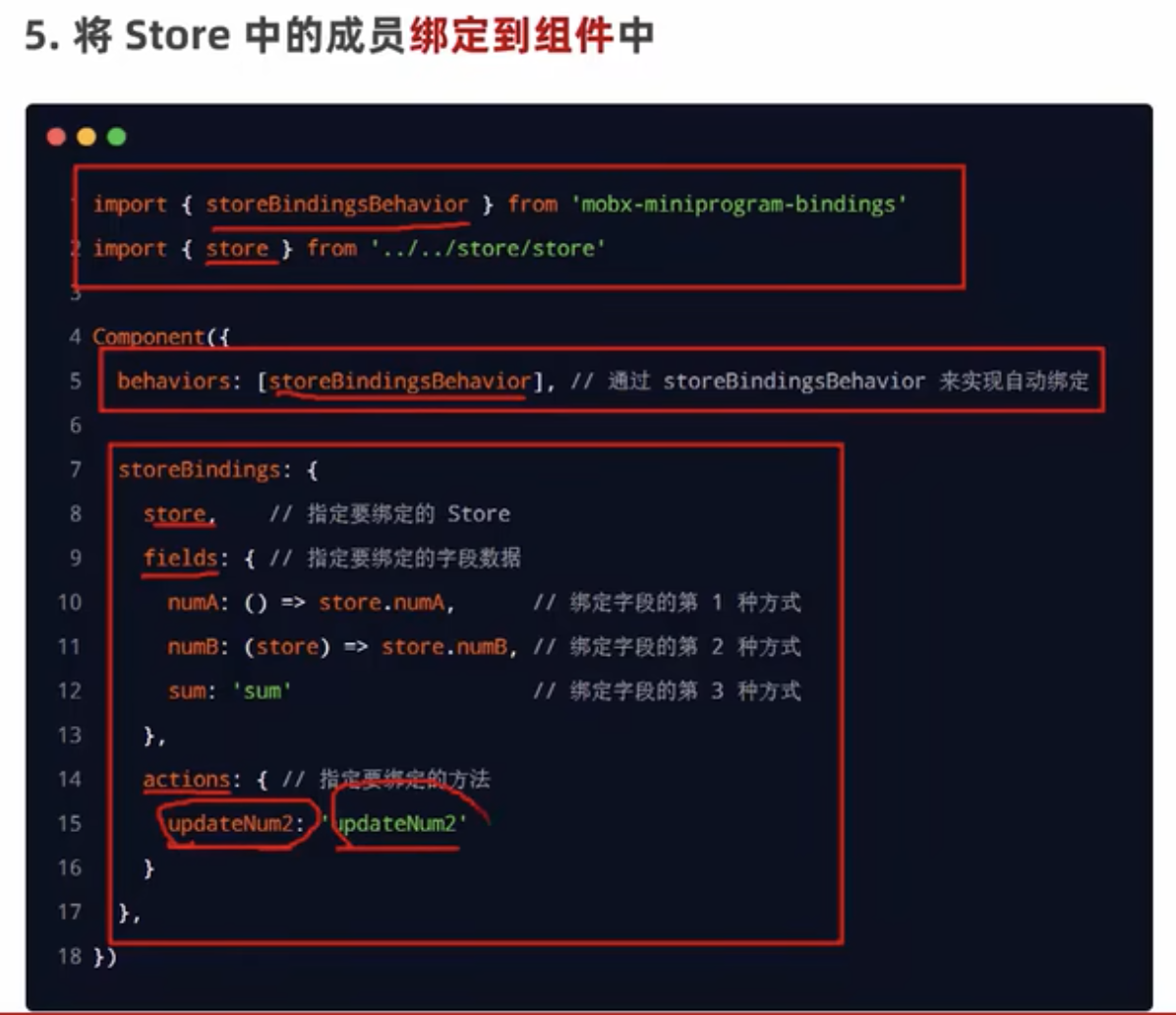
Using in Components
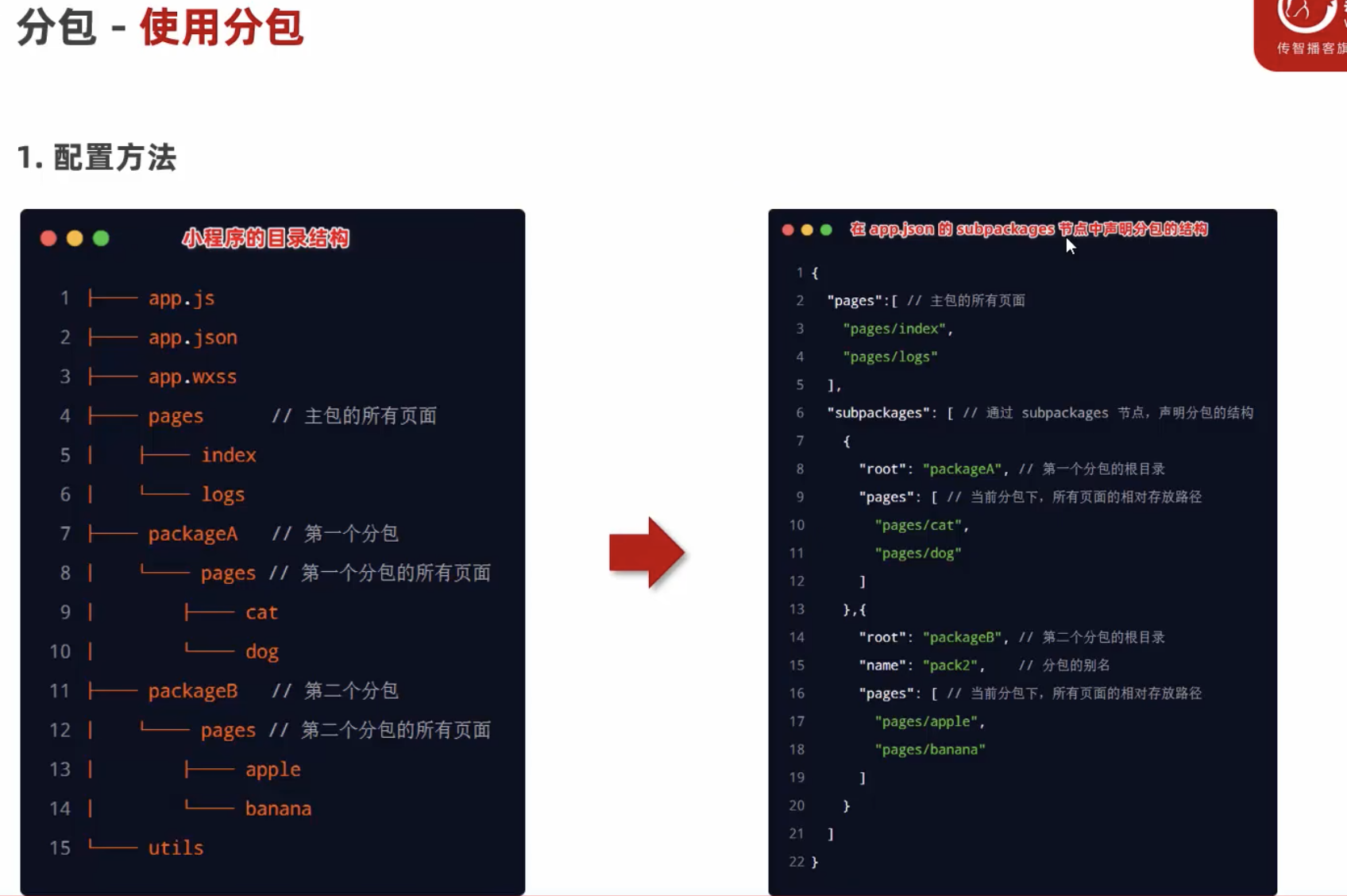
Subpackages
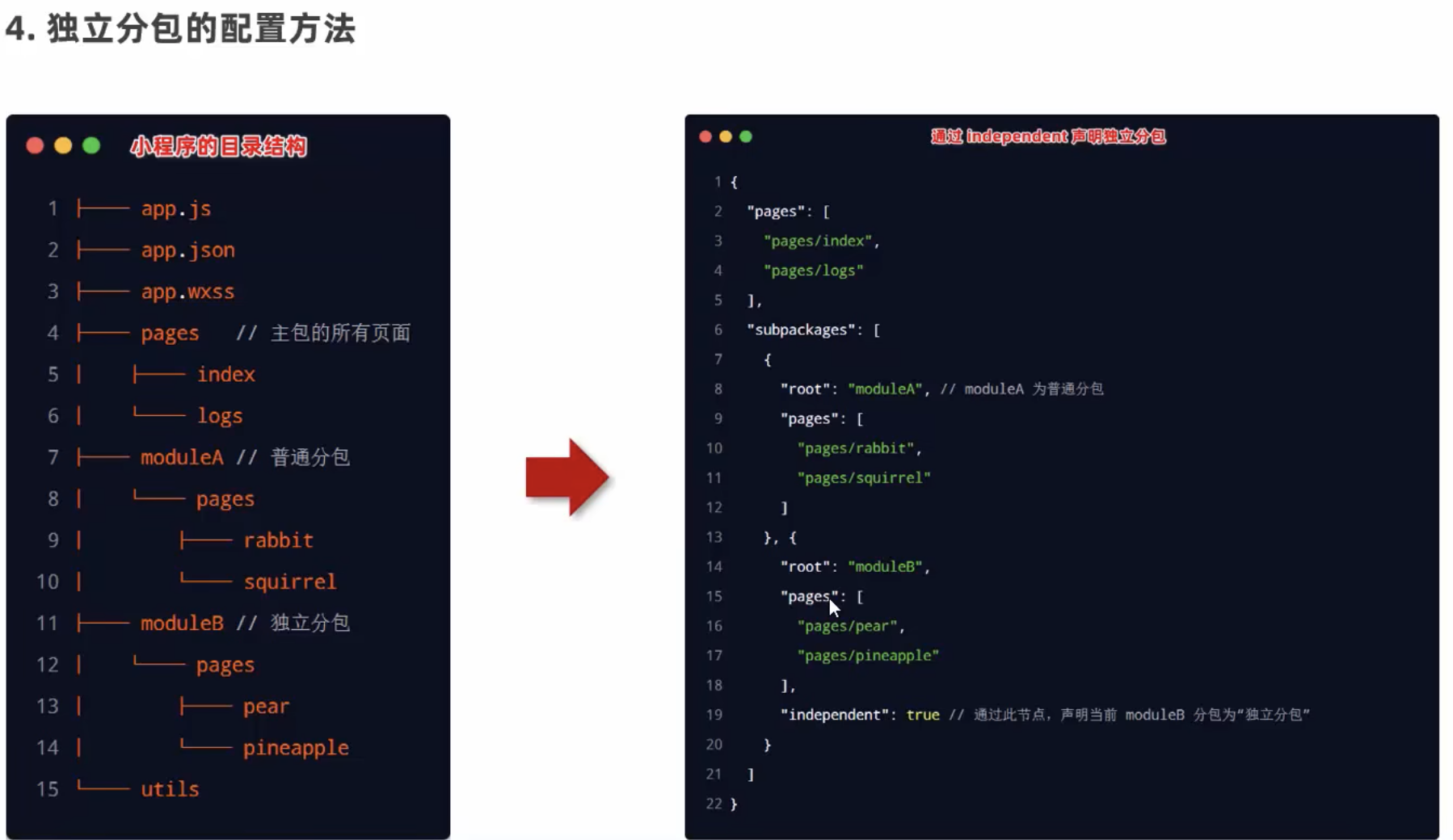
Independent Subpackages
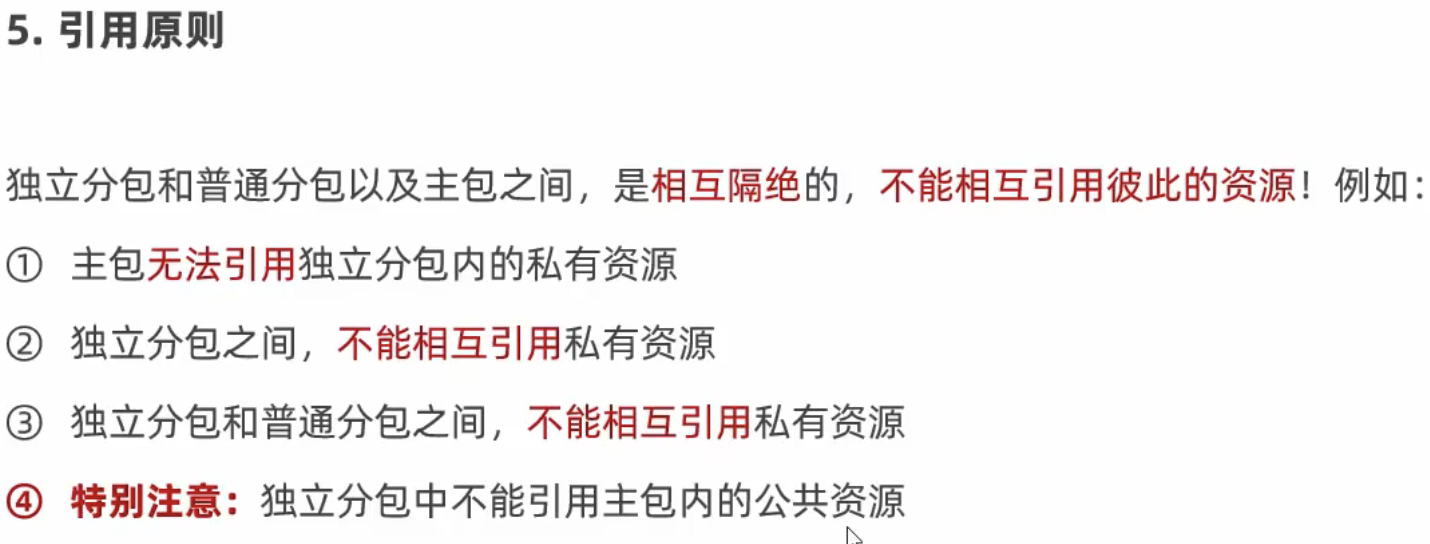
Reference Rules
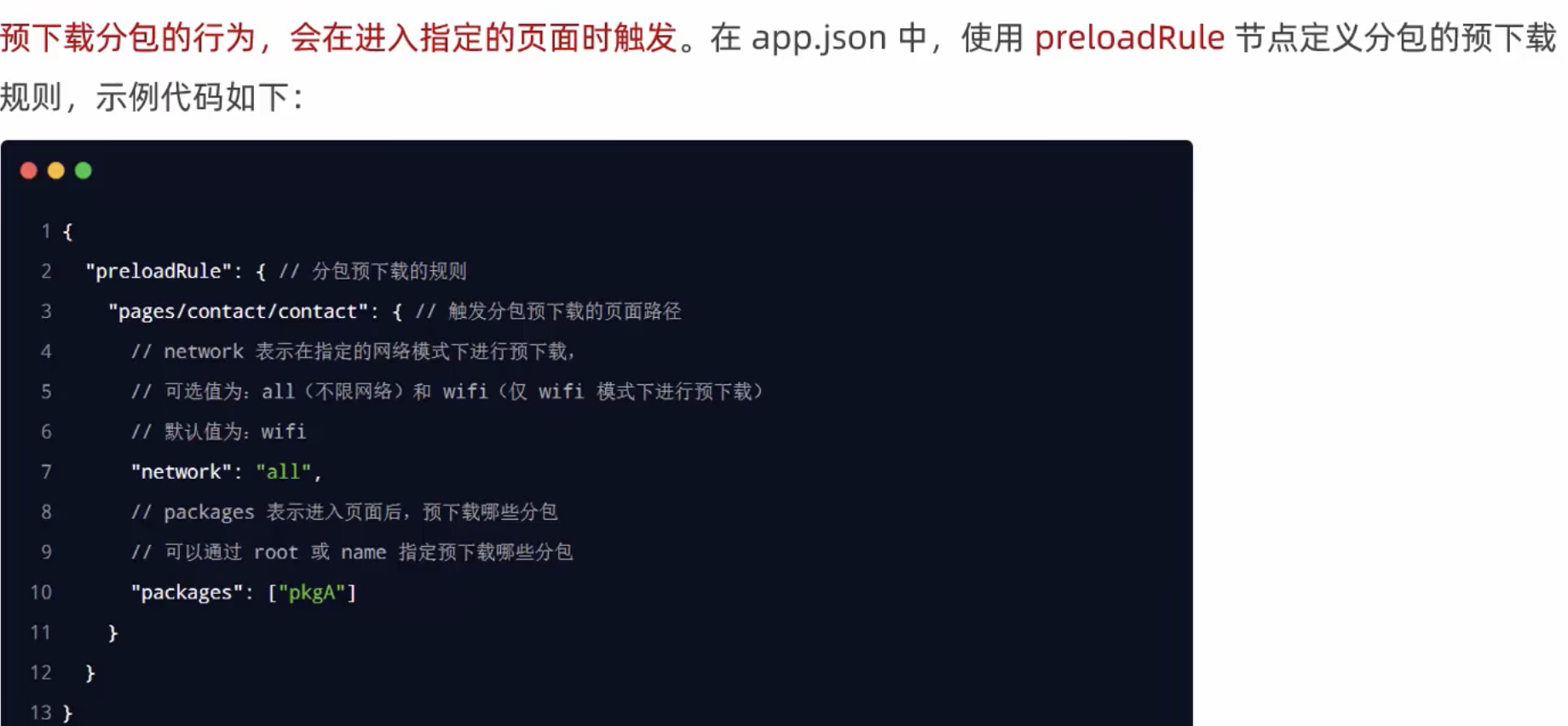
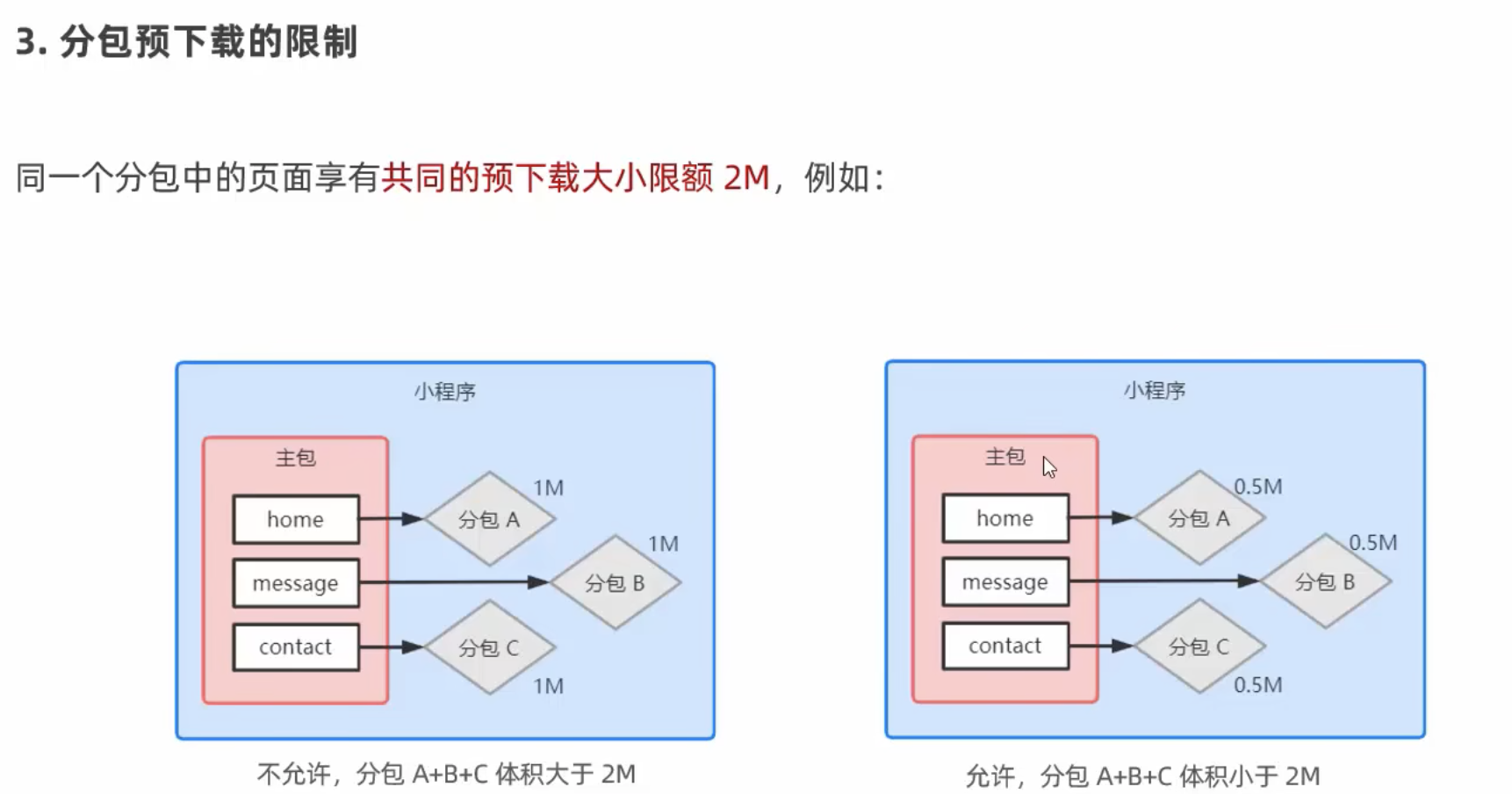
Subpackage Pre-downloading