Table of Contents
System Showcase
Front-end Homepage of the Mini Program
Administrator Backend Module
Code Implemantation
Login Function
Registration Function
Password Reset Function
Information Update Function
Deletion Function
Data Persistence Function
System Showcase
Front-end Homepage of the Mini Program
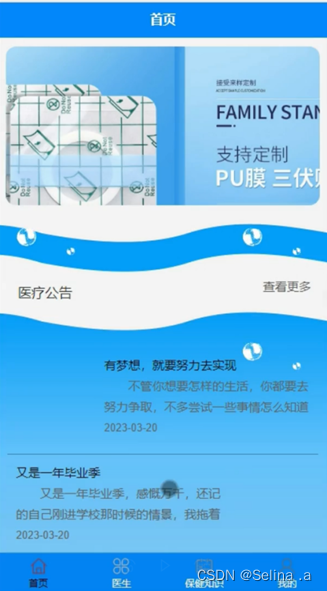
Upon opening the WeChat mini program, users are greeted with the home page. The navigation bar allows users to access desired information. Figure 1 shows the home page interface.
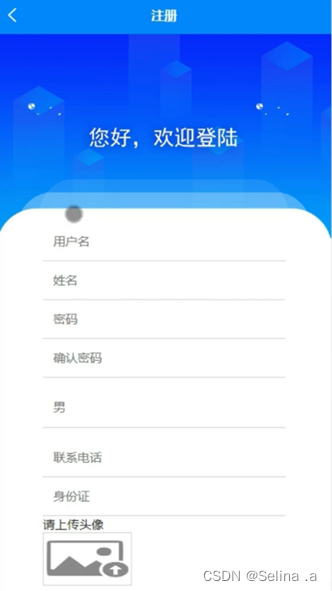
First-time users need to register. By clicking "Register", they are directed to the registration page where they fill in the required information. After confirmation, the system enters the login page. Successful login grants access to all mini program features. The registration interface is shown in Figure 2.
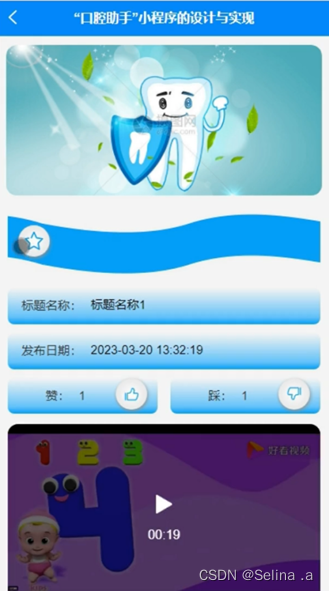
On the Oral Health Knowledge page, users can search by title to view details and perform actions such as commenting or bookmarking, as illustrated in Figure 3.
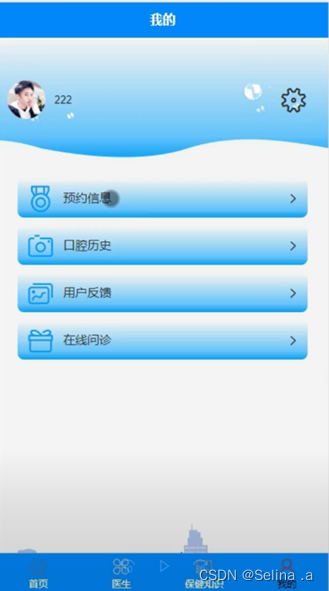
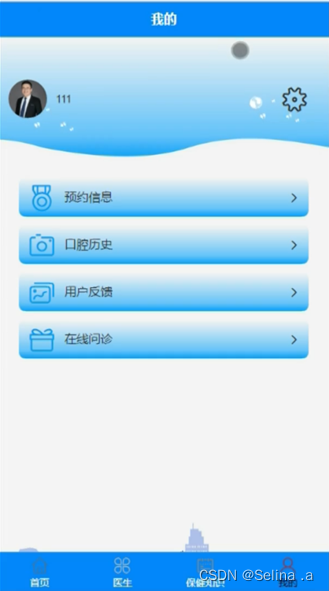
After login, users can navigate to "My" section to manage appointments, dental history, feedback, and online consultations, as shown in Figure 4.
After dentist login, the "My" section provides tools for managing appointments, oral history, user feedback, and online diagnosis. Figure 5 displays the dentist function interface.
Administrator Backend Module
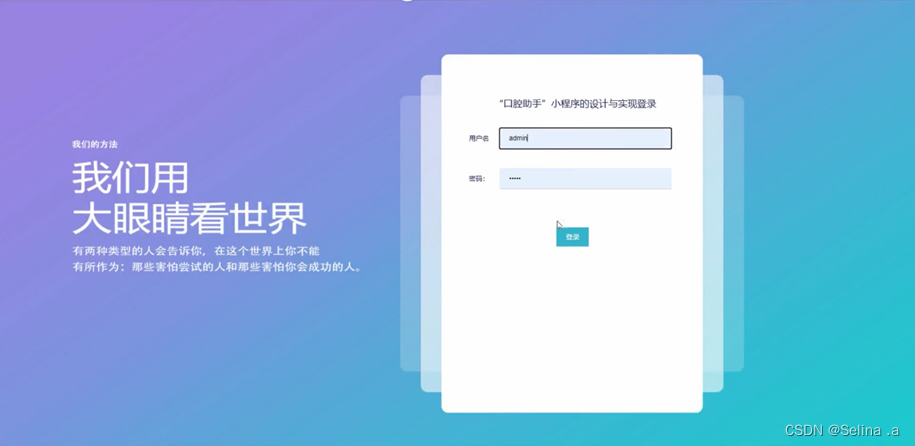
Administrator login requires correct username and password, leading to the operational dashboard (Figure 6).
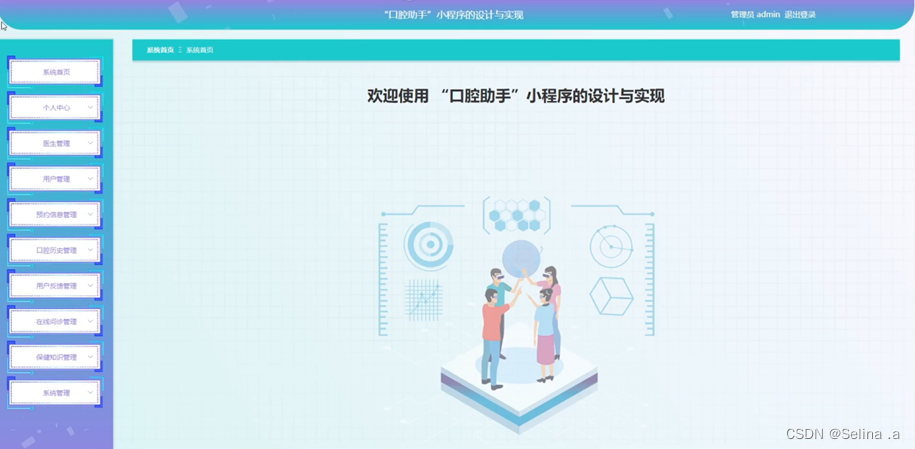
The admin main page provides access to system home, personal center, doctor management, user management, appointment management, oral history management, feedback management, online diagnosis, health knowledge management, and system administration (Figure 7).
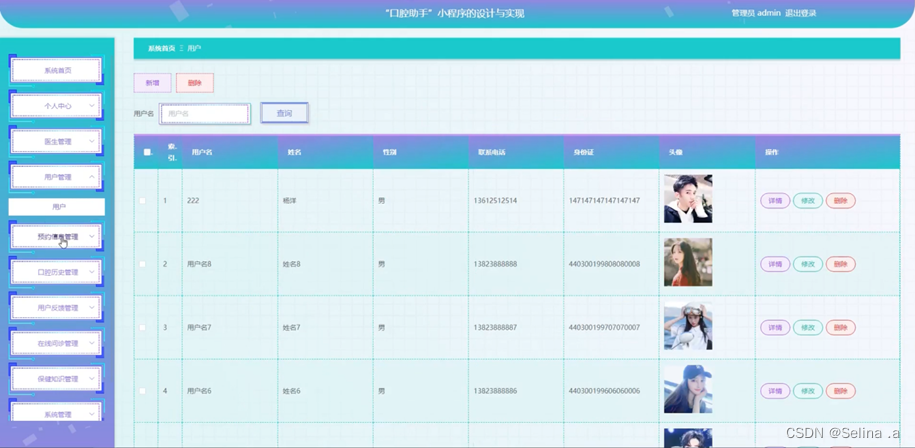
In user management, administrators can search by username, add or delete user records, and view/modify details (Figure 8).
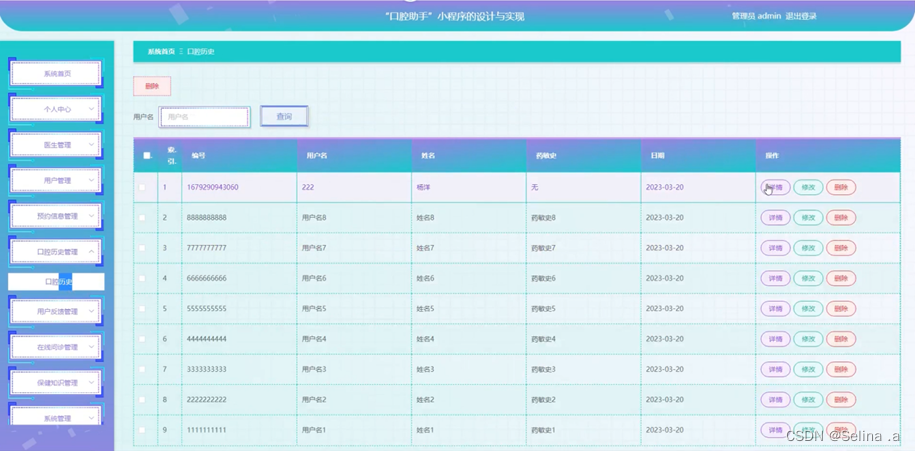
Oral history management allows searching by username, deletion, and detail editing (Figure 9).
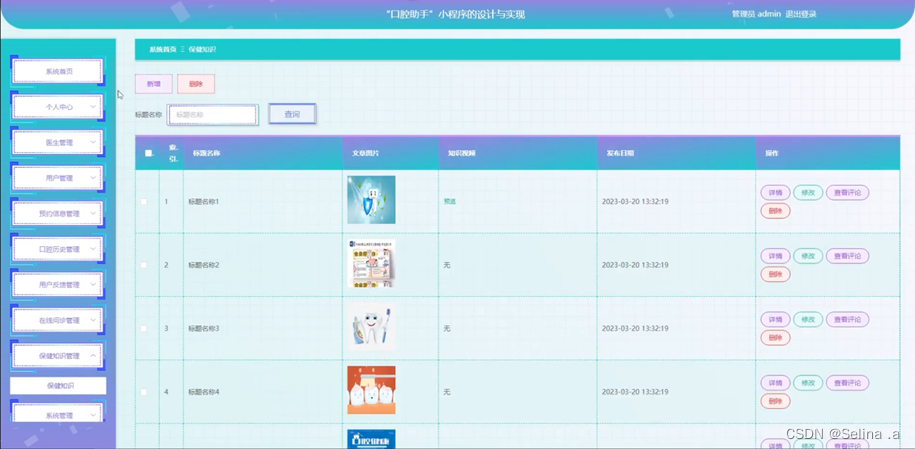
Health knowledge management supports CRUD operations along with comment moderation, as depicted in Figure 10.
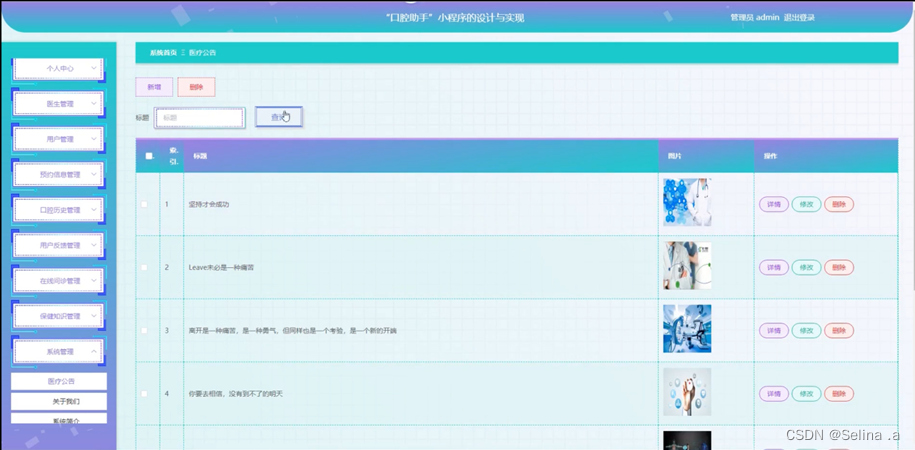
System administration includes medical announcement management, about page, system introduction, and carousel banner menagement (Figure 11).
Code Implementation
Login Function
@IgnoreAuth
@PostMapping(value = "/signin")
public R signin(@RequestParam String loginName, @RequestParam String pswd, HttpServletRequest request) {
    QueryWrapper<UserEntity> wrapper = new QueryWrapper<>();
    wrapper.eq("username", loginName);
    UserEntity currentUser = userService.getOne(wrapper);
    if (currentUser == null || !currentUser.getPassword().equals(pswd)) {
        return R.error("Invalid username or password");
    }
    String jwt = tokenService.generateToken(currentUser.getId(), loginName, "users", currentUser.getRole());
    return R.ok().put("token", jwt);
}
Registration Function
@IgnoreAuth
@PostMapping(value = "/signup")
public R signup(@RequestBody UserEntity user) {
    QueryWrapper<UserEntity> checker = new QueryWrapper<>();
    checker.eq("username", user.getUsername());
    if (userService.count(checker) > 0) {
        return R.error("Username already exists");
    }
    boolean saved = userService.save(user);
    return saved ? R.ok() : R.error("Registration failed");
}
Password Reset Function
@IgnoreAuth
@RequestMapping(value = "/resetPassword")
public R resetPassword(@RequestParam String accountName, HttpServletRequest request) {
    QueryWrapper<UserEntity> wrapper = new QueryWrapper<>();
    wrapper.eq("username", accountName);
    UserEntity user = userService.getOne(wrapper);
    if (user == null) {
        return R.error("Account not found");
    }
    user.setPassword("123456");
    userService.updateById(user);
    return R.ok("Password reset to 123456");
}
Information Update Function
@RequestMapping("/modify")
public R modify(@RequestBody UserEntity user) {
    QueryWrapper<UserEntity> query = new QueryWrapper<>();
    query.eq("username", user.getUsername());
    UserEntity existing = userService.getOne(query);
    if (existing != null && !existing.getId().equals(user.getId())) {
        return R.error("Username already taken");
    }
    userService.updateById(user);
    return R.ok();
}
Deletion Function
@RequestMapping("/remove")
public R remove(@RequestBody Long[] idList) {
    boolean removed = userService.removeByIds(Arrays.asList(idList));
    return removed ? R.ok() : R.error("Deletion failed");
}
Data Persistence Function
@PostMapping("/persist")
public R persist(@RequestBody UserEntity user) {
    QueryWrapper<UserEntity> existenceCheck = new QueryWrapper<>();
    existenceCheck.eq("username", user.getUsername());
    if (userService.count(existenceCheck) > 0) {
        return R.error("Duplicate username");
    }
    boolean result = userService.save(user);
    return result ? R.ok() : R.error("Save failed");
}