Logging Messages
UE_LOG is a macro that outputs log messages to the log file. It takes a logging category as its first argument. Many categories are built-in and defined in CoreGlobals.h.
UE_LOG(LogTemp, Warning, TEXT("Hello"));
Message formatting with FString
UE_LOG(LogTemp, Warning, TEXT("The Actor's name is %s"), *YourActor->GetName());
Setting Actor Rotation
SetActorRotation has two overloads:
bool AActor::SetActorRotation(FRotator NewRotation)bool AActor::SetActorRotation(const FQuat & NewRotation)
Below uses the first overload. Note that FRotator(0.f, 90.f, 0.f) corresponds to Pitch, Roll, Yaw (not X, Y, Z).
AActor* Owner = GetOwner();
FRotator NewRotation = FRotator(0.f, 90.f, 0.f);
Owner->SetActorRotation(NewRotation);
- Pitch: Rotation around the Y-axis.
- Roll: Rotation around the X-axis.
- Yaw: Rotation around the Z-axis.
Getting Elapsed Time Since Game Start
float time = UWorld::GetTimeSeconds();
LineTraceSingleByObjectType
// Get player viewpoint this tick
FVector PlayerViewPointLocation;
FRotator PlayerViewPointRotation;
GetWorld()->GetFirstPlayerController()->GetPlayerViewPoint(
    OUT PlayerViewPointLocation,
    OUT PlayerViewPointRotation);

// Ray-cast out to reach distance
FVector LineTraceEnd = PlayerViewPointLocation + PlayerViewPointRotation.Vector() * Reach;

FCollisionQueryParams TraceParameters(FName(TEXT("")), false, GetOwner());  // ignore owner

// Line trace
FHitResult Hit;
GetWorld()->LineTraceSingleByObjectType(
    OUT Hit,
    PlayerViewPointLocation,
    LineTraceEnd,
    FCollisionObjectQueryParams(ECollisionChannel::ECC_PhysicsBody),
    TraceParameters
);

// See what we hit
AActor* ActorHit = Hit.GetActor();
if (ActorHit)
{
    UE_LOG(LogTemp, Warning, TEXT("Actor Hit: %s"), *ActorHit->GetName());
}
InputComponent Issues
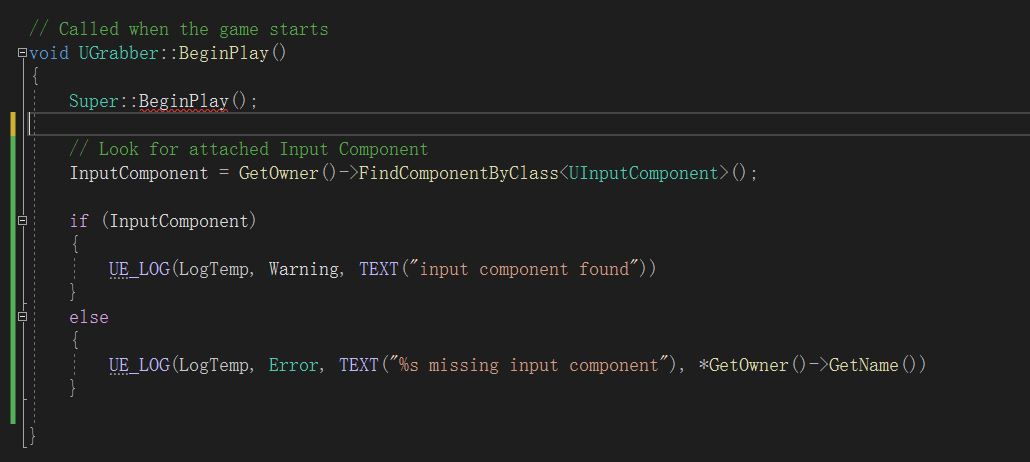
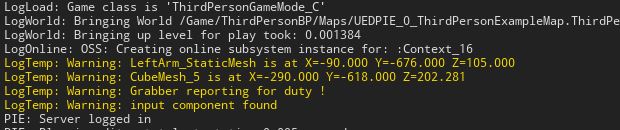
When using the Unreal Engine course "Unreal Engine C++ Developer: Learn C++ and Make Video Games" (P85), the instructor's version shows InputComponent on a Pawn during runtime. However, in UE4.27's ThirdPersonCharacter scenario, this component is not visible at runtime.
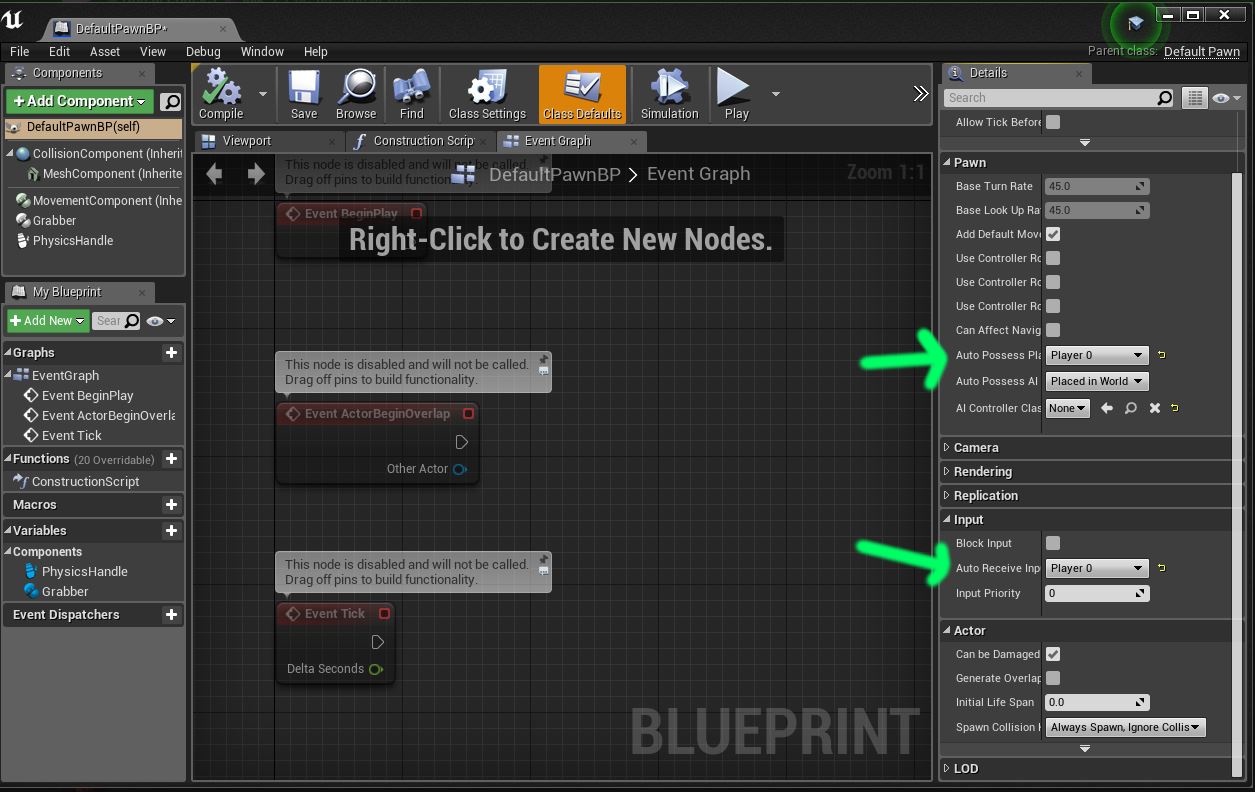
To resolve this, set Auto Possess and Auto Receive Input to "Default Pawn BP" as shown below. Eventhough the InputComponent still does not appear in the runtime component list, it becomes accessible in BeginPlay.
Delegates in UE4
DECLARE_DELEGATE                                    // Normal delegate
DECLARE_DYNAMIC_DELEGATE_TwoParams                 // Dynamic delegate
DECLARE_DYNAMIC_MULTICAST_DELEGATE_TwoParams       // Dynamic multicast delegate
Key differences:
-
Multicast: Any number of entities can respond to the same event and receive inputs.
-
Dynamic: The delegate can be serialized and used in Blueprint graphs (called Events/Event Dispatchers in Blueprints).
-
DYNAMIC: Allows the delegate to be serialized and bound in Blueprints. -
MULTICAST: Allows one event type to broadcast to multiple functions (must be declared as a Blueprint type). -
XXXParams: Specifies the number of parameters (each parameter type is followed by a parameter name).
Example: Communication between C++ and Blueprints using Delegates
- Declare a delegate type in
opendoor.h:
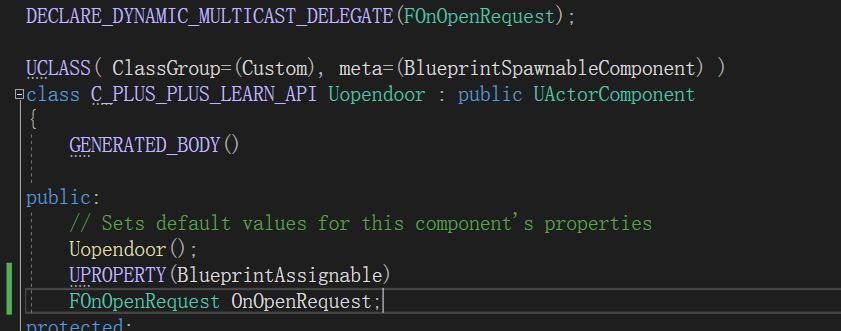
DECLARE_DYNAMIC_MULTICAST_DELEGATE(FOnOpenRequest);
- In the
opendoor.hclass, define anFOnOpenRequestobject and mark it withBlueprintAssignable(so it can be bound in Blueprints):
- In
opendoor.cpp, replace direct rotation logic with the broadcast:
void Uopendoor::OpenDoor()
{
    // Owner->SetActorRotation(FRotator(0, OpenAngle, 0));
    OnOpenRequest.Broadcast();
}
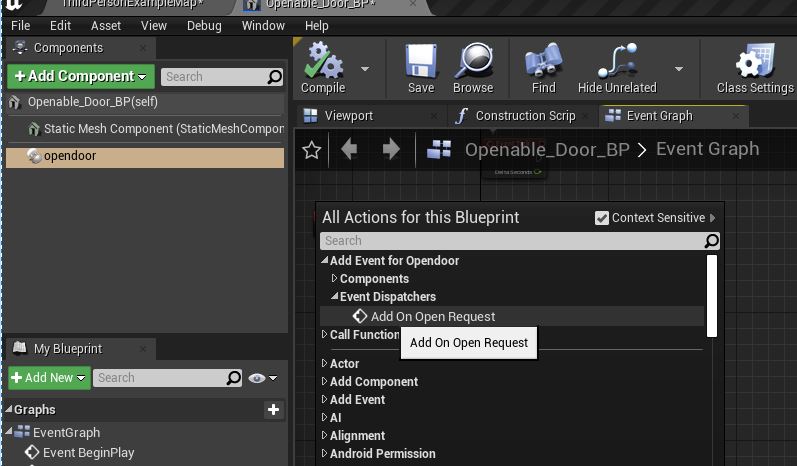
- In Blueprints, bind to the
OnOpenRequestevent. Selectopendoor, right-click, and choose Add On Open Request:
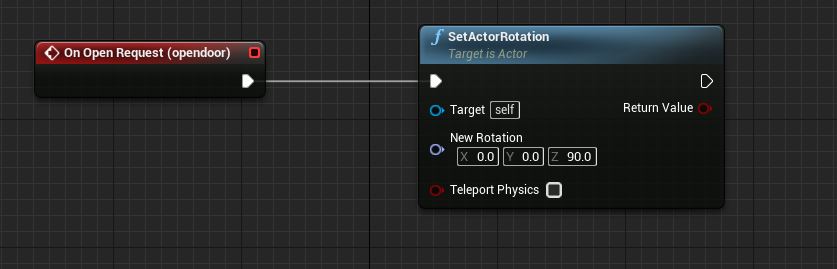
- Implement the desired rotation logic:
Removing Default Smooth Display on Low-Poly Models
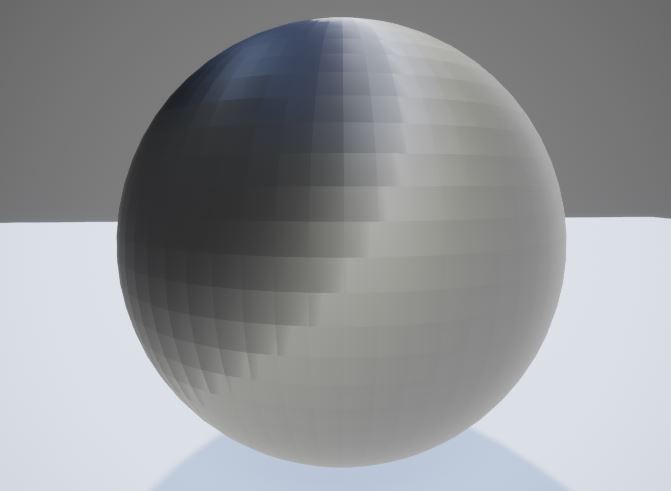
By default, UE4 smooths normals. For a low-poly terrain model imported without sharp edges, applying a default material results in a smooth appearance.
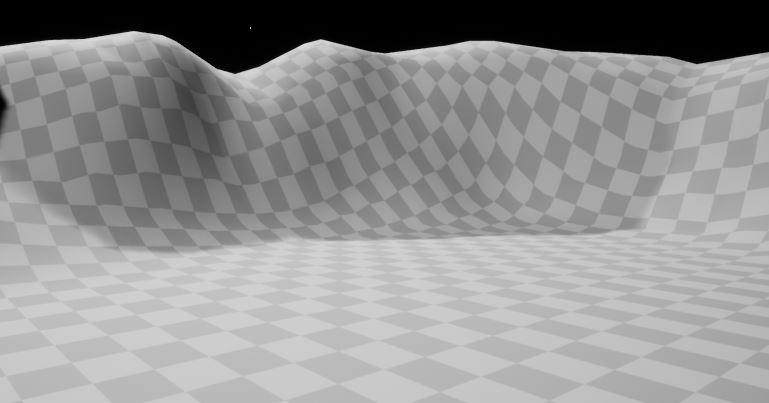
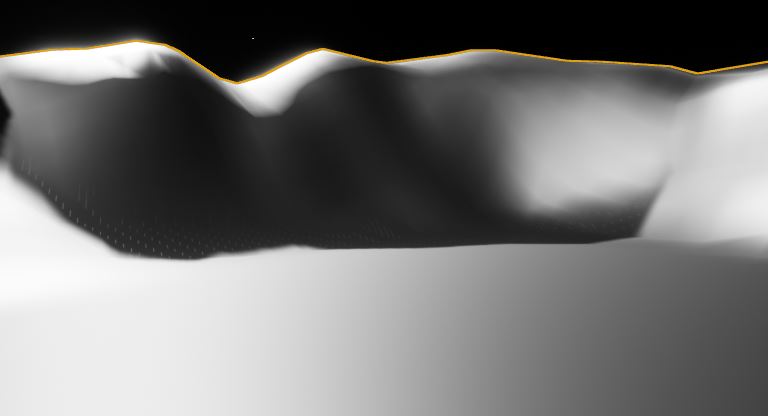
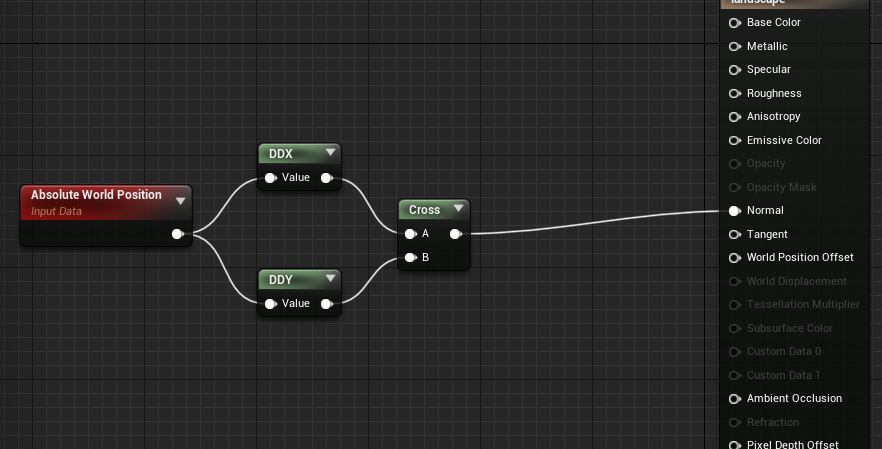
To achieve a faceted low-poly look, calculate the original unsmoothed normals in the material: